





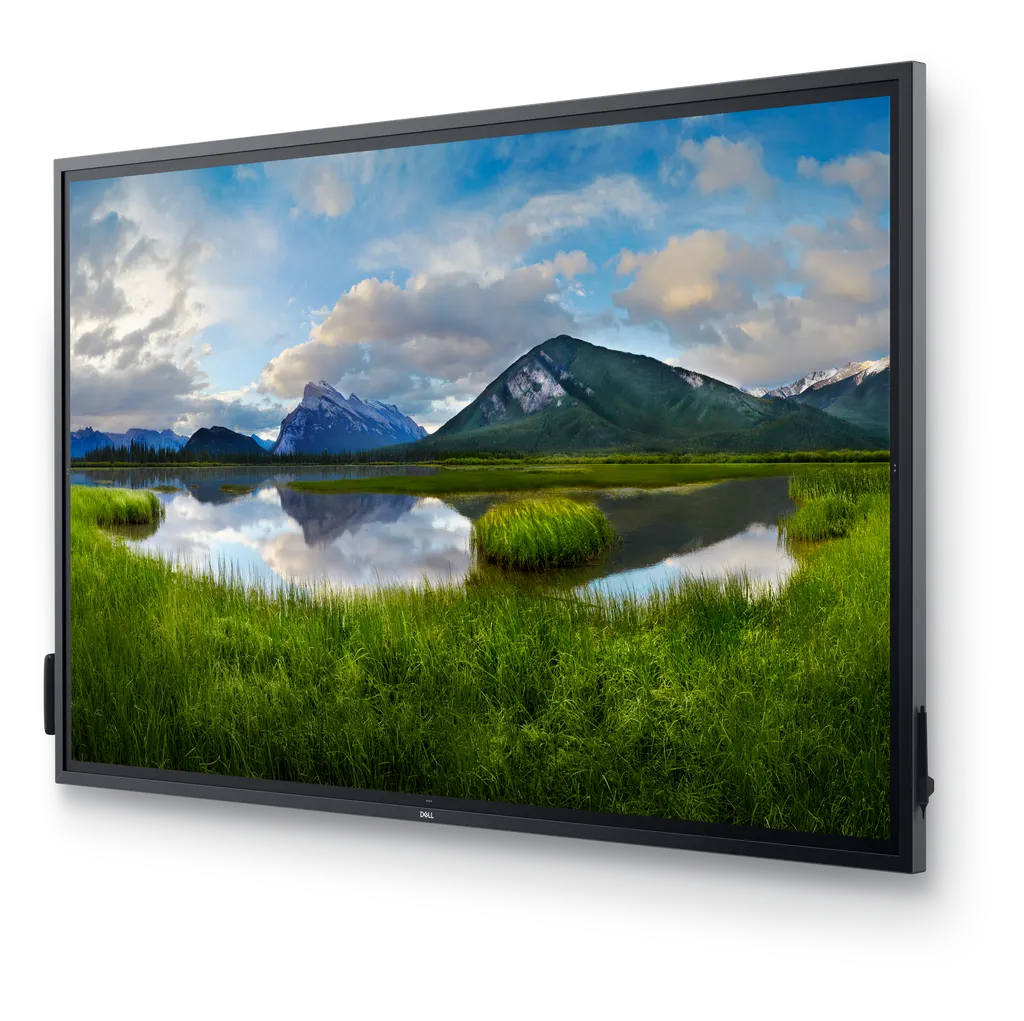
C8621QT
Dell C8621QT 86-inch 4K Interactive Touch Monitor
- Screen size
- 86"
- Resolution
- 3840 x 2160
- Brightness
- 350 cd/m²
- Speakers
- 2 speakers
The Dell C8621QT is an 86-class interactive touch monitor with an 85.6-inch 4K UHD IPS panel and 20-point touch. Two 20W speakers, four HDMI inputs, DisplayPort, USB-C with up to 90W power delivery, and RS-232 and network control make it practical for boardrooms, lecture halls and training rooms across Qatar. Its 0 to 40°C operating range suits air-conditioned rooms. Request a quote from SmartRooms Qatar.
What the Dell C8621QT delivers
The Dell C8621QT is an 86-class interactive touch monitor from the Dell C Series. Its 85.6-inch LED-backlit IPS panel runs at 3840 x 2160 (4K UHD) with a 16:9 aspect ratio, 350 cd/m² brightness and 1200:1 dynamic contrast. The front is 4mm tempered glass with an anti-glare, 9H hard coating, and the panel has a 178° viewing angle, so people seated across a large room can read the same content.
Touch is handled by a 20-point touchscreen. Several people can write, draw or move objects at the same time, using fingers, a palm or one of the two included styluses. This makes it a practical tool for group exercises and brainstorming, where a single presenter would otherwise control the board.
Connectivity and remote management
The monitor offers four HDMI ports, a DisplayPort 1.2 input, a USB-C port that supplies up to 90W of power delivery for a laptop, an audio line-out, three USB 3.1 ports and a USB power-only port. Two built-in 20W speakers provide 40W total output for presentation audio.
For IT teams, the RS-232 port, RJ45 network connection, HDMI CEC ports and TCP/IP command set allow the display to be controlled and checked remotely. This helps facilities teams in government buildings, schools or hospitals keep several screens consistent without visiting each room.
Where it fits in Qatar
In a boardroom in West Bay or Msheireb, the 86-inch format lets a leadership team review documents, dashboards or floor plans at full size, while a laptop charges through the USB-C port during the meeting.
In a lecture hall or seminar room at Education City, the four HDMI inputs let a lecturer switch between a laptop and a visiting speaker's device without repeatedly changing cables.
At a training centre in Lusail or Al Sadd, Dell Screen Drop lets staff of different heights reach the content. The side buttons offer three height settings for raising, lowering and marking up the image.
Planning the installation
The panel weighs 86.5 kg and 114.5 kg in shipping, measuring 198.264 cm wide, 115.663 cm high and 8.28 cm deep. Because this is a heavy wall-mounted display, confirm the wall structure and the 600 x 400 mm VESA interface before ordering. A free site survey from SmartRooms Qatar can check the wall, cable routes and room conditions.
Plan the environment too. The listed operating range is 0 to 40°C at 10 to 80% humidity, non-condensing. Qatar summer temperatures can exceed 45°C, so install the display in an air-conditioned room away from direct sunlight through glass. Maximum power draw is 430W and on-mode draw is 171W. The data lists an AC 120/230 V, 50/60 Hz input, so confirm the power arrangement with the SmartRooms Qatar team given Qatar's 240 V supply.
The box includes two styluses with spare nibs, a remote control and holder, AAA batteries, cable clips, and HDMI, DisplayPort, USB-C and USB 3.1 cables with power cords. The cable lock is sold separately, and the optional Dell OptiPlex Micro PC can be included in your quotation if needed.
Send SmartRooms Qatar your room dimensions, wall type and intended use, then request a quote. The team usually returns quotations within one working day.
Highlights
- 85.6-inch 4K UHD IPS panel at 3840 x 2160
- 20-point touch with fingers, palm or stylus
- Two built-in 20W speakers, 40W total output
- USB-C port with up to 90W power delivery
- RS-232 and RJ45 network for remote management
- Operating range 0 to 40°C, 10 to 80% humidity non-condensing
Classroom fit
At 86″ the farthest student should sit within about 6.4 m (6× the screen height).
Estimated timeline
Quotation within 1 working day · delivery timing depends on stock availability, and we confirm it with your quotation.
Specifications
General23
- Product Type
- LED-backlit LCD flat panel display
- Energy Class
- Class G
- Power Consumption (Max)
- 430 Watt
- Power Consumption Operational
- 430 Watt
- Power Consumption (On mode)
- 171 Watt
- Power Consumption SDR (On mode)
- 171 kWh/1000h
- Diagonal Class
- 86"
- Diagonal Size
- 85.6"
- Commercial Use
- Yes - interactive
- Combined With
- Touchscreen
- TV Tuner
- No tuner
- TV Tuner Presence
- No
- Video Interface
- HDMI
- HDMI Ports Qty
- 4 ports
- PC Interface
- DisplayPort
- Modes
- Landscape mode
- Picture Enhancements
- 72% Color Gamut (CIE 1931)
- Dimensions
- Panel
- Width
- 198.264 cm
- Depth
- 8.28 cm
- Height
- 115.663 cm
- Weight
- 86.5 kg
- Adjustability
- NA
Display15
- Pixel Pitch
- 0.4935 mm
- Display Format
- 4K UHD (2160p)
- Image Aspect Ratio
- 16:9
- LCD Backlight Technology
- Edge-lit LED
- Coating
- Anti-glare, 9H Hard
- Dynamic Contrast Ratio
- 1200:1
- Brightness
- 350 cd/m²
- Viewing Angle
- 178 °
- Viewing Angle (Vertical)
- 179 °
- Touchpoints Qty
- 20
- Response Time
- 8 ms
- Backlight Life
- 30,000 hour(s)
- Features
- Crestron RoomView, security lock slot (cable lock sold separately), tempered glass (4mm), 1.07 billion colours, InGlass touch technology
- LCD Display Technology
- IPS
- Resolution
- 3840 x 2160
Stands & Mounts2
- Flat Panel Mount Interface
- 600 x 400 mm
- VESA Compatibility
- Yes
Media Player2
- USB Port
- Yes
- USB Ports Qty
- 4
Remote Control1
- Type
- Remote control
Audio System3
- Speaker System
- 2 speakers
- Output Power / Total
- 40 Watt
- Speakers
- 2 x main channel speaker - 20 Watt
Connections1
- Connector Type
- 4 x HDMI DisplayPort Audio line-out 3 x USB 3.1 3 x USB 3.1 RS-232 USB (power only) Network
Miscellaneous3
- Included Accessories
- 2 AAA batteries, 2 styluses, 3 cable clips, remote control holder, 2 stylus nibs, 1 x PC box holder
- Cables Included
- SuperSpeed USB cable - 3 m DisplayPort cable - 3 m USB-C cable - 1.8 m HDMI cable - 3 m
- Compliant Standards
- DisplayPort 1.2
Sustainability Information2
- ENERGY STAR Certified
- Yes
- ENERGY STAR Version
- 8.0
Power6
- Power Device
- Power supply
- Input Voltage
- AC 120/230 V (50/60 Hz)
- Power Consumption Stand by
- 0.3 Watt
- Power Consumption Sleep
- 0.3 Watt
- Power Consumption (Off Mode)
- 0.3 Watt
- Power Consumption (On mode)
- 171 Watt
Dimensions & Weight (Shipping)1
- Weight (Shipping)
- 114.5 kg
Environmental Parameters3
- Min Operating Temperature
- 0 °C
- Max Operating Temperature
- 40 °C
- Humidity Range Operating
- 10 - 80% (non-condensing)




