





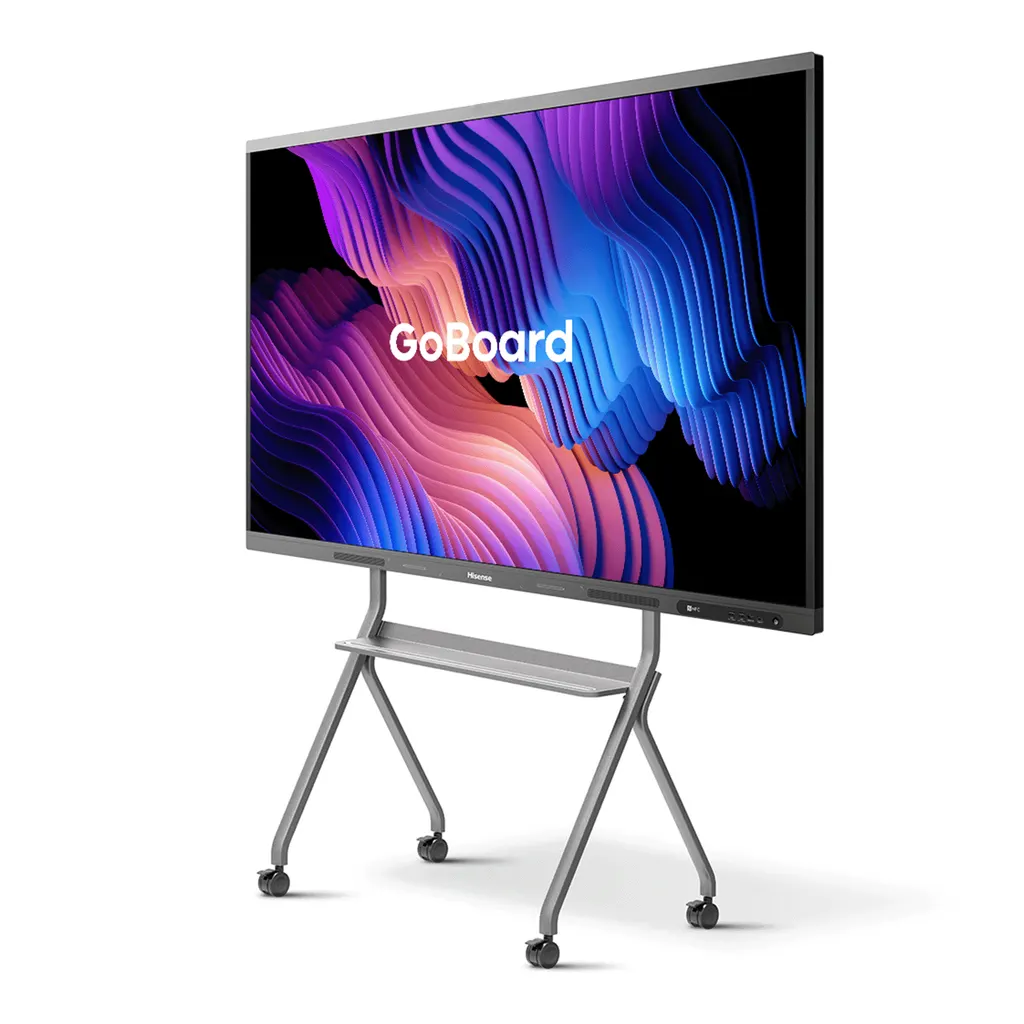
65MR6DE-E
Hisense 65MR6DE-E 65-inch GoBoard Interactive Display
- Screen size
- 65’’
- Resolution
- 3840 x 2160
- System
- Android 13.0
- Brightness
- 350cd/m²(typ.)
The Hisense 65MR6DE-E is a 65-inch GoBoard interactive display with a 4K UHD panel, 10-bit colour and Android 13 built in. It offers three HDMI 2.0 inputs, a USB Type-C port with up to 65 W Power Delivery, built-in 2x15W+20W speakers and an optional OPS slot. Its infrared touch frame supports up to 20 touch points. It suits classrooms, meeting rooms and training centres across Qatar that need one screen for teaching, annotation and shared content.
What the Hisense 65MR6DE-E is
The Hisense 65MR6DE-E is a 65-inch interactive display from the MR6DE-E GoBoard series. It brings together a large touch screen, an Android 13 computer, an electronic whiteboard and a video conference screen in a single unit, so one wall-mounted panel can host lessons, meetings and shared content. The panel has a D-LED backlight and a 4K UHD resolution of 3840 x 2160, with 10-bit colour and 1.07 billion displayable colours.
Display and touch performance that matters in a room
- Brightness: 350 cd/m² typical, with a built-in ambient light sensor that adjusts the screen to the light in the room.
- Contrast and viewing: 1,200:1 typical contrast ratio and 178 degrees horizontal and vertical viewing angles.
- Motion and colour: 8 ms response time, 60 Hz refresh rate and 72% colour gamut.
- Touch: an infrared touch frame with up to 20 touch points, anti-glare glass and a minimum touch object size of 2 mm.
The screen is certified by TÜV Rheinland for reducing the blue light ratio, which helps during long lessons and extended meetings. It is also Energy Star certified and draws under 0.5 W in standby. The built-in speakers, rated at 2x15W+20W, support Dolby Atmos audio.
Android 13, Google apps and wireless sharing
The display runs Android 13.0 and carries Google certification. With Google Education, teachers and staff can open Google Classroom, Chrome, Play Store, Gmail, Google Drive and Google Docs directly on the panel, which helps with managing assignments and shared files. Wireless options include Webcast, Miracast, DLNA, dongle transfer and Hisenseshare, and dual Wi-Fi modules allow a screen-sharing hotspot and a network connection at the same time. Wi-Fi covers 802.11 a/b/g/n/ac/ax on 2.4 GHz and 5 GHz, alongside Bluetooth 5.1 and NFC.
Wired connections are three HDMI 2.0 inputs, three USB 3.0 ports, one USB Type-C port with Power Delivery up to 65 W, a LAN port (1000baseT), an audio input and an RS-232 input. Outputs include one HDMI out, one S/PDIF out, one audio out and two RS-232 outputs. One OPS slot is available as an option.
Where it fits in Qatar
- A private school in Al Wakrah fitting out a classroom for lessons that combine Google Classroom tasks with pen annotation at the board.
- A consultancy meeting room in West Bay or Msheireb where the team joins calls with colleagues abroad and needs one screen for shared documents. The panel has no built-in camera, so a call camera can be quoted alongside it.
- A training centre in Education City or the Industrial Area running short courses where trainees use the touch surface, with up to 20 touch points, for group exercises.
What to plan before you order
- Wall fixing: VESA 600 x 400 mm with four M8 screws. A wall mount bracket is in the box. The net weight is 34.7 kg, so a free site survey helps confirm the wall and clearances.
- Power: input of AC 100 V to 240 V at 50/60 Hz, and maximum consumption of 240 W without OPS.
- Room conditions: the source data does not give an operating temperature range. For hot, sunlit or window-facing rooms, confirm the environment with the SmartRooms Qatar team before choosing a location.
- Language: the listed system languages do not include Arabic.
- Accessories: two pens, a remote, two batteries and a power cable are included. The mobile cart and OPS module are optional.
Send your room size, mounting wall and number of units to SmartRooms Qatar and request a quote. Quotations are usually issued within one working day, and purchase orders are accepted for schools and government buyers.
Highlights
- 65-inch 4K UHD panel at 3840 x 2160 resolution
- Android 13.0 with Google certification and Google Education access
- Three HDMI 2.0 inputs plus an optional OPS slot
- Infrared touch frame with up to 20 touch points
- Built-in 2x15W+20W speakers with Dolby Atmos support
- Energy Star certified with a built-in ambient light sensor
Classroom fit
At 65″ the farthest student should sit within about 4.9 m (6× the screen height).
Estimated timeline
Quotation within 1 working day · delivery timing depends on stock availability, and we confirm it with your quotation.
Specifications
Interactive Display panel11
- Size
- 65’’
- Backlight
- D-LED
- Resolution
- 3840 x 2160
- Brightness
- 350cd/m²(typ.)
- Contrast ratio
- 1200:1(typ.)
- Response Time
- 8ms
- Refreshing Frequency
- 60Hz
- Viewing angle
- 178°(H) / 178°(V)
- Lifetime
- 50,000hrs
- Color Gamut
- 72%
- Display Colours
- 1.07B(10bit)
System2
- OS
- Android 13.0
- Language
- Chinese, English, Polish, German,French, Italian, Spanish, Finnish, Norwegian, Swedish, Thai, Indonesian, Japanese
Speaker1
- Built in speaker
- 2x15W+20W
Connectivity6
- WI-FI
- IEEE 802.11a/b/g/n/ac/ax(2.4G and 5G), IEEE 802.11a/b/g/n/ac(2.4G and 5G)
- Bluetooth
- BT5.1
- NFC
- Yes
- Input
- HDMI(2.0) IN x3, OPS (Optional) x1, LAN x1 (1000baseT R), USB3.0 x3, Type-C x1 (Support PD 65W), Touch x1, Audio In x1, RS-232 In x1(RJ45)
- Output
- RS232 OUT x2 (RJ45), HDMI Out x1, S/PDIF Out x1, Audio Out x1
- Camera
- No
Power2
- Power Requirements
- AC 100 V ~ 240 V, 50/60 Hz
- Power Consumption Without OPS
- 240W (Max)
Touch7
- Sensing Type
- Infrared Touch Frame
- Surface Protection
- Anti-Glare Glass
- Infrared Touch
- ≤20 points
- Touch Accuracy
- 90%(±1mm)
- Theory Clicks
- Unlimited
- Minimum Touch Object
- ≥2mm
- Windows 10/8/7,Android
- Multi Touch
Physical6
- Housing Color
- Black & Tarnish
- Product Size (W x H x D)
- 1488.1 × 899.6 x 114mm / 58.6 × 35.4 × 4.5 inch
- Package Size (W x H x D)
- 1629 × 1040 x 240mm / 64.1 × 40.9 × 9.4 inch
- Net Weight
- 34.7kg/ 76.5lb
- Packed Weight
- 44.7kg / 98.5lbs
- VESA
- 600x400mm, 4-M8 screw
Optional1
- Basic
- Mobile cart, OPS
What’s in the box1
- Value
- User manual Pen x 2 Remote control Wireless Cast x 1 (optional) Power Cable Battery x 2 Wall Mount Bracket x 1




