





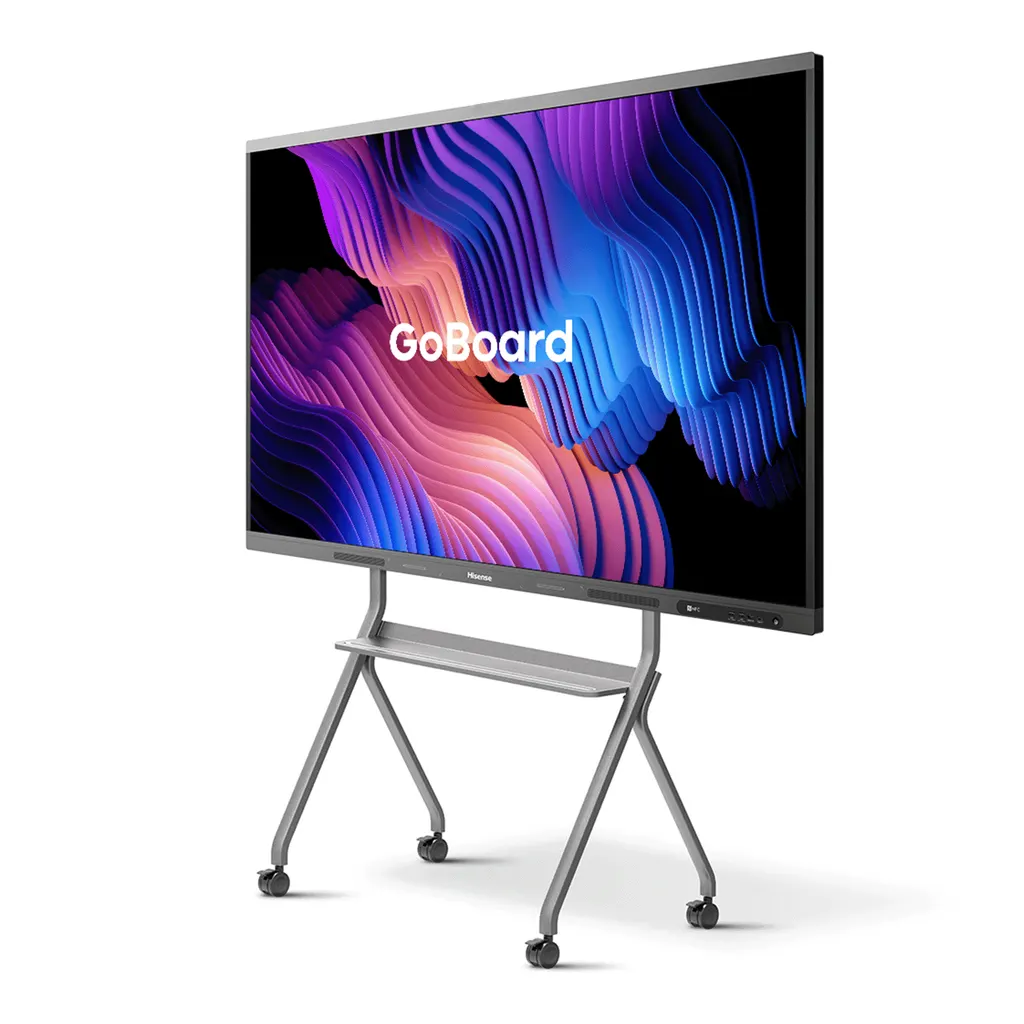
75MR6DE-E
Hisense 75MR6DE-E 75-inch GoBoard Interactive Display
- Screen size
- 75’’
- Resolution
- 3840 x 2160
- System
- Android 13.0
- Brightness
- 350cd/m²(typ.)
The Hisense 75MR6DE-E is a 75-inch 4K interactive display that combines a touch screen, whiteboard tools and Android 13 in one unit. It has a 3840 x 2160 panel, 10-bit colour, infrared touch for up to 20 points, three HDMI 2.0 inputs and dual Wi-Fi modules for wireless sharing. Suited to classrooms, meeting rooms and training suites across Qatar.
What the 75MR6DE-E brings to a room
The Hisense 75MR6DE-E combines a 75-inch 4K touch panel, a whiteboard application and an Android 13 operating system in one unit. Instead of setting up a projector, a laptop, a whiteboard and a separate computer, a room can use this single display for writing, presenting, sharing files and browsing the web. The GoBoard software is built around touch, so users write directly on the glass.
Panel and touch figures that matter
The panel runs at 3840 x 2160 and supports 10-bit colour, which equals 1.07 billion colours, with a 72% colour gamut. Typical brightness is 350 cd/m² and the typical contrast ratio is 1,200:1. A 178-degree horizontal and vertical viewing angle keeps the picture readable for people seated at the ends of a boardroom table. The refresh rate is 60Hz, the response time is 8ms and the rated panel lifetime is 50,000 hours.
Touch is infrared with anti-glare glass. It supports up to 20 touch points, detects objects from 2 mm, and its touch accuracy is listed at 90% within ±1 mm. Pen tip writing, cap erasing, finger movement and palm erasing are all supported, which keeps note-taking natural for teachers and presenters.
Connectivity, software and language
The unit runs Android 13.0 and is listed with Google certification. Google Classroom, Gmail, Google Drive and Google Docs are reachable through Google integration, and the Play Store is available. Three HDMI 2.0 inputs, three USB 3.0 ports and a USB Type-C port with power delivery up to 65W cover laptops, media players and storage. External control is handled through an RS-232 input and two RS-232 outputs on RJ45 connectors. Wireless connectivity covers Wi-Fi 802.11 a/b/g/n/ac/ax, Bluetooth 5.1 and NFC.
The system language list covers 13 languages, and Arabic is not among them. Offices that work in Arabic and English side by side should confirm the interface language before they buy.
Where it fits in Qatar
- Schools in Al Wakrah or Al Rayyan: Teachers fitting out a classroom can annotate lessons, open Google Classroom materials and connect tablets wirelessly, without a separate projector.
- Corporate meeting rooms in West Bay or Lusail: A 75-inch screen suits a medium-sized room where staff connect laptops by HDMI or wirelessly, and where the USB-C port can supply power delivery up to 65W to a compatible laptop.
- Training rooms in the Industrial Area or Mesaieed: Instructors can present, annotate and run interactive sessions on site, with the optional OPS slot available for a dedicated computer if the course needs one.
Planning the installation
At 45.5 kg net and 59.7 kg packed, the panel is heavy, so the wall and fixing should be checked before installation. The VESA pattern is 600 x 600 mm with four M8 screws, and a wall mount bracket is included. The product measures 1709.9 x 1024.4 x 118.2 mm. A mobile cart is listed as an optional accessory for rooms where a wall fixing is not practical.
Power is AC 100 V to 240 V at 50/60 Hz, with a maximum draw of 350W without OPS and standby consumption below 0.5W. Plan the cable route between the wall, the power outlet and the data source, and agree the mounting height during a free site survey. Keep the panel away from direct window glare where possible, and ask the SmartRooms Qatar team to confirm the operating environment before mounting it in a hot or dusty space such as a lobby exposed to Doha summer heat and dust storms.
For a single room, request a quote with installation included. For several units, the team can prepare one quotation to support a purchase order or a government tender. Quotations are usually issued within one working day. Request a quote for the Hisense 75MR6DE-E today and share your room size, wall type and any OPS or cart requirement.
Highlights
- 75-inch 3840 x 2160 4K panel with 10-bit colour
- Infrared touch supporting up to 20 touch points
- Android 13.0 with Google certification and Google integration
- Dual Wi-Fi modules, Bluetooth 5.1 and NFC
- Three HDMI 2.0 inputs, three USB 3.0 ports and USB-C 65W
- Energy Star and TÜV Rheinland eye comfort certified
Classroom fit
At 75″ the farthest student should sit within about 5.6 m (6× the screen height).
Estimated timeline
Quotation within 1 working day · delivery timing depends on stock availability, and we confirm it with your quotation.
Specifications
Interactive Display panel11
- Size
- 75’’
- Backlight
- D-LED
- Resolution
- 3840 x 2160
- Brightness
- 350cd/m²(typ.)
- Contrast ratio
- 1200:1(typ.)
- Response Time
- 8ms
- Refreshing Frequency
- 60Hz
- Viewing angle
- 178°(H) / 178°(V)
- Lifetime
- 50,000hrs
- Color Gamut
- 72%
- Display Colours
- 1.07B(10bit)
System2
- OS
- Android 13.0
- Language
- Chinese, English, Polish, German,French, Italian, Spanish, Finnish, Norwegian, Swedish, Thai, Indonesian, Japanese
Speaker1
- Built in speaker
- 2x15W+20W
Connectivity5
- WI-FI
- IEEE 802.11a/b/g/n/ac/ax(2.4G and 5G), IEEE 802.11a/b/g/n/ac(2.4G and 5G)
- Bluetooth
- BT5.1
- NFC
- Yes
- Input
- HDMI(2.0) IN x3, OPS (Optional) x1, LAN x1 (1000baseT R), USB3.0 x3, Type-C x1 (Support PD 65W), Touch x1, Audio In x1, RS-232 In x1(RJ45)
- Output
- RS232 OUT x2 (RJ45), HDMI Out x1, S/PDIF Out x1, Audio Out x1
Power2
- Power Requirements
- AC 100 V ~ 240 V, 50/60 Hz
- Power Consumption Without OPS
- 350W (Max)
Touch7
- Sensing Type
- Infrared Touch Frame
- Surface Protection
- Anti-Glare Glass
- Infrared Touch
- ≤20 points
- Touch Accuracy
- 90%(±1mm)
- Theory Clicks
- Unlimited
- Minimum Touch Object
- ≥2mm
- Windows 10/8/7,Android
- Multi Touch
Physical6
- Housing Color
- Black & Tarnish
- Product Size (W x H x D)
- 1709.9 × 1024.4 x 118.2mm / 67.3 × 40.3 × 4.7 inch
- Package Size (W x H x D)
- 1850 × 1165 x 240mm / 72.8 × 45.9 × 9.4 inch
- Net Weight
- 45.5kg / 100.3lb
- Packed Weight
- 59.7kg / 131.6lb
- VESA
- 600x600mm, 4-M8 screw
Optional1
- Basic
- Mobile cart, OPS
What’s in the box1
- Value
- User manual Pen x 2 Remote control Wireless Cast x 1 (optional) Power Cable Battery x 2 Wall Mount Bracket x 1




