





Thursday, 22 October 2026 · 11 Jumada I 1448 AH Sun – Thu · 9:00 – 18:00
+971 56 914 9477 العربية
WhatsApp

75WM5GE

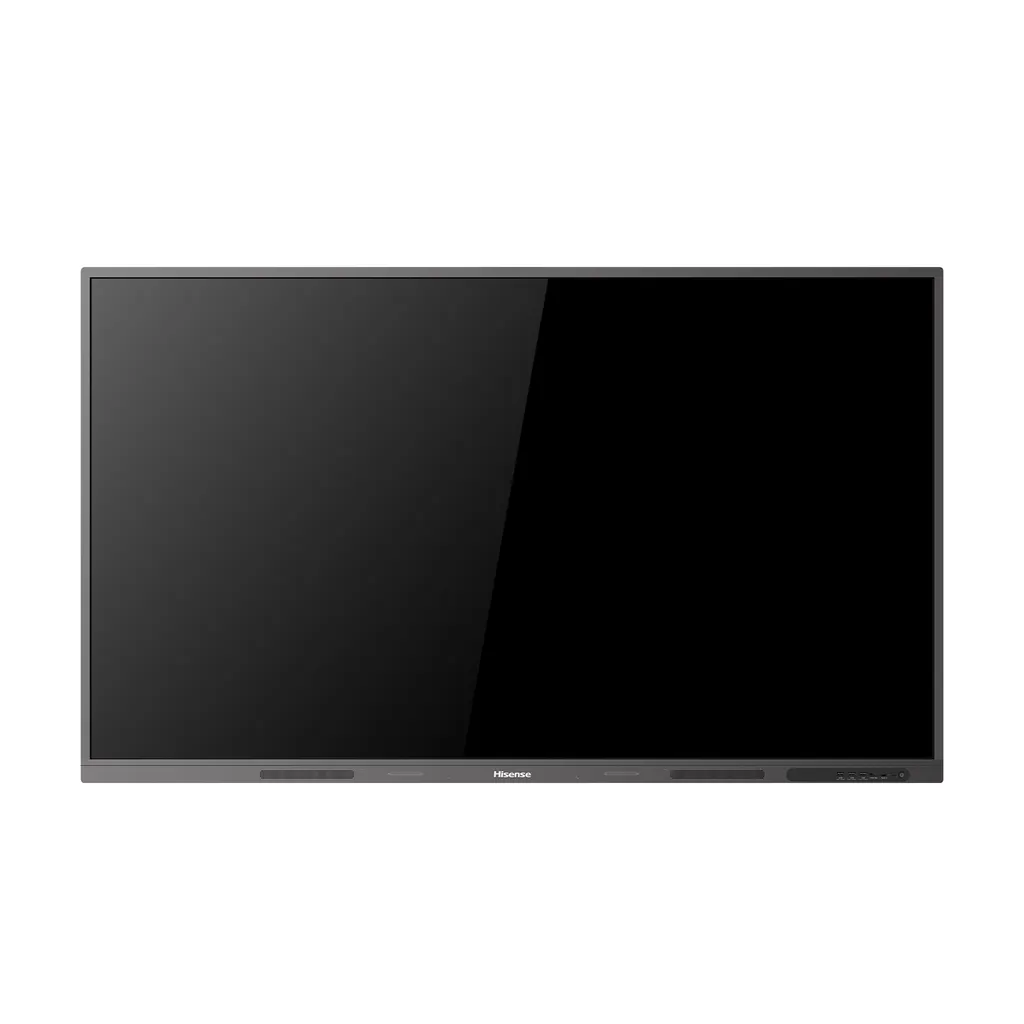
Hisense 75WM5GE 75-inch Advanced Interactive Display

Resolution
3840 x 2160
System
Android 13.0
Memory
8GB
Storage
64GB
WhatsApp
Priceon request
QuotationWithin 1 working day
DeliveryConfirmed with your quote, based on stock
PDFDownload datasheet (75WM5GE_Datasheet_V1.1.pdf)
Overview

The Hisense 75WM5GE is a 75-inch interactive display that pairs a 4K panel with a built-in smart whiteboard and runs Android 13 with Google Play Store access. Its anti-glare glass and 400-nit typical brightness keep content readable in bright meeting rooms, while three HDMI 2.0 inputs, a 65W Type-C port and an optional OPS slot suit classrooms, boardrooms and training rooms in Doha. Request a quote for supply and professional installation.

What the Hisense 75WM5GE does in a meeting room

The Hisense 75WM5GE is a 75-inch interactive display that brings presenting, annotating, video calls and shared whiteboarding onto one screen. It combines a 3840 x 2160 panel with an infrared touch frame and runs Android 13 on an octa-core processor, so teams can open apps directly on the screen.

Because the operating system and touch layer work together, the display also functions as a smart whiteboard. Handwriting can be converted into standard font, and multi-touch works on Android and on Windows 11, 10, 8 and 7.

Panel and touch performance for bright rooms

The panel is rated at 400 nits typical brightness and uses anti-glare glass, which reduces reflections from ceiling lights and windows. Typical contrast is 1,200:1, the backlight is D-LED, and the 10-bit panel shows 1.07 billion colours, covering 72% of the NTSC colour gamut. That suits slides, spreadsheets and classroom video. Viewing angle is 178 degrees horizontally and vertically, so people seated at the side of a room read the same content. Response time is 8ms typical, refresh rate is 60Hz, and touch accuracy is rated at 90% (+1 mm). The panel lifetime is rated at a minimum of 50,000 hours.

Connectivity and ports for shared rooms

  • Three HDMI 2.0 inputs with 4K support, plus one HDMI output
  • One Type-C port supporting 65W power delivery for laptops
  • Three USB 3.0 ports and one USB 2.0 port for peripherals
  • LAN port (1000baseT), dual Wi-Fi module and Bluetooth 5.3
  • RS-232 input and output on RJ45 for control systems, plus coaxial and audio outputs
  • Optional OPS slot with DC 18V/5A power for a compatible OPS module

Where it fits in Qatar

A private school in Al Wakrah fitting out Arabic and English classrooms can use the on-screen language list, which includes Arabic alongside English as the default. A consultancy in West Bay running meetings with teams abroad can connect a laptop over USB-C or HDMI and join calls from the same screen. A hotel conference room in The Pearl or Msheireb can use the 75-inch size for client presentations and link the RS-232 port to a room control system if one is installed.

Planning the installation

The panel measures 1710 x 1060 x 125.9 mm and follows a 600 x 600 mm VESA pattern with four M8 screws, with one wall mount bracket in the box. A display this size places real load on a wall, so SmartRooms Qatar offers a free site survey before installation to check the mounting point and cable routing. Operating temperature is 0 to 40 degrees Celsius at 20% to 80% humidity. Qatar summer temperatures can exceed 45 degrees, so place the display in an air-conditioned room away from windows that receive direct sun. Power is AC 100V to 240V at 50/60Hz, with a maximum draw of 350W without OPS and standby below 0.5W.

Request a quote

Tell SmartRooms Qatar the number of units, the rooms and the mounting height, and the team will return a quotation usually within one working day. Purchase orders, LPOs and government tenders are accepted, and payment can be made by bank transfer, cheque or purchase order. Request a quote today and we will confirm supply, delivery and installation for your site.

Highlights

  • 75-inch 4K panel with 3840 x 2160 resolution
  • 400 nits typical brightness with anti-glare glass
  • Android 13 with Google Play Store access
  • Three HDMI 2.0 inputs supporting 4K
  • Type-C port with 65W power delivery
  • Optional OPS slot, dual Wi-Fi and Bluetooth 5.3

Classroom fit

At 75″ the farthest student should sit within about 5.6 m (6× the screen height).

Estimated timeline

Quotation within 1 working day · delivery timing depends on stock availability, and we confirm it with your quotation.

Specifications

35 specifications · Source: manufacturer · checked Oct 2026
Interactive Display panel11
LCD Size
75"
Backlight Type
D-LED
Resolution
3840 x 2160 (Pixels)
Brightness
400nits(typ.)
Contrast Ratio
1200:1(typ.)
Response Time
8ms(typ.)
Refreshing Frequency
60Hz
Viewing Angle
178°(H) / 178°(V)
Lifetime
50,000 hrs (min.)
Colour Gamut (X% NTSC)
72%
Display Colours
1.07B(10bit)
System5
CPU
Architecture - Octa-core
RAM
8GB
ROM
64GB
Operating System
Android 13.0
Language
English (default), Chinese, French, Spanish, German, Italian, Polish, Finnish, Norwegian, Swedish, Thai, Indonesian, Japanese, Russian, Arabic, Vietnamese, Serbian, Kazakh; Croatian, Slovenian, Czech, Slovak, Hungarian, Romanian, Bulgarian, Albanian, Macedonian, Greek, Turkish, Afrikaans, Malay
Power3
Power Requirements
AC 100V ~ 240V, 50/60Hz
Power Consumption Without OPS
350W (Max)
Built in Speaker
2x18W
Connectivity5
OPS Power
DC 18V/5A
Wi-Fi
Dual Wif-Fi Module
Bluetooth
BT5.3
Input
- HDMI (2.0) IN x3 with 4K Support - OPS (Optional) x1 - LAN x1 (1000baseT R) - USB2.0 x1 - USB3.0 x3 - Type-C x1 (Support PD 65W) - Touch x1 - Audio In x1 - RS-232 In x1 (RJ45)
Output
- RS232 OUT x1 (RJ45) - HDMI Out x1 - COAX Out x1 - Audio Out x1
Touch4
Sensing Type
Infrared Touch Frame
Surface Protection
Anti-Glare Glass
Touch Accuracy
90%(+1mm)
Windows 11/10/8/7, Android
Multi Touch
Physical4
Product Size (W x H x D)
1710 x 1060 x 125.9mm // 67.3 x 41.7 x 5.0 inch
Housing Material
Front Shell: Aluminium // Rear Shell: Plastic
Housing Colour
Black + Tarnish
VESA
600 x 600mm, 4-M8 Screw
Environment2
Operation Temperature
0 - 40°C
Operation Humidity
20% - 80%
Accessories1
Basic
- User Manual ×1 - Pen ×2 - Remote Control ×1 - Power Cable ×1 (Country Dependent) - Battery ×2 - Wall Mount Bracket ×1


Downloads

1 file from the manufacturer

Questions about 75WM5GE

What is the Hisense 75WM5GE best suited for?
It suits rooms where one large screen must present, annotate and host video collaboration. A 75-inch panel works well in a medium classroom, a training room or a boardroom in Doha. The 3840 x 2160 resolution keeps small text readable from the back row, and two 18W built-in speakers let smaller rooms skip a separate sound system. Larger halls usually need a bigger screen or extra speakers, so confirm room size when requesting a quote.
Does the 75WM5GE run Android apps and the Google Play Store?
Yes. The display runs Android 13.0 on an octa-core processor with 8GB RAM and 64GB storage. It provides access to the Google Play Store, security updates and certified Android applications, and it is EDLA certified for synchronising built-in Google apps and accounts. Teams can open apps directly on the screen for basic presentations and browsing without a connected computer.
How well does the screen perform in a bright office with large windows?
The panel is rated at 400 nits typical brightness, and its anti-glare glass reduces light reflections so content stays visible in strong light. For an office in West Bay or Lusail with floor-to-ceiling glass, position the screen so the window is not directly behind the viewers, and use blinds during peak afternoon sun. Typical contrast is 1,200:1 and the viewing angle is 178 degrees both ways.
What are the resolution, refresh rate and colour specifications?
The panel delivers 3840 x 2160 pixels with a 60Hz refresh rate and 8ms typical response time. It uses a D-LED backlight and a 10-bit panel showing 1.07 billion colours, covering 72% of the NTSC colour gamut. Typical contrast is 1,200:1, and the panel lifetime is rated at a minimum of 50,000 hours. These figures suit presentations, documents, spreadsheets and classroom video.
Can I connect a laptop and a video conferencing camera in a meeting room?
Yes. Three HDMI 2.0 inputs support 4K, and the Type-C port supports 65W power delivery, so a laptop can connect with one cable while it charges. Three USB 3.0 ports can take a camera, microphone or USB drive, and the LAN port with dual Wi-Fi and Bluetooth 5.3 covers network and wireless needs. A Doha engineering firm joining calls with teams abroad can set up its conferencing camera this way.
Can I add an OPS computer module, and what power does it receive?
The display has one optional OPS slot that supplies DC 18V/5A to the module. This lets you run a compatible computer module inside the panel rather than a separate PC in the room. Before ordering, confirm with SmartRooms Qatar that the OPS module you plan to use is compatible with this model, because the data lists the slot and its power rating but not a module list. Consumption without OPS is 350W maximum.
Is the 75WM5GE available for order in Qatar?
The manufacturer's regional data lists this model as not available in the Middle East, so SmartRooms Qatar does not assume availability. Each quotation confirms whether the model can be supplied, and the estimated lead time depends on stock at the time of the order. If it cannot be supplied for your project, ask the team for a compatible current alternative with comparable size and specifications. Request a quote and state the number of units and the delivery address.
How much wall space does it need, and how is it mounted?
The panel measures 1710 x 1060 x 125.9 mm, or 67.3 x 41.7 x 5.0 inches, and uses a 600 x 600 mm VESA pattern with four M8 screws. A wall mount bracket is included. Check the wall structure and the mounting height before fixing a display this size, and book a free site survey with SmartRooms Qatar so the installer can confirm fixing details and cable routing for your room.
Can it be placed in an unshaded lobby or outdoor area in Qatar?
No, it is not designed for unconditioned or outdoor spaces. The operating temperature range is 0 to 40 degrees Celsius with 20% to 80% humidity, while Qatar summers regularly exceed 45 degrees and dust storms can occur. Choose an air-conditioned lobby, meeting room or classroom away from direct sun, and keep the rear vents clear. If you are unsure whether a space meets these conditions, confirm it with the SmartRooms Qatar team during the site survey.
Does it support Arabic menus for an Arabic-curriculum school?
Yes, the language list includes Arabic, alongside English as the default. Schools running Arabic and English classrooms side by side can set the on-screen language to suit each teacher. The list also includes French, German, Turkish and many other languages, which helps multilingual campuses. Ask the installer to set the preferred language during installation so teachers can switch quickly.
Which power cable and socket does it need in Qatar?
The display accepts AC 100V to 240V at 50/60Hz, which covers Qatar's 240V mains supply. The power cable is listed as country dependent, so the supplied cable may not match the BS 1363 (Type G) plug used in Qatar. Confirm the cable and plug type on the quotation before ordering. Standby consumption is below 0.5W, and maximum consumption without OPS is 350W, so check circuit capacity when installing several units.
What comes in the box, and can a school order several units on an LPO?
The box includes a user manual, two pens, a remote control, a country-dependent power cable, two batteries and one wall mount bracket. Schools and ministries can order several units on a purchase order or LPO, and SmartRooms Qatar also handles government tenders. Because each unit includes one wall bracket, plan the mounting for every room, and request a quote listing the units, rooms and delivery address.

Similar models

BenQ CM7505 BenQ Board CM7505 75-inch Interactive Display
75″ UHD 3840 × 2160 pixels Ultra Precision IR
SMART SBID-6286S-V3 SMART Board 6086S-V3 86-inch Interactive Display with iQ
86″ 4K UHD (3840 × 2160) HyPr Touch with InGlass
SMART SBID-6286S-V3-P SMART Board 6086S-V3 Pro 86-inch Interactive Display with iQ
86″ 4K UHD (3840 × 2160) HyPr Touch with InGlass
Clevertouch Clevertouch Edge 65" Clevertouch Edge 65" 4K Interactive Display with Camera and Speakers
65″ 4K UHD (3840x2160 @60Hz) Android 15
Clevertouch Clevertouch Edge 86" Clevertouch Edge 86" 4K Interactive Flat Panel
86″ 4K UHD (3840x2160 @60Hz) Android 15
Email Call


