





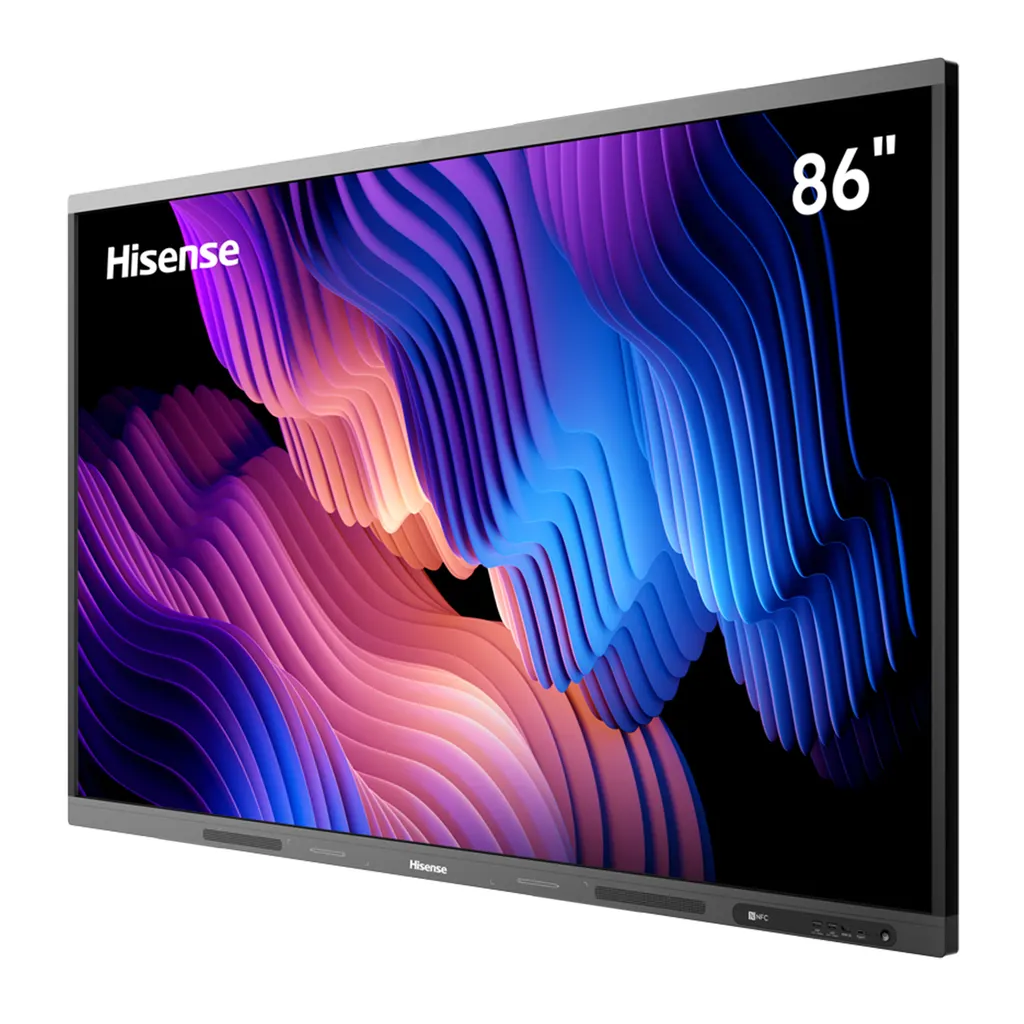
86MR61DE-E
Hisense 86MR61DE-E 86-inch GoBoard Pro Interactive Display
- Screen size
- 86’’
- Resolution
- 3840 x 2160
- System
- Android 13.0
- Memory
- 8GB
The Hisense 86MR61DE-E is an 86-inch 4K interactive display that pairs a touch panel with an Android 13 computer, whiteboard tools and wireless screen sharing. It offers 400 nits of brightness, infrared touch with up to 20 points, dual Wi-Fi modules and a Type-C port with PD 65W support. It suits boardrooms, lecture halls and large classrooms in Doha, Lusail and Al Wakrah that need one screen for presenting, annotating and sharing. Request a quote from SmartRooms Qatar.
What the Hisense 86MR61DE-E is
The Hisense 86MR61DE-E is an 86-inch interactive display from the MR61DE-E GoBoard Pro series. It brings a large touch screen, an Android 13 computer with 8GB RAM and 128GB storage, whiteboard tools and wireless screen sharing into one unit, so a presenter does not need a separate board, laptop and projector setup for everyday lessons and meetings. The housing measures 1954.7 mm wide, 1162.1 mm high and 118.2 mm deep.
Panel, touch and whiteboard performance
The 3840 x 2160 panel gives 4K Ultra HD resolution at 400 nits of brightness, with a typical contrast ratio of 4000:1 and a 60Hz refresh rate. The built-in ambient light sensor adjusts brightness to the room, which helps when daylight shifts during a long session. The infrared touch frame recognises up to 20 points, with a minimum touch object of 2 mm and a writing height under 1.5 mm.
- Pen-tip writing, cap erasing and palm erasing are supported with the two pens in the box.
- Built-in teaching tools include protractors, triangles and rulers for maths and design lessons.
- Anti-glare glass covers the panel to reduce reflections in bright rooms.
- TÜV Rheinland certification covers a reduced blue light ratio during long viewing.
Android 13, Google apps and connectivity
The unit runs Android 13 and carries Google certification, so teachers and staff can open Google Classroom, Gmail, Google Drive and Google Docs directly on the screen. Wireless sharing works through Miracast, DLNA and Webcast, and dual Wi-Fi modules let a screen-sharing hotspot and a network connection run at the same time. The Wi-Fi supports 802.11 a/b/g/n/ac/ax on 2.4G and 5G, and Bluetooth 5.1 and NFC are included.
Wired inputs cover three HDMI 2.0 ports, three USB 3.0 ports, a Type-C port with PD 65W support, a LAN port, a touch input, an audio input and an RS-232 input. An optional OPS slot accepts a plug-in computer module with DC 12V/5A power. Outputs include HDMI, S/PDIF, audio and two RS-232 ports.
Where it fits in Qatar
Three situations show where this size makes sense. A private school in Al Wakrah fitting out a bilingual classroom can use the panel for lessons that move between shared documents, annotated slides and Google Classroom tasks. A boardroom in West Bay or Lusail can display project reports at full 4K detail and join calls with teams abroad when an external camera is connected. A training centre in Msheireb running workshops can let participants take turns at the touch surface during group exercises.
What to plan before installation
At 58.7 kg net and 76.2 kg packed, the panel needs a planned mounting point. It uses a 1000 x 600 mm VESA pattern with four M8 screws, and a wall mount bracket is supplied. An optional mobile cart suits rooms that need the display moved between spaces. The power input accepts AC 100 V to 240 V at 50/60 Hz, which covers Qatar's 240 V supply. Consumption is 430 W maximum without OPS, and standby draws below 0.5 W. The source data does not give an operating temperature range, so confirm the environment with the SmartRooms Qatar team before placing the unit in a lobby, atrium or window-facing wall. SmartRooms Qatar offers a free site survey to check wall structure, power points and sight lines first.
Request a quote for your Hisense 86MR61DE-E
Share your room size, the number of units and whether you need a cart or OPS module. SmartRooms Qatar usually returns quotations within one working day and supplies against purchase orders (LPOs) and government tenders, including Monaqasat. Request a quote and we will confirm availability for Qatar with the quotation.
Highlights
- 86-inch 4K UHD panel at 3840 x 2160 resolution
- 400 nits brightness with a built-in ambient light sensor
- Infrared touch frame supporting up to 20 points
- Android 13 with 8GB RAM and 128GB storage
- Dual Wi-Fi modules supporting 802.11 a/b/g/n/ac/ax
- Type-C port with PD 65W and optional OPS slot
Classroom fit
At 86″ the farthest student should sit within about 6.4 m (6× the screen height).
Estimated timeline
Quotation within 1 working day · delivery timing depends on stock availability, and we confirm it with your quotation.
Specifications
Interactive Display panel11
- Size
- 86’’
- Backlight
- D-LED
- Resolution
- 3840 x 2160
- Brightness
- 400nits
- Contrast ratio
- 4000:1(typ.)
- Response Time
- 8ms
- Refreshing Frequency
- 60Hz
- Viewing angle
- 178°(H) / 178°(V)
- Lifetime
- 50,000hrs
- Color Gamut
- 72%
- Display Colours
- 1.07B(10bit)
System6
- OS
- Android 13.0
- CPU
- Architecture - ARM A73(4) +A53(4) / Working Frequency - 2.2GHz + 2.0GHz
- GPU
- MaliG52
- RAM
- 8GB
- ROM
- 128GB
- Language
- Chinese, English, Polish, German,French, Italian, Spanish, Finnish, Norwegian, Swedish, Thai, Indonesian, Japanese
Speaker1
- Built in speaker
- 2x15W+20W
Connectivity6
- WI-FI
- IEEE 802.11a/b/g/n/ac/ax(2.4G and 5G), IEEE 802.11a/b/g/n/ac(2.4G and 5G)
- Bluetooth
- BT5.1
- NFC
- Yes
- Camera
- No
- Input
- HDMI(2.0) IN x3, OPS (Optional) x1, LAN x1 (1000baseT R), USB3.0 x3, Type-C x1 (Support PD 65W), Touch x1, Audio In x1, RS-232 In x1(RJ45)
- Output
- RS232 OUT x2 (RJ45), HDMI Out x1, S/PDIF Out x1, Audio Out x1
Power3
- Power Requirements
- AC 100 V ~ 240 V, 50/60 Hz
- Power Consumption Without OPS
- 430W (Max)
- OPS Power
- DC 12V/5A
Touch7
- Sensing Type
- Infrared Touch Frame
- Surface Protection
- Anti-Glare Glass
- Infrared Touch
- ≤20 points
- Touch Accuracy
- 90%(±1mm)
- Theory Clicks
- Unlimited
- Minimum Touch Object
- ≥2mm
- Windows 10/8/7,Android
- Multi Touch
Physical6
- Housing Color
- Black & Tarnish
- Product Size (W x H x D)
- 1954.7 × 1162.1 x 118.2mm / 77 × 45.8 x 4.7 inch
- Package Size (W x H x D)
- 2095 × 1303 × 240mm / 82.5 x 51.3 × 9.4 inch
- Net Weight
- 58.7kg / 129.4lb
- Packed Weight
- 76.2kg / 168lb
- VESA
- 1000x600mm, 4-M8 screw
Optional1
- Basic
- Mobile cart, OPS
What’s in the box1
- Value
- User manual Pen x 2 Remote control Wireless Cast x 1 (optional) Power Cable Battery x 2 Wall Mount Bracket x 1




