





Thursday, 22 October 2026 · 11 Jumada I 1448 AH Sun – Thu · 9:00 – 18:00
+971 56 914 9477 العربية
WhatsApp

IdeaHub ES2 Plus

HUAWEI IdeaHub ES2 Plus Interactive Meeting Display

WhatsApp
Priceon request
QuotationWithin 1 working day
DeliveryConfirmed with your quote, based on stock
PDFDownload datasheet (HUAWEI IdeaHub ES2 Plus Datasheet.pdf)
Overview

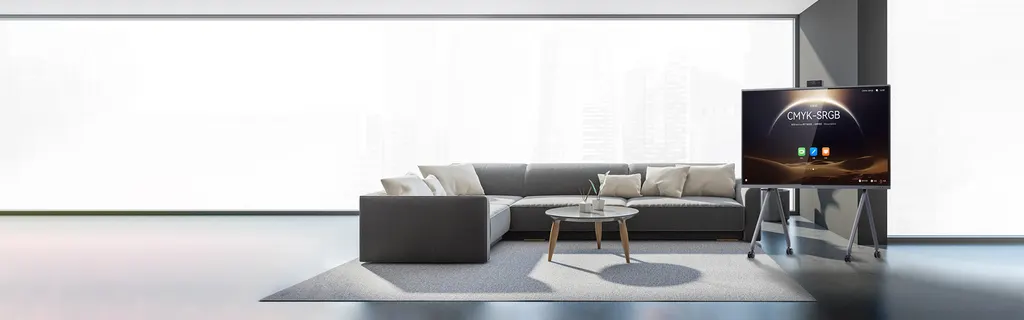
The HUAWEI IdeaHub ES2 Plus is a meeting display that combines a triple-lens camera with 3x optical zoom, a 12-microphone array and 4K content support. Two people can work on the same screen through dual mirroring and control, and personal devices can share content wirelessly. It suits executive offices and VIP meeting rooms in Doha, West Bay and Lusail, where leaders meet partners in person and over video. Request a quote.

What the IdeaHub ES2 Plus is built to do

The IdeaHub ES2 Plus is an interactive meeting display from the HUAWEI IdeaHub series, made for rooms where the screen sits at the centre of a decision. It runs HarmonyOS 4.0, supports 4K content, and brings a touch display, camera and microphone array into one unit, so the room needs fewer separate devices on the table.

Camera and audio that follow the people in the room

The triple-lens camera offers 3x optical zoom and 6x hybrid zoom. Intelligent Tracking 3.0 and intelligent lens rotation keep the active speaker framed, and speakers within 8 meters are shown at a 60% portrait proportion of the screen, which helps remote participants see who is speaking. A 12-microphone array with 12-meter beamforming picks up voices across a boardroom table, and an acoustic baffle is part of the design.

Sharing and collaboration without cable clutter

Dual mirroring and control lets two people work on the same screen, so an executive and an analyst can review figures side by side. Content from personal devices moves to the large display through BYOM. Laptops and phones can connect with IdeaShare Key, and Huawei phones can use NFC. Annotations written on the display can be saved to a personal device for follow-up. A four-finger swipe lowers the interface, and its height can be adjusted for seated and standing users.

Where it fits in Qatar

  • Executive boardroom in West Bay: a leadership team reviews contracts with partners who join from the room and from abroad.
  • VIP meeting room in a government authority in Doha: senior officials hold confidential sessions, where access control and audit records matter.
  • Faculty room in Education City: a research group presents to collaborators in other countries, with the 12-microphone array capturing speakers at a long table.
  • Sales suite in Lusail: a real estate developer walks visiting investors through site plans on a large screen.

Planning the installation

Confirm the room dimensions, the distance from the furthest seat to the screen, and the mounting method before ordering. A rolling stand is listed as an optional accessory, so decide early whether the room needs one or a fixed mount. Our free site survey checks power and network points, cable routes and sightlines before installation. Because Wi-Fi 6 is supported, confirm that the room's wireless network can carry video and casting traffic. Lead times are estimates and are confirmed in the quotation, based on stock.

Management and security for IT teams

The ideaManager platform manages multiple IdeaHub units from one place. Administrators can push OTA updates in batches, set shutdown times remotely, receive fault alarms and run self-service diagnosis of typical faults. Enterprise-level security adds access control, controllable interface permissions, separate storage of sensitive data and traceable access records, which suits government and corporate meeting rooms.

If you are planning a boardroom or VIP meeting room, request a quote for the IdeaHub ES2 Plus from SmartRooms Qatar. Quotations usually arrive within one working day, and we can issue purchase orders (LPOs) and support government tender paperwork.

Highlights

  • Triple-lens camera with 3x optical and 6x hybrid zoom
  • Intelligent Tracking 3.0 and intelligent lens rotation
  • 12-microphone array with 12-meter beamforming pickup
  • Dual mirroring and control for two people on one screen
  • 4K content support and HarmonyOS 4.0
  • ideaManager remote management with batch OTA updates

Estimated timeline

Quotation within 1 working day · delivery timing depends on stock availability, and we confirm it with your quotation.


Specifications

Source: manufacturer · checked Oct 2026
The full specification and datasheet for this model are available on request; we send them with your quotation.

Downloads

2 files from the manufacturer

Questions about IdeaHub ES2 Plus

What is the HUAWEI IdeaHub ES2 Plus used for?
It is an interactive meeting display for executive offices and VIP meeting rooms, where the screen, camera and microphones work together in one unit. Users can annotate on the screen, share content from personal devices and join video meetings. It is most useful where a small group needs a clear view of both the room and the shared content.
How many microphones does it have and how far can it pick up speech?
The ES2 Plus uses a 12-microphone array with 12-meter beamforming sound pickup, and an acoustic baffle is part of the design. In a long boardroom in West Bay, this helps participants at the far end of the table be heard without passing a microphone around. Confirm the room layout during the site survey so the unit is placed with the table in view.
How does the camera frame the people in the room?
The camera uses three lenses with 3x optical zoom and 6x hybrid zoom. Intelligent Tracking 3.0 and intelligent lens rotation keep the active speaker in frame, and speakers within 8 meters are shown at a 60% portrait proportion of the screen. This suits a leadership meeting where the remote side needs to see who is speaking.
Can two people use the screen at the same time?
Yes. Dual mirroring and control lets two people share and operate the same screen, so a senior manager and an analyst in a Doha ministry can review a budget or a tender document together. Each person can work from their own device, which keeps the presenter from handing over a keyboard during a discussion.
What display resolution does it support?
The source data confirms 4K content support for the ES2 Plus. For a design team in Lusail presenting site plans and renders, 4K helps fine detail stay readable on a large panel. Ask the SmartRooms Qatar team to confirm the exact panel size and any other display options when you request a quote.
Which operating systems does the ES2 Plus support?
The product runs HarmonyOS 4.0, and the manufacturer lists support for HarmonyOS and Windows. A company whose staff use Windows laptops can connect them to the display for presentations. Check which features depend on the software version, because some functions are available only on certain versions and scenarios.
How can laptops and phones share content with the display?
Personal devices can send content to the display through BYOM, which moves a meeting to the large screen. Laptops and phones can also connect with IdeaShare Key, and Huawei phones can use NFC. Wi-Fi 6 is supported, so a hospital administration team in Doha can share from several devices without running cables to the table.
Can it join video meetings with teams outside Qatar?
The source data lists support for on-premises meetings and Huawei Cloud Meeting. A company in Education City that meets collaborators abroad should confirm which meeting platform its teams use, because third-party platform compatibility is not stated in the data. Our team can confirm the setup as part of the quotation.
How is a group of IdeaHub units managed centrally?
The ideaManager device management platform manages multiple IdeaHub units remotely. IT teams can push OTA updates in batches, set shutdown times in batches, receive inspection and fault alarms, and track device usage. A university with boardrooms across several buildings can keep every unit updated from one administrator console.
What security features does it include for sensitive meetings?
The ES2 Plus includes enterprise-level information security with access control, controllable interface permissions, separate storage of sensitive data, randomized kernel address space and traceable operation audit records. These features suit a government authority holding confidential briefings in Doha, where the IT team needs to know who accessed the system and when.
What should we plan for before installation?
Measure the room and confirm the furthest seat distance, the mounting method, and whether a rolling stand suits the space, since a rolling stand is listed as optional. Our free site survey checks power, network points and cable routes. Lead times are estimates confirmed in the quotation, based on stock.
Does the data confirm an Arabic interface for bilingual meetings?
The manufacturer data we hold does not list the interface languages, so we do not state that Arabic is supported. An office in Msheireb that runs meetings in Arabic and English should ask us to confirm the language options in writing before ordering. We will include the answer in the quotation.

Similar models

BenQ CM7505 BenQ Board CM7505 75-inch Interactive Display
75″ UHD 3840 × 2160 pixels Ultra Precision IR
SMART SBID-6286S-V3 SMART Board 6086S-V3 86-inch Interactive Display with iQ
86″ 4K UHD (3840 × 2160) HyPr Touch with InGlass
SMART SBID-6286S-V3-P SMART Board 6086S-V3 Pro 86-inch Interactive Display with iQ
86″ 4K UHD (3840 × 2160) HyPr Touch with InGlass
Clevertouch Clevertouch Edge 65" Clevertouch Edge 65" 4K Interactive Display with Camera and Speakers
65″ 4K UHD (3840x2160 @60Hz) Android 15
Clevertouch Clevertouch Edge 86" Clevertouch Edge 86" 4K Interactive Flat Panel
86″ 4K UHD (3840x2160 @60Hz) Android 15
Email Call


