





Thursday, 22 October 2026 · 11 Jumada I 1448 AH Sun – Thu · 9:00 – 18:00
+971 56 914 9477 العربية
WhatsApp

EW-7822ULC

iiyama EW-7822ULC AC1200 Dual-Band USB Wi-Fi Adapter

System
Windows 7/8/8.1/10/11
WhatsApp
Priceon request
QuotationWithin 1 working day
DeliveryConfirmed with your quote, based on stock
XLSXDownload datasheet (EW-7822ULC_Specifications.xlsx)
Overview

The iiyama EW-7822ULC is an AC1200 dual-band USB Wi-Fi adapter that connects a computer to 5GHz 802.11ac networks at up to 867Mbps, with a 2.4GHz option at up to 300Mbps. It works with MU-MIMO-capable routers, and iiyama links it to its TF39AS series of large-format panels. It suits schools, meeting rooms and offices across Qatar that run a laptop or PC alongside a large display and need a dependable wireless connection. Request a quote.

What the EW-7822ULC adds to a ProLite setup

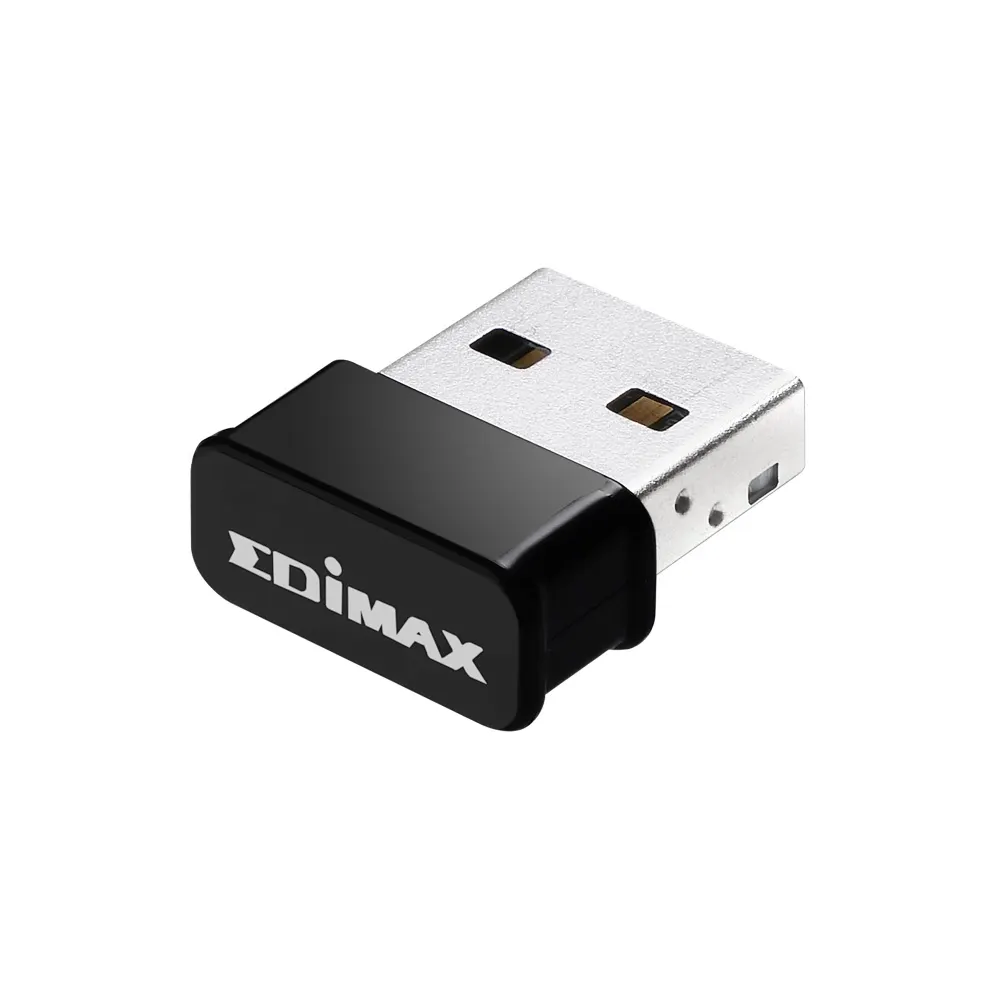
The EW-7822ULC is a USB Wi-Fi adapter, not a display component. It plugs into a computer and gives that computer AC1200 dual-band wireless connectivity, with up to 867Mbps on 5GHz and up to 300Mbps on 2.4GHz. iiyama's data links it to the TF39AS series of professional large-format displays, which makes it relevant for computers that drive those panels.

Dual-band speeds and what they mean in practice

Dual-band operation lets the adapter use whichever band suits the job. The 2.4GHz band (IEEE 802.11b/g/n) is the option when distance or obstacles matter, while 5GHz (IEEE 802.11ac/a/n) carries the higher throughput.

  • 5GHz: up to 867Mbps, suited to video calls, HD streaming and large file transfers.
  • 2.4GHz: up to 300Mbps, suited to connections that must reach further through a building.

The data also cites beamforming, which directs the Wi-Fi signal toward the device rather than spreading it evenly. MU-MIMO support lets a compatible router serve several devices at the same time, but that benefit depends on the router, so check it before ordering.

Where it fits in Qatar

In a classroom at a private school in Al Wakrah, a teacher's laptop may need to reach the school network wirelessly while it drives a large ProLite panel at the front of the room. A dual-band adapter gives the IT team a choice of band depending on where the teacher stands.

In a boardroom in West Bay, a presenter shares content and joins video calls with teams abroad from a laptop. Choosing 5GHz for the call and 2.4GHz for a far corner of the room is a practical use of the dual-band design.

At a training centre in Education City or Lusail, many attendees may connect to one router during a session. In that setting, MU-MIMO support on the router becomes a deciding factor rather than a bonus.

What to plan before you order

  • Confirm the host computer has a USB Type A port and a supported operating system: Windows 7 to 11, Mac OS 10.9 to 10.15, or Linux kernel 3.8 to 5.11.
  • Check that the router broadcasts on 5GHz with 802.11ac, and whether it supports MU-MIMO.
  • Keep the adapter in air-conditioned rooms. The operating range is 0°C to 40°C at 0% to 90% humidity, which matters in Qatar summers.

SmartRooms Qatar offers free site surveys, useful for checking Wi-Fi coverage in a large room before ordering several adapters. Send your room layout, host computer details and router model to the SmartRooms Qatar team and request a quote. Quotations are usually issued within one working day, and we accept purchase orders (LPOs) and bank transfer.

Highlights

  • AC1200 dual-band Wi-Fi, up to 867Mbps on 5GHz
  • Up to 300Mbps on 2.4GHz for longer-reach connections
  • MU-MIMO support with a compatible router
  • Beamforming cited for a more focused Wi-Fi signal
  • USB Type A connection with USB 3.0 and 2.0 listed
  • Operating range 0°C to 40°C, humidity 0% to 90%

Estimated timeline

Quotation within 1 working day · delivery timing depends on stock availability, and we confirm it with your quotation.

Specifications

14 specifications · Source: manufacturer · checked Oct 2026
Device4
WiFi
AC1200 WiFi 5, Max. data transfer rates up to 867Mbps (5GHz) and 300Mbps (2.4GHz)
Operating system
Windows 7/8/8.1/10/11, Mac OS 10.9 - 10.15 and Linux Kernel: 3.8 ~ 5.11
USB
3.0 xNA, 2.0 x 1 (Type A)
Language support
EN, ES
Technical specification1
WiFi standard
2.4GHz: IEEE 802.11b/g/n, 5GHz: IEEE 802.11ac/a/n
SUSTAINABILITY1
Regulations
CE
DIMENSIONS / WEIGHT3
Product dimensions L x W x H
7 x 15 x 20mm
Weight (without box)
0.02kg
EAN code
4717964701602
Environmental conditions4
Operation temperature range
0°C - 40°C
Operation humidity
0% - 90%
Storage temperature range
- 20°C - 60°C
Storage humidity
0% - 95%
RELATED INFORMATION1
Related products
ProLite TF3239MSC-B1AG , ProLite TF4339MSC-B1AG , ProLite TF6539AS-B1AG , ProLite TF5039AS-B1AG , ProLite TF5539AS-B1AG


Downloads

2 files from the manufacturer

Questions about EW-7822ULC

What is the EW-7822ULC and who is it for?
The EW-7822ULC is a USB Wi-Fi adapter, not a display. It connects a computer to AC1200 dual-band wireless networks. It suits teachers, presenters and meeting-room staff in Qatar who run a laptop or PC alongside an iiyama large-format panel and need a wireless connection that works across both 2.4GHz and 5GHz networks.
Which Wi-Fi standards does it support?
On 5GHz it supports IEEE 802.11ac, 802.11a and 802.11n. On 2.4GHz it supports IEEE 802.11b, 802.11g and 802.11n. The data rates AC1200 WiFi 5, with maximum transfer rates of up to 867Mbps on 5GHz and 300Mbps on 2.4GHz. Confirm your router broadcasts on these bands, because the adapter can only use what the network offers.
What speeds can I expect in a real room?
The stated maximums are 867Mbps on 5GHz and 300Mbps on 2.4GHz. Actual throughput depends on distance from the router, walls, interference and how many other devices share the network. For a large room, a site survey before ordering will show whether the 5GHz band reaches the spot where the computer sits.
Does it work with Windows, Mac and Linux?
The manufacturer lists support for Windows 7, 8, 8.1, 10 and 11, Mac OS 10.9 to 10.15, and Linux kernel 3.8 to 5.11. If your computer runs a newer macOS release or a Linux kernel above 5.11, ask the SmartRooms Qatar team to confirm compatibility before ordering several units for a project.
What connection and size does it need?
It uses a USB Type A connection, and the data lists USB 3.0 and USB 2.0 ports. Its dimensions are 7 x 15 x 20 mm and it weighs 0.02 kg without packaging. It can stay in a computer's port on a crowded desk or a lectern without taking up much space, which suits shared teaching and meeting spaces.
Can I use it outdoors or in a hot entrance lobby in Qatar?
Not based on the current data. The operating temperature range is 0°C to 40°C, with 0% to 90% humidity, and storage is rated from -20°C to 60°C. Summer temperatures in Qatar can exceed 45°C, so keep the host computer in an air-conditioned room and confirm the location with SmartRooms Qatar before installing near a window or entrance.
Does the adapter plug into the panel itself?
The data describes it as a USB adapter for computers, so it connects to a computer rather than being a panel accessory. Before ordering, confirm which device will run the wireless connection and whether it has the USB port you plan to use, because the data does not say whether a panel's own ports can host it.
Which iiyama models does the manufacturer link it with?
The manufacturer's data links the adapter to the TF39AS series and lists the ProLite TF3239MSC-B1AG, TF4339MSC-B1AG, TF5039AS-B1AG, TF5539AS-B1AG and TF6539AS-B1AG as related products. Ask SmartRooms Qatar which panel and host computer combination suits your project before requesting a quote.
Is it suitable for a classroom in an Arabic-curriculum school in Al Wakrah?
Yes, where a teacher's laptop needs a wireless link to the school network while it drives a large ProLite panel. Connect the adapter to the laptop's USB Type A port, use 5GHz where the router broadcasts it, and keep the laptop in an air-conditioned room. A school fitting out several classrooms can issue one LPO for all units.
How does it help a boardroom in West Bay that runs video calls?
A presenter can share content and join video calls from a laptop while the adapter stays on the 5GHz band, which carries up to 867Mbps. Because the adapter is dual-band, IT staff can switch to 2.4GHz for a far corner of the room where the 5GHz signal is weaker, though this lowers the maximum speed to 300Mbps.
Does MU-MIMO help when many staff share one router?
The adapter supports MU-MIMO, but the router must also support it for the benefit to apply. The data states that paired with a MU-MIMO router, the adapter supports multiple devices simultaneously. In an office in Lusail or a training room with many users, check the router model with SmartRooms Qatar before you order.
Can SmartRooms Qatar supply several adapters with installation?
Yes. SmartRooms Qatar supplies the adapter, delivers to all eight municipalities of Qatar, and can arrange professional installation. Free site surveys are available to check Wi-Fi coverage before you order several units. Quotations are usually issued within one working day, and purchase orders (LPOs), government tenders and bank transfer are accepted.

Similar models

BenQ CM7505 BenQ Board CM7505 75-inch Interactive Display
75″ UHD 3840 × 2160 pixels Ultra Precision IR
SMART SBID-6286S-V3 SMART Board 6086S-V3 86-inch Interactive Display with iQ
86″ 4K UHD (3840 × 2160) HyPr Touch with InGlass
SMART SBID-6286S-V3-P SMART Board 6086S-V3 Pro 86-inch Interactive Display with iQ
86″ 4K UHD (3840 × 2160) HyPr Touch with InGlass
Clevertouch Clevertouch Edge 65" Clevertouch Edge 65" 4K Interactive Display with Camera and Speakers
65″ 4K UHD (3840x2160 @60Hz) Android 15
Clevertouch Clevertouch Edge 86" Clevertouch Edge 86" 4K Interactive Flat Panel
86″ 4K UHD (3840x2160 @60Hz) Android 15
Email Call


