





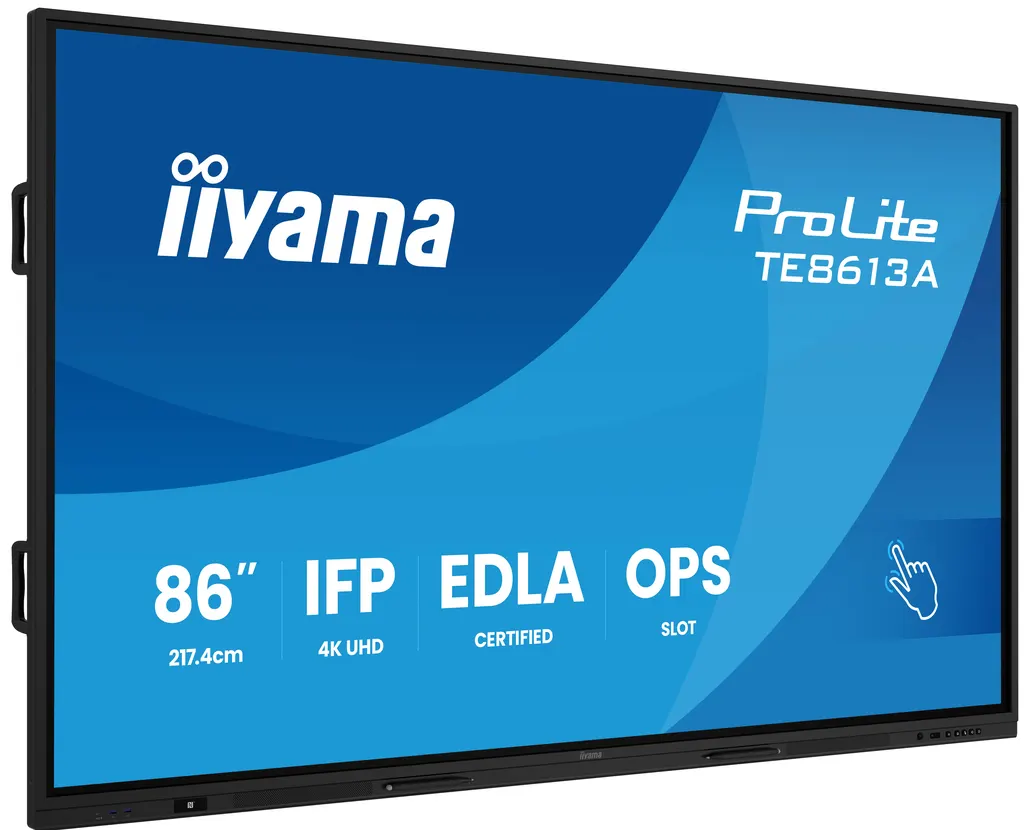
TE8613A-B1AG
iiyama ProLite TE8613A-B1AG 86-inch Google EDLA Interactive Display
- Screen size
- 85.6" / 217.4cm
- Resolution
- 3840 x 2160 (8.3 megapixel 4K UHD)
- Touch
- PureTouch-IR⁺
- Brightness
- 500 cd/m²
The iiyama TE8613A-B1AG is an 86-inch 4K UHD interactive display with Google EDLA certification and Android 14 built in. PureTouch-IR+ supports 40 touch points with palm rejection, and an Intel OPS slot takes a plug-in PC. It suits lecture halls, meeting rooms and boardrooms in Doha, Lusail and Al Wakrah that need one shared screen for presenting, annotating and working in Google apps or Microsoft 365.
An 86-inch 4K panel built for shared rooms
The iiyama TE8613A-B1AG is an 86-inch interactive display with a 3840 x 2160 IPS panel, 500 cd/m² brightness and a 1200:1 static contrast ratio. Its 16:9 viewable area measures 1895 x 1066 mm, large enough for a lecture hall audience or a boardroom table to read content from the back of the room. The screen is designed to eliminate parallax between the touch layer and the display, so annotations appear exactly where the pen touches.
Touch, picture and build details that matter
- PureTouch-IR+ touch: 40 touch points, 10-point writing on supported operating systems and 32-point touch on Android, with a 200Hz scan rate and ±1 mm touch accuracy.
- Palm rejection: a resting hand is ignored while a pen or finger writes on the glass.
- Tough glass: 3.2 mm anti-glare glass with 7H hardness and an anti-bacterial coating, useful where many people touch the same surface.
- Quiet operation: a fanless design with a PIR motion sensor that supports energy saving.
Android 14 with Google EDLA and a plug-in PC option
The panel is Google EDLA certified and runs Android 14 with iiWare 21E. That software brings iiShare wireless presentation, iiControl device management, a whiteboard, cloud drives and iiBrowser. Google apps, accounts and files can be opened directly on the display, and the manufacturer describes full support for the Microsoft 365 suite. The EShare app adds wireless screen sharing, while WiFi-6 with Bluetooth 5.0 provides connectivity. For teams that prefer their own computer, the Intel OPS slot accepts a plug-in PC, and the manufacturer lists the OPC51204BC-1 OPS slot PC as compatible. Wired inputs include two HDMI 2.0 ports, one DisplayPort 1.2 input, two USB-C ports with the front port rated at 100W PD, an HDMI output for multi-screen display, and two RJ45 LAN ports.
Where it fits in Qatar
Three realistic settings suit this model:
- A university lecture hall in Education City, where the lecturer annotates slides on the glass while students connect from their own devices.
- A boardroom in West Bay or Msheireb, where a large shared screen lets colleagues review Google or Microsoft 365 documents across the table.
- A private school in Al Wakrah fitting out several classrooms, where the IT team manages every unit centrally through iiControl. The manufacturer states that iiControl DMS is committed to maintaining GDPR compliance.
What to plan before installation
At 63.8 kg without its box and 76.5 kg packed, the panel needs two people to lift and a wall or stand rated for its weight. It uses an 800 x 600 mm VESA mounting pattern, so confirm the wall structure during a free site survey before ordering. The operating range is 0°C to 40°C, which means the panel belongs in an air-conditioned room, since Qatar summer temperatures outdoors can exceed 45°C. The power supply accepts 100 to 240 V at 50 or 60 Hz, typical consumption is 282 W, and the included power cables use EU and UK plugs, so confirm the adapter arrangement for BS 1363 sockets at quotation stage. The manufacturer recommends keeping daily use under 18 hours, even though the components are rated for 24/7 operation.
Send SmartRooms Qatar your room size, number of units and mounting wall, and the team will prepare a quotation, usually within one working day. Request a quote for the TE8613A-B1AG to get a configuration matched to your space.
Highlights
- 85.6-inch 4K UHD IPS panel at 3840 x 2160 resolution
- PureTouch-IR+ with 40 touch points and palm rejection
- Google EDLA certified with Android 14 and iiWare 21E
- Intel OPS slot for plug-in PC modules
- Two HDMI 2.0 inputs, DisplayPort 1.2 and dual USB-C
- Operating range 0°C to 40°C with fanless design
Classroom fit
At 86″ the farthest student should sit within about 6.4 m (6× the screen height).
Estimated timeline
Quotation within 1 working day · delivery timing depends on stock availability, and we confirm it with your quotation.
Specifications
DISPLAY CHARACTERISTICS16
- Design
- Thin bezel
- Diagonal
- 85.6", 217.4cm
- Panel
- IPS
- Touch Glass
- Anti-Glare glass with Anti-Gloss treatment, Anti-Bacterial coating, Ultra Smooth writing, Zero-Gap Air Bonding
- Native resolution
- 3840 x 2160 (8.3 megapixel 4K UHD)
- Aspect ratio
- 16:9
- Panel brightness
- 500 cd/m²
- Light transmittance
- 88%
- Static contrast
- 1200:1
- Response time (GTG)
- 8ms
- Viewing zone
- horizontal/vertical: 178°/178°, right/left: 89°/89°, up/down: 89°/89°
- Colour support
- 1.07B 10bit (8bit + Hi-FRC) (NTSC 72%)
- Horizontal Sync
- 30 - 135kHz
- Viewable area W x H
- 1895 x 1066mm, 74.6 x 42"
- Pixel pitch
- 0.493mm
- Bezel colour and finish
- black, matte
TOUCH8
- Touch technology
- PureTouch-IR⁺
- Touch points
- 40, 10pt writing (HID, only with supported OS, 32pt Touch with Android)
- Scan rate
- 200Hz
- Touch accuracy
- +- 1mm
- Touch method
- stylus, finger, glove (Passive pen, Opaque objects)
- Touch interface
- USB
- Supported operating systems
- All iiyama monitors are Plug & Play and compatible with Windows and Linux. For details regarding the supported OS for the touch models, please refer to the driver instruction file available in the downloads section.
- Palm rejection
- yes
INTERFACES / CONNECTORS / CONTROLS9
- Digital signal input
- HDMI x2 (2.0, max. 3840x2160 @60Hz, YUV444, ARC on HDMI #1) DisplayPort x1 (1.2, max. 3840x2160 @60Hz) USB-C x2 (front: 1x 3.2 (Gen1, 5Gbit, 100W PD), side: 1x 2.0 (480 Mbps, 65W PD), 3840x2160 @60Hz (RGB444), DP 1.2 Alt mode, Data, Touch)
- Audio input
- Mini jack x1 (Microphone)
- Monitor control input
- RS-232c x1 (DSUB 9pin)
- Digital signal output
- HDMI x1 (2.0, max. 3840x2160 @60Hz, YUV444 / RGB444, MSD (Multi-Screen Display))
- Audio output
- S/PDIF (Optical) x1 Mini jack x1 (Headphone) Speakers 2 x 20W (Front facing + 20W Subwoofer on the backside)
- Monitor control output
- OPS Slot x1 (Intel OPS 80pin - When installed: USB-C front: 65W, side: 15W)
- HDCP
- 2.2
- USB ports
- x6 (media playback / peripherals / storage – front side: 1x USB-C 3.2 (Gen 1, 5Gbit, 100W PD), 2x 3.2 (Gen 1, 5Gbit), side: 1x USB-C 2.0 (480 Mbps, 65W PD), 1x 2.0 (480Mbps), 1x 3.2 (Gen 1, 5Gbit))
- RJ45 (LAN)
- x2 (IN / OUT, Auto switch for PC & Android, 1000MB)
FEATURES8
- WiFi
- yes (WiFi-6, Bluetooth 5.0)
- Hardware
- CPU: Quad-core A73*4 (1.4GHz), GPU: G52 MC1, RAM: 8GB, ROM: 128GB
- Max. non-stop operating time
- 24/7 (While the components are rated for 24/7 operation, we recommend usage not exceeding 18 hours per day to ensure optimal product longevity)
- Media playback
- yes
- Glass thickness
- 3.2mm
- Glass hardness
- 7H
- Housing (bezel)
- metal
- OSD key lock
- yes
GENERAL6
- OSD languages
- EN, DE, FR, ES, IT, RU, CZ, NL, PL, SV, FI, DA, NB, ET, LV, LT, HU, UK
- Control buttons
- Power, Home, Volume, Input (source)
- User controls
- general settings (input, volume, backlight), audio (volume, bass, treble, balance, sound mode, mute), screen settings (aspect ratio, pixel shift), display settings (brightness, contrast, hue, sharpness, display mode colour temp), settings (wireless & networks, share, device, personal, system)
- Blue light reducer
- yes
- Flicker free
- 98" not supported
- Plug&Play
- DDC2B
MECHANICAL6
- Orientation
- landscape
- Fanless design
- yes
- VESA mounting
- 800 x 600mm
- Operation temperature range
- 0°C - 40°C
- Storage temperature range
- - 20°C - 60°C
- MTBF
- 50.000 hours (excluding backlight)
ACCESSORIES INCLUDED4
- Cables
- power (EU 3m, UK 3m), USB (3m), HDMI (3m)
- Touch pen
- x4 (Dual function tips)
- Guides
- quick start guide, safety guide
- Remote control
- yes (batteries included)
POWER MANAGEMENT3
- Power supply unit
- internal
- Power supply
- AC 100 - 240V, 50/60Hz
- Power usage
- 282W typical, 0.5W stand by, 0.3W off mode
SUSTAINABILITY3
- Regulations
- CB, CE, TÜV-GS, EAC, RoHS support, ErP, WEEE, REACH (RoHS)
- Energy efficiency class (Regulation (EU) 2017/1369)
- G
- REACH SVHC
- above 0.1%: Lead
DIMENSIONS / WEIGHT5
- Product dimensions W x H x D
- 1955.6 x 1154 x 87mm
- Box dimensions W x H x D
- 2095 x 1265 x 185mm
- Weight (without box)
- 63.8kg
- Weight (with box)
- 76.5kg
- EAN code
- 4948570124824
COMPATIBLE ACCESSORIES1
- Other
- OPC51204BC-1 (OPS Slot PC), MD-CAR2031-B1, MD-WLIFT2031-W1, MD-CART02-S1, UC CAM120ULB-1, UC-CAM10PRO-1, WP-D003C




