





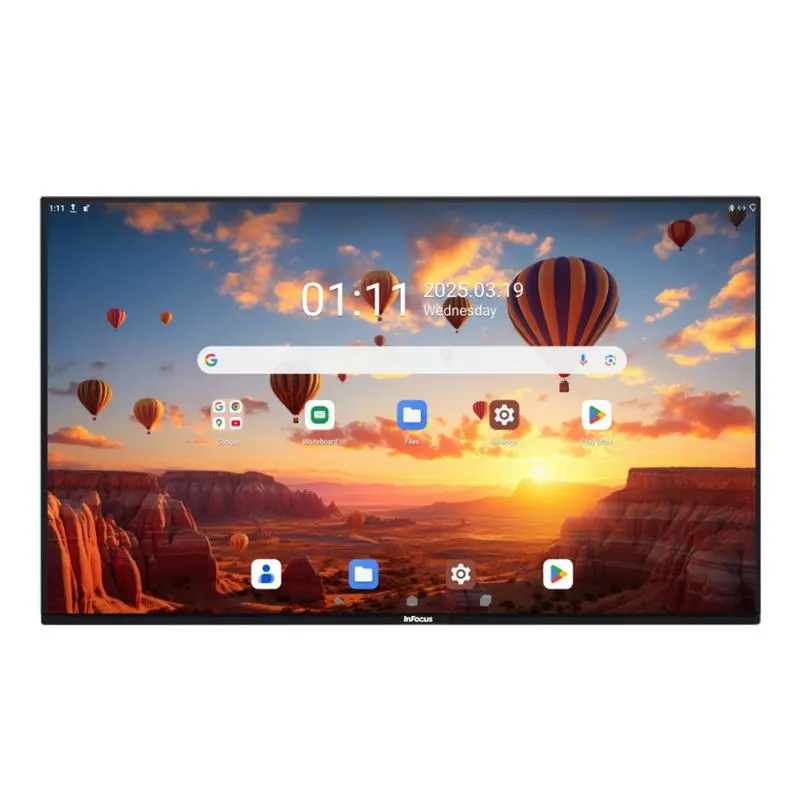
IN65JTP-01
InFocus JTouch Pro-01 IN65JTP-01 65-inch Interactive Flat Panel
- Screen size
- 65"
- Resolution
- 4K UHD / 3840 x 2160
- Touch
- Capacitive
- System
- Android 13 (upgradable)
The InFocus IN65JTP-01 is a 65-inch 4K UHD interactive flat panel from the JTouch Pro-01 Series, with capacitive touch that recognises 20 points and writes with 10. It runs Android 13 with Google EDLA certification and offers 4000:1 contrast, 400 nits and Wi-Fi 6. It suits smaller meeting rooms and classrooms in Doha, Lusail and Education City that need a clear, compact display for everyday meetings and lessons.
What the IN65JTP-01 is
The IN65JTP-01 is the 65-inch model in the InFocus JTouch Pro-01 Series, a range of interactive flat panels that also includes 75-inch and 86-inch versions. It carries a 4K UHD panel with a native resolution of 3840 x 2160 in a 16:9 format, and a display area of 1428 mm by 803 mm. The screen is optically bonded and covered in tempered, anti-glare glass rated Mohs 7 with an anti-fingerprint coating, which helps it stay readable under office lighting and easier to keep clean.
Touch and writing that stay accurate in busy rooms
Capacitive touch recognises 20 points at the same time and handles 10 points of writing. Two colours can be written simultaneously, and mistouch prevention plus hand-versus-pen separation reduce marks left by accidental contact. Single-touch response is under 6 ms, dual-touch under 10 ms, accuracy is ±0.5 mm and the minimum touch object is 2 mm. Users can erase with a hand gesture while still writing, which keeps a lesson or brainstorm moving without switching tools.
Computing, connectivity and audio
The panel runs Android 13, which can be upgraded, on an octa-core processor (four A78 and four A55 cores) with a G57 MC5 GPU. Memory is 8GB or 16GB DDR4, and storage is 128GB or 256GB. Its Google EDLA certification gives access to Google Play Store, Google Drive and Microsoft Office 365 apps. Connections include two HDMI inputs, one HDMI output, DisplayPort in, a Type-C input for charging, audio, video and USB, a Type-C output for two-way simultaneous display and touch, two USB-A ports on the side, RJ45 in and out, SPDIF coaxial and RS232 for control. Wi-Fi 6 and Bluetooth 5.2 are built in, the speakers are 2 x 20W, and NFC is available as an option.
Where a 65-inch panel fits in Qatar
This size suits rooms where a group gathers around the screen rather than sitting in a lecture hall. In a mid-sized meeting room in West Bay or Msheireb, it can show a shared document to people in the room while a hybrid call with colleagues in Europe or Asia runs from a laptop connected over HDMI or Type-C. In a private school in Al Wakrah or Al Rayyan, it suits a classroom where teachers save whiteboard notes and Google Drive files from one panel. In a training room at an office in the Industrial Area, several trainers can use multi-user login to switch accounts without logging out.
What to plan before installation
- Weight: the unit weighs 46 kg and the packed carton 59 kg, so plan for two people and a suitable mounting point.
- Size: the unit measures 1498 x 930 x 101 mm, so check wall space, door widths and clearance around the stand.
- Power: the power supply is rated 100-240V, 50/60Hz, with up to 400W consumption and standby at 0.5W or less. Qatar mains of 240 V and 50 Hz fall within that range; confirm the socket arrangement with the SmartRooms Qatar team.
- Orientation: the manufacturer describes vertical, horizontal or tilted use with a convertible mobile stand, so confirm which mounting option is included in your quote.
- Environment: the source data gives no operating temperature range, so confirm the location with the team before placing the panel near a window or lobby exposed to heat and dust.
Request a quote for this model
Send your room layout, intended use, number of units and any purchase order or tender requirements. SmartRooms Qatar will usually send a quotation within one working day. The service covers supply, delivery to all eight municipalities of Qatar, professional installation and a free site survey, with purchase orders and government tenders accepted and payment by bank transfer, cheque or purchase order. Ask the team to confirm the configuration and mounting option for the IN65JTP-01 when you request your quote.
Highlights
- 65-inch 4K UHD panel at 3840 x 2160, 16:9
- 20-point capacitive touch with 10-point writing
- Android 13 with Google EDLA certification
- 4000:1 contrast, 400 nits, 178/178 viewing angle
- Wi-Fi 6, Bluetooth 5.2, HDMI and Type-C connectivity
- Type-C input and output with bidirectional display and touch
Classroom fit
At 65″ the farthest student should sit within about 4.9 m (6× the screen height).
Estimated timeline
Quotation within 1 working day · delivery timing depends on stock availability, and we confirm it with your quotation.
Specifications
IN65JTP-0148
- variation_title
- IN65JTP-01
- size
- 65"
- specs · General Info · Screen Size (Diagonal)
- 65"
- specs · General Info · Native Resolution
- 4K UHD, 3840 x 2160
- specs · General Info · Aspect Ratio
- 16:9
- specs · General Info · Touch Technology
- Capacitive
- specs · General Info · Lifetime Max Hours (typical)
- ≥50,000**
- specs · General Info · Brightness (max cd/m²)
- 400
- specs · General Info · Product Status
- Available in the US only
- specs · Display · Size
- 65"
- specs · Display · Backlight
- Direct
- specs · Display · Bonding
- Optical Bonding
- specs · Display · Display Area (mm)
- 1428 (w) x 803 (h)
- specs · Display · Resolution
- 4K UHD, 3840 x 2160
- specs · Display · Aspect Ratio
- 16:9
- specs · Display · Brightness (nits)
- 400
- specs · Display · Contrast Ratio
- 4000:1
- specs · Display · Lifespan (max hours)
- ≥50,000**
- specs · Display · Viewing Angle (H/V)
- 178 / 178
- specs · Display · Refresh Rate (Hz)
- 60Hz
- specs · Display · Glass Surface Treatment
- Anti-glare, Tempered, Mohs 7, Anti-fingerprint Coating
- specs · Connectivity · Side Interface
- Type-C (65W), 2x USB-A (Dual-Channel)
- specs · Connectivity · Rear Interface
- 2 x HDMI In, 2 x Touch USB-B, Type-C In, DP In, 2 x Public USB3.0 MIC In, SPDIF (Coaxial), HDMI Out, RJ45 In (1000m), RJ45 Out (1000m), Audio Out, Type-C Out, Android USB 2.0, TF Card
- specs · Connectivity · Wireless
- Wi-Fi 6, Bluetooth 5.2
- specs · Connectivity · Control
- RS232
- specs · Power · Power Supply (V)
- 100-240V~ 50/60Hz
- specs · Power · Power Consumption (min/max)
- ≤400W
- specs · Power · Standby
- ≤0.5W
- specs · Audio · Speaker
- 2x20W
- specs · Audio · Sub-woofer(Optional)
- 20W
- specs · Touch System · Touch Type
- Capacitive Touch
- specs · Touch System · Touch Points
- 20-points
- specs · Touch System · Drawing
- 10-points
- specs · Touch System · Response time (ms)
- Single touch:
- specs · Touch System · Accuracy
- ±0.5mm
- specs · Touch System · Minimum Touch Object
- 2mm
- specs · Embedded System · Operating System
- Android 13 (upgradable)
- specs · Embedded System · Processor
- A78 x 4 + A55x4
- specs · Embedded System · GPU
- G57 MC5
- specs · Embedded System · RAM
- 8GB/16G DDR4
- specs · Embedded System · Storage
- 128GB/256GB
- specs · Embedded System · Camera (Optional)
- 13MP/48MP (8-mic array, voice tracking, 10m pick-up distance), echo elimination, noise suppression)
- specs · General · Unit Dimensions (mm/in)
- 1498x930x101 / 59x36.6x4
- specs · General · Packed Dimensions (mm/in)
- 1650x1032x217/65x40.6x8,5
- specs · General · Unit Weight (kg/lb)
- 46/ 101.4
- specs · General · Packed Weight (kg/lb)
- 59 / 130.1
- availability
- Available in the US only
- datasheet_page
- https://infocus.com/datasheet/in65jtp-01/




