





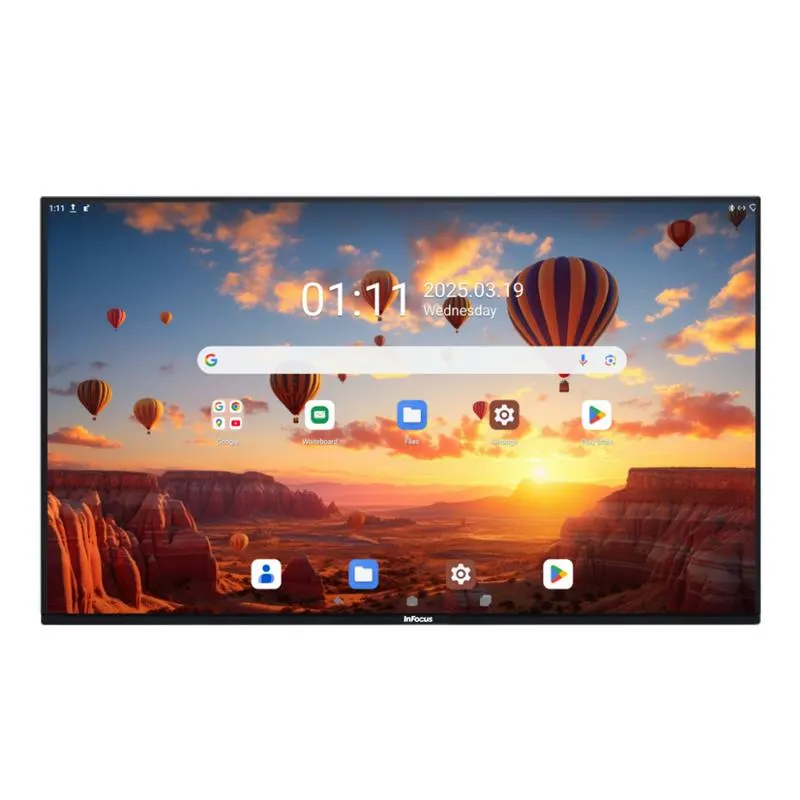
IN86JTP-01
InFocus IN86JTP-01 86-inch Interactive Touch Display
- Screen size
- 86"
- Resolution
- 4K UHD / 3840 x 2160
- Touch
- Capacitive
- System
- Android 13 (upgradable)
The InFocus IN86JTP-01 is an 86-inch 4K UHD interactive display from the JTouch Pro-01 Series. It combines 20-point capacitive touch with 10-point writing, runs Android 13 with Google EDLA certification and includes Wi-Fi 6 and Bluetooth 5.2. Its large screen suits boardrooms, lecture halls and training rooms across Doha. Request a quote for supply and installation.
What the IN86JTP-01 is built to do
The IN86JTP-01 is the largest model in the InFocus JTouch Pro-01 Series, with an 86-inch diagonal, a native 4K UHD resolution of 3840 x 2160 and a 16:9 aspect ratio. Its display area measures 1895 mm by 1065 mm. The panel uses optical bonding and a tempered glass surface with anti-glare and anti-fingerprint coatings, which suits rooms where people write, touch and present for long sessions.
Touch, writing and response
The touch layer uses nano-silver capacitive technology and recognises 20 touch points alongside 10 writing points. Presenters can write in two colours at the same time, and the system separates a resting hand from the pen so accidental contact is ignored. Single-touch response is under 6 ms, dual-touch under 10 ms, and accuracy is within ±0.5 mm, with a minimum touch object of 2 mm.
- Two-colour writing at the same time
- Hand-gesture erasing while writing elsewhere
- Select-to-search on displayed content
- Hand and pen separation to prevent mistouches
Android 13 platform and collaboration tools
Android 13, which can be upgraded, runs on an A78 x4 plus A55 x4 processor with a G57 MC5 GPU, 8GB of RAM with a 16GB option, and 128GB or 256GB of storage. Google EDLA certification gives access to Google Play Store, Google Drive and Microsoft Office 365 apps. Whiteboard files can be saved locally, uploaded to cloud storage, shared by QR code or sent by email, and multi-user login lets colleagues switch accounts without logging out. Over-the-air updates arrive as notifications that users accept when convenient. An optional camera in 13MP or 48MP versions, with an eight-microphone array, voice tracking to 10 metres and echo and noise suppression, is listed for the series.
Where it fits in Qatar
In a boardroom in West Bay, the 86-inch screen gives an executive team a shared surface for documents during a video call with colleagues abroad. A laptop can connect through the Type-C In port, which carries video, audio, USB data and charging. In a university lecture hall in Education City, the large writing area lets a lecturer annotate slides directly and invite students to write at the front. A training centre in Lusail can give trainers and visiting groups separate accounts and save session notes to cloud storage at the end of each day.
Summer temperatures in Doha can exceed 45°C, so rooms with direct sun through large windows need a check before the panel is positioned. The source data does not list an operating temperature range, so SmartRooms Qatar recommends confirming the room environment during a free site survey.
Planning the installation
The unit measures 1967 x 1194 x 101 mm and weighs 72 kg, or 92 kg in its packed form, so a wall fixing needs a structural check and several people for handling. The panel can be set up vertically, horizontally or tilted when used with a convertible mobile stand. Power is rated 100-240V~ at 50/60Hz with maximum consumption of 550W and standby of 0.5W or less, which covers Qatar's 240 V, 50 Hz supply.
- Confirm wall or stand load and clearances during a free site survey
- Plan a dedicated outlet and cable routes for display, USB and network connections
- Check window position and room lighting before fixing the panel
Request a quote from SmartRooms Qatar for the IN86JTP-01, covering supply, professional installation and a free site survey, with quotations usually issued within one working day.
Highlights
- 86-inch 4K UHD panel at 3840 x 2160 resolution
- 20-point capacitive touch and 10-point writing
- Android 13 with Google EDLA certification
- 400 nits brightness and 4000:1 contrast ratio
- Wi-Fi 6, Bluetooth 5.2, HDMI, DisplayPort and Type-C inputs
- Unit weight 72 kg; dimensions 1967 x 1194 x 101 mm
Classroom fit
At 86″ the farthest student should sit within about 6.4 m (6× the screen height).
Estimated timeline
Quotation within 1 working day · delivery timing depends on stock availability, and we confirm it with your quotation.
Specifications
IN86JTP-0148
- variation_title
- IN86JTP-01
- size
- 86"
- specs · General Info · Screen Size (Diagonal)
- 86"
- specs · General Info · Native Resolution
- 4K UHD, 3840 x 2160
- specs · General Info · Aspect Ratio
- 16:9
- specs · General Info · Touch Technology
- Capacitive
- specs · General Info · Lifetime Max Hours (typical)
- ≥50,000**
- specs · General Info · Brightness (max cd/m²)
- 400
- specs · General Info · Product Status
- Available in the US only
- specs · Display · Size
- 86"
- specs · Display · Backlight
- Direct
- specs · Display · Bonding
- Optical Bonding
- specs · Display · Display Area (mm)
- 1895 (w) x 1065 (h)
- specs · Display · Resolution
- 4K UHD, 3840 x 2160
- specs · Display · Aspect Ratio
- 16:9
- specs · Display · Brightness (nits)
- 400
- specs · Display · Contrast Ratio
- 4000:1
- specs · Display · Lifespan (max hours)
- ≥50,000**
- specs · Display · Viewing Angle (H/V)
- 178 / 178
- specs · Display · Refresh Rate (Hz)
- 60Hz
- specs · Display · Glass Surface Treatment
- Anti-glare, Tempered, Mohs 7, Anti-fingerprint Coating
- specs · Connectivity · Side Interface
- Type-C (65W), 2x USB-A (Dual-Channel)
- specs · Connectivity · Rear Interface
- 2 x HDMI In, 2 x Touch USB-B, Type-C In, DP In, 2 x Public USB3.0 MIC In, SPDIF (Coaxial), HDMI Out, RJ45 In (1000m), RJ45 Out (1000m), Audio Out, Type-C Out, Android USB 2.0, TF Card
- specs · Connectivity · Wireless
- Wi-Fi 6, Bluetooth 5.2
- specs · Connectivity · Control
- RS232
- specs · Power · Power Supply (V)
- 100-240V~ 50/60Hz
- specs · Power · Power Consumption (min/max)
- ≤550W
- specs · Power · Standby
- ≤0.5W
- specs · Audio · Speaker
- 2x20W
- specs · Audio · Sub-woofer(Optional)
- 20W
- specs · Touch System · Touch Type
- Capacitive Touch
- specs · Touch System · Touch Points
- 20-points
- specs · Touch System · Drawing
- 10-points
- specs · Touch System · Response time (ms)
- Single touch:
- specs · Touch System · Accuracy
- ±0.5mm
- specs · Touch System · Minimum Touch Object
- 2mm
- specs · Embedded System · Operating System
- Android 13 (upgradable)
- specs · Embedded System · Processor
- A78 x 4 + A55x4
- specs · Embedded System · GPU
- G57 MC5
- specs · Embedded System · RAM
- 8GB/16G DDR4
- specs · Embedded System · Storage
- 128GB/256GB
- specs · Embedded System · Camera (Optional)
- 13MP/48MP (8-mic array, voice tracking, 10m pick-up distance), echo elimination, noise suppression)
- specs · General · Unit Dimensions (mm/in)
- 1967x1194x101 /77.4"x47"x4"
- specs · General · Packed Dimensions (mm/in)
- 2124x1303x217/83.6"x51.3x8.5"
- specs · General · Unit Weight (kg/lb)
- 72 / 158.7
- specs · General · Packed Weight (kg/lb)
- 92 / 202.8
- availability
- Available in the US only
- datasheet_page
- https://infocus.com/datasheet/in86jtp-01/




