





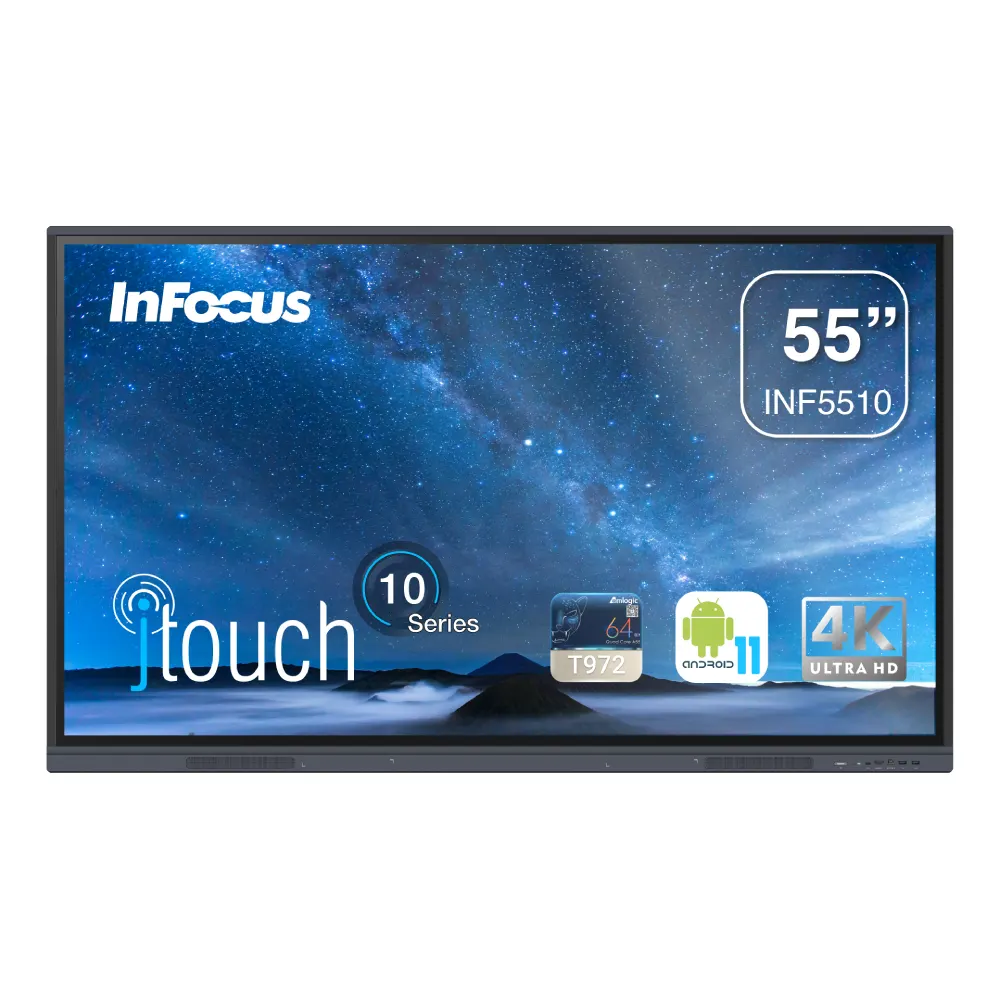
INF5510
InFocus INF5510 55-inch 4K Interactive Display
- Screen size
- 55"
- Resolution
- 4K
- Touch
- Infrared
- System
- Android 11
The InFocus INF5510 is a 55-inch interactive display with a native 4K panel, 400 cd/m² brightness and 40-point infrared touch. It runs Android 11 and has an OPS slot for an optional Intel Core i5 or i7 computer that adds Windows. It suits classrooms, meeting rooms and training rooms in Doha and across Qatar. Request a quote from SmartRooms Qatar.
A 55-inch panel built for lessons and team sessions
The INF5510 is the smallest screen in the InFocus JTouch 10 Series. Its 55-inch diagonal suits classrooms, huddle rooms and small meeting rooms where a larger panel would overwhelm the space or the wall. The native 3840 x 2160 panel gives a 16:9 image with a 400 cd/m² maximum brightness, a 1,200:1 contrast ratio and a 178/178 degree viewing angle, so people seated at the side of the room can still read the screen.
Touch, pens and the Android 11 platform
Infrared touch recognises up to 40 touch points at once, with a typical response time under 10 ms. Two styluses are included, so a teacher and a student, or two presenters, can annotate at the same time. The panel runs Android 11 on an Amlogic T982 processor with a quad-core ARM Cortex-A55 at 1.4 GHz, 4 GB of RAM and 32 GB of storage. Preinstalled tools include Whiteboard, Annotation, WPS Office, LightCast3 and screen recording.
- Touch accuracy: rated at plus or minus 1.5 mm
- Minimum touch object: above 3 mm for single touch and above 8 mm for multi-touch
- Speakers: two 10 W speakers built into the front
Connections for laptops, cloud files and wireless sharing
Ports include VGA, two HDMI 2.0 inputs (one with ARC), a USB-C port, four USB-A 3.0 ports, two USB-B ports, a 3.5 mm audio jack, SPDIF and a gigabit RJ45 LAN port. The 802.11 a/n/ac/ax wireless module ships in the box and supports casting over a local network or a hotspot. An OPS slot is available for an optional Intel Core i5 or i7 computer that lets the same display run Windows alongside Android.
Where the INF5510 fits in Qatar
- Classrooms in Al Wakrah: a private school fitting out a primary classroom can mount the panel at a height suited to the room, with the two styluses for group activities.
- Boardrooms in West Bay: a small leadership room can connect a laptop over HDMI or cast from a phone, and the cloud drive app opens files stored on OneDrive or Google Drive.
- Training rooms in Education City: instructors can annotate directly over slides and record the session with the built-in screen recording app.
Planning the installation and the operating environment
The panel weighs 26.1 kg and measures 1271 x 87 x 774 mm. It uses a 400 x 200 mm VESA pattern, so the wall or mobile stand must match that spacing and carry the load. The rated operating range is 0 to 40°C with 10 to 90% humidity, so an air-conditioned room away from direct sun is the right place for it in Qatar's summer, when temperatures can exceed 45°C. Input is rated at 100 to 240 V, 50/60 Hz, with a maximum draw of 350 W. A free site survey lets our team check wall condition, sightlines and the power point before anything is fixed.
Request a quote from SmartRooms Qatar for the INF5510, and tell us the room, the number of units and whether you need an optional Intel Core i5 or i7 OPS computer. Quotations are usually returned within one working day, and we accept purchase orders (LPOs), government tenders, and payment by bank transfer, cheque or purchase order.
Highlights
- 55-inch native 4K panel at 3840 x 2160 resolution
- 400 cd/m² brightness with anti-glare 3.2 mm glass
- 40-point infrared touch with two styluses included
- Android 11 on Amlogic T982 with 4 GB RAM and 32 GB storage
- OPS slot for an optional Intel Core i5 or i7 Windows computer
- Wi-Fi 802.11 a/n/ac/ax module, four USB-A 3.0 ports and HDMI 2.0
Classroom fit
At 55″ the farthest student should sit within about 4.1 m (6× the screen height).
Estimated timeline
Quotation within 1 working day · delivery timing depends on stock availability, and we confirm it with your quotation.
Specifications
INF551072
- variation_title
- INF5510
- size
- 55"
- specs · General Info · Screen Size (Diagonal)
- 55"
- specs · General Info · Native Resolution
- 4K
- specs · General Info · Touch Technology
- Infrared
- specs · General Info · Display Lifetime Maximum (hours)
- 50000
- specs · General Info · Brightness (nits)
- 400
- specs · General Info · Weight (kilogram/pounds)
- 26.1 / 57.4
- specs · Display · Screen Size (Diagonal)
- 55"
- specs · Display · Backlight
- D-LED
- specs · Display · Native Resolution
- 4K
- specs · Display · Pixels
- 3840 x 2160
- specs · Display · Aspect Ratio
- 16:9
- specs · Display · Contrast Ratio
- 1200:1
- specs · Display · Dynamic Contrast Ratio
- 5000:1
- specs · Display · Brightness (Maximum cd/m2)
- 400
- specs · Display · Response Time (ms)
- 8
- specs · Display · Display Colours (billion)
- 1.07
- specs · Display · Refresh Rate (Hz)
- 60
- specs · Display · Viewing Angle (H-V°)
- 178 / 178
- specs · Display · Viewable Area (mm / in)
- 1210 x 680 / 48 x 27
- specs · Display · Glass Treatment (mohs)
- Antiglare, 7
- specs · Display · Glass Thickness (mm)
- 3.2
- specs · Display · Sensors
- Light
- specs · Display · Audio (w)
- 2 x 10
- specs · Display · Lifetime Maximum (hrs)
- 50000
- specs · Display · Frame Material
- Aluminium
- specs · Connectivity · Mini D-sub 15-pin (VGA)
- ✅
- specs · Connectivity · HDMI™ 2.0
- ✅✅
- specs · Connectivity · HDMI™ 2.0 with ARC
- ✅
- specs · Connectivity · USB-A 2.0
- ✅
- specs · Connectivity · USB-A 3.0
- ✅✅✅✅
- specs · Connectivity · USB-C
- ✅
- specs · Connectivity · USB-B
- ✅✅
- specs · Connectivity · 3.5 mm Stereo Mini Jack
- ✅
- specs · Connectivity · RJ45 - LAN 10/100/ 1000
- ✅
- specs · Connectivity · SPDIF
- ✅
- specs · Connectivity · Wi-Fi 802.11a,n,ac,ax
- ✅
- specs · Connectivity · Bluetooth 2.1, 3, 4, 4.1, 4.2, 5
- ✅
- specs · Connectivity · Open Pluggable Specification (OPS) Slot
- ✅
- specs · Power · Power Supply (V / Hz)
- AC 100 - 240, 50/60
- specs · Power · Power Consumption Max[W]
- 350
- specs · Touch System · Touch Technology
- IR
- specs · Touch System · Touch Points Maximum
- 40
- specs · Touch System · Accuracy (mm)
- +/- 1 .5
- specs · Touch System · Minimum Object Size Single Touch (mm)
- >3
- specs · Touch System · Minimum Object Size Multi Touch (mm)
- >8
- specs · Touch System · Supported Operating Systems
- Windows, Linux, Mac OS, Chrome
- specs · Embedded System · Operating System & Version
- Android 11
- specs · Embedded System · System on Chip (SoC)
- Amlogic™ T982
- specs · Embedded System · Central Processing Unit (CPU)
- ARM Cortex™ A55 Quad Core 1.4Ghz
- specs · Embedded System · Graphics Processing Unit (GPU)
- ARM Mail G52 MC2
- specs · Embedded System · Random Access Memory (RAM) GB
- 4
- specs · Embedded System · Read Only Memory (ROM) GB
- 32
- specs · Embedded System · Included Applications
- Whiteboard, Browser, Finder, LightCast3, Annotation, WPS Office, Stopwatch, Screen Capture, LightServer, LightManager, LightStore, Palette, Keeper, Visulizer, Welcome, Cloud Drive, SpotLight, Screen Recording, Timer,
- specs · Optional Upgrades · Intel® Core™ Gen i5-1135G7 Processor, 8GB RAM, 256GB ROM OPS
- OPS-i5-1135G7-8256
- specs · Optional Upgrades · Intel® Core™ Gen i7-1165G7 Processor, 16GB RAM, 256GB ROM OPS
- OPS-i7-1165G7-16256
- specs · General · Dimensions (L x W x H) [mm / in]
- 1271 x 87 x 774 / 50.3 x 3.4 x 30.5
- specs · General · Weight [kg / lb]
- 26.1 / 57.4
- specs · General · Shipping Dimensions (L x W x H) [mm / in]
- 1401 x 220 x 859 / 55.2 x 8.7 x 33.8
- specs · General · Shipping Weight [kg / lb]
- 34.45 / 75.8
- specs · General · Mounting VESA MIS-F
- 400 x 200
- specs · General · Operating Temperature [°C / F]
- 0 ~ 40 / 32 ~104
- specs · General · Operating Humidity [%]
- 10 ~ 90
- specs · General · Operating Altitude (m / ft)
- 16404
- specs · General · Storage Temperature [°C / F]
- -20 ~ 60 / -4 ~140
- specs · General · Storage Humidity [%]
- 10 ~ 90
- specs · General · Security
- PIN, Kensington Lock
- specs · General · In the Box
- Remote Control (no batteries), 2x Sylus, Power Cord, 3m USB A to B, 3m HDMI, QSG, WiFI Module
- specs · General · Safety and Regulatory
- CB, CE EMC, IC, FCC, cTUVus, NOM, EAC, BIS
- specs · General · Environmental
- RoHS, WEEE, EU Energy
- datasheet_page
- https://infocus.com/datasheet/inf5510/




