





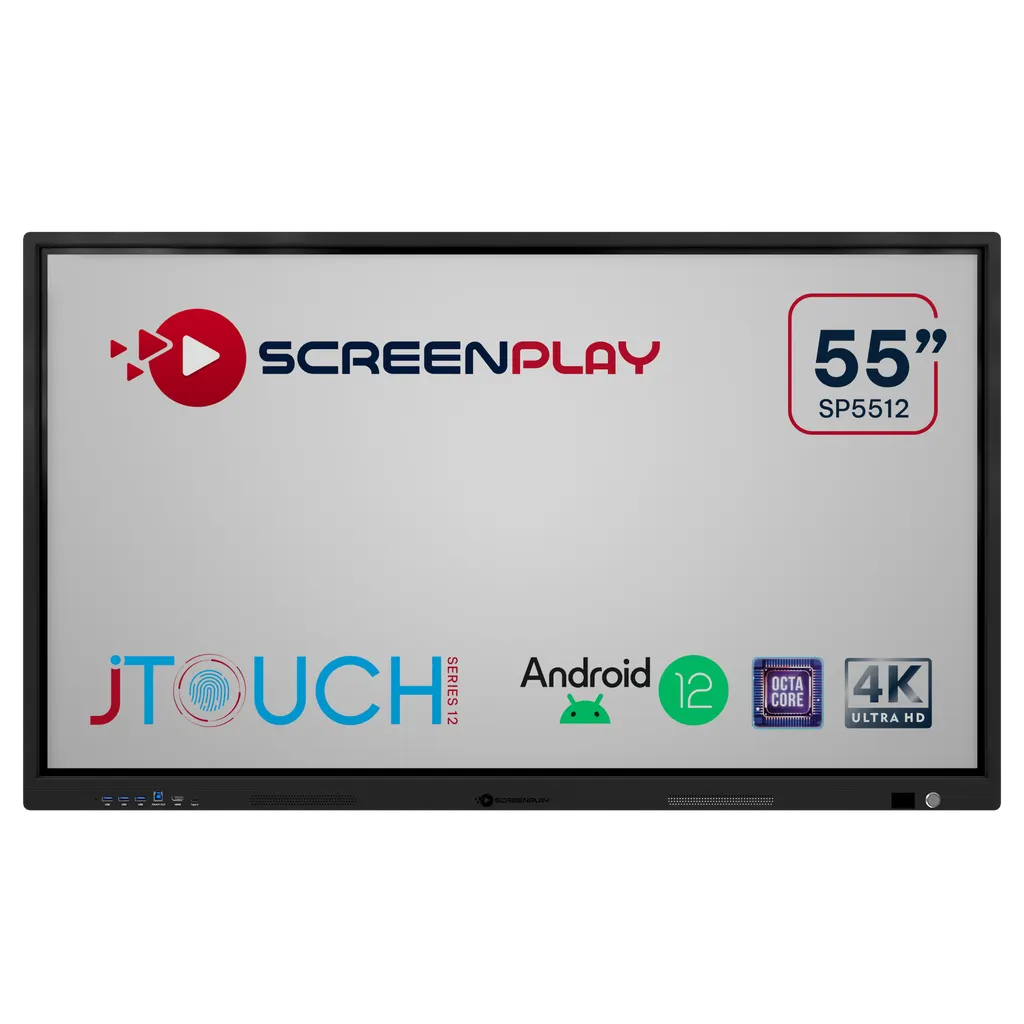
SP5512
InFocus SP5512 ScreenPlay JTouch Series 12 55-inch Interactive Display
- Screen size
- 55"
- Resolution
- 4K
- Touch
- Infrared
- System
- Android 12
The InFocus SP5512 is a 55-inch 4K interactive display from the ScreenPlay JTouch Series 12. It offers infrared touch, Android 12 built in, and a single OPS slot for an optional slot-in PC, with a 450 cd/m2 panel. It suits classrooms, training rooms and meeting spaces in Doha, Al Wakrah and Education City where a 55-inch screen fits the room. Request a quote from SmartRooms Qatar to confirm the configuration and options.
What the 55-inch SP5512 is built for
The SP5512 is the most compact panel in the InFocus ScreenPlay JTouch Series 12 range, a 55-inch 4K interactive display for classrooms, training rooms and meeting spaces where a larger screen would overwhelm the wall. It combines a 3840 by 2160 panel, infrared touch and a built-in Android 12 system, so presenters can show and annotate content without a laptop connected.
Display, touch and embedded system facts
- Display: 16:9 panel with D-LED backlight, 450 cd/m2 maximum brightness, 1200:1 static and 4000:1 dynamic contrast ratio.
- Touch: infrared technology with up to 32 touch points on Android and 50 on Windows, 1 mm accuracy and typical response under 6 ms.
- Embedded system: Android 12 on a V100 system-on-chip, ARM Cortex Octa Core A55 at 1.4 GHz, 8 GB DDR4 RAM and 128 GB eMMC storage.
- Glass and sensing: antiglare treatment with a Mohs hardness of 7, plus a temperature sensor that can flag when a room needs ventilating.
Connectivity and expansion
On the input side the SP5512 provides one VGA port, one HDMI 2.0, two HDMI 2.0 ports with ARC/CEC for single-remote control, three USB-A 3.0 ports, one USB-A 2.0, two USB-B, a USB Type C port, a 3.5 mm audio jack and NFC. Outputs are a 3.5 mm audio jack and SPDIF. Networking includes two 5G Wi-Fi with hotspot capability, one RJ45 LAN 10/100 port and an RS232 control port. A single OPS slot takes one of three optional slot-in PCs: SPOPS1 with an Intel i5-11400, SPOPS2 with an Intel Core i7-11700, or SPOPS3, a Google EDLA certified Android 13.8 module. The manufacturer positions the Android option with its 65 to 98 inch models, so SmartRooms Qatar will confirm compatibility for this 55-inch unit before you order.
Where the SP5512 fits in Qatar
- A primary classroom refit in Al Wakrah where a 55-inch panel leaves room for storage and student seating.
- A ministry meeting room in West Bay where a small team reviews documents in Arabic and English and uses touch for shared annotation.
- A training room in Education City running short courses, where NFC keycard access keeps course material on the panel protected.
Because the panel is rated at 450 cd/m2, it suits rooms with controlled daylight rather than a wall of windows facing the afternoon sun. Plan blinds or position the screen to limit glare.
Planning the installation
- Product weight is 30 kg with dimensions of 1210 x 88 x 680 mm. A wall mount is included, with a VESA MIS-F pattern of 400 x 400.
- Operating temperature is 0 to 40 °C and storage is -20 to 40 °C. In Qatar summer heat, the room must stay air-conditioned.
- Power supply is AC 100 to 240 V, 50/60 Hz, drawing a typical 70 W, or 98 W with an OPS PC fitted.
- The box includes the display, simplified user guide, VGA cable, regional power cord, remote control without battery, USB cable and wall mount.
SmartRooms Qatar offers a free site survey before wall mounting and professional installation, and supplies all eight municipalities of Qatar. Request a quote for the SP5512 to confirm the configuration, OPS option and mounting plan for your room.
Highlights
- 55-inch 4K display with 3840 x 2160 native resolution
- Infrared touch with up to 32 points on Android
- Android 12 on ARM Cortex Octa Core A55 with 8 GB RAM
- Single OPS slot for an optional slot-in PC
- Operating range 0 to 40 °C; power supply 100 to 240 V
- Wall mount included, VESA MIS-F 400 x 400
Classroom fit
At 55″ the farthest student should sit within about 4.1 m (6× the screen height).
Estimated timeline
Quotation within 1 working day · delivery timing depends on stock availability, and we confirm it with your quotation.
Specifications
SP551266
- variation_title
- SP5512
- size
- 55"
- specs · General Info · Screen Size (Diagonal)
- 55"
- specs · General Info · Native Resolution
- 4K
- specs · General Info · Touch Technology
- Infrared
- specs · General Info · Display Lifetime Maximum (hours)
- 50000
- specs · General Info · Brightness (nits)
- 450
- specs · General Info · Weight (kilogram/pounds)
- 30 / 66
- specs · Display · Product Series
- ScreenPlay JTouch Series 12
- specs · Display · Screen Size (Diagonal)
- 55"
- specs · Display · Backlight
- D-LED
- specs · Display · Native Resolution
- 4K 3840 x 2160
- specs · Display · Aspect Ratio
- 16:9
- specs · Display · Contrast Ratio
- 1200:1
- specs · Display · Dynamic Contrast Ratio
- 4000:1
- specs · Display · Brightness (Maximum cd/m2)
- 450
- specs · Display · Response Time (ms)
- 8
- specs · Display · Display Colours (billion)
- 1.07
- specs · Display · Refrate (Hz)
- 60
- specs · Display · Viewing Angle (H-V°)
- 178 / 178
- specs · Display · Glass Treatment (mohs)
- Antiglare, 7
- specs · Display · Sensors
- Temperature
- specs · Display · Audio (w)
- 2 x 15
- specs · Display · Lifetime Maximum (hrs)
- 50000
- specs · Display · Frame Material
- Aluminium Alloy
- specs · Display · Supported Orientation
- Landscape
- specs · Connectivity · Inputs
- 1x Mini D-sub 15-pin (VGA), 1x HDMI™ 2.0, 2x HDMI™ 2.0 ARC/CEC, 1x USB-A 2.0, 3x USB-A 3.0, 2x USB-B, 1x 3.5 mm Stereo Mini Jack, 1x USB Type C, 1x NFC
- specs · Connectivity · Outputs
- 1x 3.5 mm Stereo Mini Jack, 1x SPDIF,
- specs · Connectivity · Networking & Control
- 2x Built-In Wi-Fi (5G) /Hotspot (5G), 1x RJ45 - LAN 10/100, 1x RS232
- specs · Connectivity · Expansion
- 1x Open Pluggable Specification (OPS) Slot, 1x TF Card Slot up to 128GB
- specs · Power · Power Supply (V / Hz)
- AC 100 - 240, 50/60
- specs · Power · Power Consumption Minimum [W]
- 70
- specs · Power · Power Consumption Minimum with OPS [W]
- 98
- specs · Power · Power Supply - Maximum ( W )
- 300
- specs · Touch System · Touch Technology
- IR
- specs · Touch System · Touch Points Maximum
- 32 Android, 50 Windows
- specs · Touch System · Accuracy (mm)
- 1
- specs · Touch System · Minimum Object Size Single Touch (mm)
- >3
- specs · Touch System · Minimum Object Size Multi Touch (mm)
- >8
- specs · Touch System · Supported Operating Systems
- Windows, Linux, Mac OS, Chrome
- specs · Embedded System · Operating System & Version
- Android 12
- specs · Embedded System · System on Chip (SoC)
- V100
- specs · Embedded System · Central Processing Unit (CPU)
- ARM Cortex™ Octa Core A55 1.4Ghz, A55 x8
- specs · Embedded System · Graphics Processing Unit (GPU)
- ARM Mail Quad Core G52 600 MHz, G52 x4
- specs · Embedded System · Random Access Memory (RAM) GB DDR4
- 8
- specs · Embedded System · Read Only Memory (ROM) GB EMMC
- 128
- specs · Embedded System · Included Applications
- Browser, WPS, Calendar, Calculator, Easy Upload, Gallery, Timer, Airgo Cast, VoteKit, Camera, File Manager, Screen Record, Whiteboard, Welcome,
- specs · Embedded System · Bluetooth
- 5.0
- specs · Optional Upgrades · SPOPS1
- SCREENPLAY, OPS SLOT-IN PC, D001, INTEL I5-11400, 16GB/512GB SSD, SPOPS1
- specs · Optional Upgrades · SPOPS2
- SCREENPLAY, OPS SLOT-IN PC, INTEL® CORE™ i7-11700, 16GB 512GB SSD, SPOPS2
- specs · Optional Upgrades · SPOPS3
- SCREENPLAY, OPS SLOT-IN PC, EDLA 8GB, 128GB, SPOPS3
- specs · General · Product Dimensions (L x W x H) (mm / in)
- 1210 x 88 x 680 / 47.6 x 3.46 x 26.8
- specs · General · Product Weight (kg / lb)
- 30 / 66
- specs · General · Shipping Dimensions (L x W x H) (mm / in)
- 1370 x 180 x 900 / 53.9 x 7.1 x 35.4
- specs · General · Shipping Weight (kg / lb)
- 38 / 87
- specs · General · Mounting VESA MIS-F
- 400x400
- specs · General · Operating Temperature (°C / F)
- 0 ~ 40 / 32 ~ 104
- specs · General · Operating Humidity [%]
- 10 ~ 90
- specs · General · Operating Altitude (m / ft)
- 16404
- specs · General · Storage Temperature (°C / F)
- -20 ~ 40 / -4 ~104
- specs · General · Storage Humidity [%]
- 10 ~ 90
- specs · General · Security
- NFC Profiles, PIN, Kensington Lock
- specs · General · Safety and Regulatory
- CB, CE EMC, IC, FCC, UL, NOM,
- specs · General · Environmental
- RoHS, WEEE, EU Energy
- specs · General · In the Box
- Interactive Display, Simplified Users Guide, VGA Cable, Regional Power Cord, Remote Control (no Battery), USB Cable, Wall Mount
- datasheet_page
- https://infocus.com/datasheet/sp5512/




