





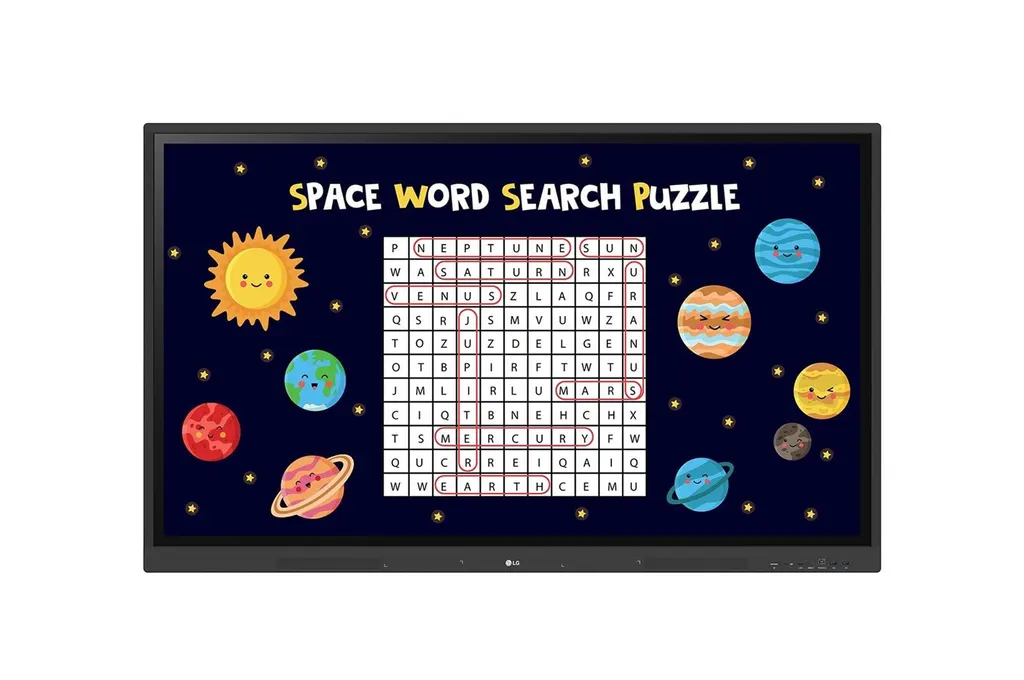
55TR3DK
LG CreateBoard 55TR3DK 55-inch Interactive Digital Board
- Screen size
- 55″
- Resolution
- 3840 x 2160 (UHD)
- Touch
- Max. 40 Points(Windows)
- System
- Android 11
The LG CreateBoard 55TR3DK is a 55-inch interactive digital board with a 3840 x 2160 IPS panel, up to 40-point multi-touch on Windows and a built-in OPS slot for an external computer. Its Android 11 system, Wi-Fi 6 and three HDMI inputs suit classrooms and meeting rooms in Doha that need one board for teaching, presenting and wireless sharing. Request a quote from SmartRooms Qatar.
What the 55TR3DK is built to do in a classroom or meeting room
The LG CreateBoard 55TR3DK is a 55-inch interactive board with a UHD IPS panel at 3840 x 2160 resolution. It combines the touch surface, an Android 11 system and a set of teaching tools in one unit, so a teacher or presenter does not need a separate PC to write, annotate or share material. The 16:9 aspect ratio suits slides and spreadsheets, although the panel cannot be used in portrait orientation.
The specifications that matter when you compare boards
- Touch: up to 40 simultaneous points on Windows and 32 on Android, with typical accuracy of ±1 mm and a 3 mm anti-glare protection glass.
- Image: 390 nit typical brightness without the glass, a 1,200:1 contrast ratio, an 8 ms response time (G to G) and a 60 Hz refresh rate.
- Connectivity: three HDMI inputs, a USB-C port, four USB 3.0 Type A ports, two USB 2.0 Type B touch connections, an RJ45 LAN port and an RS232C input.
- Computing: quad-core processor, 4 GB RAM, 32 GB storage, Wi-Fi 6 (802.11a/b/g/n/ac/ax), Bluetooth 5.0 and Gigabit LAN.
- Sound: built-in speakers rated 15 W x 2.
Teaching, sharing and remote management
Built-in teaching templates include a ruler, a table and sticky notes, and the QR code on the home screen signs users into Google Drive or OneDrive without a separate login. Up to nine shared screens can be displayed wirelessly when the CreateBoard Share app is installed, and devices on the same network can share without it, although the dedicated app gives a steadier connection. Smart Viewing shows two sources side by side or one over the other. LG ConnectedCare DMS is a cloud tool for monitoring and managing boards remotely, and it is sold separately.
Where it fits in Qatar
A private school in Al Wakrah fitting out primary classrooms can use the 55-inch size in rooms of modest depth, where the front ports and speakers are easy for teachers to reach. A government office in Msheireb might place one in a smaller meeting room for team presentations. A training centre in Education City running short workshops can use Bluetooth to connect a keyboard or speaker, and Wi-Fi 6 to handle sessions that link Doha with colleagues abroad.
What to plan before ordering
The head weighs 26.1 kg and 34.5 kg packed, with monitor dimensions of 1271 x 774 x 87 mm. The VESA interface is 400 x 200 mm, and the wall mount WM-L000S and floor stands ST-000F and ST-860F are optional. The operating range is 0 °C to 40 °C at 10% to 90% humidity. Summer temperatures in Qatar can exceed 45 °C, so install the board in an air-conditioned room away from direct sunlight through windows. Typical power draw is 170 W, with a maximum of 395 W. Because the board is heavy, SmartRooms Qatar offers a free site survey before wall mounting, and we deliver to all 8 municipalities of Qatar. Organisations buying through a purchase order (LPO) or a government tender can request a quote, and our team usually responds within one working day.
Request a quote from SmartRooms Qatar for the LG CreateBoard 55TR3DK, and tell us the room, the number of units and whether you need a wall mount or a floor stand.
Highlights
- 55-inch IPS panel with 3840 x 2160 UHD resolution
- Up to 40 touch points on Windows, 32 on Android
- Built-in OPS slot for mounting an external OPS computer
- Android 11 with Wi-Fi 6, Bluetooth 5.0 and Gigabit LAN
- Three HDMI inputs and USB-C for charging and data on one cable
- Operating range 0 °C to 40 °C, 10% to 90% humidity
Classroom fit
At 55″ the farthest student should sit within about 4.1 m (6× the screen height).
Estimated timeline
Quotation within 1 working day · delivery timing depends on stock availability, and we confirm it with your quotation.
Specifications
SOUND1
- Speaker (Built-in)
- YES (15W x 2)
ACCESSORY2
- Basic
- Power Cord 3M*1, USB Cable (Type A-Type B) 5M*1, HDMI Cable 3M*1, Writing Pen*2pcs, User Manual, QSG, Carton Box, Remote Controller(include battery 2ea), Wifi module
- Optional
- Wall Mount(WM-L000S), Floor Stand(ST-000F, ST-860F)
LANGUAGE1
- OSD
- English, Denmark, Finnish, German, Korean, Norwegian, Polski, Portugues(Europe), Portugues(Brazil), Romanian, Spanish, Swedish, Hungarian, Thai
POWER2
- Power Supply
- AC 100-240V~, 50/60Hz
- Power Type
- Built-in Power
CERTIFICATION3
- EMC
- FCC Class "A" / CE
- ERP / Energy Star
- YES / NO
- Safety
- CB / NRTL
ENVIRONMENT CONDITIONS2
- Operation Humidity
- 10 % to 90 %
- Operation Temperature
- 0 °C to 40 °C
OPS COMPATIBILITY2
- OPS Power Built-in
- YES
- OPS Type compatible
- YES (Slot)
DEDICATED FEATURE - TOUCH8
- Accuracy (Typ.)
- ±1mm
- Available Object Size for Touch
- Ø2 mm ↑
- Interface
- USB2.0
- Multi Touch Point
- Max. 40 Points(Windows), Max. 32 Points(Android)
- Operating System Support
- Windows 7/8/10/Linux/Mac/Android (Linux/Mac Support one point touch)
- Protection Glass Thickness
- 3mm (Anti-Glare)
- Protection Glass Transmission
- 0.88
- Response Time ('Paint' app on Windows 10 PC)
- 5ms ↓
MECHANICAL SPECIFICATION8
- Weight (Head)
- 26.1Kg
- Bezel Color
- Black
- Bezel Width
- T/R/L/B : 18/18/18/45mm
- Carton Dimensions (W x H x D)
- 1401 × 859 × 220mm
- Handle
- NO
- Monitor Dimensions (W x H x D)
- 1271 × 774 × 87mm
- Packed Weight
- 34.5Kg
- VESA Standard Mount Interface
- 400 x 200 mm
POWER CONSUMPTION5
- BTU (British Thermal Unit)
- 580 BTU/Hr(Typ.), 1348 BTU/Hr(Max.)
- DPM
- 0.5W
- Max.
- 395W
- Power off
- 0.5W
- Typ.
- 170W
PANEL17
- Aspect Ratio
- 16:9
- Back Light Type
- Direct
- Brightness
- 390nit (Typ., without Glass)
- Color Depth (Number of Colors)
- 16.7 Million colors
- Color Gamut
- NTSC 72%
- Contrast Ratio
- 1,200:1
- Dynamic CR
- 5,000:1
- Life time
- 50,000Hrs (L30)
- Native Resolution
- 3840 x 2160 (UHD)
- Operation Hours (Hours/Day)
- 16/7
- Panel Technology
- IPS
- Portait / Landscape
- NO / YES
- Refresh Rate
- 60Hz
- Response Time
- 8ms (G to G)
- Screen Size (Inch)
- 55
- Surface Treatment (Haze)
- Haze 25%
- Viewing Angle (H x V)
- 178º x 178º
SPECIAL FEATURE1
- Conformal Coating (Power Board)
- YES
CONNECTIVITY17
- Audio In
- YES
- Audio Out
- YES
- DP In
- NO
- DP Out
- NO
- DVI-D In
- NO
- External Speaker Out
- NO
- HDMI In
- YES (3ea)
- HDMI In (HDCP Ver.)
- 2.2
- HDMI Out
- YES
- IR In
- NO
- RGB In
- YES
- RJ45(LAN) In
- YES (1ea)
- RJ45(LAN) Out
- YES
- RS232C In
- YES
- RS232C Out
- NO
- Touch USB
- USB2.0 Type B (2ea)
- USB In
- USB3.0 Type A (4ea), USB2.0 Type A (1ea), USB Type C (1ea)
DEDICATED FEATURE - CREATE BOARD8
- Bluetooth
- Bluetooth 5.0
- CPU
- Quad core A55
- GPU
- Mail G52 Multicore 2
- LAN
- Gigabit LAN
- Memory(RAM)
- 4GB
- OS ver. (Android)
- Android 11
- Storage
- 32GB
- Wi-Fi
- 802.11a/b/g/n/ac/ax (WiFi 6)
SOFTWARE COMPATIBILITY1
- Connected Care
- YES
FEATURE - HARDWARE6
- Auto Brightness Sensor
- YES
- Internal Memory (eMMC)
- 32GB
- Local Key Operation
- NO
- Power Indicator
- YES
- Temperature Sensor
- NO
- Wi-Fi/BT (Built-in)
- YES
FEATURE - SOFTWARE11
- Booting Logo Image
- YES
- Crestron Connected
- NO
- HDMI-CEC
- NO
- Network Ready
- NO
- PBP
- YES (2PBP)
- PIP
- YES
- PM mode
- NO
- Screen Share
- YES
- Setting Data Cloning
- NO
- Smart Energy Saving
- YES
- Wake on LAN
- YES




