





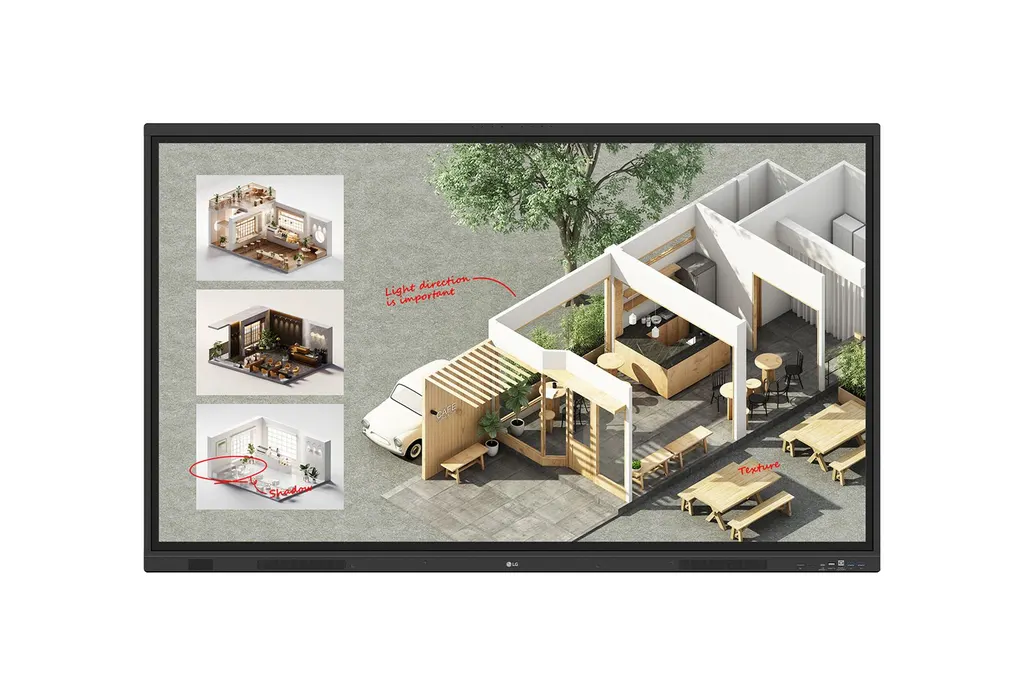
65TR3DQ
LG 65TR3DQ CreateBoard 65-inch Interactive Display
- Screen size
- 65"
- Resolution
- 3840 x 2160 (UHD)
- Touch
- Max 50 Point
- System
- Android14(EDLA)
The LG 65TR3DQ is a 65-inch CreateBoard interactive display built for classrooms and meeting rooms. It combines a 4K UHD panel with 50-point touch, a built-in Android 14 system, wireless screen sharing and an OPS slot for a PC module sold separately. Schools, ministries and companies across Qatar can request a quote for supply, delivery and installation.
A 65-inch board built around writing, sharing and collaboration
The LG 65TR3DQ belongs to LG's CreateBoard Standard range, a 65-inch interactive display for teachers and meeting leaders who want to annotate, present and share content from one surface. The model is listed as 65TR3DQ-B and has a black bezel. Its UHD panel shows 3840 x 2160 pixels, and the touch layer recognises up to 50 touch points at the same time, so several people can write or move objects during a group activity.
Lesson and meeting tools are built in. The board includes ruler, table and sticky note templates, a calculator, a clock, and a web browser from which text, images and links can be dragged into your working material. Resources can be saved to Google Drive or OneDrive, sent by email, or transferred to a personal device by scanning a QR code.
Panel, touch and connectivity details that affect your purchase
The 65-inch VA panel is rated at 400 nit typical brightness with a 5000:1 contrast ratio and a 60Hz refresh rate. Its anti-glare protection glass is 3.2 mm thick with 88% typical light transmission. The touch layer lists a 2 mm writing height and ±1 mm typical accuracy, and it connects over USB 2.0.
Inputs include three HDMI inputs (one at the front), one DisplayPort input, one VGA input, an HDMI output, a LAN port and a front USB-C port rated for 65W power delivery when no OPS module is fitted. The built-in Android 14 system uses 8GB of RAM and 64GB of storage, with WiFi 6E and Bluetooth 5.3. The model ships with a Wi-Fi module and a remote controller.
Where the 65TR3DQ fits in Qatar
- Classrooms in Al Sadd or Al Rayyan: a 65-inch board suits a primary or secondary classroom where the teacher moves around the room. The built-in translation and captioning can help students learning in a second language.
- Meeting rooms in West Bay or Lusail: a team in Doha can share from laptops or phones through CreateBoard Share and continue the discussion with colleagues abroad.
- Training rooms in Education City: the OPS slot lets a PC module run Windows software, which suits courses that need specialist applications.
What to plan before installation
The unit weighs 34.75 kg without packaging and measures 1488.4 x 907.5 x 99.7 mm, with a 600 x 400 mm VESA mounting pattern. Confirm that the wall or mounting structure is rated for the weight, and arrange a free site survey before installation day. The operating range is 0 to 40°C, while Qatar summer temperatures often pass 45°C, so plan an air-conditioned room that stays within that range and confirm room conditions before ordering. Mains input is 100 to 240V at 50/60Hz, with typical power draw of 140W and a maximum of 295W.
Ordering several units for a school or government entity is usually handled through a purchase order (LPO). Share your room list, mounting plan and required connections, and request a quote from SmartRooms Qatar for supply, delivery to any of Qatar's eight municipalities and professional installation.
Highlights
- 4K UHD (3840 x 2160) VA panel with 400 nit typical brightness
- Multi-touch up to 50 points with 2 mm writing height
- Built-in Android 14 with 8GB RAM and 64GB storage
- Built-in OPS slot; OPS module sold separately
- Wireless screen sharing for up to 9 screens via 6-digit code
- Rated 0 to 40°C operating temperature, 10 to 90% humidity
Classroom fit
At 65″ the farthest student should sit within about 4.9 m (6× the screen height).
Estimated timeline
Quotation within 1 working day · delivery timing depends on stock availability, and we confirm it with your quotation.
Specifications
INFO3
- Product
- Touch
- Year
- Y25
- Month
- M01
PANEL17
- Screen Size (Inch)
- 65"
- Panel Technology
- VA
- Back Light Type
- Direct
- Aspect Ratio
- 16:9
- Native Resolution
- 3840 x 2160 (UHD)
- Refresh Rate
- 60Hz
- Brightness
- 400nit (Typ.)
- Contrast Ratio
- 5000:1
- Dynamic CR
- 5000:1
- Color Gamut
- NTSC 72%
- Viewing Angle (H x V)
- 178 x 178
- Color Depth (Number of Colors)
- 8bit+FRC, 1.07G
- Response Time
- 6.5ms
- Surface Treatment (Haze)
- 25%
- Life time
- 50,000 Hrs(L50, Min.)
- Operation Hours (Hours/Day)
- 16/7
- Portait / Landscape
- No / Yes
Connectivity (Jack Interface)11
- HDMI In
- Yes(3, Front1/Back2)
- DP In
- Yes(1)
- RGB In
- Yes(1, VGA)
- Audio In
- Yes(1)
- RS232C In
- Yes(1)
- RJ45(LAN) In
- Yes(1)
- USB In
- USB3.0 Type A(5) - Front2/Back2/Top1 USB2.0 Type A(1), USB Type-C(2, For the front 1, PD 65W without OPS/ DP-Alt ) - Front1/Back1
- HDMI Out
- Yes (1)
- Audio Out
- Yes(1), Optical Yes(1, SPDIF)
- Touch USB
- Yes(3, Front1/Back2)
- RJ45(LAN) Out
- Yes(1)
Mechanical7
- Bezel Color
- Black
- Bezel Width
- T/R/L/B:25.6/15/15/43.5mm
- Weight (Head)
- 34.75Kg
- Packed Weight
- 41.55Kg
- Monitor Dimensions (W x H x D)
- 1488.4×907.5×99.7mm
- Carton Dimensions (W x H x D)
- 1628×1014×185mm
- VESA TM Standard Mount Interface
- 600x400mm
Protection Glass4
- Thickness
- 3.2
- Tempered / Chemical strengthening
- Yes
- Anti-Reflective
- Yes
- Shatter-Proof
- Yes
HW Feature6
- Internal Memory (eMMC)
- 64GB
- Wi-Fi/BT (Built-in)
- Yes (Slot type)
- Auto Brightness Sensor
- Yes
- Power Indicator
- Yes
- Local Key Operation
- Yes
- MIC (Built-in)
- Yes(8)
SW Feature13
- OS Ver. (webOS)
- Android14(EDLA)
- Booting Logo Image
- Yes
- RS232C Sync
- Yes (LG RS232C Command)
- PIP
- Yes(1) external source
- PBP
- Yes(4)
- Screen Share
- Yes (CreateBoard Share)
- Setting Data Cloning
- Yes
- Crestron Connected
- Yes
- Smart Energy Saving
- Yes (Energy Saving)
- Wake on LAN
- Yes
- Network Ready
- Yes (Fast Power On)
- HDMI-CEC
- Yes
- webRTC
- Yes(CreateBoard Share website mirr used WebRTC)
Environment Conditions2
- Operation Temperature
- 0℃ to 40℃
- Operation Humidity
- 10% to 90%
POWER2
- Power Supply
- AC 100-240V~, 50/60Hz
- Power Type
- Built-In Power
POWER Consumption6
- Typ.
- 140W(measured:130W)
- Max.
- 295W(measured:270W)
- BTU (British Thermal Unit)
- TBD
- Smart Enegy Saving (70%)
- Yes
- DPM
- Yes
- Power off
- <0.5W
SOUND1
- Speaker (Built-in)
- speaker:Yes (20Wx2 + 20W) output:Yes (18Wx2 + 18W)
CERTIFICATION4
- Safety
- IEC 62368-1:2018; UL 62368-1:2019
- EMC
- FCC Class "A" / CE / KC
- ErP / Energy Star
- Yes / Yes
- ePEAT(US only)
- Yes(Bronze)
OPS Compatibility2
- OPS type compatible
- Yes (Slot)
- OPS Power Built-in
- Yes
SOFTWARE COMPATIBILITY1
- Connected Care
- Yes
Language1
- OSD
- English, Simplified Chinese, Czech, Danish, Arabic(Egypt), Finnish, French, German, Greek, Italian, Korean, Netherlands(Dutch), Norwegian, Polish, Portuguese(Europe), Portuguese(Brazil), Romanian, Russian, Spanish, Swedish, Turkish, Ukrainian, Traditional Chinese, Hungarian, Thai, Indonesian, Kazakh, Catalan, Basque, Japanese, Estonian, Lithuanian
Accessory2
- Basic
- Power Cord 3 M*1, USB Cable(Type A-Type B) 5 M*1, USB Type-C Cable(C to C) 1.8 M*1, HDMI Cable 3 M*1, Writing Pen*2pcs, User Manual, QSG, Carton Box, Remote Controller(include battery 2ea), Wifi module
- Optional
- WIB6540B
Special Feature3
- Overlay Touch Compatibility
- Yes
- Conformal Coating (Power Board)
- Yes
- Power Protection
- Yes
TOUCH9
- Available object size for touch
- Ø2 mm ↑
- Response Time
- 5ms ↓
- Writing Height
- 2mm ↓
- Accuracy (Typ.)
- ±1mm
- Interface
- USB2.0
- Protection Glass Thickness
- 3.2mm (Anti-Glare)
- Protection Glass Transmission
- 88% (Typ.)
- Operating System Support
- Windows 10/ Windows 8/ Windows 7/ Android/ Linux/ macOS (Linux/ macOS 1 Point)
- Multi touch point
- Max 50 Point
Android System9
- CPU
- Octa core A73x4 +A53x4 (A311D2)
- GPU
- Mali-G52 MP8
- Memory(RAM)
- 8GB
- Storage
- 64GB
- Wi-Fi
- WiFi 6E
- LAN
- Gigabit LAN
- Bluetooth
- Bluetooth 5.3
- OS ver. (Android)
- Android 14(EDLA)
- NFC Sensor
- Yes




