





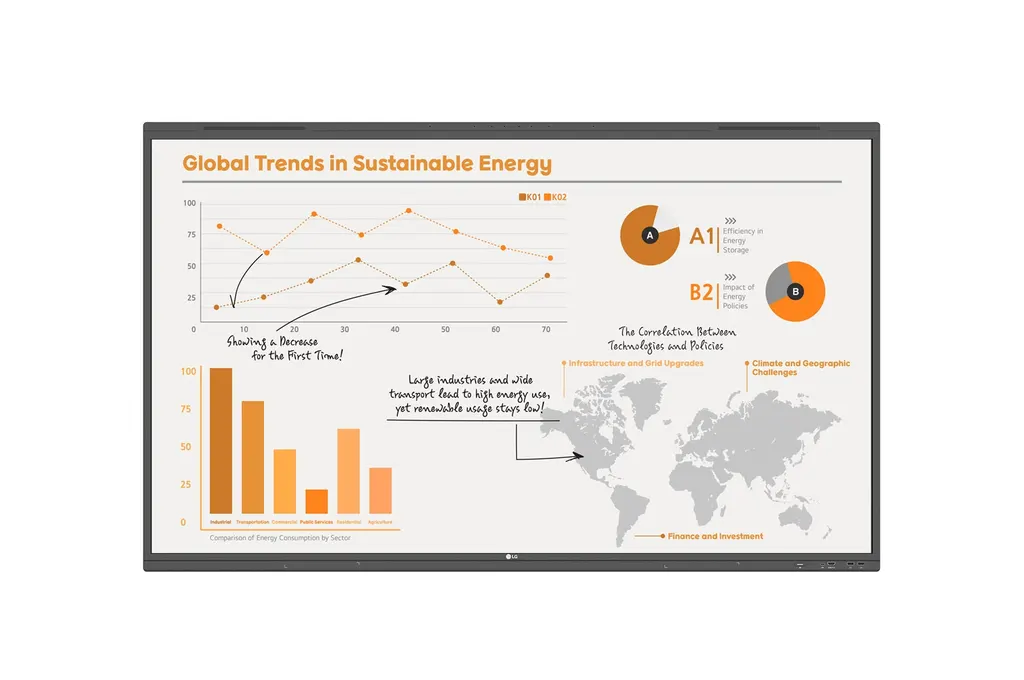
65TR3PN
LG CreateBoard Pro 65TR3PN 65-inch Interactive Digital Board
- Screen size
- 65"
- Resolution
- 3840x2160 (UHD)
- Touch
- Max 50 points
- System
- Android13(EDLA)
The LG CreateBoard Pro 65TR3PN is a 65-inch interactive digital board with a 3840 x 2160 IPS panel, up to 50 touch points and built-in Android 13. It pairs wireless screen sharing for up to nine screens with an OPS slot for Windows software. Suited to classrooms and meeting rooms across Qatar. Request a quote.
What the 65TR3PN does in a room
The LG CreateBoard Pro 65TR3PN is a 65-inch interactive digital board built around a 3840 x 2160 IPS panel. Its touch surface and built-in Android 13 software let a teacher, trainer or meeting host write, annotate, drag in web content and run a session without first connecting a laptop. For teams that need Windows applications, the board provides an OPS slot at the back, so an OPS module can be fitted instead of a separate desktop PC.
Panel and touch facts that matter
- Resolution: 3840 x 2160 UHD on a 16:9 IPS panel with 400 nit typical brightness.
- Touch: up to 50 simultaneous touch points, accuracy of ±1 mm typical and a 2.5 ms response in the Paint app on Windows 10.
- Colour: 10-bit colour (8-bit plus FRC) with a 72% NTSC colour gamut and a 178 x 178 viewing angle.
- Eye care: a flicker-free backlight, and the manufacturer reports TÜV Rheinland certification for all TR3PN sizes in February 2024.
The 4K resolution keeps small text, maps, diagrams and spreadsheet cells sharp when the board is used from close range, which is common in lessons and working sessions.
Connectivity and wireless sharing
The board offers four HDMI inputs, one DisplayPort input, two USB-C inputs, four USB 3.0 Type A ports and three USB 2.0 Type A ports, along with an HDMI output, a LAN connection and RS232C control. Two USB 2.0 Type A ports serve touch. Front-facing display ports make cable changes quick, while the power connector sits on the side and back. Wireless sharing runs through CreateBoard Share: participants join with a 6-digit code, and up to nine screens can appear at once. Secure Mode lets the presenter control what is shared. Wi-Fi supports 802.11 a/b/g/n/ac/ax and Bluetooth 5.0 is supported.
Where it fits in Qatar
Three situations suit a 65-inch board well:
- A classroom in a private school in Al Wakrah, where a teacher uses the rulers, tables and sticky-note tools and students take turns writing on the board.
- A consultancy meeting room in West Bay, where the team holds calls with colleagues abroad and shows screens from several laptops without moving cables between presenters.
- A training room at a centre in Education City, where the trainer leads the session from anywhere in the room rather than standing beside the screen.
What to plan before ordering
The head weighs 38.6 kg and the packed unit weighs 48.2 kg, with dimensions of 1488 x 908 x 87 mm. The VESA pattern is 600 x 400 mm, and an optional wall mount (WM-L000S) and floor stands (ST-000F or ST-860F) are listed. Because of the weight, a free site survey is recommended before any wall fixing. The operating range is 0 °C to 40 °C and 10% to 90% humidity. Outdoor summer temperatures in Qatar can exceed 45 °C, so install the board in an air-conditioned room and confirm the room conditions with the SmartRooms Qatar team. Input is 100-240 V, 50/60 Hz, with a typical draw of 180 W and a maximum of 425 W, and a 3 m power cord is included. Listed certifications include IEC/EN 62368, UL 62368, FCC Class A and ERP/Energy Star. The board is for landscape use only.
Request a quote from SmartRooms Qatar for the 65TR3PN, including supply and delivery to all 8 municipalities, professional installation, and purchase orders for schools or government tenders. Quotations are usually issued within one working day.
Highlights
- 65-inch 3840 x 2160 IPS panel with 400 nit typical brightness
- Multi-touch detects up to 50 simultaneous touch points
- Android 13 with 8GB RAM and 64GB storage
- CreateBoard Share shows up to nine screens wirelessly
- Built-in OPS slot with OPS power for Windows modules
- Operating range 0 to 40 °C, 10% to 90% humidity
Classroom fit
At 65″ the farthest student should sit within about 4.9 m (6× the screen height).
Estimated timeline
Quotation within 1 working day · delivery timing depends on stock availability, and we confirm it with your quotation.
Specifications
PANEL17
- Screen Size (Inch)
- 65"
- Panel Technology
- IPS
- Back Light Type
- Direct
- Aspect Ratio
- 16:9
- Native Resolution
- 3840x2160 (UHD)
- Refresh Rate
- 60Hz
- Brightness
- 400nit (Typ.)
- Contrast Ratio
- 4,000:1
- Dynamic CR
- 5,000:1
- Color Gamut
- 72% (NTSC)
- Viewing Angle (H x V)
- 178 x 178
- Color Depth (Number of Colors)
- 10bit(8bit + FRC)
- Response Time
- 6.5ms(Typ)
- Surface Treatment (Haze)
- 25%
- Life time
- 50,000 Hrs (Min.)
- Operation Hours (Hours/Day)
- 16/7
- Portait / Landscape
- No / Yes
CONNECTIVITY10
- HDMI In
- Yes(4), HDCP2.3
- DP In
- Yes(1), HDCP1.3/2.3
- Audio In
- Yes(1)
- RS232C In
- Yes(1)
- RJ45(LAN) In
- Yes(1)
- USB In
- USB Type C(2), USB3.0 Type A(4), USB2.0 Type A(3)
- HDMI Out
- Yes(1)
- Audio Out
- Yes(1)
- Touch USB
- USB2.0 Type A(2)
- RJ45(LAN) Out
- Yes(1)
MECHANICAL SPECIFICATION8
- Bezel Color
- Black
- Bezel Width
- T/R/L/B : 34.3/15.6/15.6/37mm
- Weight (Head)
- 38.6kg
- Packed Weight
- 48.2kg
- Monitor Dimensions (W x H x D)
- 1488 × 908 × 87mm
- Carton Dimensions (W x H x D)
- 1628 × 208 × 1005mm
- Handle
- Yes(2)
- VESA Standard Mount Interface
- 600x400mm
FEATURE - HARDWARE5
- Internal Memory (eMMC)
- 64GB
- Wi-Fi/BT (Built-in)
- Yes (Slot type)
- Temperature Sensor
- Yes
- Auto Brightness Sensor
- Yes
- Power Indicator
- Yes
FEATURE - SOFTWARE8
- OS Ver. (webOS)
- Android13(EDLA)
- Booting Logo Image
- Yes
- PIP
- Yes (1) external source
- Screen Share
- Yes (CreateBoard Share)
- Smart Energy Saving
- Yes (Energy Saving)
- Wake on LAN
- Yes
- Network Ready
- Yes (Fast Power On)
- HDMI-CEC
- Yes
ENVIRONMENT CONDITIONS2
- Operation Temperature
- 0 °C to 40 °C
- Operation Humidity
- 10 % to 90 %
POWER2
- Power Supply
- AC 100-240V~, 50/60Hz
- Power Type
- Built-In Power
POWER CONSUMPTION6
- Typ.
- 180W
- Max.
- 425W
- BTU (British Thermal Unit)
- 665 BTU/Hr(Typ.), 1416 BTU/Hr(Max)
- Smart Energy Saving (70%)
- (TBD)
- DPM
- 0.5W
- Power off
- 0.5W
SOUND1
- Speaker (Built-in)
- Yes (18Wx2 + 8Wx2)
CERTIFICATION3
- Safety
- IEC62368, EN62368, GB4943, UL62368
- EMC
- FCC Class "A“
- ERP / Energy Star
- Yes / Yes
OPS COMPATIBILITY2
- OPS Type compatible
- Yes
- OPS Power Built-in
- Yes
SOFTWARE COMPATIBILITY1
- Connected Care
- Yes
LANGUAGE1
- OSD
- English, French, German, Spanish, Italian, Korean , Chinese(Simplified), Chinese(Original), Portugues(Brazil), Swedish, Finnish, Norwegian, Danish, Russian, Portugues(Europe), Dutch, Czech, Greek, Arabic, Polski, Hungary, Romania, Thai, Turkiye, Ukraine, Basque, Catalan, Kazakhstan, Indonesia
ACCESSORY2
- Basic
- Power Cord 3 M*1, USB Cable(Type A-Type B) 5 M*1, USB Type-C Cable(C to C) 1.8 M*1, HDMI Cable 3 M*1, Writing Pen*2pcs, User Manual, QSG, Carton Box, Remote Controller(include battery 2ea), Wifi module
- Optional
- Wall Mount(WM-L000S), Floor Stand(ST-000F / ST-860F)
DEDICATED FEATURE - TOUCH8
- Available Object Size for Touch
- Ø2 mm ↑
- Response Time ('Paint' app on Windows 10 PC)
- ≤2.5ms
- Accuracy (Typ.)
- ±1mm
- Interface
- USB2.0
- Protection Glass Thickness
- 3.2mm
- Protection Glass Transmission
- 88%
- Operating System Support
- Windows10/Windows8/Windows7/Android /Linux/Mac OS X/Chrome
- Multi Touch Point
- Max 50 points
DEDICATED FEATURE - CREATE BOARD8
- CPU
- Octa-core A76x4 + A55x4
- GPU
- Mali G52MP2
- Memory(RAM)
- 8GB
- Storage
- 64GB
- Wi-Fi
- 802.11 a/b/g/n/ac/ax
- LAN
- Gigabit LAN
- Bluetooth
- Bluetooth 5.0
- OS ver. (Android)
- Android 13(EDLA)




