





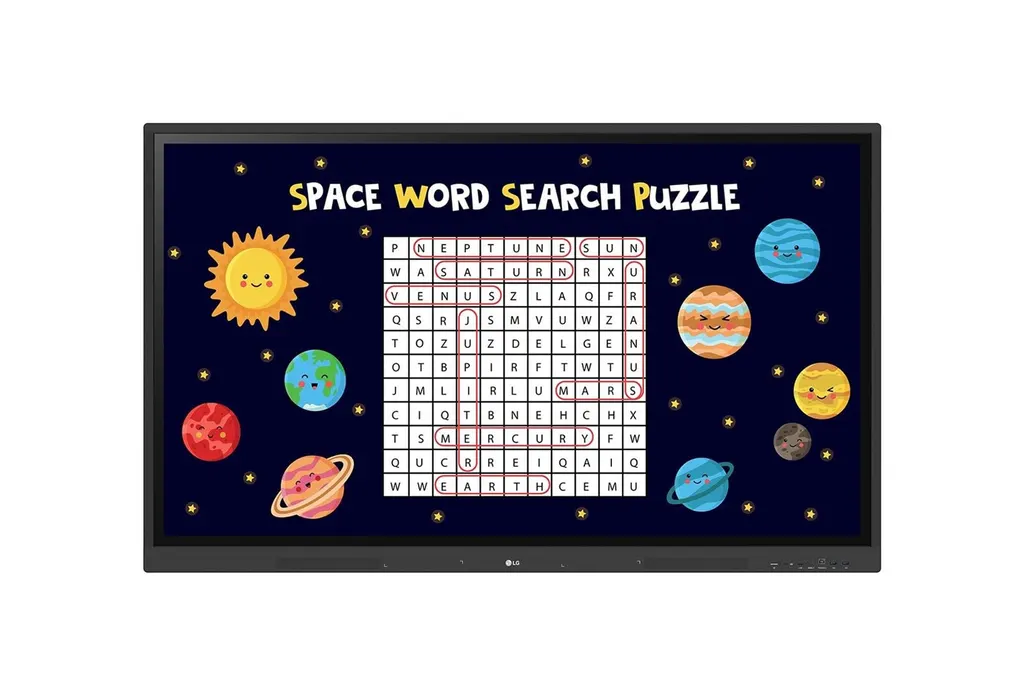
75TR3DK
LG 75TR3DK 75-inch CreateBoard Interactive Display
- Screen size
- 75"
- Resolution
- 3840x2160 (UHD)
- Touch
- Max 40 points
- System
- Quad core A55
The LG 75TR3DK is a 75-inch CreateBoard interactive display with a 4K UHD IPS panel, multi-touch input of up to 40 points on Windows, and Android 13 built in, so lessons and meetings can run without a separate desk computer. It adds an OPS slot, three HDMI inputs and USB-C with power delivery. Well suited to mid-sized classrooms, training rooms and meeting rooms across Qatar. Request a quote for supply and installation.
What the LG 75TR3DK is
The LG 75TR3DK is a 75-inch interactive digital board from the CreateBoard TR3DK series. It pairs a 4K UHD IPS panel with a multi-touch layer and an Android 13 system, so a teacher or presenter can write, annotate and share from the screen itself rather than from a separate desk computer. It is designed for classrooms, training rooms and meeting spaces where a large touch display replaces a projector and a whiteboard.
Specifications that matter in daily use
The panel runs at 3840x2160 with a 16:9 aspect ratio and a 60Hz refresh rate. Static contrast is rated at 1200:1 and dynamic contrast at 5000:1, with a 25% haze surface treatment that reduces reflections. Brightness is rated at 440 nit maximum without glass and 350 nit typical with the protective glass fitted, so check the room's window light before choosing a location. The main points are:
- Touch: up to 40 points on Windows, 32 on Android and 10 in the writing app, with accuracy of ±1 mm.
- Connections: three HDMI inputs with HDCP 2.2, one VGA input, USB-C with power delivery and DisplayPort Alt Mode, four USB 3.0 Type-A ports and a LAN port.
- Computing: Android 13, quad-core A55 processor, 8GB RAM, 64GB internal storage, Wi-Fi 6 through a slot module, Bluetooth 5.0 and Gigabit LAN.
- Expansion: a built-in OPS slot with OPS power, so a compatible OPS computer can sit behind the display.
Where it fits in Qatar
A private school in Al Wakrah equipping a mid-sized classroom can use the 75-inch screen for whole-class lessons, and the multi-touch function lets several students work on the board during group activities. A training provider in West Bay running a corporate workshop can connect a laptop over a single USB-C cable and use the built-in Wi-Fi to bring in participants' screens. A university department in Education City running hybrid seminars can connect a speaker, mouse or keyboard over Bluetooth, while the in-room audience works from the same board.
Planning the installation
The head weighs 47.3 kg and the packed unit 60.6 kg, so plan for at least two people and a lifting plan for every floor. The VESA interface is 800×400 mm and the display measures 1709×1020×88 mm. The bezel is 15 mm on three sides and 44 mm at the bottom. Before wall-mounting, confirm the wall structure and cable routes. The operating range is 0 to 40 °C and 10 to 90% relative humidity, so the board belongs in an air-conditioned room, away from hot windows and unconditioned corridors, since outdoor temperatures in Qatar's summer regularly exceed 45 °C. The package includes a 3-metre power cord, a 3-metre HDMI cable, a 5-metre USB cable, two writing pens, a remote control and a Wi-Fi module. A wall mount (WM-L000S) and a floor stand (ST-000F) are optional.
Managing several boards
For a school or ministry running a fleet, LG ConnectedCare DMS is a cloud service sold separately. It lets IT managers monitor status, schedule power on and off, adjust brightness, lock screens and push alert messages to classroom devices, and it can raise warnings when display temperature, memory usage or signal crosses a threshold. Availability varies by region, so confirm it with the SmartRooms Qatar team while your quotation is prepared. The manufacturer lists support for the TR3DJ, TR3PJ and TR3DK series.
Request a quote from SmartRooms Qatar with your room list, quantity and mounting preference. Supply covers delivery to all eight municipalities of Qatar, professional installation and a free site survey, and quotations are usually sent within one working day. Purchase orders (LPOs) and government tenders, including Monaqasat, are accepted, with payment by bank transfer, cheque or purchase order.
Highlights
- 75-inch 4K UHD IPS panel at 3840x2160 resolution
- Up to 40 touch points on Windows, 32 on Android
- Android 13 with 8GB RAM and 64GB internal storage
- Built-in OPS slot with OPS power included
- Three HDMI inputs and USB-C with power delivery
- Optional LG ConnectedCare DMS for remote management, purchased separately
Classroom fit
At 75″ the farthest student should sit within about 5.6 m (6× the screen height).
Estimated timeline
Quotation within 1 working day · delivery timing depends on stock availability, and we confirm it with your quotation.
Specifications
Panel17
- Screen Size
- 75"
- Panel Technology
- IPS
- Back Light Type
- Direct
- Aspect Ratio
- 16:9
- Native Resolution
- 3840x2160 (UHD)
- Refresh Rate
- 60Hz
- Brightness
- 440nit(wo Glass, max), 390nit (wo Glass, typ) 400nit(w Glass, typ), 350nit (w Glass, typ)
- Contrast Ratio
- 1200:1
- Dynamic CR
- 5000:1
- Color gamut
- NTSC 72%
- Viewing Angle(H x V)
- 178°(H/V)
- Color Depth
- 10bit(8bit + FRC)
- Response Time
- 8ms
- Surface Treatment(Haze)
- Haze 25%
- Life time
- 50,000hrs (L30)
- Operation Hours (Hours/Day)
- 16/7
- Portrait / Landscape
- No / Yes
Connectivity(Jack Interface)2
- Input
- HDMI (3, HDCP2.2), RGB (1, VGA), Audio In, RS232C IN, RJ45(LAN), USB3.0 Type A (4), USB2.0 Type A(1), USB Type-C(1, USB-PD, DP-Alt,)
- Output
- DP Out (HDMI Out), Audio Out (1, Optical 1(SPDIF)), Touch USB (2), RJ45(LAN)
Mechanical Specification8
- Bezel Color
- Black
- Bezel Width
- T/R/L/B : 15/15/15/44mm
- Weight(Head)
- 47.3Kg
- Packed Weight
- 60.6Kg
- Monitor Dimension(W x H x D)
- 1709×1020×88mm
- Carton Dimensions(W x H x D) (Box outer size)
- 1863×1140×225mm
- Handle
- Yes
- VESA™ Standard Mount Interface
- 800×400mm
Key Feature2
- HW
- Internal Memory (64GB), Built-in Wi-Fi (Slot type), Auto Brightness sensor, Power Indicator
- SW
- Android 13, Background Image (Booting Logo Image), Multi-screen (PIP (1 external source), PBP(1 external source)), Screen Share (LG CreateBoard Share), Power (Smart Energy Saving (Energy Saving))
Environment Conditions2
- Operation Temperature
- 0 ~ 40 °C
- Operation Humidity
- 10 ~ 90 % RH
Power2
- Power Supply
- 100-240V~ 50/60Hz 4.0A
- Power Type
- Built-In Power
Power Consumption5
- Typ.
- 225
- Max.
- 430
- BTU (British Thermal Unit)
- 768 BTU/Hr(Typ.), 1467 BTU/Hr(Max)
- DPM
- ≤0.5W
- Power off
- ≤0.5W
Sound1
- Speaker
- Yes (15W x 2)
Certification3
- Safety
- CB / NRTL
- EMC
- FCC Class "A" / CE / KC
- ErP / Energy Star
- Yes / Yes
OPS Compatibility2
- OPS Type Compatible
- Yes (Slot)
- OPS Power Built In
- Yes
Software Compatibility2
- LG ConnectedCare
- Yes
- LG ConnectedCare DMS
- Yes (DMS)
Language1
- OSD
- English, Denmark, Finnish, German, Korean, Norwegian, Polski, Portugues(Europe), Portugues(Brazil), Romanian, Spanish, Swedish, Hungarian, Thai
Accessory2
- Basic
- Power Cord 3 M*1, USB Cable (Type A-Type B) 5 M*1, HDMI Cable 3 M*1, Writing Pen*2pcs, User Manual, QSG, Carton Box, Remote Controller(include battery 2ea), Wifi module
- Optional
- Wall Mount(WM-L000S), Floor Stand(ST-000F)
Special Feature8
- Touch - Available object size for touch
- Ø2 mm ↑ .
- Touch - Reponse Time
- ≤5ms
- Touch - Accuracy
- ±1mm
- Touch - Interface
- USB2.0
- Touch - Protection Glass Thickness
- 3T(Anti-Glare)
- Touch - Protection Glass Transmission
- 88%
- Touch - Operating System Support
- Windows 7/8/10/Linux/Mac/Android (Linux/Mac Support one point touch)
- Touch - Multi touch point
- Max 40 points
ANDROID SYSTEM7
- SoC
- Quad core A55
- GPU
- Mali G52MP2
- Internal Memory - Storage
- 64GB
- Internal Memory - RAM
- 8GB
- Wi-Fi
- 802.11a/b/g/n/ac/ax (WiFi 6)
- LAN
- Gigabit LAN
- Bluetooth
- Bluetooth 5.0




