





U6540
MAXHUB U4 Series U6540 65-inch Interactive Flat Panel
- Screen size
- 65″
- Resolution
- 3840(H)×2160(V)
- Touch
- Infrared recognition
- System
- Android 15
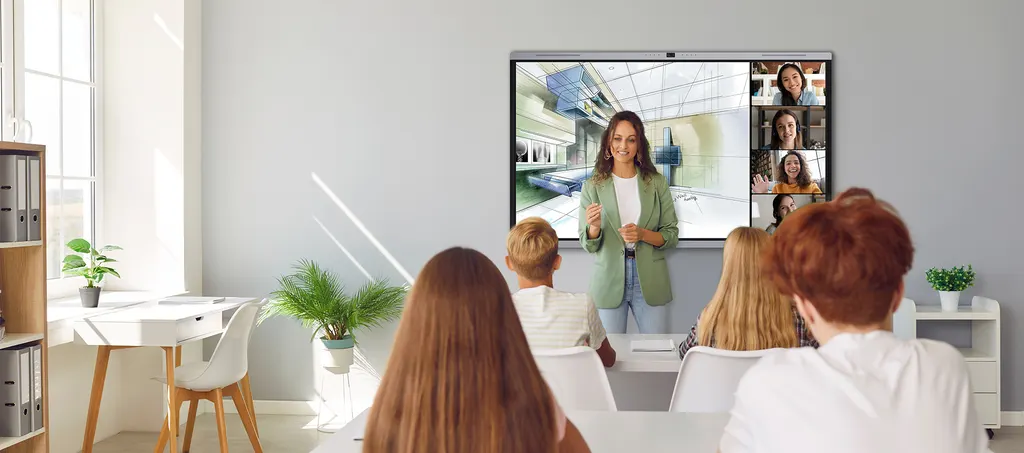
The MAXHUB U6540 is a 65-inch 4K interactive flat panel for classrooms, training rooms and small meeting rooms in Qatar. It pairs a 3840 × 2160 display with 50-point infrared touch, a 50MP camera with speaker tracking and an eight-microphone array that picks up voices up to 12 m away. Android 15 runs on the panel itself, so daily lessons and meetings do not need a separate PC. It suits schools, training centres and offices in Doha and beyond that want one screen for teaching, annotation and video calls.
What the MAXHUB U6540 is built for
The MAXHUB U6540 is a 65-inch interactive flat panel from the U4 Series, sized for a classroom, a training room or a small boardroom where this screen size suits the viewing distance. It combines a 4K display, infrared touch input, a built-in camera, a microphone array and an Android 15 computer in one unit, so a lesson or meeting can begin without bringing in a separate PC.
Display and touch facts that matter day to day
The panel runs at 3840 × 2160 on a 16:9 aspect ratio and reaches up to 500 nits. Its non-glare etched surface with 25% haze reduces reflections from ceiling lights and windows, which matters in rooms with daylight. The typical 98% sRGB colour gamut and a colour accuracy of ΔE≤1 suit detailed diagrams, design work and video content.
Touch uses infrared recognition with 50 touch points and ±0.5 mm accuracy. The MAXHUB Think&Ink set covers direct annotation, palm rejection, sharp erase, simultaneous erase and write, multi-level object recognition, and a single pen with two colours.
- Eye care: TÜV Flicker Free and TÜV Low Blue Light certifications are listed for the panel.
- Contrast: 5,000:1 typical and 50,000:1 dynamic.
- Refresh and response: 60 Hz refresh rate and 6.5 ms response time.
Camera, microphones and sound
A 50MP camera with a 115° diagonal, 101° horizontal and 85° vertical field of view covers the whole room. Manual mode, auto framing, speaker tracking and person counting are built in. The eight-microphone array has a 180° pick-up angle and a pick-up range of 0 to 12 m, with echo cancellation, AI noise cancellation, automatic gain control and an intelligent audio fence. The SkyWave sound system is a 2.2 channel setup with 2×8W+2×18W output (2×12W+2×25W maximum) and an 88 dB sound pressure level at 1 W, 1 m.
Connectivity and expansion
Inputs include four HDMI ports, one DP IN, four USB 3.0 ports, two USB Type-C ports, two touch inputs, one RJ45 input, RS232 and a TF card port. Outputs include HDMI OUT, USB Type-C, SPDIF and RJ45 OUT. The panel has one OPS slot and one Wi-Fi module slot. The listed Wi-Fi module (SI07B) supports Wi-Fi 6 on 2.4 GHz and 5 GHz, and Bluetooth 5.2 is listed.
Where it fits in Qatar
- A secondary school classroom in Al Wakrah or Al Sadd that needs one panel to replace a projector, a whiteboard and a teacher PC.
- A meeting room in West Bay or Msheireb where Arabic and English speakers share one screen, and the camera follows the person speaking during calls with colleagues abroad.
- A training centre in Education City or Lusail running short courses where trainers annotate on the screen and save notes.
What to plan before ordering
The source data does not list the panel's dimensions, weight or wall-mount details, so plan the installation with a site survey before fixing it to a wall. SmartRooms Qatar offers free site surveys. The typical power draw is 70 W, with standby at 0.5 W or less, and the power supply accepts 100 to 240 V at 50/60 Hz. The operating temperature range is not in the data, so confirm the environment with the SmartRooms Qatar team if the panel will sit in a hot or window-facing space. Optional accessories listed for this model include the UC W31 USB camera, UC P30 PTZ camera, UC S07 video bar, OPS62A and OPS72A modules, SP30B smart pen, WL10C and WL20 sensor boxes, and ST33M, ST23B and EST09 mobile stands.
Request a quote from SmartRooms Qatar for the MAXHUB U6540, and we will confirm the accessories and delivery to your municipality within the quotation.
Highlights
- 65-inch 16:9 panel with 3840 × 2160 resolution
- 50-point infrared touch with ±0.5 mm accuracy
- 50MP camera with 115° diagonal field of view
- 8-microphone array picks up voices up to 12 m
- SkyWave 2.2 sound system, 2×12W+2×25W maximum
- Android 15 with 16GB RAM and 256GB storage
Classroom fit
At 65″ the farthest student should sit within about 4.9 m (6× the screen height).
Estimated timeline
Quotation within 1 working day · delivery timing depends on stock availability, and we confirm it with your quotation.
Specifications
U654053
- Display · Diagonal Size (inch)
- 65
- Display · Aspect Ratio
- 16:9
- Display · Resolution
- 3840(H)×2160(V)
- Display · Panel Brightness
- 500 nits (max.)
- Display · Contrast Ratio
- 5,000:1 (typ.) 50,000:1 (dynamic)
- Display · Color Depth
- 1.07B (10bit)
- Display · Color Gamut (typ.)
- 98% sRGB
- Display · Color Accuracy
- ΔE≤1
- Display · Surface Technology
- Non-glare 25% hazeEtched-AG Technology
- Display · Eyes Care
- TÜV Flicker Free TÜV Low Blue Light
- Display · Refresh Rate
- 60Hz
- Display · Response Time
- 6.5ms
- Display · Backlight Unit
- DLED
- Touch System · Touch Technology
- Infrared recognition
- Touch System · Touch Point
- 50 Points touch
- Touch System · Accuracy
- ±0.5mm
- Touch System · MAXHUB Think&Ink
- Direct Annotation / Palm Rejection / Sharp Erase / Erase and Write Simultaneously / Multi-level Object Recognition / Single Pen Dual Color
- Built-in System · Operating System
- Android 15
- Built-in System · Certification
- Google EDLA certification
- Built-in System · RAM
- 16GB
- Built-in System · ROM
- 256GB
- Built-in System · CPU
- A76×4+A55×4 Octa-core, 2.4GHz
- Built-in System · GPU
- Mali-G610 MP4
- Built-in System · NPU
- 6 TOPS
- Connectivity · Input
- HDMI IN × 4 USB 2.0 × 1 USB 3.0 × 4 Touch × 2 USB Type-C × 2 DP IN × 1 AUDIO IN × 1 RS232 × 1 RJ45 IN × 1 TF Card Port × 1
- Connectivity · Output
- HDMI OUT × 1 AUDIO OUT × 1 USB Type-C × 1 SPDIF × 1 RJ45 OUT × 1
- Connectivity · OPS Slot
- Module slot × 1
- Connectivity · Wi-Fi Module Slot
- Module slot × 1
- Connectivity · Wi-Fi Module (SI07B)
- Wi-Fi 6 supported 802.11ac/b/g/n/a/ax, 2.4GHz/5GHz
- Connectivity · Bluetooth
- 5.2
- Camera · Quantity
- × 1
- Camera · Resolution
- 50MP
- Camera · FOV
- 115° DFOV, 101° HFOV, 85° VFOV
- Camera · Feature
- Manual Mode Auto framing Speaker tracking Person counting Random election
- Audio · Audio System
- SkyWave Sound System
- Audio · Sound Channel
- 2.2
- Audio · Speaker Power
- 2×8W+2×18W (output) 2×12W+2×25W (maximum)
- Audio · Sound Pressure Level
- 88 dB (1W, 1m)
- Microphone · Quantity
- 8-mic array
- Microphone · Pick-up Angle
- 180°
- Microphone · Pick-up Range
- 0~12m
- Microphone · Feature
- Intelligent audio fence AI spatial sound AEC (Auto echo cancellation) ANC (AI noise cancellation) AGC (Auto gain control)
- Power · Power Supply
- AC 100~240V 50/60Hz
- Power · Power Consumption (standby)
- ≤0.5W
- Power · Power Consumption (typ.)
- 70W
- Power · Power Saving
- Energy Star Certification
- Optional Module · USB Camera
- UC W31
- Optional Module · PTZ Camera
- UC P30
- Optional Module · Video Bar
- UC S07
- Optional Module · OPS Module
- OPS62A/OPS72A
- Optional Module · Smart Pen
- SP30B
- Optional Module · Sensor Box
- WL10C, WL20
- Optional Module · Mobile Stand
- ST33M, ST23B, EST09




