





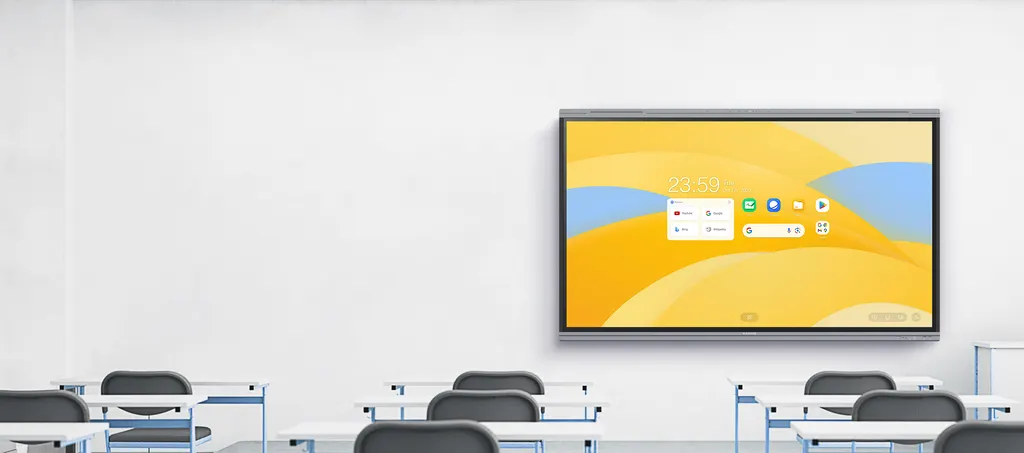
U8630
MAXHUB U8630 86-inch Education Interactive Flat Panel
- Screen size
- 86″
- Resolution
- 3840(H) X 2160(V)
- Touch
- Intelligent Touchscreen Technology
- System
- Android 13.0
An 86-inch education panel with a 3840 x 2160 VA display, 500 nits brightness and 50-point infrared touch. The MAXHUB U8630 runs Android 13 with Google EDLA certification and includes an 8-microphone array and 2.2 channel speakers. It suits large lecture halls, staff rooms and boardrooms in Qatar's schools and universities that need one screen for teaching and collaboration.
An 86-inch teaching display with a 4K VA panel
The U8630 is the 86-inch member of the MAXHUB U3 Series education range. Its 3840 x 2160 VA panel delivers 500 nits of brightness, which keeps text and diagrams readable on a screen big enough to be seen from the back of a lecture hall. The panel shows 1.07 billion colours at 10-bit depth, with a typical 72% NTSC colour gamut and a colour accuracy rating of Delta E 1.5 or better. A 6.5 ms response time keeps moving video and handwriting clean, and the DLED backlight is rated for at least 50,000 hours.
For eye comfort, the panel carries TÜV Flicker Free and TÜV Low Blue Light marks, which matter in rooms where students spend long sessions in front of the screen.
Touch, writing and palm rejection
Infrared touch recognition supports up to 50 touch points, so a class can work at the board together rather than waiting for one student at a time. Pressure sensitivity changes stroke thickness with the force applied to a stylus, and palm rejection lets a teacher rest a hand on the glass while writing without leaving marks.
Built-in Android and Google education apps
The U8630 runs Android 13.0 with 8GB of RAM and 64GB of storage. Its octa-core processor combines four A76 and four A55 cores, supported by a Mali-G610 MP4 graphics processor and a 6 TOPS NPU. The Google EDLA certification confirms the device meets Google's requirements for education, so teachers can open Google's education apps directly on the panel without connecting a separate computer.
- Operating system: Android 13.0 with Google EDLA certification
- Memory and storage: 8GB RAM and 64GB ROM
- Processing: Octa-core CPU, Mali-G610 MP4 GPU and 6 TOPS NPU
Connections for laptops, cameras and multi-screen teaching
The Type-C port carries connections to webcams, microphones, speakers, USB flash drives and wired networks through a single cable, and offers up to 100W of charging performance for a connected laptop. The Type-C and HDMI outputs can drive up to three displays together, and the built-in display manager arranges applications across them. This suits a teacher who wants notes on one screen while a lesson runs on another.
Audio for a large room
The 8-microphone array picks up speech within a 0 to 10 metre range, which covers a teacher moving around a lecture hall. The 2.2 channel speaker system is rated at 2 x 8W plus 2 x 18W outputs, with a maximum of 2 x 12W plus 2 x 25W, so the teacher's voice reaches the back rows without a separate sound system.
Where the U8630 fits in Qatar
A university lecture theatre in Education City can use the 86-inch screen as the main display for a hall of students, with the microphone array capturing questions from the floor. A private school in Al Wakrah fitting out a large assembly or science room can use one panel for lessons and staff briefings. A government training centre in Msheireb can equip a boardroom where presentations switch between Arabic and English, using the multi-display outputs to show a document beside a video call with colleagues abroad.
What to plan before ordering
- Book a free site survey to confirm wall structure, mounting height and viewing distance for an 86-inch panel.
- Check window positions and room lighting, since glare reduces how clearly the 500 nits display is seen.
- Confirm the room is an indoor teaching space kept away from direct sun and dusty openings, and confirm the environment with the SmartRooms Qatar team before quoting.
- Plan power and network points near the mounting position, and decide on the cable route for the Type-C and HDMI connections.
Request a quote from SmartRooms Qatar for the MAXHUB U8630 and we will confirm stock, installation and any multi-unit pricing terms in writing for your school, university or government project.
Highlights
- 86-inch 3840 x 2160 VA display with 500 nits brightness
- 10-bit colour with Delta E 1.5 or better accuracy
- 50-point infrared touch with pressure sensitivity and palm rejection
- Android 13.0, Google EDLA certified, 8GB RAM and 64GB ROM
- 8-microphone array with 0 to 10 metre pickup range
- Type-C port with up to 100W charging; outputs for three displays
Classroom fit
At 86″ the farthest student should sit within about 6.4 m (6× the screen height).
Estimated timeline
Quotation within 1 working day · delivery timing depends on stock availability, and we confirm it with your quotation.
Specifications
U863024
- Display · Diagonal Size (inch)
- 86
- Display · Resolution
- 3840(H) X 2160(V)
- Display · Panel Type
- VA
- Display · Panel Brightness
- 500 nits
- Display · Color Depth
- 1.07B (10bit)
- Display · Color Gamut (typ.)
- 72% NTSC
- Display · Color Accuracy
- Delta E ≤ 1.5
- Display · Eyes Care
- TÜV Flicker Free TÜV Low Blue Light
- Display · Response time
- 6.5ms
- Display · Backlight Unit
- DLED
- Display · Backlight Life (typ.)
- ≥ 50,000 Hours
- Built-in System · Operating System
- Android 13.0
- Built-in System · Certification
- Google EDLA certification
- Built-in System · RAM
- 8GB
- Built-in System · ROM
- 64GB
- Built-in System · CPU
- A76×4+A55×4 Octa-core
- Built-in System · GPU
- Mali-G610 MP4
- Built-in System · NPU
- 6 TOPS
- Touch System · Touch Technology
- Intelligent Touchscreen Technology (infrared recognition)
- Touch System · Touch Point
- 50 Points touch
- Audio · Built-in Microphone
- 8-Microphone array
- Audio · Microphone Pick Up Range
- 0-10m
- Audio · Sound Channel
- 2.2
- Audio · Speaker
- 2×8W+2×18W Outputs 2×12W+2×25W Maximum




