





Thursday, 22 October 2026 · 11 Jumada I 1448 AH Sun – Thu · 9:00 – 18:00
+971 56 914 9477 العربية
WhatsApp

65" C Series

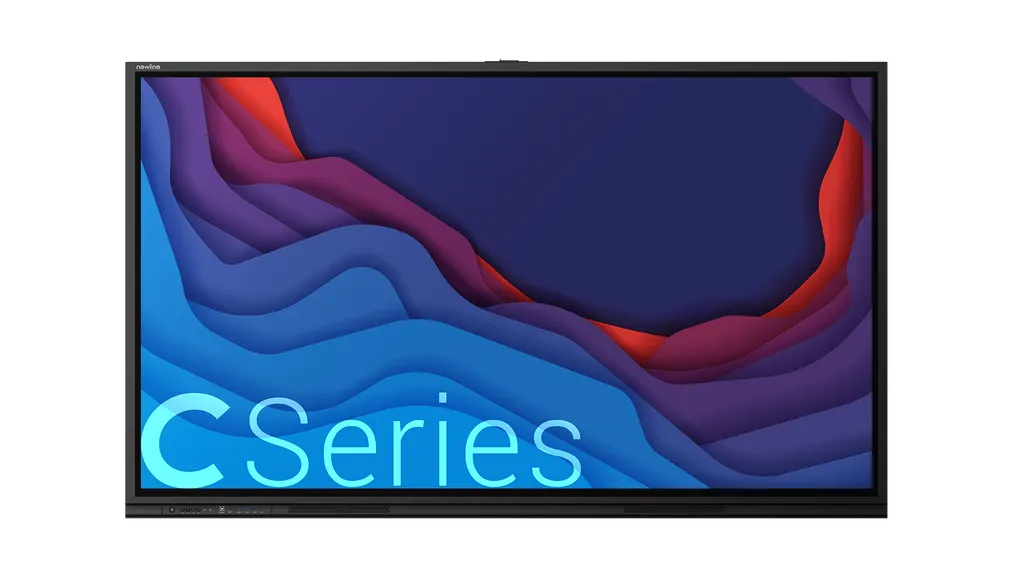
Newline 65-inch C Series Interactive Display

Screen size
65″
Resolution
3840 × 2160 (4K)
Touch
Infrared Touch(IR)
Brightness
400 cd/m²
WhatsApp
Priceon request
QuotationWithin 1 working day
DeliveryConfirmed with your quote, based on stock
Overview

The Newline 65-inch C Series is a 4K interactive display with up to 40 infrared touch points and no on-board operating system. A single USB Type-C cable connects a laptop, and an OPS slot takes an optional computer module. At 38.5 kg it is the lightest model in the C Series range, which suits smaller classrooms and meeting rooms across Qatar.

What the 65-inch C Series is built to do

The Newline 65-inch C Series is a 16:9 LCD interactive display with a 4K (3840 × 2160) panel and a 1,429 × 804 mm display area. It has no on-board operating system, so the content comes from the laptop, desktop, Chromebox, Mini PC or OPS module you connect, and your existing management and security settings stay on that device. The specification table lists a contrast ratio of 4,000:1, a response time of 5 ms and a 178° viewing angle that keeps the picture readable from the side of the room.

Connection and plug-and-play setup

One USB Type-C cable carries audio, video, data, touch and power from a laptop to the panel, so a session starts after a single connection. The front of the panel offers a USB-C port, a second HDMI input, a USB touch port, two USB Type-A ports and a microphone input. The rear adds an HDMI 2.0 input supporting 4K at 60 Hz, a VGA input, RS232, a gigabit RJ45 port with in and out, a 3.5 mm line output, an SPDIF port and a USB-C camera slot. An OPS slot accepts an OPS computer module when you want software to run directly on the display.

Touch, sound and display details to check

The infrared touch system recognises up to 40 points, so several people can write or tap at the same time, with touch accuracy listed as ±1 mm. Input works with a passive pen, a finger or a fist, and the specification lists two styluses. Two 15 W front-facing speakers rated at 6 Ω can cover a small room without separate audio equipment. Brightness is a point to confirm: the manufacturer's specification table lists 400 cd/m², while its European datasheet quotes 450 cd/m² for this size, so check the current datasheet before comparing models. Typical power draw in standard mode is 91 W, and standby is below 0.5 W.

Where the 65-inch C Series fits in Qatar

A private school in Al Wakrah fitting out new classrooms can use the 65-inch panel for group work at the board without crowding the room, and each teacher connects a laptop with one cable.

A meeting room in West Bay where a team presents spreadsheets and drawings to colleagues in Doha and abroad benefits from the 4K detail and the 178° viewing angle, and the front USB-C port keeps the connection point easy to reach.

A training centre in Education City or a government office in Msheireb with smaller rooms can use the lighter 38.5 kg panel, which is easier to position on a wall that matches the listed 600 × 400 mm VESA pattern.

What to plan before you order

  • Check that the wall structure can carry a 38.5 kg panel. SmartRooms Qatar offers a free site survey before installation.
  • Confirm the room conditions. The source data gives no operating temperature range, so ask our team before placing the panel near windows or in unconditioned spaces.
  • Plan the USB-C cable route from the presenter's position and a power point close to the mount.
  • Measure the wall space against the listed outline dimensions of 1513 × 923 × 110 mm.

Public bodies can issue a purchase order (LPO) or bid through Monaqasat tenders, and quotations are usually issued within one working day. Request a quote from SmartRooms Qatar to confirm the configuration, delivery to any of Qatar's eight municipalities and professional installation.

Highlights

  • 4K (3840 × 2160) LCD panel with 178° viewing angle
  • Infrared touch supporting up to 40 touch points
  • Single USB Type-C cable for laptop connection
  • OPS slot for an attached computer module
  • 38.5 kg net weight and 600 × 400 mm VESA pattern
  • EPEAT Silver certification as stated by the manufacturer

Classroom fit

At 65″ the farthest student should sit within about 4.9 m (6× the screen height).

Estimated timeline

Quotation within 1 working day · delivery timing depends on stock availability, and we confirm it with your quotation.

Specifications

9 specifications · Source: manufacturer · checked Oct 2026
65" C Series9
General · Screen Size
65″
General · Display Area(mm)
1429 x 804
General · Net Weight(kg)
38.5
General · Screen Type
LCD (Direct LED Backlight)
General · Resolution
3840 × 2160 (4K)
General · Brightness
400 cd/m²
General · Viewing Angle
178°
General · Touch Technology
Infrared Touch(IR)
General · Touch Points
Up to 40 Points

Downloads

0 files from the manufacturer
No downloadable files are listed for this model yet. Ask us and we will send the datasheet.

Questions about 65" C Series

Who is the 65-inch C Series designed for?
It suits smaller spaces where a 75 or 86-inch panel would dominate the room, such as a primary classroom in Al Wakrah or a small meeting room in West Bay. Its 1,429 × 804 mm display area and 38.5 kg net weight make it a practical choice for one teacher or a small group of presenters.
Does the panel need its own operating system or software?
No. The panel has no on-board operating system, so content comes from the laptop, desktop, Chromebox, Mini PC or OPS module you connect. IT teams keep their existing management and security settings on that device, which suits schools and government bodies that already manage their own device fleet.
How does the touch work and how many people can write at once?
The 65-inch model uses infrared touch with up to 40 touch points and accuracy listed as ±1 mm. Input works with a passive pen, a finger or a fist, and the specification lists two styluses. This allows several students or team members to write on the screen at the same time during brainstorming or group exercises.
How do I connect a laptop to the 65-inch C Series?
Use one USB Type-C cable from the laptop to the front USB-C port, which carries audio, video, data, touch and power. Alternatively, use the HDMI 2.0 input, which supports 4K at 60 Hz. When you connect video over HDMI, the USB Type-B touch port carries the touch signal back to the connected computer.
Can I add a computer to the display?
Yes. The rear OPS slot accepts an OPS computer module, which lets software run directly on the display without a separate external PC. Choose the module with your IT team so it matches the software your staff or students need, and confirm the setup before the installation day.
What is the best way to use it in a West Bay meeting room?
A West Bay team can present spreadsheets, drawings or designs to colleagues in Doha and abroad on a single screen. The 4K panel shows fine detail, the 178° viewing angle keeps the picture clear from across the table, and the front USB-C port lets a presenter connect without reaching behind the panel.
Do I need a site survey before wall mounting?
Yes, we recommend one. The panel weighs 38.5 kg and the listed VESA pattern is 600 × 400 mm, so the wall and mount must match both. SmartRooms Qatar offers a free site survey that checks the wall, the power point and the cable route before installation, whether the site is a school in Doha or an office in Msheireb.
Will it cope with Qatar's summer heat and dust?
The source data does not give an operating temperature range or dust rating for the 65-inch model, so suitability for hot or dusty areas cannot be confirmed from the specification alone. Install it in an air-conditioned room, and confirm the environment with the SmartRooms Qatar team before placing it near windows or open lobbies.
Will it run on Qatar's 240 V mains supply?
The data lists power consumption of 91 W in standard mode and below 0.5 W in standby, but it does not state a supported mains voltage range. Before you order, SmartRooms Qatar will confirm the power specification with the manufacturer, so your electrical planning is based on verified figures rather than assumptions.
Can a school order several units through a purchase order?
Yes. Schools and government entities can issue a purchase order (LPO) or bid through Monaqasat tenders. When a school fits out several classrooms with 65-inch panels, the quotation should list quantities, mounting needs and cable runs for each room. Quotations are usually issued within one working day, and payment can be made by bank transfer, cheque or purchase order.
Should a training centre in Education City choose the 65-inch or 75-inch model?
Choose the 65-inch model for smaller training rooms where attendees sit close to the screen. Its display area is 1,429 × 804 mm and it weighs 38.5 kg. The 75-inch model has a 1,651 × 929 mm display area and weighs 50 kg, which suits larger rooms. Compare room size and wall structure before deciding.
Does it include speakers and what certification does it hold?
Yes. The panel has two 15 W front-facing speakers rated at 6 Ω, so small rooms may not need separate speakers. The manufacturer states that Newline displays meet the EPEAT Silver standard, a sustainability certification for electronics covering energy use, materials and end-of-life handling. If your tender requires documentary proof, mention it in your quote request.

Similar models

BenQ CM7505 BenQ Board CM7505 75-inch Interactive Display
75″ UHD 3840 × 2160 pixels Ultra Precision IR
SMART SBID-6286S-V3 SMART Board 6086S-V3 86-inch Interactive Display with iQ
86″ 4K UHD (3840 × 2160) HyPr Touch with InGlass
SMART SBID-6286S-V3-P SMART Board 6086S-V3 Pro 86-inch Interactive Display with iQ
86″ 4K UHD (3840 × 2160) HyPr Touch with InGlass
Clevertouch Clevertouch Edge 65" Clevertouch Edge 65" 4K Interactive Display with Camera and Speakers
65″ 4K UHD (3840x2160 @60Hz) Android 15
Clevertouch Clevertouch Edge 86" Clevertouch Edge 86" 4K Interactive Flat Panel
86″ 4K UHD (3840x2160 @60Hz) Android 15
Email Call




