





Thursday, 22 October 2026 · 11 Jumada I 1448 AH Sun – Thu · 9:00 – 18:00
+971 56 914 9477 العربية
WhatsApp

TT-5521IP

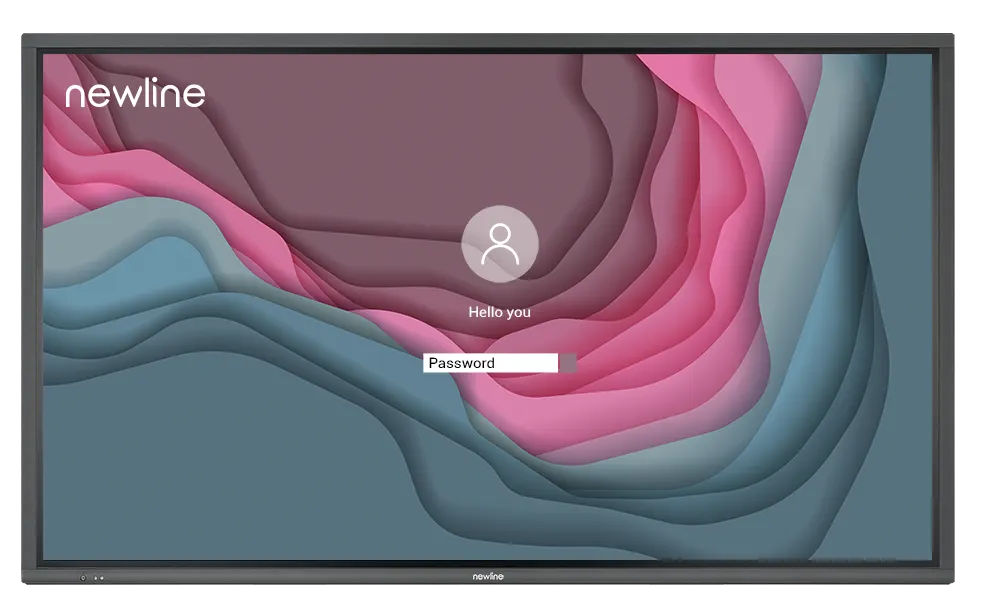
Newline IP+ Series TT-5521IP 55-inch Interactive Display

Screen size
55″
Resolution
3840 × 2160 (4K)
Touch
P-Cap
WhatsApp
Priceon request
QuotationWithin 1 working day
DeliveryConfirmed with your quote, based on stock
Overview

The Newline TT-5521IP is a 55-inch 4K interactive display with P-Cap touch, a 178° viewing angle and a Linux-based operating system in place of Android. One USB-C cable carries data, audio, video and 60W of power, and an OPS-PC slot takes an integrated PC. It suits classrooms and meeting rooms in Doha, Lusail and Education City. Request a quote from SmartRooms Qatar.

What the Newline TT-5521IP is

The Newline TT-5521IP is a 55-inch interactive touch display from the IP+ Series. It pairs a 4K panel (3840 × 2160) with a projected capacitive touch layer and an LED backlight, giving a display area of 1211 × 682 mm. The series runs a Linux-based operating system in place of Android, and the manufacturer designs it for organisations that want tighter control over their network and data.

Image, touch and sound at this size

Optical bonding is the feature that separates the IP+ Series from standard panels. Bonding the glass to the display reduces the gap between layers, and the manufacturer links this to a clear image at wide angles. The 178° viewing angle means people seated at the sides of a room still get a readable picture. Specified figures for this model include brightness of at least 400 cd/m², 4,000:1 dynamic contrast, an 8 ms response time and 1.07 billion colours (8-bit with FRC). The anti-glare surface is rated 8H for hardness.

  • Touch: P-Cap with 20 touch points and a passive pen for writing
  • Speakers: two 20 W speakers with 100 Hz to 20 kHz frequency response
  • Rated life: 50,000 hours

Ports and the single USB-C cable

The USB Type-C 3.0 input carries data, audio, video and power on one cable, with 60W power delivery. That lets a laptop charge and share its screen through a single connection. The panel also provides three HDMI inputs (4K at 60Hz, with ARC on HDMI 1), one HDMI output (4K at 60Hz), three USB Type-B touch connections, a USB 3.0 public port, a USB 2.0 (FW) port, a microphone input, an audio line out, S/PDIF, RS-232 control, an RJ-45 network port, an SDM-S slot and an OPS-PC slot for an integrated PC.

Where the 55-inch model fits across Qatar

In a mid-sized classroom at an Arabic-curriculum school in Al Sadd or Al Rayyan being refitted, a teacher can move between Arabic and English lesson material from one laptop connected by USB-C, with no power cable running across the front of the room.

In a meeting room in West Bay or Msheireb, where Doha staff connect with teams abroad, three HDMI inputs let a laptop and a second room source share the panel, while the RJ-45 port links the room to the wider office network.

In a training room at a centre in Education City or the Industrial Area, the 55-inch screen suits small group sessions. The built-in speakers can cover a small room, while larger spaces can use the audio line out to connect external speakers.

What to plan before you order

The outline dimensions are 1290 × 764 × 73 mm, so check the wall or stand footprint before ordering. Wall mounting and a mobile stand are both listed as options. The panel accepts 100 to 240 V AC at up to 2.5 A, with maximum power consumption of 250 W and eco power consumption of 188 W. Its working range is 0°C to 40°C, so install it in an air-conditioned room rather than a sunlit lobby or outdoor area, where summer temperatures in Qatar can exceed 45°C. SmartRooms Qatar offers a free site survey to check wall structure, power points and sight lines before installation.

Request a quote from SmartRooms Qatar with your room size, mounting preference and quantity, and we will return a quotation, usually within one working day.

Highlights

  • 55-inch 4K display (3840 × 2160) with optical bonding
  • 178° viewing angle and 20-point P-Cap touch
  • Linux-based operating system in place of Android
  • USB Type-C 3.0 input with 60W power delivery
  • Working range 0°C to 40°C, 20 to 80% RH non-condensing
  • OPS-PC slot for an integrated on-board PC

Classroom fit

At 55″ the farthest student should sit within about 4.1 m (6× the screen height).

Estimated timeline

Quotation within 1 working day · delivery timing depends on stock availability, and we confirm it with your quotation.

Specifications

7 specifications · Source: manufacturer · checked Oct 2026
TT-5521IP7
General · Screen Size
55″
General · Display area (mm)
1211 × 682
General · Weight (kg)
26
General · Touch Technology
P-Cap
General · Resolution
3840 × 2160 (4K)
General · Viewing Angle
178°
General · Backlight
LED

Downloads

0 files from the manufacturer
No downloadable files are listed for this model yet. Ask us and we will send the datasheet.

Questions about TT-5521IP

Which rooms in Qatar suit a 55-inch Newline TT-5521IP?
A 55-inch panel suits a classroom, a huddle room or a mid-sized meeting room where viewers sit a few metres from the screen. Typical fits include an Arabic-curriculum classroom in Al Sadd being refitted, or a West Bay office that runs daily team briefings. Its 1211 × 682 mm display area and 178° viewing angle keep content readable from the sides of the room as well as the front.
Does the TT-5521IP run Windows or Android?
The TT-5521IP runs a Linux-based operating system instead of Android. If staff need Windows software on the screen, the panel has an OPS-PC slot for an integrated PC, which the manufacturer describes as a way to bring desktop computing to the display. Ask the SmartRooms Qatar team to confirm which PC option fits your software when you request a quote.
What does the USB-C input carry, and how much power does it deliver?
The USB Type-C 3.0 input carries data, audio, video and power through a single cable, and its power delivery is rated at 60W. A teacher can plug in a laptop at the start of a lesson and have it charging and sharing its screen at once, with no separate power cable running across the front of the classroom.
How many touch points does the panel support?
The touch layer uses projected capacitive (P-Cap) technology with 20 touch points, so more than one person can work on the screen at the same time. The data also lists a passive pen among the writing tools. Capacitive touch responds to a light touch, which suits presenters who move between writing and navigating during a session.
Will it run on Qatar's 240 V mains supply?
Yes. The TT-5521IP is rated for AC input from 100 to 240 V with a maximum current of 2.5 A, which covers Qatar's 240 V, 50 Hz supply. Maximum power consumption is 250 W, its eco power consumption is 188 W, and standby is below 0.5 W. A qualified electrician should confirm the socket and circuit before installation.
Can the panel go in a summer-hot lobby or outdoor area?
No. The working temperature range is 0°C to 40°C at 20 to 80% relative humidity, non-condensing. Summer temperatures in Qatar can exceed 45°C, so the panel should sit in an air-conditioned room rather than a sunlit lobby, outdoor canopy or unconditioned store. Storage is rated from -10°C to 45°C, which covers storage and transport rather than operation. Confirm the room's cooling before ordering.
How much wall space does the 55-inch panel need?
The outline dimensions are 1290 × 764 × 73 mm, which sets the footprint for wall mounting. A wall-mount option is available alongside a mobile stand. Before fixing a panel to a wall, check the wall structure, power points and sight lines. SmartRooms Qatar offers a free site survey for this, and it is worth booking one before ordering several units.
Can a West Bay meeting room connect a laptop and a second source at the same time?
Yes. The panel has three HDMI inputs, with HDMI 1 supporting ARC, plus an HDMI output carrying 4K at 60 Hz. A laptop on one input and a second room source on another can be selected without unplugging either. The RJ-45 network port and USB ports also let the room link to the wider office network, which helps teams in Doha work with colleagues abroad.
Are the built-in speakers enough for a training room?
The panel has two 20 W speakers with a frequency response of 100 Hz to 20 kHz, which may cover a small training room such as a session for a group of staff in Education City. For larger rooms or halls, connect external speakers through the audio line out or S/PDIF output. A microphone input is also provided for presenters speaking at the front.
How do we order several units for a school or government office?
Send one purchase order (LPO) covering the full list, with room size and mounting preference for each unit. SmartRooms Qatar usually issues quotations within one working day and accepts bank transfer, cheque or purchase order. It also supports government tenders, including Monaqasat, and delivers to all 8 municipalities of Qatar. Installation can be included in the quotation.

Similar models

BenQ CM7505 BenQ Board CM7505 75-inch Interactive Display
75″ UHD 3840 × 2160 pixels Ultra Precision IR
SMART SBID-6286S-V3 SMART Board 6086S-V3 86-inch Interactive Display with iQ
86″ 4K UHD (3840 × 2160) HyPr Touch with InGlass
SMART SBID-6286S-V3-P SMART Board 6086S-V3 Pro 86-inch Interactive Display with iQ
86″ 4K UHD (3840 × 2160) HyPr Touch with InGlass
Clevertouch Clevertouch Edge 65" Clevertouch Edge 65" 4K Interactive Display with Camera and Speakers
65″ 4K UHD (3840x2160 @60Hz) Android 15
Clevertouch Clevertouch Edge 86" Clevertouch Edge 86" 4K Interactive Flat Panel
86″ 4K UHD (3840x2160 @60Hz) Android 15
Email Call




