





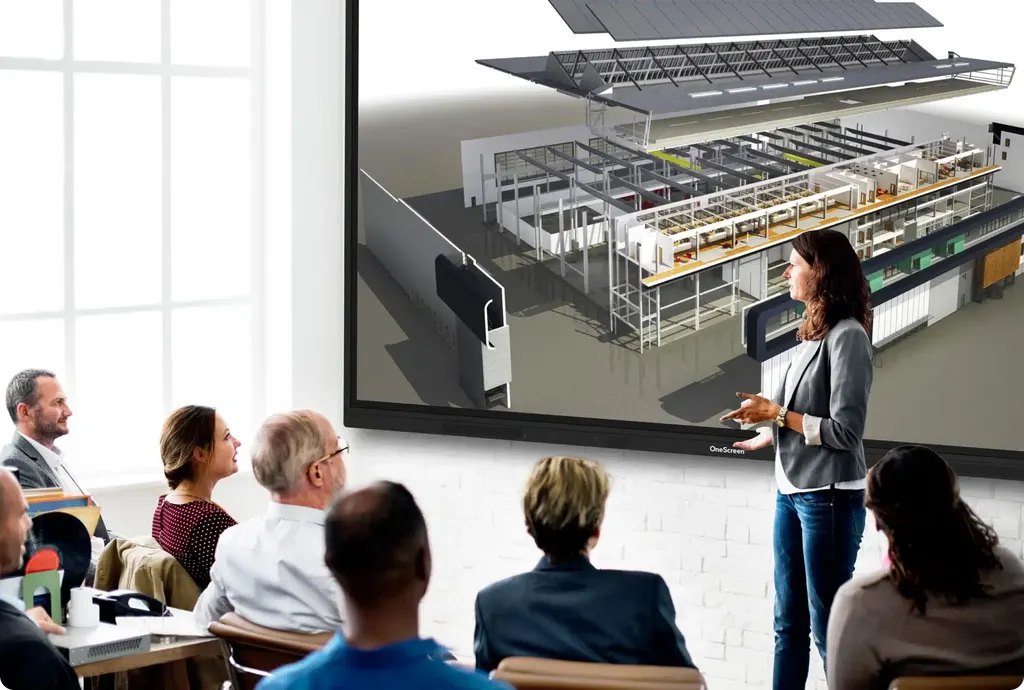
Touchscreen T7 Business 105
OneScreen Touchscreen T7 Business 105-inch Interactive Display
- Screen size
- 105″
- Resolution
- 5120 × 2160
- Storage
- 64 GB
- Brightness
- 400 cd/m2
The OneScreen T7 Business 105 is a 105-inch interactive touchscreen with a 5120 x 2160 panel, 50-point infrared touch with 1 mm accuracy and palm rejection. It runs Android 13 with a 6 TOPS neural processor, includes an OPS PC slot and supports Wi-Fi 6E. Built for large boardrooms, lecture theatres and planning rooms in Doha, it gives a whole group one shared working surface.
A 105-inch display for shared, wide-canvas work
The OneScreen T7 Business 105 is an interactive touchscreen for rooms where one screen has to serve a whole group. Its 105-inch panel runs at 5120 × 2160, which is wider than standard 4K UHD (3840 × 2160). That extra horizontal space lets a team place two or three documents side by side, or keep a live video call beside an annotated spreadsheet, without shrinking anything to an unreadable size.
Brightness is rated at 400 cd/m2 with the glass in place, with a 4000:1 contrast ratio, 90% NTSC colour coverage, 1.07 billion colours and a 178° viewing angle horizontally and vertically. These figures matter in a large room, because people seated at the sides see the same colours and detail as those at the front.
Touch, pen and audio for a room of users
- Touch: infrared technology with zero bonding Gen 2, up to 50 touch points, ±1 mm touch accuracy and a writing height of 2 mm or less.
- Input handling: palm rejection and pen-and-touch differentiation, so a presenter can rest a hand on the glass while writing with a stylus.
- Response: touch response time of 5 ms or less.
- Surface: anti-glare and anti-fingerprint coating with 9H hardness.
Audio comes from two built-in 16 W speakers (typical), a 15 W subwoofer and an eight-array microphone with noise reduction that picks up voices up to 8 metres away. For a lecture hall or a large conference room, the optional Amplifyr kit adds two wireless microphones and a receiver for audio amplification.
Where the 105-inch T7 fits in Qatar
In a ministry boardroom in West Bay, the panel can replace a projector and a separate whiteboard, with the agenda, a shared document and a video link to colleagues abroad all on one surface. In a lecture theatre at Education City, students at the back can read the same annotated slide as those in the front rows. In a planning or control room at an energy company in Mesaieed or Ras Laffan, the wide canvas suits maps and multi-source dashboards that a team reviews together.
The on-board system runs Android 13 with an octa-core CPU (four A76 and four A55 cores), 8 GB RAM, 64 GB storage, a Mali-G610 MP4 GPU and a 6 TOPS neural processing unit for AI tasks. A single OPS PC slot lets you add a computer module, and two RJ45 Gigabit Ethernet ports connect the room to the corporate or campus network, with Wi-Fi 6E and Bluetooth 5.3 as extra links.
What to plan before you order
- Weight: 201.5 lb (about 91.4 kg) for the panel alone. Confirm the wall and mounting hardware are rated for this load.
- Mounting: VESA 1000 × 400 flush wall mount pattern.
- Dimensions: 98.7 in × 44.5 in × 4.1 in (about 250.7 × 113.0 × 10.4 cm).
- Power: 410 W typical and 580 W maximum, with 0.5 W standby.
- Environment: operating range 0°C to 40°C (32°F to 104°F) and 10% to 90% relative humidity.
The 40°C upper limit is below the summer temperatures above 45°C that Qatar experiences, so this panel belongs in an air-conditioned room away from direct sun and large windows. Confirm the room conditions with the SmartRooms Qatar team during a free site survey before the location is fixed.
A site survey also checks the wall, the access route and the power point before installation. Supply and delivery cover all eight municipalities of Qatar, and professional installation can be arranged. Organisations buying several units for a school or government body can work with a purchase order (LPO) or a government tender, and pay by bank transfer, cheque or purchase order.
Request a quote for the OneScreen T7 Business 105 with your wall, power and room details ready. Quotations usually follow within one working day.
Highlights
- 105-inch panel at 5120 × 2160 resolution
- Infrared touch with 50 points and 1 mm accuracy
- Palm rejection and pen-and-touch differentiation
- 400 cd/m2 brightness with glass, 178° viewing angle
- Android 13 with 8 GB RAM and 64 GB storage
- One OPS PC slot, Wi-Fi 6E and Bluetooth 5.3
Classroom fit
At 105″ the farthest student should sit within about 7.8 m (6× the screen height).
Estimated timeline
Quotation within 1 working day · delivery timing depends on stock availability, and we confirm it with your quotation.
Specifications
Touchscreen T7 Business 10570
- size_inch
- 105
- datasheet
- datasheets/OneScreen_T7-Business-105_Spec_Sheet.pdf
- datasheet_url
- https://partnerportal.onescreensolutions.com/resources/OneScreen_T7-Business-105_Spec_Sheet.pdf
- specs · General · Touch response time
- ≤5 ms
- specs · General · Palm rejection
- Yes
- specs · Display · Pen and touch differentiation
- Yes
- specs · Display · Technology
- IR touch with zero bonding Gen 2
- specs · Display · Size
- 105"
- specs · Display · Life time
- ≥30000 hours
- specs · Display · Viewing angle
- 178° (H/V)
- specs · Display · Resolution
- 5120 × 2160
- specs · Display · Refresh rate
- 60 Hz
- specs · Display · Display colors
- 1.07 billion colors
- specs · Display · NTSC
- 90%
- specs · Display · Contrast ratio
- 4000:1
- specs · Display · Brightness with glass
- 400 cd/m2
- specs · Display · Backlight
- DLED
- specs · Computing · OS version
- Android 13
- specs · Computing · CPU
- A76×4 + A55×4
- specs · Computing · GPU
- Mali-G610 MP4
- specs · Computing · NPU
- 6 TOPS (for AI processing)
- specs · Computing · Storage
- 64 GB
- specs · Computing · RAM
- 8 GB
- specs · Audio and Microphone · Speaker output
- 2x16W (typ)
- specs · Audio and Microphone · Speaker type
- 2 built-in speakers, left/right
- specs · Audio and Microphone · Sound pressure level
- 82 DB
- specs · Audio and Microphone · Subwoofer (typ)
- 15W
- specs · Audio and Microphone · Microphone
- 8-array built-in microphone with noise reduction
- specs · Audio and Microphone · Pickup distance
- 0-8 m
- specs · Other Features · Blue-light filter
- Yes
- specs · Other Features · Wake-on-LAN
- Supported
- specs · Other Features · Ambient light sensor
- Yes for auto brightness adjustment
- specs · Other Features · Wake-on-HDMI
- Supported
- specs · Physical · Operating humidity
- 10% - 90% RH
- specs · Physical · Operating temperature
- 32°F - 104°F
- specs · Physical · Product weight
- 201.5 lbs
- specs · Physical · Shipping weight
- 263.5 lbs
- specs · Physical · Product dimensions
- 98.7” x 44.5” x 4.1” (L x H X D)
- specs · Physical · Shipping dimensions
- 105.1” x 11.1” x 51.4” (L x W x H)
- specs · Inputs and Outputs · HDMI input
- 4x
- specs · Inputs and Outputs · HDMI output
- 1x
- specs · Inputs and Outputs · DP 1.2
- 1x
- specs · Inputs and Outputs · Type-C in
- 1x Front 15W, 1x Rear 100W
- specs · Inputs and Outputs · Type C functionality
- Full feature type C with USB, Video, Audio, Network and touch support
- specs · Inputs and Outputs · Audio in
- 1x 3.5mm
- specs · Inputs and Outputs · Audio out
- 1x 3.5mm
- specs · Inputs and Outputs · Touch USB ports
- 3x Touch 2.0
- specs · Inputs and Outputs · USB ports
- 7x (2x Front USB 3.0, 2x Side USB 3.0, 2x Top USB 3.0, 1x Side USB 2.0)
- specs · Inputs and Outputs · SPDIF
- 1x
- specs · Inputs and Outputs · RS232
- 1x
- specs · Inputs and Outputs · Ethernet
- 2x RJ45 (Gigabit ethernet 10M/100M/1000M in/out)
- specs · Inputs and Outputs · OPS PC slot
- 1x OPS PC slot
- specs · Inputs and Outputs · Bluetooth
- 5.3
- specs · Inputs and Outputs · Wi-Fi
- Wi-Fi 6E (2.4 Ghz + 5 Ghz + 6 Ghz)
- specs · Power · Power consumption
- 410 W (Typ) 580 W (Max)
- specs · Power · Power
- 0.5 W (standby)
- specs · Included Accessories · Wall mount
- VESA standard 1000 x 400 flush wall mount
- specs · Included Accessories · Included cables
- 1x HDMI cable, 1x power cable, 1x USB touch cable
- specs · Included Accessories · Accessories
- 2x Stylus pens with anti-bacterial coating, 1x Remote control for display
- specs · Optional Accessories · Amplifyr
- Optional (Includes 2x wireless mics and 1x receiver). Supports audio amplification
- specs · Optional Accessories · Wireless Keyboard with Trackpad
- Optional
- specs · Optional Accessories · Camera
- Optional
- specs · Optional Accessories · Sensors
- Optional sensor box module (Motion , Humidity, Temperature, TVOC, and particulate matter detection)
- specs · Touch · Surface protection
- Anti-glare, Anti-fingerprint, 9H hardness
- specs · Touch · Touch resolution
- 32768 x 32768
- specs · Touch · Touch accuracy
- ±1 mm
- specs · Touch · Touch points
- 50
- specs · Touch · Writing height
- ≤2 mm
- specs · Touch · Annotation over any source
- Yes
- specs · Touch · Minimum object size
- 2 mm




