





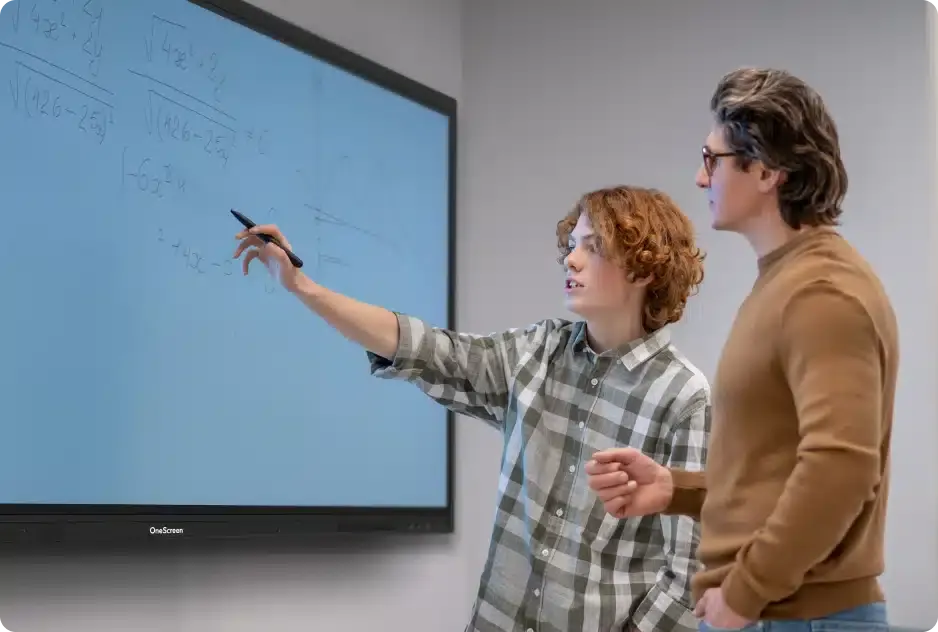
Touchscreen T7 Education 65
OneScreen Touchscreen T7 Education 65-inch Interactive Display
- Screen size
- 65″
- Resolution
- 3840 × 2160
- Storage
- 128 GB
- Brightness
- 420 cd/m2 (typical)
The OneScreen Touchscreen T7 Education 65 is a 65-inch interactive display with 4K UHD resolution for classrooms and small meeting rooms. It combines 1 mm touch accuracy, up to 50 touch points, palm rejection, an OPS PC slot, Wi-Fi 6E and two stylus pens. It suits private and international schools, training centres and corporate meeting rooms across Qatar that need a compact panel for teaching and collaboration.
A 65-inch 4K touchscreen built for teaching rooms
The OneScreen Touchscreen T7 Education 65 is a 65-inch interactive display with a 3840 × 2160 (4K UHD) panel, a 60 Hz refresh rate and a DLED backlight. It is the most compact model in the T7 Education range, measuring 58.6 × 36.0 × 3.4 inches and weighing 85.3 lbs, which makes it practical for a standard classroom wall or a small meeting room where viewing distances are shorter than in a lecture hall.
Display and touch performance that matters in a lesson
- Brightness: 420 cd/m² typical, with an ambient light sensor that adjusts brightness automatically.
- Contrast and colour: 5000:1 contrast ratio and 1.07 billion colours, with a 178° viewing angle horizontally and vertically.
- Touch: infrared touch with up to 50 points, 1 mm accuracy, response under 2.5 ms, palm rejection and pen and touch differentiation.
- Surface: anti-glare, anti-fingerprint protection rated 9H hardness.
Palm rejection lets a teacher rest a hand on the glass while writing with a pen. Pen and touch differentiation helps the panel respond correctly when students and staff annotate together. Annotation works over any connected source, so a teacher can mark up a laptop slide or a video without switching inputs.
Computing, connectivity and expansion
The panel runs Android 15 on an octa-core processor with 8 GB of RAM, 128 GB of storage and a triple-core NPU rated up to 6 TOPS for AI processing. A single OPS PC slot lets you add a plug-in computer later instead of replacing the display. Ports include four HDMI inputs, one HDMI output, one DP 1.2 port, three USB-C inputs (one front port rated 100W), five USB ports, two RJ45 Gigabit ports, an RS-232 port, Wi-Fi 6E and Bluetooth 5.3.
Where the 65-inch T7 fits in Qatar
- A private school in Al Wakrah fitting out a new classroom where the compact width suits a wall with limited space.
- A training centre in Msheireb running short staff sessions, where NFC card login lets each trainer open a separate account.
- A consultancy meeting room in West Bay where the top Type-C port can take a webcam for calls with colleagues abroad.
What to plan before installation
At 85.3 lbs, the panel needs a wall that can carry its weight, and its flush VESA mount pattern is 600 × 400. SmartRooms Qatar offers free site surveys to check the wall, the power point and the cable route before the unit arrives. Typical power consumption is 200 W, rising to 415 W at maximum, with 0.5 W in standby. The operating range is 32 to 104°F (0 to 40°C) at 10 to 90% humidity, so the panel should sit in an air-conditioned room away from direct sun through windows and from dust. The box includes an HDMI cable, power cable, USB touch cable, two stylus pens, a remote control, a magnetic whiteboard eraser and five NFC cards. Optional items include the Amplifyr audio kit with two wireless microphones and a receiver, a wireless keyboard with trackpad, a camera and a sensor box module.
Request a quote from the SmartRooms Qatar team and we will reply with a quotation, usually within one working day, covering supply, delivery to any of Qatar's eight municipalities and professional installation. Schools and government bodies can order through a purchase order (LPO) or a tender.
Highlights
- 65-inch 4K UHD display at 3840 × 2160 resolution
- Infrared touch with up to 50 points and 1 mm accuracy
- Palm rejection and pen and touch differentiation
- One OPS PC slot and an Android 15 platform
- Wi-Fi 6E, Bluetooth 5.3 and four HDMI inputs
- Two stylus pens and five NFC cards in the box
Classroom fit
At 65″ the farthest student should sit within about 4.9 m (6× the screen height).
Estimated timeline
Quotation within 1 working day · delivery timing depends on stock availability, and we confirm it with your quotation.
Specifications
Touchscreen T7 Education 6567
- size_inch
- 65
- datasheet
- datasheets/OneScreen_T7-Education-65_Spec_Sheet.pdf
- datasheet_url
- https://partnerportal.onescreensolutions.com/resources/OneScreen_T7-Education-65_Spec_Sheet.pdf
- specs · General · GPU
- Mali-G610 MP4
- specs · General · Storage
- 128 GB
- specs · Display · Touch
- Up to 50 points
- specs · Display · RAM
- 8 GB
- specs · Display · Resolution
- 3840 × 2160
- specs · Display · Refresh rate
- 60 Hz
- specs · Display · NPU
- Triple core (up to 6 TOPS) (for AI Processing)
- specs · Display · NTSC
- 72%
- specs · Display · Contrast ratio
- 5000:1
- specs · Display · Back light
- DLED
- specs · Display · Display color
- 1.07 Billion colors
- specs · Display · Viewing angle
- 178° (H/V)
- specs · Display · Brightness
- 420 cd/m2 (typical)
- specs · Other Features · Voice commands
- Supported using Google Voice with dedicated button on remote control
- specs · Other Features · NFC card reader
- Yes, with NFC-based user login support
- specs · Other Features · Webcam connector
- Type-C port on top to support webcam
- specs · Other Features · Ambient light sensor
- Yes, for auto brightness adjustment
- specs · Other Features · Wake-on-LAN
- Supported
- specs · Other Features · Wake-on-HDMI
- Supported
- specs · Other Features · Remote control features
- Google Voice assistant button, 3 hotkey buttons to open any user selected app or function
- specs · Audio · Speaker type
- 2 Built-in speakers, Left/Right
- specs · Audio · Speaker output
- 2x 20W
- specs · Audio · Subwoofer
- 1x 25W
- specs · Audio · Microphone
- Built-in 8 array microphone with noise reduction
- specs · Input & Outputs · HDMI input
- 4x (1x Front, 3x Side)
- specs · Input & Outputs · HDMI output
- 1x
- specs · Input & Outputs · USB ports
- 5x (2x Front 3.0, 2x Side 3.0, 1x Side 2.0)
- specs · Input & Outputs · RS-232
- 1x
- specs · Input & Outputs · RJ45
- 2x ( In / Out 10/100/1000 Mbps)
- specs · Input & Outputs · Touch USB ports
- 2x USB 2.0
- specs · Input & Outputs · Bluetooth
- 5.3
- specs · Input & Outputs · SPDIF
- 1x
- specs · Input & Outputs · DP 1.2
- 1x
- specs · Input & Outputs · Audio in
- 1x 3.5 mm
- specs · Input & Outputs · Audio out
- 1x 3.5 mm
- specs · Input & Outputs · Type-C in
- 3x (1x Front 100W, 1x Side 15W, 1x Top)
- specs · Input & Outputs · Type-C out
- 1x Rear (supports 4K @ 60 Hz video out)
- specs · Input & Outputs · Type-C functionality
- Full feature Type-C with USB, Video, Audio, Network and Touch Support
- specs · Input & Outputs · Wi-Fi
- Wi-Fi 6E (2.4GHz + 5GHz + 6GHz)
- specs · Input & Outputs · OPS PC slot
- 1x OPS PC Slot
- specs · Physical · Operating temperature
- 32°F - 104°F
- specs · Physical · Operating humidity
- 10% - 90% RH
- specs · Physical · Product weight
- 85.3 lbs
- specs · Physical · Shipping weight
- 112.9 lbs
- specs · Physical · Product dimensions
- 58.6” x 36.0” x 3.4”
- specs · Physical · Shipping dimensions
- 64.1” x 39.9” x 8.2”
- specs · Power · Power
- 0.5 W (Standby)
- specs · Power · Power consumption
- 200 W (Typical); 415 W (Maximum)
- specs · Touch · Surface protection
- Anti-glare, Anti-fingerprint, 9H hardness
- specs · Touch · Touch resolution
- 32768 x 32768
- specs · Touch · Touch accuracy
- 1 mm
- specs · Touch · Annotation
- Yes (over any source)
- specs · Touch · Palm rejection
- Yes
- specs · Touch · Pen and touch differentiation
- Yes
- specs · Touch · Technology
- IR touch with Zero bonding Gen2
- specs · Touch · Pens included
- 2x Stylus pens with anti-bacterial coating
- specs · Accessories and Mounting · Wall mount
- VESA Standard 600 x 400 Flush Wall mount
- specs · Accessories and Mounting · Cables and accessories
- 1x HDMI cable, 1x Power cable, 1x USB Touch cable, 2x Stylus pens with anti-bacterial coating, 1x Remote control for display, 1x Whiteboard magnetic eraser, 5x NFC Cards
- specs · Optional Accessories · Amplifyr
- Optional (Includes 2x wireless mics and 1x receiver). Supports audio amplification
- specs · Optional Accessories · Wireless Keyboard with Trackpad
- Optional
- specs · Optional Accessories · Camera
- Optional
- specs · Optional Accessories · Sensors
- Optional Sensor Box Module (Motion , Humidity, Temperature, TVOC, and Particulate Matter Detection)
- specs · Andriod · OS Version
- 15; Android; with EDLA
- specs · Andriod · CPU
- Octa-core processor (4x A76 + 4x A55)




