





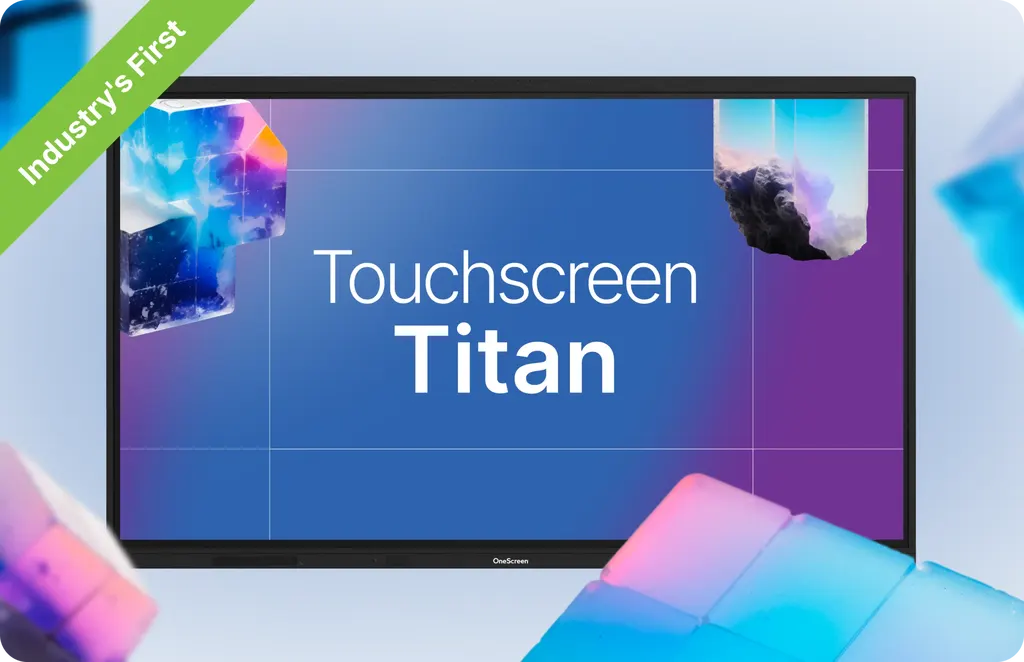
Touchscreen Titan Business 65
OneScreen Touchscreen Titan Business 65-inch Interactive Display
- Screen size
- 65″
- Resolution
- 3840 × 2160
- Storage
- 128 GB (Expandable up to 640 GB)
- Brightness
- Up to 1200 cd/m2
The OneScreen Touchscreen Titan Business 65 is a 65-inch interactive display with 3840 x 2160 resolution, Mini-LED backlighting with 312 local dimming zones and up to 1200 cd/m2 brightness. It runs Android 15 with 16 GB RAM and 128 GB storage, and it has an OPS PC slot for an OPS computer module. Its 1 mm infrared touch suits huddle rooms, classrooms and small boardrooms in Doha, Lusail and Al Sadd.
Mini-LED clarity for a 65-inch room
The OneScreen Touchscreen Titan Business 65 is the smallest model in the Titan Business range, with a 3840 x 2160 panel refreshing at 60 Hz. Its Mini-LED backlight uses 312 local dimming zones and reaches up to 1200 cd/m2, so slides stay readable in rooms with daylight coming through blinds. Contrast is rated at 100000:1, colour depth at 1.07 billion colours, and viewing angle at 178 degrees both horizontally and vertically.
Computing, connectivity and expansion
Android 15 with EDLA runs on an octa-core processor (four A76 and four A55 cores) with a Mali G610 MP4 graphics unit, a triple-core NPU rated at up to 6 TOPS, 16 GB of RAM and 128 GB of built-in storage that expands up to 640 GB. Voice commands, NFC card login and Google single sign-on are supported, so staff can sign in with a card at the panel.
- Four HDMI inputs, one HDMI output and one DisplayPort 1.2 input
- Three USB-C inputs, including a front port rated at 100W
- A rear USB-C output supporting 4K video at 60 Hz
- Five USB ports, two touch USB ports and a TF card slot
- Two Gigabit Ethernet RJ45 ports, Wi-Fi 6E and Bluetooth 5.3
- One OPS PC slot, an RS232 serial port and an SPDIF port
Touch, pen and the accessories in the box
The infrared touch layer has 1 mm accuracy, supports up to 50 touchpoints and responds in under 2.5 ms. It separates pen input from finger input and rejects palms, so a presenter can rest a hand on the glass while annotating over any connected source. The anti-glare, anti-fingerprint surface has 9H hardness.
The box includes two stylus pens with an anti-bacterial coating, a magnetic eraser, a remote control and five NFC cards, along with a VESA 600 x 400 flush wall mount, an HDMI cable, a power cable, a USB touch cable and a USB-C cable.
Planning a 65-inch installation in Qatar
The panel weighs 88.2 lbs and measures 58.6 x 35.7 x 3.4 inches, so the wall or mounting structure should be checked before installation day. SmartRooms Qatar offers free site surveys, which suit a boardroom wall in Msheireb or a new office fit-out in Lusail. Power draw is 160W typical and 380W maximum, with 0.5W in standby, which matters when planning circuits for a fully equipped room.
The operating temperature is rated from 0 to 40 degrees Celsius (32 to 104 degrees Fahrenheit) at 10 to 90 percent humidity. Qatar summers regularly push outdoor temperatures above 45 degrees, so an air-conditioned room away from direct sunlight through windows is the safe choice. For a lobby or any space exposed to dust, confirm the environment with the SmartRooms Qatar team first.
Where it fits
- A private school in Al Wakrah fitting out a classroom or science room
- A consultancy office in West Bay running daily calls with teams abroad
- A training room at a Doha logistics firm where staff work in Arabic and English
To request a quote for the Titan Business 65, send SmartRooms Qatar your room size, the wall you plan to use and the number of units. Quotations are usually issued within one working day, and we supply, deliver to all eight municipalities of Qatar and install.
Highlights
- 65-inch Mini-LED panel, 3840 x 2160 at 60 Hz
- Up to 1200 cd/m2 brightness with 312 dimming zones
- Android 15 with EDLA, octa-core CPU, 16 GB RAM
- Four HDMI inputs, DisplayPort 1.2 and three USB-C inputs
- 1 mm infrared touch with pen and palm differentiation
- OPS PC slot and VESA 600 x 400 wall mount included
Classroom fit
At 65″ the farthest student should sit within about 4.9 m (6× the screen height).
Estimated timeline
Quotation within 1 working day · delivery timing depends on stock availability, and we confirm it with your quotation.
Specifications
Touchscreen Titan Business 6571
- size_inch
- 65
- datasheet
- datasheets/Touchscreen-Titan-Bus-65-Spec-Sheet.pdf
- datasheet_url
- https://partnerportal.onescreensolutions.com/resources/Touchscreen-Titan-Bus-65-Spec-Sheet.pdf
- specs · Display · Size
- 65”
- specs · Display · Resolution
- 3840 × 2160
- specs · Display · Refresh rate
- 60 Hz
- specs · Display · Display color
- 1.07 Billion colors
- specs · Display · Contrast ratio
- 100000:1
- specs · Display · Backlight
- Mini-LED with local dimming
- specs · Display · Local dimming zones
- 312
- specs · Display · NTSC
- 90%
- specs · Display · Viewing angle
- 178° (H/V)
- specs · Display · Brightness
- Up to 1200 cd/m2
- specs · Computing · OS version
- Android 15 with EDLA
- specs · Computing · CPU
- Octa-core processor (4x A76 + 4x A55)
- specs · Computing · NPU (for AI processing)
- Triple core (up to 6 TOPS)
- specs · Computing · GPU
- Mali G610 MP4
- specs · Computing · Storage
- 128 GB (Expandable up to 640 GB)
- specs · Computing · RAM
- 16 GB
- specs · Other Features · Voice commands
- Supported
- specs · Other Features · Ambient light sensor
- Yes for auto brightness adjustment
- specs · Other Features · Color temperature sensor
- Yes
- specs · Other Features · NFC card reader
- Yes, with NFC-based user login support
- specs · Other Features · Webcam connector
- Type-C port on top to support webcam
- specs · Other Features · Blue-light filter
- Yes
- specs · Other Features · Wake-on-LAN
- Supported
- specs · Other Features · Wake-on-HDMI
- Supported
- specs · Sound · Speaker type
- 2 Built-in, Left/Right
- specs · Sound · Speaker output
- 2x 20W
- specs · Sound · Subwoofer
- 1x 25W
- specs · Sound · Microphone
- Built-in 8-array microphone with noise reduction
- specs · Ports & Connectivity · HDMI input
- 4x (1x Front, 3x Side)
- specs · Ports & Connectivity · HDMI output
- 1x
- specs · Ports & Connectivity · DP 1.2
- 1x
- specs · Ports & Connectivity · SPDIF
- 1x
- specs · Ports & Connectivity · Type-C in
- 3x (1x Front 100W, 1x Side, 1x Top)
- specs · Ports & Connectivity · Type-C out
- 1x Rear (supports 4K @ 60 video out)
- specs · Ports & Connectivity · Type-C functionality
- Full feature Type-C with USB, Video, Audio, Network and touch support
- specs · Ports & Connectivity · Audio in
- 1x 3.5mm
- specs · Ports & Connectivity · Audio out
- 1x 3.5mm
- specs · Ports & Connectivity · Touch USB ports
- 2x
- specs · Ports & Connectivity · USB ports
- 5x (2x Front USB 3.0, 2x Side USB 3.0, 1x Side USB 2.0)
- specs · Ports & Connectivity · TF Card slot
- 1x (up to 512 GB)
- specs · Ports & Connectivity · OPS PC slot
- 1x OPS PC slot
- specs · Ports & Connectivity · Serial port
- 1x RS232 (DB9)
- specs · Ports & Connectivity · Bluetooth
- 5.3
- specs · Ports & Connectivity · Wi-Fi
- Wi-Fi 6E (2.4 Ghz + 5 Ghz + 6Ghz)
- specs · Ports & Connectivity · Ethernet
- 2x RJ45 (Gigabit Ethernet 10M/100M/1000M in/out)
- specs · Physical · Operating temperature
- 32°F - 104°F
- specs · Physical · Operating humidity
- 10% - 90% RH
- specs · Physical · Product weight
- 88.2 lbs
- specs · Physical · Shipping weight
- 104.9 lbs
- specs · Physical · Product dimensions
- 58.6” × 35.7” × 3.4”
- specs · Physical · Shipping dimensions
- 64.1” × 7.3” × 39.9”
- specs · Power · Power
- 0.5W (Standby)
- specs · Power · Power consumption
- 160W (Typical); 380W (Maximum)
- specs · Included Accessories · Wall mount
- VESA Standard 600 x 400 Flush Wall mount included
- specs · Included Accessories · Included cables
- 1x HDMI cable, 1x Power cable, 1x USB touch cable, 1x USB-C cable
- specs · Included Accessories · Accessories
- 2x Stylus pens with anti-bacterial coating, 1x Magnetic eraser, 1x Remote control for display, 5x NFC Cards
- specs · Touch · Surface protection
- Anti-glare, Anti-fingerprint, 9H hardness
- specs · Touch · Touch resolution
- 32768 x 32768
- specs · Touch · Touch accuracy
- 1 mm
- specs · Touch · Annotation
- Yes (over any source)
- specs · Touch · Pen and touch differentiation
- Yes
- specs · Touch · Palm rejection
- Yes
- specs · Touch · Technology
- IR touch with Zero bonding Gen 2
- specs · Touch · Touchpoints
- Up to 50 points
- specs · Optional Accessories · Amplifyr
- Optional (Includes 2x wireless mics and 1x receiver). Supports audio amplification
- specs · Optional Accessories · Wireless Keyboard with Trackpad
- Optional
- specs · Optional Accessories · Camera
- Optional
- specs · Optional Accessories · Sensors
- Optional Sensor Box Module (Motion , Humidity, Temperature, TVOC, and Particulate Matter Detection)




