





Thursday, 22 October 2026 · 11 Jumada I 1448 AH Sun – Thu · 9:00 – 18:00
+971 56 914 9477 العربية
WhatsApp

PMB728L753

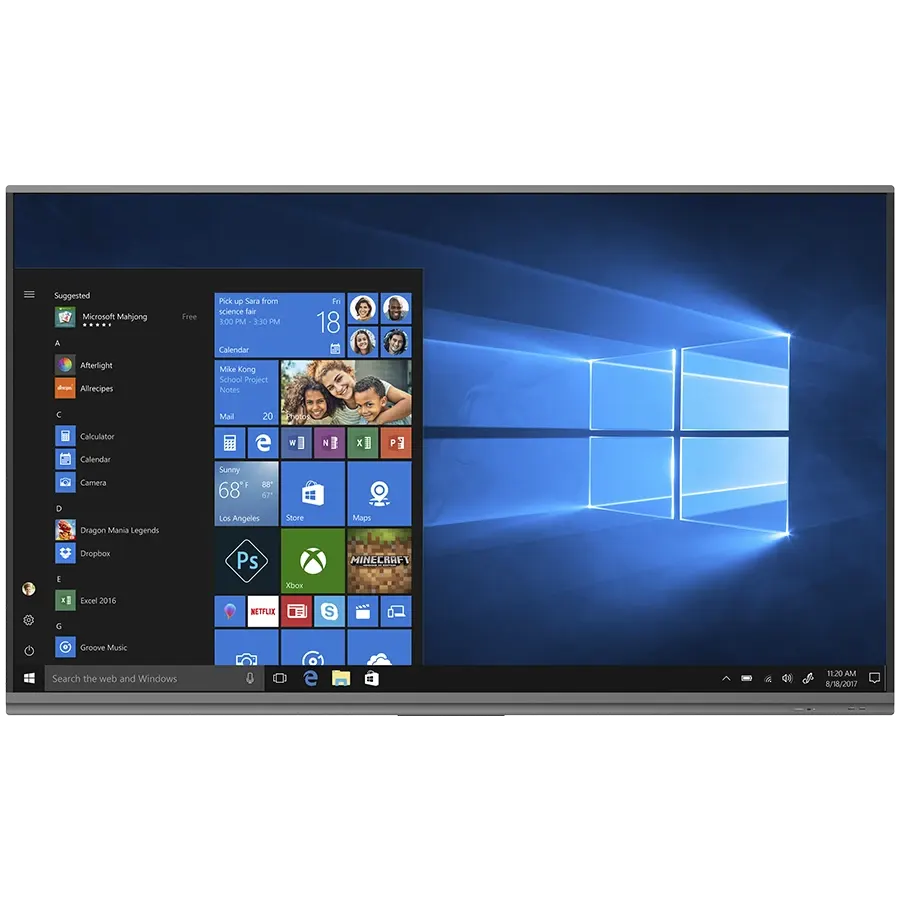
Prestigio MultiBoard PMB728L753 75-inch Interactive Display

Screen size
75"
Resolution
3840x2160@60Hz
Touch
10 Points Writing and 20 Points…
System
Windows 10 Pro
WhatsApp
Priceon request
QuotationWithin 1 working day
DeliveryConfirmed with your quote, based on stock
PDFDownload datasheet (Datasheet 75- PMB728L753 (EN) - pmb728l753_multiboard_prime_75_eng.pdf)
Overview

The Prestigio PMB728L753 is a 75-inch Ultra HD interactive display for meeting rooms, classrooms and collaboration spaces. It has a 3840x2160 LCD panel, 20-point touch with 10 simultaneous writing points, Windows 10 Pro and Android 9.0, and a built-in PC with an Intel Core i7-10700 processor. It suits Qatari offices and schools that want one screen for presenting, annotating and wireless sharing. Request a quote from SmartRooms Qatar.

What the PMB728L753 is built to do

The Prestigio PMB728L753 is an interactive Ultra HD display that combines a large touch panel with a built-in computer. It is designed for teams that present, annotate and share content from the same screen, and for teachers who want lessons, notes and video in one place. Because the PC is inside the unit, a meeting room does not need a separate desktop beside the display.

Picture and touch performance that matters in a room

The 75-inch LCD runs at 3840x2160 resolution with a 60Hz refresh rate and a 16:9 aspect ratio. It uses direct LED backlighting, is rated at 390 cd/m² brightness with a 3,100:1 contrast ratio, and has an 8 ms response time, so slide changes and video stay sharp. A built-in ambient light sensor adjusts the image for brighter rooms. The touch system is infrared-based, supports 20 simultaneous touch points and 10 writing points, and is accurate to 1 mm. Two people can write in different colours at the same time, which suits workshops and brainstorming sessions. The front is 3 mm tempered glass inside a protected metal case, and the panel carries a 30,000-hour lifetime rating.

Built-in PC, dual operating systems and connectivity

The unit runs Windows 10 Pro on an Intel Core i7-10700 processor at 2.9 GHz, with 8 GB DDR4 memory, a 256 GB SSD and an Nvidia GeForce GTX 1050 Ti graphics card. It also includes Android 9.0 with a 4 GB RAM and 32 GB internal memory. The panel has three HDMI inputs, a VGA input, a DisplayPort output, four USB 3.0 Type A ports, USB-C, two touch ports, RS232, RJ45 input and output, and a LAN port. Wi-Fi operates on 2.4 and 5 GHz for wireless screen sharing. Stereo speakers provide 2x16 W of output. The package includes a remote control, a USB stick, six writing pens, a multi pen and the cables needed to start.

Where it fits in Qatar

  • Corporate meeting rooms in West Bay or Lusail where teams join calls with colleagues abroad, using a laptop or conferencing device through HDMI while the built-in PC handles presentations.
  • Classrooms in Al Rayyan or Education City where teachers annotate lessons and use the bundled mozaBook Classroom software, which includes a free one-year licence.
  • Training rooms in Doha offices where staff work in Arabic and English and need a shared display for workshops and wireless presentations.

What to plan before ordering

At 1709 mm wide, 1019.5 mm high and 85.7 mm deep, weighing 49.5 kg, the panel needs a wall or stand rated for its weight and at least two people to lift it. Plan power outlets and cable routes before installation. The power supply accepts 100-240 V at 50/60 Hz, which covers Qatar's 240 V mains, and the maximum output is 550 W. The data supplied does not list an operating temperature range, so confirm the installation environment with the SmartRooms Qatar team before placing the panel near windows or outdoors, where Qatar summer heat is a concern. SmartRooms Qatar offers free site surveys, so we can check wall, power and sightline details first.

If the PMB728L753 matches your meeting room or classroom plan, request a quote from SmartRooms Qatar. We will confirm stock, delivery to your municipality and installation options in one quotation.

Highlights

  • 75-inch LCD with 3840x2160 Ultra HD resolution at 60Hz
  • 20 simultaneous touch points and 10 simultaneous writing points
  • Windows 10 Pro and Android 9.0 on one unit
  • Intel Core i7-10700 PC module with 256 GB SSD
  • 3 mm tempered glass front in a protected metal case
  • Three HDMI inputs, USB-C and RJ45 input and output

Classroom fit

At 75″ the farthest student should sit within about 5.6 m (6× the screen height).

Estimated timeline

Quotation within 1 working day · delivery timing depends on stock availability, and we confirm it with your quotation.

Specifications

63 specifications · Source: manufacturer · checked Oct 2026
Software1
Operating System
Windows 10 Pro Android 9.0
System1
Built-in Devices
Light Sensor PC: ARM Cortex A73 x 4 / RAM 4GB / ROM 32GB
Display11
Display Type
LCD
Display Diagonal
75"
Maximum Resolution
3840x2160@60Hz
Image Aspect Ratio
16:9
Pitch Type
Dot Pitch
Pitch Width
0.4324 mm
Image Brightness
390 cd/m^2
Image Contrast
3 100 : 1
Maximum Response Time
8 ms
Display Features
Direct LED 3mm Tempered Glass UHD
Life Time
30000 hr
PC Module5
CPU
Intel® Core™ i7-10700 Processor (2.9 GHz)
Wi-Fi
Yes (2.4/5 GHz)
RAM
DDR4 8GB
SSD
256 GB
Graphics Card Name
Nvidia GeForce GTX 1050 Ti
Speaker2
Audio Output Mode
Stereo
Output Power
2x16 W
Display Connectors11
USB 3.0
4 (USB 3.0 (type A))
USB 2.0
1 (USB 2.0 (type A))
HDMI In
3 (HDMI (Type A))
USB
1 (USB Type-C)
Touch Port
2
VGA In
1
Audio In
1 (3.5 mm jack)
Audio Out
1 (3.5 mm jack)
RS232
1
RJ45 In
1
RJ45 Out
1
Power6
Power Device Type
Power Supply
Input Voltage
AC 100-240 V
Power Device Location
Internal
Input Frequency
50/60 Hz
Power Consumption Stand By/Sleep
0.5 W
Maximum Output Power
550 W
Miscellaneous4
External Colour
Metal Black
Included Accessories
Quick Start Guide Warranty card Remote Control USB stick 6 Writing Pens & 1 Multy Pen
Cable Included
Audio Cable Power Cable USB Touch/HDMI Cable
Security Features
Kensington Lock
Networking Specifications2
Wi-Fi
Yes
Wi-Fi Band Frequency
2.4/5 GHz
Dimensions & Weight Device4
Height (mm)
1019.5
Depth (mm)
85.7
Width (mm)
1709
Nominal Weight
49.5 kg
Warranty2
Warranty Term (month)
36 month(s)
Warranty Term Notes
Unless otherwise required by local law (see prestigio-solutions.com/warranty)
Touch System2
Sensing Type
Infrared Recognition
Touch Point
10 Points Writing and 20 Points Touch
Android System4
CPU
ARM Cortex-A73
Installed RAM Storage Capacity
4 GB
Internal Memory Size
32 GB
Operating System Version
Android 9
PC Connectors8
USB 2.0
2 (USB 2.0 (type A))
USB 3.0
4 (USB 3.0 (type A))
HDMI Out
1 (HDMI (Type A))
Microphone-In
1
LAN
1 (RJ-45)
USB 3.1
1 (USB 3.1 (type C))
DisplayPort Out
1
Audio Out
1

Downloads

23 files from the manufacturer
PDF Datasheets Datasheet 75- PMB728L753 (EN) - pmb728l753_multiboard_prime_75_eng.pdf 25.5 MB Prestigio PMB728L753 datasheets (PDF, 25.5 MB) URL Datasheets · Opens on manufacturer site Datasheet 75" PMB728L753 (RU) Prestigio PMB728L753 datasheets (URL) PDF Manuals & guides Quick Start Guide (multilingual) - multiboard_prime_qsg_multi.pdf 2.0 MB Prestigio PMB728L753 manuals & guides (PDF, 2.0 MB) PDF Manuals & guides User Manual (AR) - ar_manual_multiboard_prime.pdf 1.7 MB Prestigio PMB728L753 manuals & guides (PDF, 1.7 MB) PDF Manuals & guides User Manual (EN) - en_manual_multiboard_prime.pdf 1.8 MB Prestigio PMB728L753 manuals & guides (PDF, 1.8 MB) URL Manuals & guides · Opens on manufacturer site User Manual (CZ) Prestigio PMB728L753 manuals & guides (URL) URL Manuals & guides · Opens on manufacturer site User Manual (EL) Prestigio PMB728L753 manuals & guides (URL) URL Manuals & guides · Opens on manufacturer site User Manual (HR) Prestigio PMB728L753 manuals & guides (URL) URL Manuals & guides · Opens on manufacturer site User Manual (LT) Prestigio PMB728L753 manuals & guides (URL) URL Manuals & guides · Opens on manufacturer site User Manual (LV) Prestigio PMB728L753 manuals & guides (URL) URL Manuals & guides · Opens on manufacturer site User Manual (RO) Prestigio PMB728L753 manuals & guides (URL) URL Manuals & guides · Opens on manufacturer site User Manual (RU) Prestigio PMB728L753 manuals & guides (URL) URL Manuals & guides · Opens on manufacturer site User Manual (SK) Prestigio PMB728L753 manuals & guides (URL) URL Manuals & guides · Opens on manufacturer site User Manual (UA) Prestigio PMB728L753 manuals & guides (URL) 3735 Software & firmware · Opens on manufacturer site Note3 For Windows OS 3.1.4.3735 Prestigio PMB728L753 software & firmware (3735) 1194 Software & firmware · Opens on manufacturer site mClass: mStudent For iOS (except model PMB432D435) v.2.7.1194 Prestigio PMB728L753 software & firmware (1194) 5533 Software & firmware · Opens on manufacturer site mClass: mStudent for Android v.2.7.5533 Prestigio PMB728L753 software & firmware (5533) 2572 Software & firmware · Opens on manufacturer site mClass: mStudent for Mac (except model PMB432D435) v.2.7.2572 Prestigio PMB728L753 software & firmware (2572) 1721 Software & firmware · Opens on manufacturer site mClass: mStudent for Windows (except model PMB432D435) v.2.7.17218 Prestigio PMB728L753 software & firmware (17218) 1194 Software & firmware · Opens on manufacturer site mClass: mTeacher For iOS (except model PMB432D435) v.2.7.1194 Prestigio PMB728L753 software & firmware (1194) 5533 Software & firmware · Opens on manufacturer site mClass: mTeacher for Android v.2.7.5533 Prestigio PMB728L753 software & firmware (5533) 2572 Software & firmware · Opens on manufacturer site mClass: mTeacher for Mac (except model PMB432D435) v.2.7.2572 Prestigio PMB728L753 software & firmware (2572) 1721 Software & firmware · Opens on manufacturer site mClass: mTeacher for Windows (except model PMB432D435) v.2.7.17218 Prestigio PMB728L753 software & firmware (17218)

Questions about PMB728L753

Who is the PMB728L753 designed for?
The PMB728L753 suits organisations that need one large touch display for both presenting and collaborating, such as corporate meeting rooms, training rooms and classrooms. Its 75-inch screen suits a mid-sized meeting room or classroom rather than a large lecture hall. The built-in Windows 10 Pro PC means presenters can open slides and files without bringing a separate computer.
Does the display work well in bright rooms?
Yes. The panel has a built-in ambient light sensor that adjusts the picture so shared content stays clear in brighter conditions. The screen is rated at 390 cd/m² brightness with a 3,100:1 contrast ratio. In offices with large windows, position the panel away from direct glare, and check the layout during a free site survey from SmartRooms Qatar.
What operating temperature can it handle in Qatar summers?
The source data for this model does not list an operating temperature range, so SmartRooms Qatar cannot confirm one. Plan for an air-conditioned meeting room or classroom. Before installing the panel near a window or in any area where summer temperatures above 45 C could build up, ask the SmartRooms Qatar team to confirm the environment in writing with your quotation.
Can the display run Windows applications without a separate PC?
Yes. The unit runs Windows 10 Pro on an Intel Core i7-10700 processor at 2.9 GHz, with 8 GB DDR4 memory, a 256 GB SSD and an Nvidia GeForce GTX 1050 Ti graphics card. It also includes Android 9.0 with 4 GB RAM and 32 GB internal memory. Presenters can still connect a laptop through the HDMI inputs if they prefer their own device.
How many people can write on the screen at once?
The touch system supports 10 simultaneous writing points and 20 simultaneous touch points, with 1 mm touch accuracy. It can write in two different colours at the same time, so two presenters can annotate the same slide during a workshop. The package includes six writing pens and one multi pen, so teams have tools ready at the table.
Which connections does the panel offer?
Display connectors include three HDMI inputs, a VGA input, four USB 3.0 Type A ports, a USB-C port, two touch ports, RS232, and RJ45 input and output. The PC connectors add an HDMI output, a DisplayPort output, a LAN port, a microphone input and a USB 3.1 Type C port. This gives a classroom or meeting room room for a laptop, a conferencing device and a document camera.
Is the PMB728L753 suitable for wall mounting?
It can be wall-mounted if the wall and mounting hardware can carry its 49.5 kg weight. The panel measures 1709 mm wide, 1019.5 mm high and 85.7 mm deep. Mounting hardware details are not included in the data supplied, so confirm them with your quotation. Book a free site survey with SmartRooms Qatar to check wall construction, power outlet position and clearances before purchase.
Does it need special power in Qatar?
The internal power supply accepts AC 100-240 V at 50/60 Hz, which covers Qatar's 240 V, 50 Hz mains. The maximum output power is 550 W and standby consumption is 0.5 W. A power cable is included. Confirm that the plug suits BS 1363 sockets during the site survey, and plan dedicated outlets near the mounting position.
What warranty comes with it?
The manufacturer lists a warranty term of 36 months, subject to local law. The source data also mentions one year of free service. Warranty terms are set by the manufacturer, and the warranty card is included with the unit. Ask SmartRooms Qatar to confirm the warranty details in your quotation before you raise a purchase order.
Can a school in Qatar buy it through an LPO?
Yes. A school in Al Rayyan or Al Wakrah fitting out several classrooms can issue a purchase order (LPO) for multiple units, and SmartRooms Qatar delivers to all 8 municipalities. Include the quantity and room sizes in your request so the quotation matches each classroom. The bundled mozaBook Classroom software includes a free one-year licence for lesson creation.
Is it practical for a meeting room used for calls with teams abroad?
Yes. A 75-inch panel works in a mid-sized room where teams in Doha join calls with colleagues abroad. Connect a conferencing device or laptop through HDMI, present from the built-in Windows PC, and share wirelessly over 2.4/5 GHz Wi-Fi. The 8 ms response time keeps slide changes smooth. Request a quote and a site survey to check sightlines from every seat.
Can the panel be secured against theft?
Yes. The unit has a Kensington lock slot and a protected metal case with a 3 mm tempered glass screen. Schools, shared offices and reception areas can use the Kensington lock to secure the panel to a fixed point. Include the lock point in your site survey so the installer can plan access to it.

Similar models

BenQ CM7505 BenQ Board CM7505 75-inch Interactive Display
75″ UHD 3840 × 2160 pixels Ultra Precision IR
SMART SBID-6286S-V3 SMART Board 6086S-V3 86-inch Interactive Display with iQ
86″ 4K UHD (3840 × 2160) HyPr Touch with InGlass
SMART SBID-6286S-V3-P SMART Board 6086S-V3 Pro 86-inch Interactive Display with iQ
86″ 4K UHD (3840 × 2160) HyPr Touch with InGlass
Clevertouch Clevertouch Edge 65" Clevertouch Edge 65" 4K Interactive Display with Camera and Speakers
65″ 4K UHD (3840x2160 @60Hz) Android 15
Clevertouch Clevertouch Edge 86" Clevertouch Edge 86" 4K Interactive Flat Panel
86″ 4K UHD (3840x2160 @60Hz) Android 15
Email Call




