





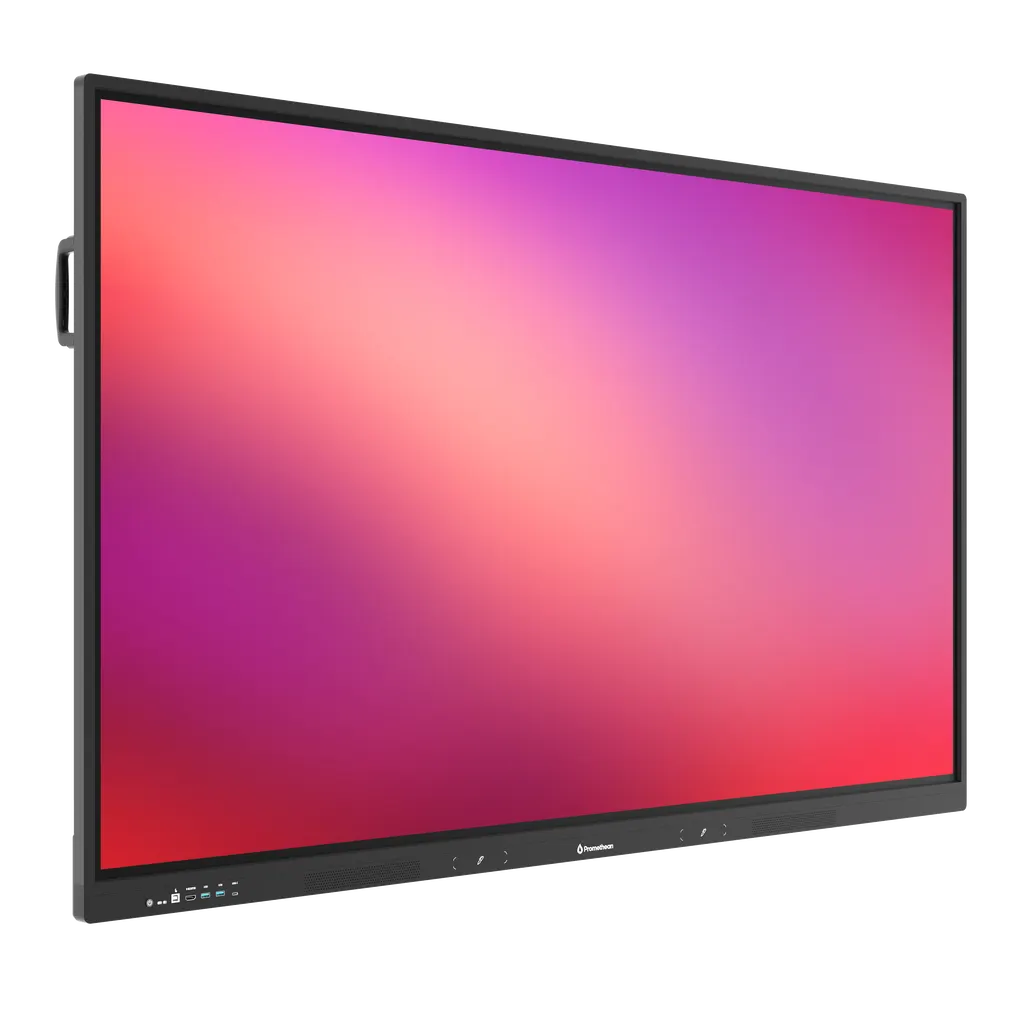
APLE-65
Promethean ActivPanel LE APLE-65 65-inch Interactive Display
- Screen size
- 65" 4K; UHD (3840 x 2160 @ 60 Hz)
- Resolution
- 32768 x 32768 px
- Touch
- Yes
- System
- Android 16
The Promethean APLE-65 is a 65-inch 4K UHD interactive display running Android 16, so apps open directly on the panel. It supports up to 40 touch points, offers 8 GB RAM and 64 GB storage, and includes two passive pens. An OPS slot, Wi-Fi 6 and a 65 W USB-C port suit smaller classrooms and meeting rooms in Doha. Request a quote from SmartRooms Qatar.
What the APLE-65 is and how it runs
The Promethean APLE-65 is a 65-inch interactive display from the ActivPanel LE series. Its 4K UHD panel runs at 3840 x 2160 resolution and 60 Hz in a 16:9 format, with a display area of 1431 x 807 mm. Android 16 runs on the panel itself, supported by 8 GB of RAM and 64 GB of internal storage, so lessons and meetings can start without bringing a computer into the room. The panel is EDLA certified, and its specification also lists Energy Star and TÜV blue light certification.
Touch, pens and classroom software
Vellum touch technology supports up to 40 continuous touch points, with 1 mm touch accuracy and a response time of 6 ms or less. Palm rejection and palm erase let a presenter rest a hand on the glass while writing, and the panel distinguishes pen input from touch input. Two passive pens with no batteries are included. Each has a 3 mm tip and an 8 mm eraser, and they sit in a magnetic holder on the frame. The classroom apps listed for the panel include Explain Everything Whiteboard, Annotate, Timer, Spinner, Screen Capture and Screen Share Receiver. A license for ActivInspire Personal Single User is listed as included.
Connectivity for laptops, sources and networks
The rear panel offers two HDMI 2.1 inputs, with ARC and CEC on the first, plus one HDMI 2.1 output and a DisplayPort 1.4 input. A rear USB-C port carries DisplayPort Alt Mode and 65 W Power Delivery. The unit also has an OPS slot for a compatible OPS computer module, front and rear USB-A and USB-C ports, LAN in and out at 10/100/1000, Wi-Fi 6, Bluetooth 5.2, a microSD slot, and RS-232 and SPDIF connections. Touch and compatibility are listed for Windows 10 and 11, macOS Ventura 13 and Sonoma 14, Ubuntu 22.04 to 24.04 LTS and ChromeOS.
Where the 65-inch size fits in Qatar
The 65-inch format suits rooms where the audience sits close to the screen. In a primary classroom in Al Sadd or Al Rayyan, a teacher can write, annotate and show video from the front without a projector and screen. In a meeting room in West Bay or Msheireb, the display area gives a team room to review a document while colleagues in Doha and abroad join from their laptops. In a training room at Education City, the 1 mm touch accuracy suits handwritten exercises.
Planning for heat, mounting and power
The operating range is 0 °C to 40 °C with 20% to 80% non-condensing humidity. Qatar summers can exceed 45 °C, so the APLE-65 should sit in an air-conditioned indoor room, away from direct sunlight and dust-exposed openings. Confirm room conditions with the SmartRooms Qatar team before ordering. The VESA mount point is 600 x 400 mm, and the panel measures 1487 x 897 x 88 mm, weighing 32 kg without packaging and 41.3 kg packed. Installation should be carried out by a qualified installer, because components not supplied by Promethean, or those below minimum specifications, may affect performance, safety and warranty. SmartRooms Qatar offers free site surveys to check wall strength and mount position. The input range is 100 V to 240 V AC, and two regional power cables are included, so confirm the plug type on your quotation.
To request a quote for the APLE-65, send SmartRooms Qatar the number of units, the room size and your mounting preference. Quotations are usually issued within one working day, and purchase orders (LPOs) and government tenders, including Monaqasat, are accepted. Lead times are estimates confirmed with the quotation.
Highlights
- 65-inch 4K UHD panel at 3840 x 2160 and 60 Hz
- Android 16 with 8 GB RAM and 64 GB storage
- Up to 40 touch points with 1 mm touch accuracy
- Two passive battery-less pens and magnetic holder
- OPS slot, Wi-Fi 6, Bluetooth 5.2, 65 W USB-C
- Operating range 0 °C to 40 °C
Classroom fit
At 65″ the farthest student should sit within about 4.9 m (6× the screen height).
Estimated timeline
Quotation within 1 working day · delivery timing depends on stock availability, and we confirm it with your quotation.
Specifications
Display19
- Screen Size and Resolution
- 65" 4K; UHD (3840 x 2160 @ 60 Hz) 75" 4K; UHD (3840 x 2160 @ 60 Hz) 86" 4K; UHD (3840 x 2160 @ 60 Hz)
- Backlight Technology
- Direct LED Backlight
- Screen Type
- TFT LCD
- Blue Light Reduction
- Yes
- Bonded Glass
- Yes
- Aspect Ratio
- 16:9
- Display Area
- 65": 1431 x 807 mm (56.3 x 31.8 in) 75": 1653 x 931 mm (65.1 x 36.7 in) 86": 1898 x 1069 mm (74.7 x 42.1 in)
- Display Colours
- 1.07 Billion (10-bit)
- LCD Viewing Angle
- 178°
- LCD Response Time
- ≤ 6.5 ms
- LCD Refresh Rate (Panel)
- 60 Hz
- LED Lifespan
- 50,000 hours
- Contrast Ratio
- 5000:1 Dynamic 1200:1 Static
- Brightness
- 400 cd/m²
- Ambient Light Sensor
- Yes
- Glass Hardness
- 9H (pencil), 7 (Mohs)
- Glass Type
- Heat tempered
- Glass Thickness
- 3 mm
- Glass Coating
- Anti-Glare
Computing7
- Operating System
- Android 16
- RAM
- 8 GB
- Internal Storage
- 64 GB
- CPU
- A72 x 4 + A53 x 4, 1.8 GHz
- GPU
- ARM Mali-G52 MC3
- Trusted Platform Module
- Yes
- Local Multi-user Proles
- Yes
Audio1
- Dual Front-facing Speakers
- 2 x 20 W (RMS)
Panel Management1
- OTA Updates
- Yes
Interactivity18
- Vellum Touch Technology
- Yes
- Continuous Touch Points
- Up to 40
- Touch Resolution
- 32768 x 32768 px
- Touch Response Time
- ≤ 6 ms
- Touch Accuracy
- 1 mm
- Scan Rate
- Up to 200 Hz
- Gestures and Edge Swipes
- Windows® supported
- Unique Pen IDs
- 2
- Pen and Touch Dierentiation
- Yes
- Palm Erase
- Yes
- Palm Rejection
- Yes
- Writing-hand Palm Rejection
- Yes
- Pens Included
- 2 x Passive battery-less pens
- Pen Holder
- Magnetic
- Pen Tip Diameter
- 3 mm
- Pen Eraser Diameter
- 8 mm
- Classroom Essential Apps
- Including Explain Everything Whiteboard, Annotate, Timer, Spinner, Screen Capture, Screen Share Receiver
- Compatibility
- Windows® 10 and 11; macOS® Ventura 13 and Sonoma 14; Linux® Ubuntu 22.04 to 24.04 LTS; ChromeOS™
Connectivity22
- OPS Slot
- 1
- HDMI In (Rear)
- 2 x 2.1 (HDCP 1.4 & 2.3 [HDMI1 ARC and CEC/ HDMI 2 CEC])
- HDMI In (Front)
- 1 x 2.1 (HDCP 1.4 & 2.3)
- HDMI Out (Rear)
- 1 x 2.1
- Display Port (Rear)
- 1 x 1.4
- USB-A (Rear)
- 1 x 2.0 2 x 3.2 Gen 1
- USB-A (Front)
- 2 x 3.2 Gen 1
- USB-B Touch (Front)
- 1 x 2.0
- USB-B Touch (Rear)
- 2 x 2.0
- USB-C (Front)
- 1 x 3.2 Gen 1
- USB-C (Rear)
- 1 x 3.2 Gen 1, DP ALT Mode (HDCP 1.4 & 2.3), 65 W Power Delivery
- USB-C Out (Rear)
- 1 x 3.2 Gen 1 (HDCP 1.4 & 2.3)
- MicroSD Slot
- Yes
- LAN In (RJ45)
- 10/100/1000
- LAN Out (RJ45)
- 10/100/1000
- Wake-on-LAN
- Yes
- Wi-Fi (Client)
- 6
- Bluetooth
- 5.2
- Mic In (3.5 mm)
- 1
- Audio Out (3.5 mm)
- 1
- SPDIF-Out
- 1
- RS-232
- 1 Page 1
Power4
- Power Requirements
- 100 V - 240 V AC
- Max. Energy Star Reported
- 65": 65 W
- Luminance 400 cd/m²
- 75": 71 W 86": 92 W
- Ultra-Quiet Fanless Design
- Yes
Environmental4
- Operating Temperature
- 0 °C to 40 °C (32 °F to 104 °F)
- Storage Temperature
- -15 °C to 55 °C (5 °F to 131 °F)
- Operating Humidity
- 20% to 80% non-condensing humidity
- Storage Humidity
- 20% to 90% non-condensing humidity
Compliance & Certification4
- Regulatory Certications
- CE, FCC, IC, UL, CUL, CB
- Energy Star Certied
- Yes
- TUV Blue Light Certied
- Yes
- EDLA Certied
- Yes
Physical Specifications5
- Panel Dimensions
- 65": 1487 x 897 x 88 mm (58.5 x 35.3 x 3.5 in) 75": 1709 x 1022 x 88 mm (67.3 x 40.2 x 3.5 in) 86": 1954 x 1159 x 88 mm (76.9 x 45.6 x 3.5 in)
- Packed Dimensions
- 65": 1657 x 1007 x 185 mm (65.2 x 39.6 x 7.3 in) 75": 1873 x 1134 x 202 mm (73.7 x 44.6 x 8 in) 86": 2110 x 1270 x 222 mm (83.1 x 50 x 8.7 in)
- Panel Net Weight
- 65": 32 kg (70.5 lb) 75": 43.4 kg (95.7 lb) 86": 56.8 kg (125.2 lb)
- Packed Weight
- 65": 41.3 kg (91.1 lb) 75": 54.5 kg (120.2 lb) 86": 71.7 kg (158.1 lb)
- VESA Mount Point
- 65": 600 x 400 mm (23.6 x 15.7 in) 75": 800 x 400 mm (31.5 x 15.7 in) 86": 800 x 600 mm (31.5 x 23.6 in)
Packed Contents1
- What’s in the Box
- 1 x ActivPanel LE 2 x Regional Power Cables 1 x 3 m HDMI Cable 1 x 3 m USB Cable (A-B) 1 x 2 m USB-C Cable 1 x Remote Control 2 x Pens 1 x Quick Install Guide Desiccant
Installation2
- The installation of this product should be completed
- by a qualied installer. Use of components not supplied by
- Promethean or not meeting minimum specications more information, visit Support.PrometheanWorld.com.
- may impact performance, safety and warranty. For
Warranty1
- Warranty term and upgrade options vary and visit PrometheanWorld.com/Warranty.
- by region. Contact your local reseller or distributor for information
Education Software License1
- ActivInspire® Personal Single User
- Included Page 2
APLE-651
- size_inch
- 65




