





WM75B
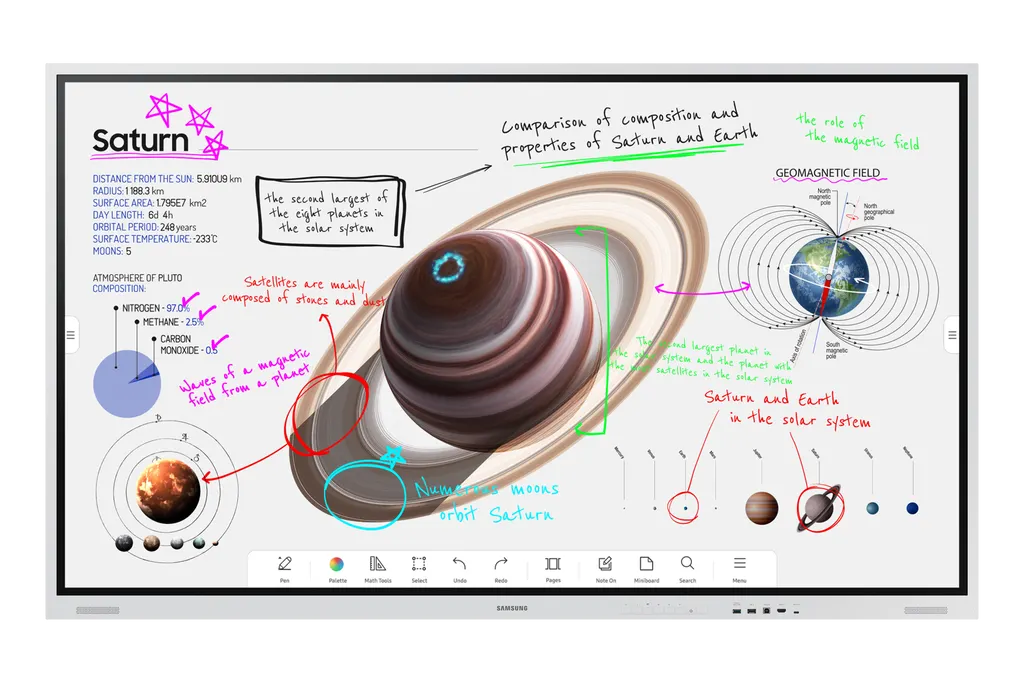
Samsung Flip Pro WM75B 75-inch Interactive Display
- Screen size
- 75"
- Resolution
- 3,840 x 2,160
- Touch
- Yes
- Memory
- 32GB
The Samsung Flip Pro WM75B is a 75-inch 4K interactive display for classrooms and meeting rooms. Its VA panel offers 3,840 x 2,160 resolution, IR multi-touch for up to 20 people and 26ms latency, with a 40W speaker system and an OPS slot for school software. It suits Qatari schools, universities and boardrooms that need one display for writing, sharing and video calls.
What the Flip Pro WM75B is for
The Samsung Flip Pro WM75B is a 75-inch interactive display that combines a large writable surface, a 4K screen and a control point for connected devices. In many rooms it can take the place of a projector, a whiteboard and a separate display, which reduces the equipment on the wall and the number of cables a teacher or presenter has to manage.
Touch and pen input are the reasons most buyers look at this model. The IR touch system supports multi-touch for up to 20 people, the manufacturer quotes 26ms latency, and the pen is supported with 2,048 points of pressure. The multi-touch figure carries a qualification in the manufacturer's notes, so confirm the exact use case with us before you plan around it.
Specifications that matter when you compare
The display uses a VA panel at 3,840 x 2,160 resolution, with a rated 4,000:1 contrast ratio and an 8ms response time without glass. Typical brightness is 350 without glass and 220 with glass. The screen is wrapped in a shatterproof film, and its colour gamut is rated at 72%.
Connectivity covers two HDMI 2.0 inputs, one DisplayPort 1.2 input, four USB ports (two front Type-A, one rear Type-A and one front Type-C), a 3-in-1 USB-C port that carries screen mirroring, touch control and charging of external devices up to 65W, an RJ45 LAN port, an RS232 input, WiFi, Bluetooth and a stereo mini-jack audio output. The 4.0 channel speaker system is rated at 40W. Power input is 100-240V at 50/60Hz, with 473W rated in on mode, 0.5W in sleep mode and energy efficiency class A. Operation is rated for 16/7 use.
- Set dimensions are 1724 x 1026.3 x 89 mm.
- The set weighs 59.3 kg and 72.2 kg in its package.
Where it fits in Qatar
A secondary school in Al Wakrah replacing ageing projectors in its classrooms could use the WM75B as one surface for teaching, with the OPS slot available for the school's own information system and learning tools.
A government authority in Msheireb with a boardroom that connects to colleagues abroad could use the built-in WebRTC video calling with a supported webcam, and connect a laptop through USB-C to share and charge at the same time.
A training centre in Education City running interactive workshops could use the touch and pen for hands-on sessions, while content from a school system managed by MagicINFO can be pushed to the display once the licence and integration are in place.
Planning the room and installation
- Plan lifting and handling in advance, given the 59.3 kg set weight.
- The VESA pattern is 400 x 400 mm, and an optional wall mount (model WMN6575SF) is available.
- A separate standing mount is needed to move the panel between rooms.
- Operating range is 0 to 40 degrees C with 10 to 80% non-condensing humidity.
Qatar summers regularly pass 45 degrees C, so the WM75B belongs in an air-conditioned indoor room that stays within its rated range, not in a covered entrance or a window-facing lobby without cooling. Our team will confirm the environment during a free site survey, which we recommend before any wall mounting. The 100-240V input range covers Qatar's 240V supply.
To request a quote for the Samsung Flip Pro WM75B, including delivery across all eight municipalities, professional installation and a site survey, contact SmartRooms Qatar. Quote the model code that matches your order (LH75WMBWLGCXEN or LH75WMBWLGCXUE). Quotations are usually issued within one working day, and we work with purchase orders (LPOs), government tenders including Monaqasat, and payment by bank transfer, cheque or purchase order.
Highlights
- 75-inch 4K (3,840 x 2,160) VA panel with 4,000:1 contrast
- IR multi-touch for up to 20 people, 26ms latency
- Two HDMI 2.0, one DisplayPort 1.2 and four USB ports
- 3-in-1 USB-C for screen mirroring, touch and 65W charging
- OPS slot for third-party school software and learning apps
- 4.0 channel 40W speaker system and 0.5W sleep mode
Classroom fit
At 75″ the farthest student should sit within about 5.6 m (6× the screen height).
Estimated timeline
Quotation within 1 working day · delivery timing depends on stock availability, and we confirm it with your quotation.
Specifications
Display14
- Diagonal Size
- 75"
- Panel Type
- VA
- Resolution
- 3,840 x 2,160
- Pixel Pitch (HxV, mm)
- 0.2451x0.2451
- Brightness (Typ)
- 350 (w/o glass), 220 (w/glass)
- Contrast Ratio
- 4000:1(without glass)
- Viewing Angle (H/V)
- 178/178
- Response Time
- 8ms
- Color Gamut
- 72%
- Glass Haze
- 2%(without glass)
- H-Scanning Frequency
- 30~81kHz
- Maximum Pixel Frequency
- 594Mhz
- V-Scanning Frequency
- 48~75Hz
- Operation Time Support
- 16/7
Connectivity11
- HDMI In
- 2
- DP In
- 1
- Version of HDMI
- 2.0
- Version of DP
- 1.2
- Version of HDCP
- 2.2
- USB
- 4 (A type : Front 2, Rear 1, C Type : Front 1)
- Audio Out
- Stereo Mini Jack
- RS232 In
- Yes
- RJ45 In
- Yes
- WiFi
- Yes
- Bluetooth
- Yes
Power3
- Power Supply
- AC100-240V 50/60Hz
- Power Consumption (On Mode, W)
- 473W(100-240V), 451W(220-240V), OPS(16V/4.5A)
- Power Consumption (Sleep Mode, W)
- 0.5
Dimension2
- Set Dimension (WxHxD, mm)
- 1724 x 1026.3 x 89
- Package Dimension (WxHxD, mm)
- 1905 x 1189 x 287
Weight2
- Set Weight (kg)
- 59.3
- Package Weight
- 72.2
Operation Conditions2
- Temperature
- 0℃~40℃
- Humidity
- 10 ~ 80%, non-condensing
Mechanical Specification3
- VESA Mount (mm)
- 400 x 400
- Bezel Width (mm)
- 20.4(T/LR), 44.7(B)
- Frame Material
- Metal(Aluminum)
Optional Feature2
- Touch
- Yes
- Mount
- Yes(Model Name : WMN6575SF)
SoC2
- OS Version
- Tizen 6.5
- Flash Memory Size
- 32GB
Eco1
- Energy Efficiency Class
- A
Touch1
- Touch Technology
- IR
Certification and Compliance2
- EMC
- Class A FCC (USA) Part 15, Subpart B KCC/EK (Korea) Tuner : KN32 / KN35 Tunerless : KN32 / KN35 CE (Europe) EN55032 : 2012 or 2015 EN55024:2010 or EN 55035:2017 VCCI (Japan) VCCI CISPR32:2016 CCC(China) GB/T9254-2008 GB17625.1-2012 BSMI (Taiwan) CNS13438 ( ITE EMI ) CNS14336-1 ( ITE Safety ) CNS15663 (RoHS) C-Tick (Australia) AS/NZS CISPR32:2015 GOST(Russia/CIS) ROCT CISPR 24-2013 ROCT CISPR 22:2005
- Safety
- CB (Europe) : IEC60950-1/EN60950-1CCC (China) : GB4943.1-2011PSB (Singapore ) : PSB+IEC60950-1NOM (Mexico ) : NOM-001-SCFI-1993IRAM (Argentina ) : IRAM+IEC60950-1SASO (Saudi Arabia ) : SASO+IEC60950-1BIS(India) : IEC60950-1 / IS13252NOM(Mexico) : Tuner : NOM-001-SCFI-1993 Tunerless : NOM-019-SCFI-1998KC(Korea) : K 60950-1EAC(Russia) : EAC+IEC60950-1INMETRO(Brazil) : INMETRO+IEC60950-1BSMI(Taiwan) : BSMI+IEC60950-1RCM(Australia) : IEC60950-1/AS/NZS 60950-1UL(USA) : cUL60950




