





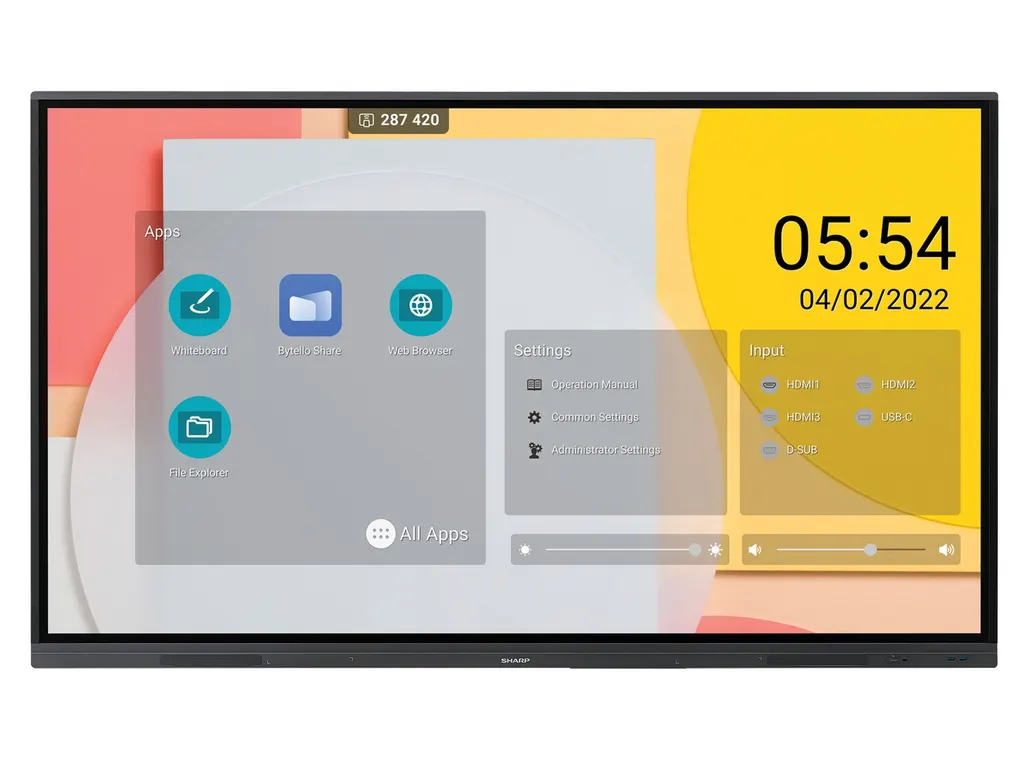
PN-L862B
Sharp PN-L862B 86-inch Precision Touch Interactive Display
- Screen size
- 86 / 217.4
- Resolution
- 3840 x 2160
- Touch
- Precision
- System
- Native Multi-Touch: Windows…
The Sharp PN-L862B is an 86-inch interactive display with a 4K IPS panel, 20-point touch and Zero Bonding glass. Android 9.0, whiteboard and wireless screen sharing are built in, and an OPS slot accepts a plug-in PC module. A single USB-C connection carries video, touch and 65 W power. It suits boardrooms and training rooms in West Bay, Lusail or Education City. Request a quote from SmartRooms Qatar.
What the PN-L862B is and how its panel performs
The Sharp PN-L862B is an 86-inch interactive display from the PN-L series, aimed at midrange collaboration rooms where people write, annotate and share content together. The 3840 x 2160 IPS panel uses direct LED backlights and delivers 400 cd/m² brightness without the protective glass, with a typical contrast ratio of 1200:1. Typical response time is 8 ms, and the display is designed for landscape orientation only.
Touch accuracy, glass and writing
Sharp's PrecisionTouch layer is combined with Zero Bonding construction, which keeps the gap between the glass and the panel below 1 mm. The thermal-tempered, anti-glare glass is 3.4 mm thick, rated 8H or harder, and has a haze level between 3 and 8 percent. Real multi-touch supports up to 20 simultaneous touches. Writers can use a finger, a gloved hand or one of the two included styluses, which have 3 mm and 9 mm tips. Palm rejection is not listed in the specification, so test the room with your team's usual writing style before placing a large order.
Connectivity and built-in computing
- Video in: one USB-C input with 65 W power and HDCP, three HDMI inputs with HDCP and one VGA input.
- Built-in PC: Android 9.0 on a quad-core Arm Cortex-A73 with 4 GB RAM and 32 GB storage, plus whiteboard, PDF viewer, web browser and an annotation overlay mode.
- Wireless: 802.11 a/b/g/n/ac/ax Wi-Fi with WPA3 Enterprise support, Bluetooth 5.0 and wireless screen sharing from personal devices.
- Expansion: an OPS slot rated at 3.25 A and 65 W, with OPS Enterprise Pro or OPS Enterprise Ultra recommended by Sharp.
- Control and audio: LAN 100 Mbit, RS232, HDMI ARC and CEC support, 3.5 mm audio in and out, and integrated 10 W + 10 W speakers.
Where it fits in Qatar
In an executive office in West Bay, one USB-C cable lets a presenter connect a laptop and start annotating a shared document within seconds. In a training room at Education City, wireless screen sharing lets trainees present from their own devices without swapping cables. For a school in Al Wakrah fitting out new spaces, the 86-inch size suits a large hall or lecture room better than a small classroom.
Planning the installation
At 62.5 kg with a 1,957 x 1,159.5 x 85.7 mm body, this is a heavy panel that needs a wall structure rated for its weight or a dedicated trolley. Sharp lists four VESA holes at 800 x 600 with M8 fixings, and offers a wall mount (SF680P), two trolley models for the 86-inch size and a soundbar (PN-ZCMS1). The operating range is +5 to +35 °C with 20 to 80 percent humidity, so keep it in an air-conditioned room away from direct sunlight. Sharp rates operating hours at 16/7. The power supply covers 100 to 240 V AC at 50 or 60 Hz; confirm the plug type with the SmartRooms Qatar team before delivery.
Ordering from SmartRooms Qatar
SmartRooms Qatar supplies the PN-L862B across all eight municipalities of Qatar, with professional installation and a free site survey before any wall mounting. Products are covered by the manufacturer's three-year warranty, which includes the backlight. Send us the room size, mounting method and quantity, and request a quote; we usually reply within one working day. Purchase orders, LPOs and government tenders, including Monaqasat, are welcome.
Highlights
- 86-inch 3840 x 2160 IPS panel with 400 cd/m² brightness
- Real multi-touch up to 20 touches with Zero Bonding glass
- Single USB-C input with 65 W power and HDCP
- Android 9.0 built in, plus an OPS slot for plug-in PCs
- Three HDMI inputs, one VGA input and LAN 100 Mbit control
- Operating range +5 to +35 °C, humidity 20 to 80 percent
Classroom fit
At 86″ the farthest student should sit within about 6.4 m (6× the screen height).
Estimated timeline
Quotation within 1 working day · delivery timing depends on stock availability, and we confirm it with your quotation.
Specifications
Display9
- Panel Technology
- IPS with Direct LED backlights
- Active Screen Area (W x H) [mm]
- 1,895 x 1,066
- Screen Size [inch/cm]
- 86 / 217.4
- Aspect Ratio
- 16:9
- Brightness (without glass) [cd/m²]
- 400
- Contrast Ratio (typ.)
- 1200:1
- Viewing Angle [°]
- 178 / 178 (at contrast ratio > 10:1)
- Response Time (typ.) [ms]
- 8
- Supported Orientation
- Landscape
Touch7
- Touch Technology
- Precision
- Number of Touches
- Real multi-touch up to 20 touches
- Touch Method
- Finger; Gloves; Stylus dual pen tip (3mm/9mm)
- Data Interface
- USB-HID
- Windows Ink
- Yes
- Palm Rejection
- No
- Operating System
- Native Multi-Touch: Windows 8.1/10/11, Linux, Android 9.0 or higher, Chrome OS 87 or higher; Single Touch (Default Mouse): Mac OS 10.15/11/12
Protective Glass5
- Type
- Thermal-tempered, anti-glare coating; Zero Bonding
- Bonding Gap [mm]
- < 1
- Thickness [mm]
- 3.4
- Haze Level [%]
- 3 ~ 8
- Hardness [H]
- ≥ 8
Resolution2
- Native Resolution
- 3840 x 2160
- Supported Resolutions
- 1024 x 768;; 1280 x 1024;; 1280 x 960;; 1360 x 768;; 1440 x 900;; 1680 x 1050;; 1920 x 1080;; 1920 x 720;; 3840 x 2160;; 4096 x 2160;; 640 x 480;; 720 x 480;; 720 x 576;; 800 x 600
Connectivity8
- Input Video Analogue
- 1 x VGA
- Input Video Digital
- 1 x USB-C (with HDCP, 65 W); 3 x HDMI (with HDCP)
- Input Audio Analogue
- 1 x 3,5 mm jack
- Input Control
- LAN 100Mbit; RS232
- Input Data
- 1 x USB 2.0 (Type-A); 2 x USB 3.0 (Type-B); 4 x USB 3.0 (Type-A)
- Input Touch
- 1x USB Type-C (shared with video input); 2 x USB 2 (Type-B)
- Output Audio Analogue
- 1 x 3,5 mm jack
- Output Control
- RS232
Open Modular Intelligence2
- OPS Slot
- Slot Technology: Open pluggable specification (NEC / Intel OPS standard)
- OPS Max. Current / Power Consumption [A / W]
- 3.25 / 65
Electrical3
- Power Consumption [W]
- 295 Eco (shipment setting)
- Power Savings Mode [W]
- < 0.5
- Power Supply
- 100-240 V AC; 50/60 Hz
Environmental Conditions2
- Operating Temperature [°C]
- +5 to +35
- Operating Humidity [%]
- 20 to 80
Mechanical6
- Dimensions (W x H x D) [mm]
- 1,957 x 1,159.5 x 85.7
- Weight [kg]
- 62.5
- Bezel Width [mm]
- 16.8 (left/right/top); 45.7 (bottom)
- VESA Mounting [mm]
- 4 holes; 800 x 600 (FDMI); M8
- Packaging Dimensions (W x H x D) [mm]
- 2,112 x 1,283 x 280
- Packaging Weight [kg]
- 84
Embedded Computing7
- System Version
- Android 9.0
- CPU
- Arm Cortex-A73 (Quad-Core)
- System Memory
- 4G RAM
- Internal Storage
- 32GB ROM
- Android Features
- App side loading (Google CTS compliant); Hide Android SoC
- Built-in Applications
- File Manager; Input Select; PDF Viewer; Setting; Web Browser; Whiteboard; Wireless Screen Sharing - Bytello Share
- Built-in Tools
- Annotation overlay mode
Bluetooth1
- Bluetooth
- 5.0 compliant, supported protocols: A2DP, AVRCP, GATT, HID
Wireless Lan1
- WLAN
- IEEE802.11 a/b/g/n/ac/ax compliant; WPA/WPA2/WPA3 Enterprise, Access Point
Available Options2
- Accessories
- Pen software license extension PN-SU01; Soundbar (PN-ZCMS1); Trolley (PD02MHA-CB86; PD03MHA-CB86); USB-C cable (USB-C 5M); Wall mount (SF680P)
- OPS Slot
- Recommended: OPS Enterprise Pro, OPS Enterprise Ultra
Regulatory1
- Safety and Ergonomics
- CE; FCC; RCM; REACH; RoHS; UKCA; UL/C-UL
3Rd Party Certifications3
- Barco ClickShare
- Tested compatible for Barco ClickShare (Conference)
- Crestron
- Certified for Crestron CCV2
- Q-Sys
- Q-Sys Plug-in
Additional Features7
- Special Characteristics
- CEC Support; Clone Settings; HDMI ARC; NaViSet Administrator 2 - free download; Powered USB Port (65 W)
- Audio
- Integrated Speakers (10 W + 10 W)
- Shipping Content
- 1x 300 cm USB Cable; 2 x Stylus; 2x AAA batteries; Bracket for Camera; Bracket for Mini PC; Cable Clamps; Display; Power Cable; Remote Control; User Manual; Wireless Adapter
- Warranty
- 3 years warranty incl. backlight; optional 4. + 5. year warranty extension 1
- Operating Hours
- 16/7
- Remote Management
- NaViSet Administrator 2
- Security
- Disable HW Buttons; Disable IR Functionality; Disable USB and LAN Ports; IEEE802.1X (Wi-Fi)




