





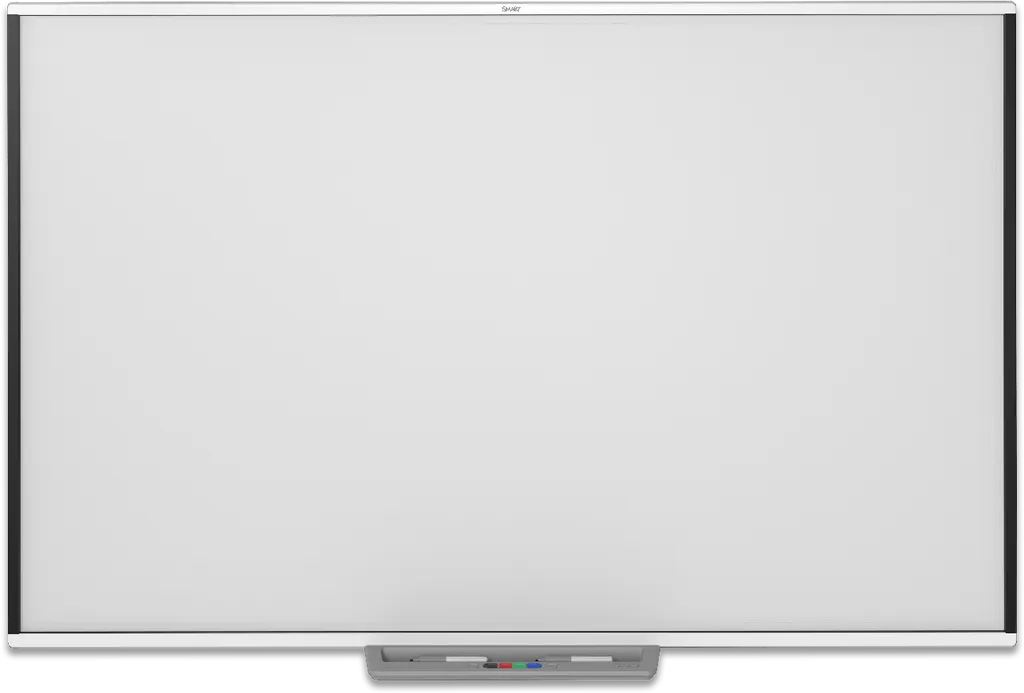
SBM787
SMART Board M787 87-inch Interactive Whiteboard
- Resolution
- Approximately 32
- Touch
- Advanced IR with Object…
- Warranty
- Three-year limited equipment…
The SMART Board M787 is an 87-inch wall-mounted interactive whiteboard for front projection. It supports up to 20 simultaneous touches for two users, distinguishes pens, fingers, erasers and palms, and includes SMART Notebook software with no subscription. Its 16:10 projection area suits classrooms, meeting rooms and training rooms in Doha and across Qatar. Request a quote from SmartRooms Qatar.
What this 87-inch whiteboard does in a room
The SMART Board M787 is a wall-mounted interactive whiteboard built for front projection. A projector shows the computer image on the touch surface, and the user writes, erases, opens files and browses websites with a finger, a passive pen or the pen tray. Notes written over any application can be saved as digital ink for later review and sharing.
Because the board works from the computer display, it suits rooms where a PC or laptop already runs the teaching or meeting software. Once the wall mount is fixed and the projector is aligned, the board stays in position for daily use.
Touch performance for two people at once
The touch system supports up to 20 simultaneous touches and up to two users working together. Two people can write, erase, move objects or use gestures at the same time without switching modes or opening menus. The system tells a pen, a finger, an eraser and a palm apart, so a teacher can rest a hand on the surface while writing.
- Two users can write or gesture simultaneously
- Pen, finger, eraser and palm recognised separately
- Digitizing grid of approximately 32,767 × 32,767 points
- Hard-coated steel surface compatible with dry-erase markers
Specifications that shape your installation
- Projection area: 73 3/4 × 46 1/8 inches (187.5 × 117.1 cm), 16:10 aspect ratio
- Unit dimensions: 76 7/8 inches wide, 49 5/8 inches high, 5 3/8 inches deep (195.3 × 126.2 × 13.6 cm)
- Pen tray: 22 1/2 inches wide (57.2 cm)
- Weight: 33 lb (15 kg); shipping weight 53 lb (24 kg)
- Operating range: 5°C to 35°C, humidity up to 80% non-condensing
- Power and connection: powered from the computer over a 5 m USB cable, 12 Mbps full-speed USB 2.0
Dimensions carry a tolerance of plus or minus 1/8 inch (0.3 cm) and weights a tolerance of plus or minus 2 lb (0.9 kg).
Where it fits in Qatar
A private school in Al Wakrah fitting out a new classroom would mount the M787 on the main teaching wall. The 16:10 format leaves room for two columns of notes beside a wide diagram, and two students can work at the board while the teacher keeps the pen tray within reach.
In a boardroom in Msheireb or a training room near Education City, a presenter can annotate slides in front of the group without moving between devices. Qatar summers push outdoor temperatures above 45°C, so the board belongs in an air-conditioned room. Its rated operating range tops out at 35°C.
What to plan before ordering
- Confirm the wall can carry a 33 lb unit and its mounting hardware
- Choose the projector position in front of the board and plan cable routes
- Connect the board to the computer by USB and prepare the software for your operating system
- Allow space for spare passive pens and keep the pen tray accessible
SmartRooms Qatar offers a free site survey to check the wall and projector position before installation. Orders can be placed by purchase order or through government tenders, including Monaqasat, and payment is accepted by bank transfer, cheque or purchase order.
Send us your room dimensions, wall details and the number of units, and the SmartRooms Qatar team will return a quotation, usually within one working day. Request a quote for the SMART Board M787 today.
Highlights
- 87-inch wall-mounted board with 16:10 projection area
- Up to 20 simultaneous touches for two users
- Pen, finger, eraser and palm recognised separately
- SMART Notebook included with no subscription required
- Powered from the connected computer over USB
- Three-year limited equipment warranty from SMART
Classroom fit
At 87″ the farthest student should sit within about 6.5 m (6× the screen height).
Estimated timeline
Quotation within 1 working day · delivery timing depends on stock availability, and we confirm it with your quotation.
Specifications
Overview1
- _text
- The SMART Board M700 series interactive whiteboards are wall-mounted, front projection interactive whiteboards.; These interactive whiteboards let you do everything you can do at your computer by touching the interactive screen with your finger or the included pen: open and close applications, browse through files, hold meetings with others, create new documents or edit existing ones, visit websites, play video clips, and more. When you connect your interactive whiteboard to a computer and a projector, your computer image is displayed on the interactive screen. You can write over any applicati
Interactive experience4
- Touch technology
- Advanced IR with Object Awareness (distinguishes between pen, finger, eraser, and palm)
- Touch and gesture support
- Write and erase digital ink; Perform mouse functions; Use gestures
- Multitouch capabilities
- Support for up to 20 simultaneous touches and up to two users
- Digitizing resolution
- Approximately 32,767 × 32,767
Hardware2
- Screen surface
- Durable hard-coated steel surface; Optimized for projection; Compatible with dry-erase markers
- Frame finish
- White
Software3
- SMART Notebook
- Included
- SMART Ink and SMART Product Drivers
- Included
- SMART Learning Suite
- Optional
Included cables and accessories6
- 16' 5" ( 5 m ) USB cable
- 1
- Pens (passive)
- 2
- Pen tray
- 1
- Self-adhesive cable clips
- 5
- Illustrated installation instructions
- 1
- Important information document
- 1
Computer requirements – Windows and Mac3
- SMART Notebook minimum version
- 20
- SMART Product Drivers minimum version
- 12.16
- Other requirements
- See SMART Notebook 20 software for Windows and Mac
Computer requirements – Linux3
- SMART Notebook minimum version
- 11.1 for Linux
- SMART Product Drivers minimum version
- 12.17 (required for Ubuntu 20.04)
- Other requirements
- See docs.smarttech.com/kb/ 171706
Power and computer connection3
- Power source
- Obtains power from the computer through the USB cable on Windows and Mac computers
- Power consumption
- < 2.5 W (500 mA at 5V)
- Computer connection
- 12 Mbps USB connection (full‑speed USB 2.0)
Storage and operating requirements3
- Operating temperature
- 41°F to 95°F ( 5°C to 35°C )
- Storage temperature
- -4°F to 140°F ( -20°C to 60°C )
- Humidity
- Up to 80% humidity, non‑condensing
Certification and compliance4
- Notes
- Product availability may vary by region. This product has received additional certifications not listed here.
- US / Canada
- UL, FCC, ISED, CONEG Packaging, Cal Prop 65
- EU / EEA / EFTA / UK
- CE, UKCA, LVD, EMCD, REACH, POP, RoHS, WEEE, Packaging
- EAEU
- EAC
Purchasing information4
- Order number: SBM777‑43
- SMART Board M777-43 interactive whiteboard
- Order number: SBM787
- SMART Board M787 interactive whiteboard
- Order number: SBM794‑169
- SMART Board M794-169 interactive whiteboard
- Order number: SBM797
- SMART Board M797 interactive whiteboard
Warranty1
- SMART Warranty
- Three-year limited equipment warranty (see smarttech.com/warranty for more information)
Dimensions and weights1
- _text
- Note; All dimensions ± 1/8" ( 0.3 cm ) . All weights ± 2 lb. ( 0.9 kg ) .
Dimensions and weights – SBM777-436
- Dimensions
- Width: 64 3/4" (164.4 cm); Height: 49 5/8" (126.2 cm); Depth: 5 3/8" (13.6 cm); Pen tray width: 22 1/2" (57.2 cm)
- Projection area
- 61 5/8" × 46 1/4" ( 156.5 cm × 117.4 cm )
- Aspect ratio
- 4:3
- Weight
- 29 lb. ( 13 kg )
- Shipping dimensions
- 69 1/4" × 58" × 3 5/8" ( 175.9 cm × 147.3 cm × 9.2 cm )
- Shipping weight
- 46 lb. ( 21 kg )
Dimensions and weights – SBM7876
- Dimensions
- Width: 76 7/8" (195.3 cm); Height: 49 5/8" (126.2 cm); Depth: 5 3/8" (13.6 cm); Pen tray width: 22 1/2" (57.2 cm)
- Projection area
- 73 3/4" × 46 1/8" ( 187.5 cm × 117.1 cm )
- Aspect ratio
- 16:10
- Weight
- 33 lb. ( 15 kg )
- Shipping dimensions
- 81 1/2" × 58" × 3 5/8" ( 206.9 cm × 147.3 cm × 9.2 cm )
- Shipping weight
- 53 lb. ( 24 kg )
Dimensions and weights – SBM794-1696
- Dimensions
- Width: 85 3/8" (216.9 cm); Height: 49 5/8" (126.2 cm); Depth: 5 3/8" (13.6 cm); Pen tray width: 22 1/2" (57.2 cm)
- Projection area
- 82" × 46 1/8" ( 208.3 cm × 117.2 cm )
- Aspect ratio
- 16:9
- Weight
- 39 lb. ( 18 kg )
- Shipping dimensions
- 89 7/8" × 58" × 3 5/8"( 228.4 cm × 147.3 cm × 9.2 cm )
- Shipping weight
- 59 lb. ( 27 kg )
Dimensions and weights – SBM7976
- Dimensions
- Width: 85 3/8" (216.9 cm); Height: 54 7/8" (139.4 cm); Depth: 5 3/8" (13.6 cm); Pen tray width: 22 1/2" (57.2 cm)
- Projection area
- 82 1/4" × 51" ( 209.5 cm × 129.6 cm )
- Aspect ratio
- 16:10
- Weight
- 51 lb. ( 23 kg )
- Shipping dimensions
- 89 7/8" × 63 1/4" × 3 5/8"( 228.4 cm × 160.7 cm × 9.2 cm )
- Shipping weight
- 74 lb. ( 33 kg )
SBM7872
- description
- SMART Board M787 interactive whiteboard
- spec_page
- SMART Board M700 series specifications




