





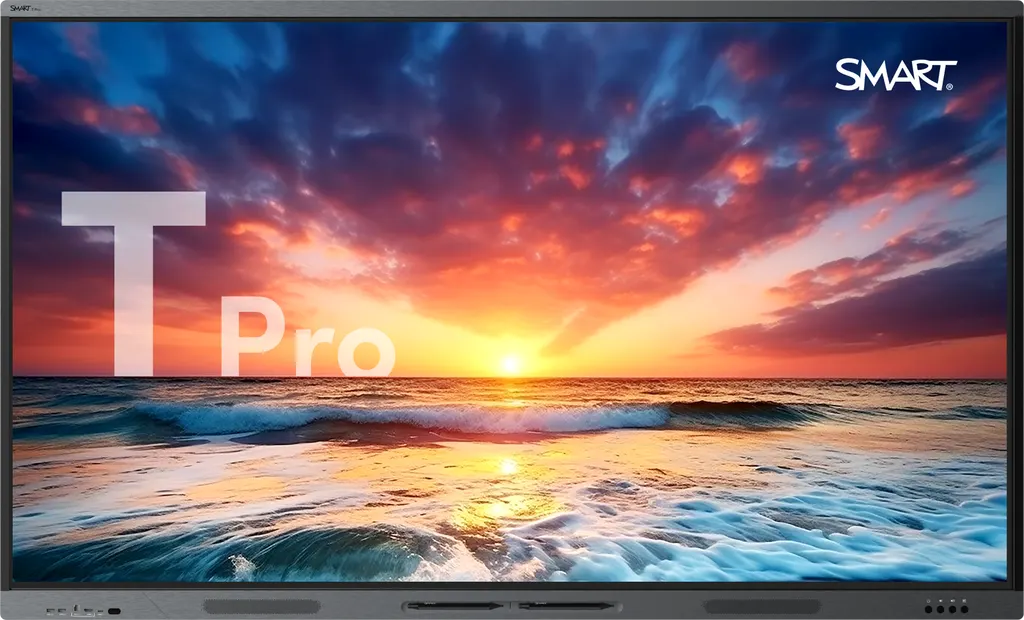
T075-P
SMART Board T075-P 75-inch QLED Interactive Display
- Screen size
- 65"
- Resolution
- 4K UHD (3840 × 2160)
- Touch
- HyPr Touch with Advanced IR
- Brightness
- ≥ 850 cd/m²
The SMART Board T075-P is a 75-inch interactive display with a 4K UHD QLED panel and at least 850 cd/m² brightness. It connects to a laptop with one USB-C cable carrying 100W power delivery, and its back slot takes an OPS computing module. Two pens and an 8-microphone array are included. Its size sits between the 65-inch and 86-inch T Pro models, suiting classrooms, seminar rooms and boardrooms across Qatar.
What the 75-inch T075-P delivers
The T075-P is a 75-inch interactive display built around a 4K UHD (3840 × 2160) QLED panel with full array local dimming. Its maximum brightness is rated at 850 cd/m² or higher, and its 178° viewing angle keeps the picture readable for people seated at the sides of a room. The 60 Hz refresh rate and 4 mm tempered, anti-glare, anti-fingerprint glass suit daily use in busy classrooms and meeting rooms.
Dolby Vision support lets compatible video adjust brightness and colour frame by frame, and the panel also lists HDR10 and HLG among its supported standards. Each panel has a rated lifespan of at least 50,000 hours.
Touch, pens and the software in the box
Touch runs on HyPr Touch with Advanced IR. The manufacturer rates touch accuracy below 1 mm, the smallest detectable object at 1.5 mm, and up to 50 touch points depending on the operating system. Simultaneous tool differentiation means one user can erase while another writes or moves an object, without the inputs being confused. Two pens are supplied, and magnetic and frame-mounted holders keep them within reach.
SMART Meeting Pro, SMART Product Drivers and SMART Ink come with the panel. SMART TeamWorks is available as an optional extra for scheduling, running and managing video meetings. SMART Ink saves annotations into native Microsoft Office and PDF files, so the notes stay with the document.
Connecting laptops, computers and room equipment
A presenter can connect a laptop to the front USB-C port with one cable, which carries 4K display output, touch data and 100 W of power delivery. The front also has an HDMI 2.1 input, two USB 3.2 Gen 1 Type-A ports and a USB Type-B port for peripherals.
The back adds two HDMI 2.1 inputs, a 3.5 mm stereo input, an RS-232 port for control, a LAN input and an OPS slot. The OPS slot takes a SMART OPS computing module that adds a built-in PC; the listed modules are the PCM13-i5 and PCM13-i7v, both with Windows Pro, and the OPS power rating is 90 W. HDMI and S/PDIF outputs, a second LAN port and a stereo output at the back send audio and signals onward.
Where a 75-inch panel fits across Qatar
The 75-inch size sits between the 65-inch and 86-inch T Pro models, so it suits rooms that need a larger image without the weight and floor space of the biggest option. Three typical settings:
- A secondary school classroom in Al Rayyan: a science or languages room where students at the back need to read diagrams and lessons switch between board work and video.
- A seminar room in Education City: groups take turns at the board, and two people can annotate at once.
- A boardroom in West Bay: teams in Doha and abroad join video calls, and the 8-microphone array with onboard acoustic echo cancellation and 60 W audio output help voices come through clearly.
Planning the installation and the room
The panel weighs 104 lb (47 kg) and ships at 127 lb (58 kg) in a box measuring 70 7/8 × 44 1/4 × 5 3/8 inches. It has two handles and ships upright. The VESA pattern is M8, 800 × 400 mm. Stands and wall mounts are sold as optional accessories, so include them in the quotation if they are needed.
Power input is 100–240 V AC at 50–60 Hz, with typical draw of 107 W and standby under 0.5 W. The operating range is 0–40°C at 20–80% relative humidity, non-condensing. In Qatar this means keeping the panel in an air-conditioned room, away from direct sunlight through glass, and confirming the wall and mounting position before installation day. Free site surveys help with this.
Request a quote from SmartRooms Qatar with your room dimensions, mounting plan and number of panels. Quotations usually follow within one working day, and we deliver to all eight municipalities of Qatar with professional installation. Purchase orders and government tenders are welcome.
Highlights
- 75-inch QLED panel with 4K UHD resolution
- At least 850 cd/m² maximum brightness
- 100W USB-C power delivery for a connected laptop
- Two integrated 20W speakers and a 20W subwoofer
- Integrated 8-microphone array with echo cancellation
- Back OPS slot for SMART OPS computing modules
Classroom fit
At 75″ the farthest student should sit within about 5.6 m (6× the screen height).
Estimated timeline
Quotation within 1 working day · delivery timing depends on stock availability, and we confirm it with your quotation.
Specifications
Display15
- Screen sizes (diagonal)
- 65", 75", 86"
- Backlight
- LED; QLED with Full Array Local Dimming (FALD)
- Aspect ratio
- 16:9
- Maximum display resolution
- 4K UHD (3840 × 2160)
- Refresh rate
- 60 Hz
- Lifespan
- ≥ 50,000 hours
- Maximum brightness
- ≥ 850 cd/m²
- Glass thickness
- 4 mm
- Display response time
- ≤ 8 ms
- Viewing angle
- 178°
- Glass
- Full heat-tempered, Anti-glare, Anti-fingerprint, Bonded
- Frame color
- Brushed graphite
- Convenience buttons
- Power, Volume, Input selectFreeze frame
- Sensors
- Ambient light, Infrared
- Audio
- 2 integrated 20W speakers with high fidelity audio and integrated 20W subwoofer; Integrated linear 8-microphone array array with support for onboard acoustic echo cancellation
Software2
- Included
- SMART Meeting Pro; SMART Product Drivers and SMART Ink
- Optional
- SMART TeamWorks
Interactive experience9
- Touch technology
- HyPr Touch with Advanced IR
- Touch features
- Simultaneous tool differentiation; Object Awareness; Silktouch
- Typical touch response time
- ≤ 3.3 ms
- Frame rate
- ≥ 300 Hz
- Accuracy
- < 1 mm
- Minimum object size
- ≤ 1.5 mm
- Multitouch capabilities
- Up to 50 touch points (OS dependent)
- Tools included
- Pens (×2)
- Tool holders
- Magnetic, Frame‑mounted
Power consumption1
- Typical
- 65": 90 W; 75": 107 W; 86": 128 W
Inputs8
- OPS PC accessory slot
- Front: –; Back: 1
- HDMI 2.1 4K @ 60Hz with HDCP 1.4, HDCP 2.3, ARC, and eARC support
- Front: 1; Back: 2
- Stereo 3.5 mm (variable)
- Front: –; Back: 1
- RS-232 (DB-9 connector)
- Front: –; Back: 1
- RJ45 (LAN In)
- Front: –; Back: 1
- USB Type-C 4K @ 60Hz Display Port 1.2, USB 2.0 (UFP) for touch and digital audio, USB 3.2 Gen 1 (DFP) for peripherals; 100 W power delivery
- Front: 1; Back: 1
- USB 3.2 Gen 1 Type‑A
- Front: 2; Back: 3
- USB 3.2 Gen 1 Type‑B
- Front: 1; Back: 1
Outputs4
- HDMI 2.1 4K @ 60Hz with HDCP 1.4, HDCP 2.3, ARC, and eARC support
- Front: –; Back: 1
- Stereo 3.5 mm (variable)
- Front: –; Back: 1
- S/PDIF optical (fixed)
- Front: –; Back: 1
- RJ45 (LAN Out)
- Front: –; Back: 1
Included cables and accessories8
- Country-specific power cable
- 1
- 16' 5" ( 5 m ) USB 2.0 A to B cable
- 1
- 6' ( 1.8 m ) USB 3.2 Gen 1 Type-C cable, 5A
- 1
- Pens
- 2
- Remote control
- 1
- AAA batteries
- 2
- Illustrated installation instructions
- 1
- Important information document
- 1
Connectivity1
- Wired
- RJ45 (×2) 1000BASE-T
Storage and operating requirements4
- Power requirements
- 100V to 240V AC, 50 Hz to 60 Hz
- Operating temperature
- 32–104°F ( 0–40°C )
- Storage temperature
- 14–140°F ( -10–60°C )
- Humidity
- 20–80% relative humidity, non‑condensing
Certification and compliance6
- Notes
- Product availability may vary by region. This product has received additional certifications not listed here.
- Regulatory models
- IDT65-1, IDT75-1, IDT86-1
- US / Canada
- cULus, FCC, ISED, TSCA, CONEG Packaging, Proposition 65
- EU / EEA / EFTA / UK
- CE, UKCA, LVD, CB, EMCD, REACH, RoHS, Battery, WEEE, Packaging, POP, Ecodesign
- Australia / New Zealand
- RCM
- Performance standards
- DOLBY VISION, ENERGY STAR, HDMI, HDCP, HDR10, HLG
Purchasing information1
- _text
- Note; Order numbers may vary by region.
Purchasing information – Order numbers3
- T065-P
- SMART Board T065 Pro interactive display, QLED
- T075-P
- SMART Board T075 Pro interactive display, QLED
- T086-P
- SMART Board T086 Pro interactive display, QLED
Purchasing information – Computing5
- AM60
- SMART AM60 iQ appliance with Google EDLA certification for iQ enabled displays
- PCM13-i5
- SMART OPS PC module with Windows Pro, i5v processor
- PCM13-i7v
- SMART OPS PC module with Windows Pro, i7v processor
- OPS power
- 90 W
- More information
- See smarttech.com/accessories
Purchasing information – Optional accessories1
- Optional accessories
- See smarttech.com/accessories
SMART Warranty1
- _text
- Terms and conditions and warranty upgrade options vary by region. Visit smarttech.com/warranty or contact your reseller for information.
Installation, dimensions, and weights1
- Notes
- All dimensions ± 1/8" ( 0.3 cm ) . All weights ± 2 lb. ( 0.9 kg ) . Product ships upright.
Installation, dimensions, and weights – 65" models5
- Weight
- 80 lb. ( 36 kg )
- Shipping dimensions (excluding pallet)
- 62 1/4" × 39 3/8" × 5 3/8" ( 158 cm × 99.9 cm × 13.8 cm )
- Shipping weight
- 100 lb. ( 45 kg )
- VESA mount
- M8, 600 × 400 mm
- Handles
- 2
Installation, dimensions, and weights – 75" models5
- Weight
- 104 lb. ( 47 kg )
- Shipping dimensions (excluding pallet)
- 70 7/8" × 44 1/4" × 5 3/8" ( 180.1 cm × 112.2 cm × 13.8 cm )
- Shipping weight
- 127 lb. ( 58 kg )
- VESA mount
- M8, 800 × 400 mm
- Handles
- 2
Installation, dimensions, and weights – 86" models5
- Weight
- 139 lb. ( 63 kg )
- Shipping dimensions (excluding pallet)
- 80 1/2" × 49 5/8" × 5 3/8" ( 204.5 cm × 126.1 cm × 13.8 cm )
- Shipping weight
- 167 lb. ( 76 kg )
- VESA mount
- M8, 800 × 600 mm
- Handles
- 2
T075-P2
- description
- SMART Board T075 Pro interactive display, QLED
- spec_page
- Specifications




