





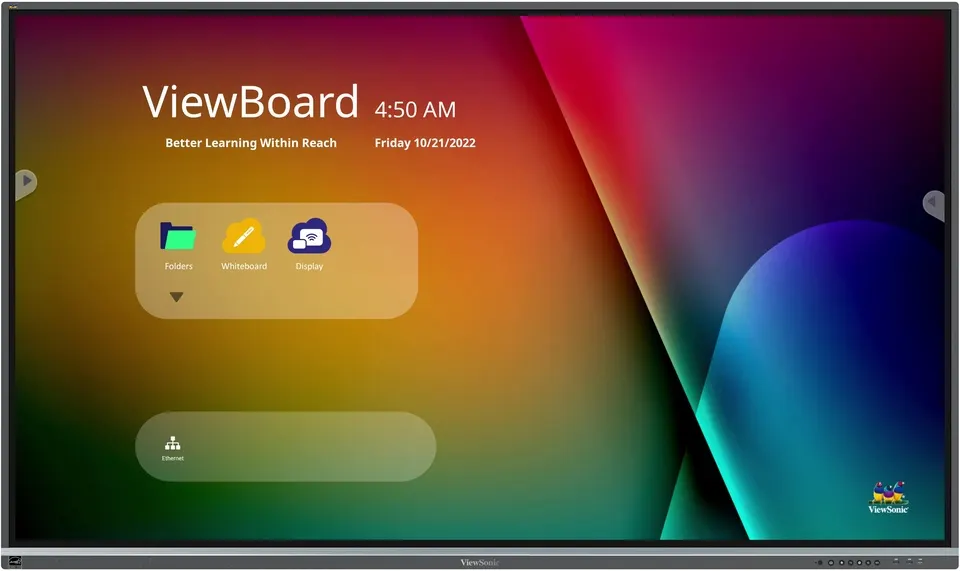
8650-5
ViewSonic ViewBoard 8650-5 86-inch 4K Interactive Display
- Screen size
- 86"
- Resolution
- UHD 3840x2160
- Touch
- 40 points of touch
- Memory
- 4GB
The ViewSonic ViewBoard 8650-5 is an 86-inch landscape interactive display with 3840x2160 UHD resolution, an IPS panel and 40-point touch on Windows. It runs Android 11 and offers an OPS slot and a Wi-Fi module slot for a slot-in PC. Its USB-C port supports 65W power delivery alongside display and 100M Ethernet. It suits lecture halls, boardrooms and large classrooms in Qatar. Request a quote to plan your installation.
An 86-inch 4K panel for shared writing and presentation
The ViewSonic ViewBoard 8650-5 is an 86-inch landscape interactive display built on a 3840x2160 UHD IPS panel, with an active area of 1913.0 x 1084.0 mm. It suits rooms where a group works on one surface: a lecturer annotating a diagram, a project team marking up a plan, or a trainer running a workshop with several people at the board. Touch is rated at 40 points on Windows, so more than one person can write at the same time without waiting at the front.
Specifications that shape daily use
- Brightness and contrast: 350 nits typical, 1200:1 typical contrast and 5000:1 dynamic contrast.
- Colour depth: a 10-bit panel showing 1.07 billion colours, with 178-degree horizontal and vertical viewing angles.
- Screen surface: 7H hardness with an anti-glare coating to limit reflections from ceiling lights and windows.
- Eye comfort: flicker-free operation and an integrated TÜV certified blue light filter at all brightness levels.
- Computing platform: Android 11 on an octa-core processor with 4GB RAM and 32GB storage, upgradable to Android 13.
- Video inputs: three HDMI 2.0 inputs at 4K60 with HDCP 2.2, plus one HDMI output.
- Expansion: an OPS slot and a Wi-Fi module slot for compatible slot-in PCs.
- Audio: two 12 W speakers and a 16 W subwoofer, plus an earphone output and optical S/PDIF.
Where it fits in Qatar
A university lecture hall in Education City or a training centre in the Industrial Area needs a panel that can be read from the back row. The 86-inch screen, with its 3840x2160 resolution, keeps slides, spreadsheets and handwritten notes legible at that distance. In a boardroom in West Bay, the included camera plate and two RJ45 LAN ports suit teams that meet colleagues in Doha and overseas in the same session.
A hotel meeting room in Lusail running corporate workshops benefits from switching quickly between sources. Three HDMI inputs, a USB-C port and wireless presentation options through vCast and AirSync let presenters share from laptops and phones without rearranging cables between sessions.
What to plan before installation
The net weight is 66.7 kg and the packed weight is 86.9 kg, and the wall mount pattern is 800 x 600 mm. Before wall-mounting, confirm the wall structure and bracket rating, and plan cable routing for HDMI, USB and LAN. The physical unit measures 1957.1 x 1159.8 x 86.5 mm, so check door widths and lift access too. Power is rated 100-240 VAC with about 175 W typical draw. The operating range is 0°C to 40°C at 10% to 90% relative humidity, non-condensing. Summer temperatures in Qatar can exceed 45°C, so install the panel in an air-conditioned room away from direct sunlight.
The box includes a power cord, remote control, touch USB cable, two touch pens, an RS-232 adapter, five clamps, a camera plate, eight screws and an HDMI cable. SmartRooms Qatar offers a free site survey, professional installation and delivery to all eight municipalities of Qatar. Quotations usually arrive within one working day, and purchase orders (LPOs) are accepted for schools and offices ordering several units.
Send the room dimensions, wall type and quantity to SmartRooms Qatar and request a quote for the ViewSonic ViewBoard 8650-5.
Highlights
- 86-inch 3840x2160 UHD IPS panel with anti-glare coating
- 40-point touch on Windows and 20 points on Android
- OPS slot and Wi-Fi module slot for compatible slot-in PCs
- Single USB-C port with PD65W and DP 1.2 support
- Android 11 OS, upgradable to Android 13
- Operating range 0°C to 40°C, power input 100-240 VAC
Classroom fit
At 86″ the farthest student should sit within about 6.4 m (6× the screen height).
Estimated timeline
Quotation within 1 working day · delivery timing depends on stock availability, and we confirm it with your quotation.
Specifications
Display14
- Panel Size
- 86"
- Panel Type
- TFT LCD Module with DLED Backlight. IPS
- Display Area (mm)
- 1913.0(H) x 1084.0 (V)
- Aspect Ratio
- 16:9
- Resolution
- UHD 3840x2160
- Colors
- 1.07B colors (10bit)
- Brightness
- 350 nits (typ.)
- Contrast Ratio
- 1200:1 (typ.) 5000:1 (DCR)
- Response Time
- 8ms
- Viewing Angles
- H = 178, V = 178 typ.
- Backlight Life
- 50,000 hours (Min)
- Surface Treatment
- Hardness: 7H, Anti-glare coating
- Bezel
- Slim
- Orientation
- Landscape
Platform3
- Processor
- ARM Cortex-A73*4 + Cortex-A53*4
- RAM
- 4GB
- Storage
- 32GB
Touch3
- Type/ Tech
- Ultra Fine Touch Techology (IR Recognition)
- Touch Resolution
- 32768 ×32768
- Touch Point
- Windows: 40 points of touch, Android : 20 points of touch
INPUT4
- HDMI
- 2.0 x 3 (3840x2160 @60Hz, HDCP2.2, HDMI1 with CEC/ARC)
- RS232
- x1
- OPS
- x1
- WiFi
- x 1 module slot
OUTPUT3
- HDMI
- x1 (4K@60Hz)
- Audio
- x1 (Earphone out)
- SPDIF
- x1 (optical)
LAN1
- RJ45
- x2
USB3
- Type A
- 2.0 x 2 3.0 x 4
- Type B
- x2, for touch
- Type C
- x1 ( DP 1.2, USB2.0, PD65W, Ethernet 100M)
SPEAKERS1
- Value
- 12W x 2 + 16W x 1 subwoofers
Top Camera Plate1
- Value
- Yes
Embedded OS1
- Value
- Android 11 (Upgradable to Android 13)
Bundle Software3
- Basic Annotation Software
- myViewBoard
- Pro Annotation Software
- myViewBoard for Windows (Embedded in Windows Slot-in PC)
- Wireless Presentation
- vCast/myViewBoard Display App/AirSync* *myViewBoard Display will be replaced by AirSync in Q1 2025.
Special Features3
- All-in-one USB port
- “SmartPort™ USB” to all channels.
- Simple LAN sharing between IFP and slot-in device
- Yes
- Light Sensor
- Yes
Power2
- Voltage
- 100-240VAC +/- 10% Wide Range
- Consumption
- 175W(typ.), 0.5W (off)
ERGONOMICS1
- Wall Mount (VESA® )
- 800 mm x 600 mm
OPERATING CONDITIONS2
- Temperature (º C)
- 0°C to 40°C
- Humidity
- 10% ~ 90% RH non-condensing
DIMENSIONS (W x H x D)2
- Physical (inch / mm)
- 77.05 x 45.66 x 3.41 in / 1957.1 x 1159.8 x 86.5 mm
- Packaging (inch / mm)
- 83.07 x 50.51 x 8.86 in / 2110 x 1283 x 225 mm
WEIGHT2
- Net (lb / kg)
- 147.05lb/66.7kg
- Gross (lb / kg)
- 191.58lb/86.9kg
REGULATIONS1
- Value
- cTUVus, FCC/ICES003, Energy Star 8.0, EMC/CE, CB/LVD, GOST-R/EAC, UkrSEPRO, EPEAT, Mexico NOM , Mexico Energy, UKCA, UK-EEL, BSMI, BIS, LBL( Low Blue Light Certification), Flicker Free, Green BOM, RoHS, ErP-Eco, REACH, SCIP, WEEE, TPCH , Packing waste, CA65, PAIA
PACKAGE CONTENTS1
- Value
- 1. Power cord 2. Remote control with AAA battery 3. Touch USB cable 4. Touch pen x 2 (VB-PEN-009) 5. Quick Start Guide + Compliance statement 6. RS232 adapter 7. Clamp x 5 8. Camera Plate 9. Screw x 8 10. HDMI cable
Compatible Slot-in PC1
- Value
- • VPC2-O series • VPC2-O-B series • VPC25-W33-O1-1B • VPC27-W53-O1-1B • VPC12-WPO-17 • VPC12-WPO-18




