





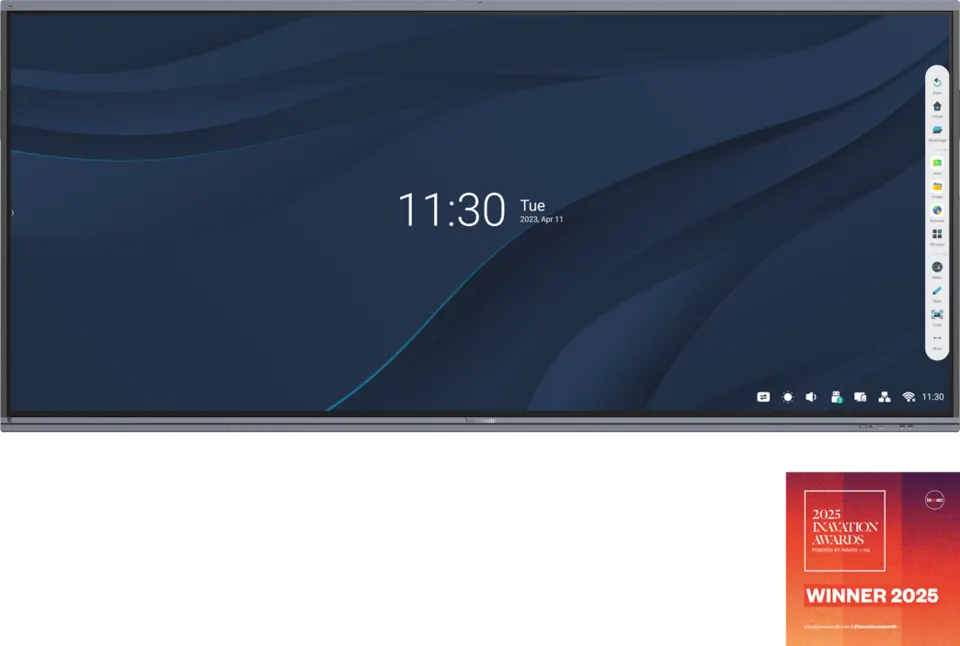
IFP105S
ViewSonic ViewBoard IFP105S 105-inch 5K Interactive Display
- Screen size
- 105"
- Resolution
- WUHD 5120x2160
- Touch
- 40 Android: 20
- Memory
- 8GB LPDDR
The ViewSonic IFP105S is a 105-inch interactive display with a 21:9 ultrawide panel at 5120x2160 pixels. It supports up to 40 touch points on Windows, includes an 8-microphone array for video calls and shares screens wirelessly to up to nine devices through vCast. It suits boardrooms, lecture halls and hybrid meeting rooms across Qatar where several people need one large shared surface.
A 105-inch 21:9 display built for shared work
The ViewSonic IFP105S gives a room one very wide working surface. Its landscape 21:9 panel measures 105 inches on the diagonal and renders 5120x2160 pixels, so a document, a spreadsheet and a live video call can sit side by side without feeling cramped. The panel is a VA type with DLED backlighting, rated at 400 nits typical brightness and 4000:1 typical contrast, rising to a 5000:1 minimum with dynamic contrast enabled. A 6.5 ms response time and 1.07 billion colours keep presentation graphics and drawings clear, and the glass carries a 7H anti-glare coating for rooms with daylight.
Touch, annotation and multi-window work
Infrared touch registers up to 40 points on Windows and 20 points on Android, so several people can write or mark up the same screen at once. Two touch pens are included in the box. Multi-window mode can display up to four windows together, and split-screen lets a presenter annotate on one half while the video call stays visible on the other. This layout suits a boardroom reviewing the same figures with three teams at the table.
Audio, video calls and connections
An 8-microphone array with background noise detection and reduction supports calls from across the table, and the built-in speakers, two 16 W units and a 15 W subwoofer, fill a room of this size. The inputs cover most sources: four HDMI ports (three HDMI 2.0 and one HDMI 2.1, all with CEC), one DisplayPort, audio input and output, an S/PDIF output and an RS232 port for control. Two USB-C ports handle laptops. The rear port delivers 65 W when an OPS module is fitted and 100 W without one, while the front port supplies 15 W, and both carry DisplayPort, data and network sharing. Six USB 3.0 ports sit across the top, front and rear, and a top camera plate is included.
Expansion, wireless sharing and what to plan for
The rear X1 OPS slot and X1 Wi-Fi module slot allow expansion. An optional slot-in PC with Intel processors adds Windows, and an optional 4K conference camera with a 121-degree lens can be paired with the panel. Wireless sharing through vCast supports up to nine devices. The panel runs Android 13 with 8GB RAM and 64GB storage. Before ordering, plan around these facts:
- Weight: 91.4 kg net, so the wall and mounting points need checking.
- Mounting: VESA 1000 x 400 pattern; physical size 2507.2 x 1130.1 x 103.2 mm.
- Environment: operating range 0 to 40 degrees C, 20 to 80 percent humidity, non-condensing.
- Power: 100 to 240 V AC input, 176 W on, under 0.5 W off.
- Plug type: confirm that the supplied 3 m power cord suits BS 1363 sockets before installation.
Where it fits in Qatar
In a boardroom in West Bay, the panel can host a leadership meeting where executives in Doha join colleagues in other countries, with the camera and microphones handling the call while the team annotates a shared plan. In a university lecture theatre in Education City, the screen lets a lecturer split content and live discussion, and students can come to the board in turn. In a hybrid meeting room in Msheireb, a design review can run with Windows tools from an optional slot-in PC while remote staff see every window.
Qatar summers can push temperatures above 45 degrees C, so install the IFP105S in an air-conditioned room, away from direct sunlight and entrances that open to outdoor heat. Dust-prone lobbies are not a suitable location for this model.
Each installation starts with a free site survey to check wall strength, room dimensions, viewing distance and cable routes. SmartRooms Qatar supplies the IFP105S to all eight municipalities of Qatar, offers professional installation, and issues quotations usually within one working day. For organisations that buy through purchase orders or government tenders, including Monaqasat, we can work to your LPO process. Request a quote from SmartRooms Qatar to plan the IFP105S for your room.
Highlights
- 105-inch 21:9 panel at 5120x2160 (5K) resolution
- Up to 40 touch points on Windows, 20 on Android
- 8-microphone array with background noise reduction
- vCast wireless sharing for up to nine devices
- Four HDMI inputs, DisplayPort and two USB-C ports
- Energy Star 8.0 and EPEAT Silver certified
Classroom fit
At 105″ the farthest student should sit within about 7.8 m (6× the screen height).
Estimated timeline
Quotation within 1 working day · delivery timing depends on stock availability, and we confirm it with your quotation.
Specifications
Display14
- Panel Size
- 105"
- Panel Type
- TFT LCD Module with DLED Backlight, VA
- Display Area (mm)
- 2449.92(H) x 1033.56 (V) (104.6”diagonal)
- Aspect Ratio
- 21:9
- Resolution
- WUHD 5120x2160(Pixels)
- Colors
- 1.07B colors
- Brightness
- 400 nits (typ.)
- Contrast Ratio
- 4000:1(Typ.) 5000:1(Min. with DCR enabled)
- Response Time
- 6.5ms
- Viewing Angles
- H = 178, V = 178 (Typ.)
- Backlight Life
- 30,000 Hours (Min.)
- Surface Treatment
- Panel Hard Coating 3H Glass Anti-Glare 7H
- Bezel
- 19.5/19.5/29.8/41.2 mm
- Orientation
- Landscape
Platform3
- Processor
- Octa-Core CPU (A76*4 + A55*4)
- RAM
- 8GB LPDDR
- Storage
- 64GB eMMC
Touch3
- Type/ Tech
- IR Recognition
- Touch Resolution
- 32767 x 32767
- Touch Point
- Windows: 40 Android: 20
INPUT7
- HDMI
- x4 (Rear x3 :HDMI 2.0 with CEC; Rear x 1 HDMI 2.1 with CEC)
- DisplayPort
- 1
- Audio
- 1
- MIC(Microphone)
- Built-in 8 Array Microphone
- RS232
- 1
- OPS
- X1 OPS Slot
- WiFi
- X1 Module Slot
OUTPUT3
- HDMI
- 1
- Audio
- 1
- SPDIF
- 1
LAN1
- RJ45
- X2 (inx1;outx1;1000m for Android/PC;100m for type-C)
USB3
- Type A
- USB2.0 x 1 (Bottom) (for FW upgrade) USB3.0 x 6 (Top x 2 + Rear x 2 + Front x2 ), all support Smart USB
- Type B
- 3 (Bottom x 1; Rear x 2)
- Type C
- 2 [Rearx1: PD65W(65W with OPS, 100W without OPS) + DP1.2 + Data + 10M/100M sharing ; Front x1:PD15W + DP1.2 + Data + 10M/100M sharing]
SPEAKERS1
- Value
- 16W x 2 + 15W x 1 subwoofer
Top Camera Plate1
- Value
- Yes
Embedded OS1
- Value
- Android 13
Bundled Software5
- Basic Annotation Software
- myViewBoard Whiteboard for Android
- Pro Annotation Software
- myViewBoard Whiteboard for Windows (embedded in VPC)
- Wireless Presentation
- myViewBoard Display, vCast, AirSync* *myViewBoard Display will be replaced by AirSync in Q1 2025.
- Device Management
- ViewSonic® Manager
- ViewSonic Launcher
- Yes
Special Features4
- All-in-one USB port
- Yes
- One Click to Cloud Drive
- Yes
- Simple LAN sharing between IFP and slot-in device
- (10/100/1000M) (USB Type-C 10/100, Android & PC 10/100/1000)
- Light Sensor
- x1
Power2
- Voltage
- 100-240VAC +/- 10% Wide Range
- Consumption
- On: 176W(Energy Star) / Off:
ERGONOMICS1
- Wall Mount (VESA® )
- 1000 x 400
OPERATING CONDITIONS2
- Temperature (º C)
- 0°C to 40°C
- Humidity
- 20% ~ 80% RH non-condensing
DIMENSIONS (W x H x D)2
- Physical (inch / mm)
- 98.71 x 44.49 x 4.06 in / 2507.2 x 1130.1 x 103.2mm
- Packaging (inch / mm)
- 105.19 x 51.38 x 11.02 in / 2668 x 1305 x 280mm
WEIGHT2
- Net (lb / kg)
- 201.5lb/91.4Kg
- Gross (lb / kg)
- 225.1lb/115.7Kg
REGULATIONS1
- Value
- cTUVus,FCC/ICES003, LBL(low blue light filter), FF(Flicker free), CE EMC, CB, RoHS Green BOM, RoHS DoC, ErP, REACH SVHC List, DoC, EEL, WEEE, BSMI
PACKAGE CONTENTS1
- Value
- 1. 3m power cord by ship area 2. Remote control with AAA battery 3. 3m touch USB cable 4. Touch pen x 2 5. Quick Start Guide + Compliance statement 6. RS232 adapter 7. Clamp x 5 8. Camera Plate 9. Screw x 6 (2 for camera , 4 for wall mount) 10. HDMI cable 3m




