





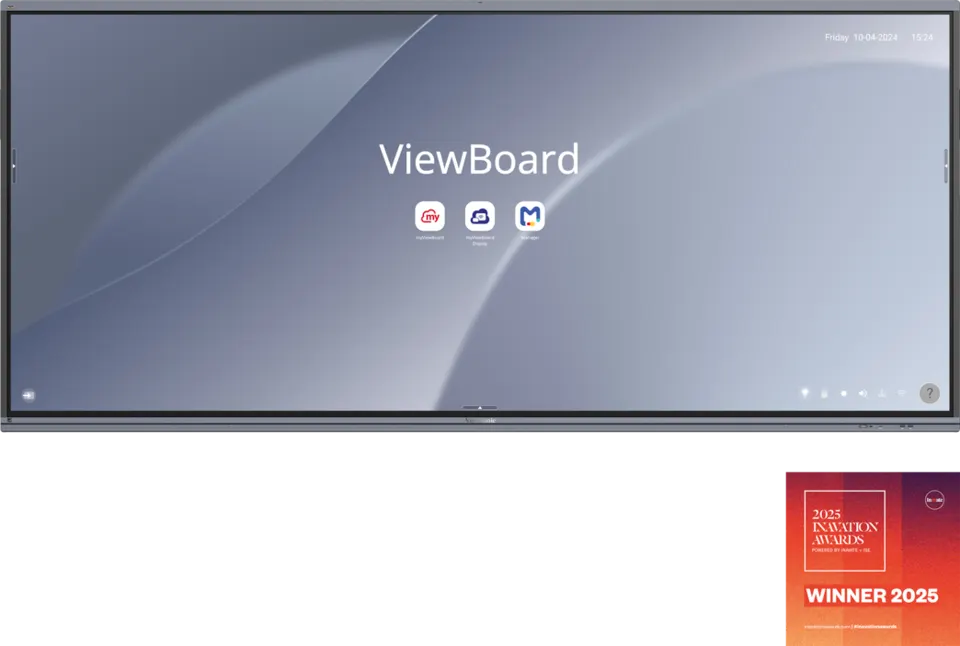
IFP105UW
ViewSonic ViewBoard IFP105UW 105-inch 5K Interactive Display
- Screen size
- 105"
- Resolution
- WUHD 5120x2160
- Touch
- 40 Android: 20
- Memory
- 8GB LPDDR
The ViewSonic IFP105UW is a 105-inch interactive display with a 5K panel in a 21:9 format, built for large meeting rooms and hybrid collaboration. It offers 40-point touch on Windows, four HDMI inputs, USB-C with power delivery and an 8-microphone array, plus vCast wireless sharing for up to nine devices. For boardrooms and lecture halls in Doha and Lusail, it puts presentations and video calls on one screen.
What the ViewSonic IFP105UW is
The ViewSonic ViewBoard IFP105UW is a 105-inch interactive display for rooms where people meet in person and online at the same time. Its panel uses a 21:9 landscape format at 5120x2160 resolution, which gives a wide surface for documents, dashboards and video calls shown side by side. The unit runs Android 13 and can take an optional slot-in PC when Windows software is required.
Image quality and touch performance
Typical brightness is 400 nits, and contrast is rated 4000:1 typical, rising to 5000:1 maximum with DCR enabled. The VA panel uses a DLED backlight rated for at least 30,000 hours, and the glass carries an anti-glare finish. Touch is infrared-based and registers up to 40 touch points on Windows or 20 on Android, so several presenters can write at the same time without waiting for a turn.
- Multi-window: up to four windows on screen at once for reviewing several files.
- Split-screen: annotate on one half while the video call stays visible on the other.
Connectivity and wireless sharing
Four HDMI inputs (three HDMI 2.0 and one HDMI 2.1, all with CEC) and one DisplayPort input cover laptops, PCs and media players. The rear USB-C port delivers 65W with an OPS module fitted and 100W without one, while the front USB-C port delivers 15W; both carry data and display signal. Wireless sharing through vCast accepts up to nine devices at once, so a hybrid meeting can bring presentations from several laptops and phones into one session without cables.
Where it fits in Qatar
- A ministry or authority boardroom in West Bay, where Arabic and English documents are reviewed side by side and colleagues in Doha connect from abroad.
- A private or international school in Al Rayyan or Lusail fitting out a large lecture hall, where a 105-inch screen reaches the back row clearly.
- A training centre in Education City or an energy company's meeting room in the Industrial Area, where one panel handles presentations and remote attendees together.
What to plan before you order
- The net weight is 91.4 kg and the gross weight is 116.1 kg, so confirm the wall or structure can carry the load.
- The wall mount uses a VESA pattern of 1000 x 400 mm, and the physical size is 2507.2 x 1130.1 x 103.2 mm.
- The operating range is 0°C to 40°C at 20% to 80% humidity, non-condensing, so keep it in air-conditioned rooms during Qatar summers.
- The power input is 100-240 VAC, with a typical 176W draw when on and under 0.5W when off.
- Energy Star 8.0 and EPEAT Silver certifications are listed for this model.
ViewSonic Manager lets IT teams schedule power on and off, broadcast messages and adjust settings across one or many panels from a central point. Optional add-ons include a 4K conference camera with a 121° lens and an expansion microphone.
To request a quotation for the IFP105UW, send your room dimensions, wall type and the number of units to the SmartRooms Qatar team. The team will confirm mounting and cabling requirements within the quotation, usually within one working day.
Highlights
- 105-inch 21:9 panel at 5120x2160 resolution
- 40-point touch on Windows and 20 on Android
- Four HDMI inputs, one DisplayPort and two USB-C ports
- Rear USB-C delivers 65W with OPS fitted, 100W without
- 8-microphone array and 16W x 2 plus 15W subwoofer speakers
- Energy Star 8.0 and EPEAT Silver certifications listed
Classroom fit
At 105″ the farthest student should sit within about 7.8 m (6× the screen height).
Estimated timeline
Quotation within 1 working day · delivery timing depends on stock availability, and we confirm it with your quotation.
Specifications
Display14
- Panel Size
- 105"
- Panel Type
- TFT LCD Module with DLED Backlight, VA
- Display Area (mm)
- 2449.92(H) x 1033.56 (V) (104.6”diagonal)
- Aspect Ratio
- 21:9
- Resolution
- WUHD 5120x2160(Pixels)
- Colors
- 1.07B colors
- Brightness
- 400 nits (typ.)
- Contrast Ratio
- 4000:1(Typ.) 5000:1(Max. with DCR enabled)
- Response Time
- 6.5ms
- Viewing Angles
- H = 178, V = 178 (Typ.)
- Backlight Life
- 30,000 Hours (Min.)
- Surface Treatment
- Panel Hard Coating 3H Glass Anti-Glare 7H
- Bezel
- 19.5/19.5/29.8/41.2 mm
- Orientation
- Landscape
Platform3
- Processor
- Octa-Core CPU (A76*4 + A55*4)
- RAM
- 8GB LPDDR
- Storage
- 128GB eMMC
Touch3
- Type/ Tech
- IR Recognition
- Touch Resolution
- 32767 x 32767
- Touch Point
- Windows: 40 Android: 20
INPUT7
- HDMI
- x4 (Rear x3 :HDMI 2.0 with CEC; Rear x 1 HDMI 2.1 with CEC)
- DisplayPort
- 1
- Audio
- 1
- MIC(Microphone)
- Built-in 8 Array Microphone
- RS232
- 1
- OPS
- X1 OPS Slot
- WiFi
- X1 Module Slot
OUTPUT3
- HDMI
- 1
- Audio
- 1
- SPDIF
- 1
LAN1
- RJ45
- X2 (inx1;outx1;1000m for Android/PC;100m for type-C)
USB3
- Type A
- USB 2.0 x 1 (Bottom) (for FW upgrade) USB 3.2 Gen 1 x 6 (Top x 2 + Rear x 2 + Front x2 ), all support Smart USB
- Type B
- 3 (Bottom x 1; Rear x 2)
- Type C
- 2 [Rearx1: PD65W(65W with OPS, 100W without OPS) + DP1.2 + Data + 10M/100M sharing ; Front x1:PD15W + DP1.2 + Data + 10M/100M sharing]
SPEAKERS1
- Value
- 16W x 2 + 15W x 1 subwoofer
Top Camera Plate1
- Value
- Yes
Embedded OS1
- Value
- Android 13
Bundled Software5
- Basic Annotation Software
- myViewBoard Whiteboard for Android
- Pro Annotation Software
- myViewBoard Whiteboard for Windows (embedded in VPC)
- Wireless Presentation
- myViewBoard Display, vCast, AirSync* *myViewBoard Display will be replaced by AirSync in Q1 2025.
- Device Management
- ViewSonic® Manager
- ViewSonic Launcher
- Yes
Special Features4
- All-in-one USB port
- Yes
- One Click to Cloud Drive
- Yes
- Simple LAN sharing between IFP and slot-in device
- (10/100/1000M) (USB Type-C 10/100, Android & PC 10/100/1000)
- Light Sensor
- x1
Power2
- Voltage
- 100-240VAC +/- 10% Wide Range
- Consumption
- On: 176W(Energy Star) / Off:
ERGONOMICS1
- Wall Mount (VESA® )
- 1000 x 400
OPERATING CONDITIONS2
- Temperature (º C)
- 0°C to 40°C
- Humidity
- 20% ~ 80% RH non-condensing
DIMENSIONS (W x H x D)2
- Physical (inch / mm)
- 98.71 x 44.49 x 4.06 in / 2507.2 x 1130.1 x 103.2mm
- Packaging (inch / mm)
- 105.04 x 51.38 x 11.02 in / 2668 x 1305 x 280 mm
WEIGHT2
- Net (lb / kg)
- 201.5lb/ 91.4kg
- Gross (lb / kg)
- 255.9lb/116.1kg
REGULATIONS1
- Value
- cTUVus,FCC/ICES003, LBL(low blue light filter), FF(Flicker free), CE EMC, CB, RoHS Green BOM, RoHS DoC, ErP, REACH SVHC List, DoC, EEL, WEEE, BSMI
PACKAGE CONTENTS1
- Value
- 1. 3m power cord by ship area 2. USB-type C cable 1.8m x 1 (USB-IF certified) 3. Remote control with AAA battery x 2 4. 3m touch USB cable (USB 2.0) 5. Touch pen x 2 (VB-PEN-002) 6. Quick Start Guide with Compliance statement 7. RS232 adapter 8. Clamp x 5 9. Camera Plate x 2 (1 for VB-CAM-201, 1 for UMB202) 10. Screw x 11 (2+4+1 for camera , 4 for wall mount) 11. HDMI cable 3m (HDMI LA certified)
Compatible Slot-in PC1
- Value
- VPC3X, VPCF5-2A




