





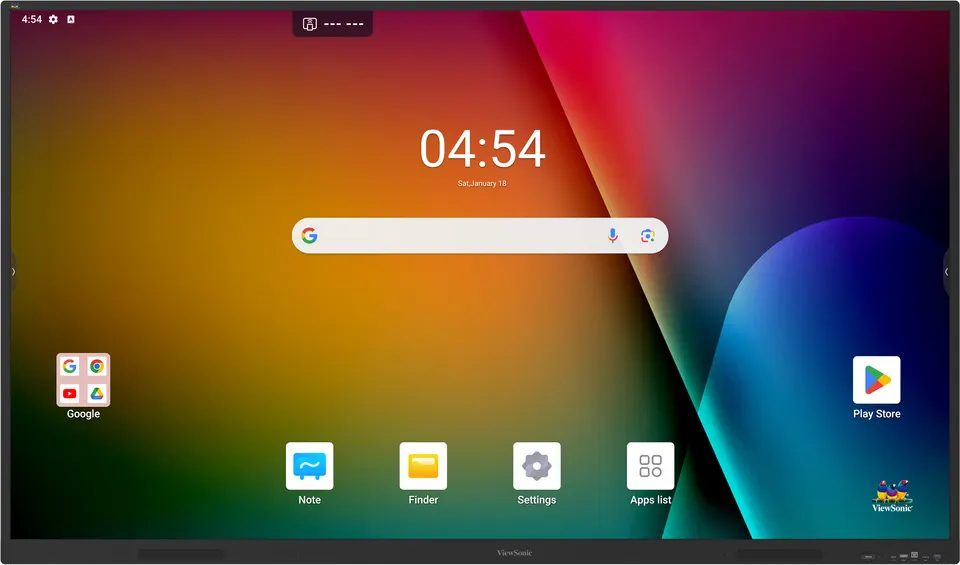
IN7503-1C
ViewSonic ViewBoard IN7503-1C 75-inch 4K Google EDLA Interactive Display
- Screen size
- 75"
- Resolution
- UHD 3840x2160
- Touch
- 40 Android: 40
- Memory
- 8GB DDR4
The ViewSonic IN7503-1C is a 75-inch 4K UHD interactive display running Android 14 with Google Play Store access under the EDLA licence, so apps run on the panel itself. Its 40-point touch works with fingers or the supplied pens, and an optional Intel OPS slot adds a PC option. It suits large classrooms, boardrooms and training rooms across Qatar that need one screen for presenting, annotating and video calls.
What the IN7503-1C is and how it works
The ViewSonic IN7503-1C is a 75-inch interactive display that combines a large 4K screen with a built-in computer running Android 14. Under the Android Enterprise Device License Agreement (EDLA), it gives staff and students access to the Google Play Store, so approved apps can be installed directly on the panel without bringing a laptop into the room. One device can handle presenting, writing on the screen and video calls.
Display and touch facts that matter in meeting rooms
The panel has a UHD resolution of 3840x2160 pixels and a 450-nit brightness rating, paired with a 9H anti-glare coating that reduces reflections from windows and ceiling lights. The contrast ratio is rated at 5000:1 with dynamic contrast control (DCR) enabled. Touch is handled by a 40-point Ultra Fine Touch system, rated at 40 touch points on both Windows and Android, and it works with fingers or the two touch pens supplied in the box.
- Response time: 8ms
- Backlight life: 50,000 hours
Connectivity, expansion and audio
The panel offers two HDMI 2.0 inputs with CEC, one at the front and one at the rear with ARC support, plus an RGB/VGA input, an RS232 port for control, an RJ45 LAN port and an SD/SDHC card slot. Four USB 3.2 Gen 1 Type-A ports sit alongside a front USB-C port that delivers up to 15W of power. An optional Intel Standard OPS slot lets you add a compatible PC; the source data lists VPCF5-W55-G1, VPCF5-2A, VPC37-W53-G1 and VPC35-W53-G1 as compatible slot-in PCs. Two 20W speakers are built in, and the package includes two dual-band Wi-Fi antennas.
Where the IN7503-1C fits in Qatar
In an office in West Bay or Lusail, the 75-inch format suits a boardroom where a team gathers around a shared document or joins a video call with colleagues abroad. In a school in Al Wakrah or Al Rayyan fitting out a large classroom, the panel can serve as the main teaching surface, with students writing and sharing work with the touch pens. Training centres and government meeting rooms in Doha can run presentations and remote sessions from one screen. Where a room has large windows, check the position of the panel during the site survey to limit glare.
Planning the installation
The panel measures 1712 x 1022 x 98.8 mm and weighs 43.6 kg net (51.9 kg gross in packaging). Wall mounting therefore needs a sturdy wall, a VESA pattern of 800 x 400 and at least two people to lift it. SmartRooms Qatar offers free site surveys before wall mounting, which lets our team check wall construction and cable routes. The operating range is 0 to 40°C with 20 to 80% humidity, non-condensing. Qatar summer temperatures can exceed 45°C, so place the panel in an air-conditioned room away from direct sunlight and dusty openings. Power is rated at 100-240V AC, with 175W normal consumption and under 0.5W when off. The package includes a power cable with an India-type plug, so ask our team to confirm the plug arrangement for Qatari sockets before ordering.
Send us your room size, mounting wall and number of units, and the SmartRooms Qatar team will return a quotation, usually within one working day. Request a quote for the ViewSonic IN7503-1C today.
Highlights
- 75-inch 4K UHD panel at 3840x2160 resolution
- Android 14 with Google Play Store access under EDLA
- 40-point Ultra Fine Touch for fingers and pens
- 450-nit brightness with 9H anti-glare coating
- Optional Intel OPS slot and front USB-C port with 15W
- Built-in 20W x 2 speakers and 0 to 40°C operating range
Classroom fit
At 75″ the farthest student should sit within about 5.6 m (6× the screen height).
Estimated timeline
Quotation within 1 working day · delivery timing depends on stock availability, and we confirm it with your quotation.
Specifications
Display13
- Panel Size
- 75"
- Panel Type
- TFT LCD Module with DLED Backlight
- Display Area (mm)
- 1649.664(H) × 927.936(V) (74.5")
- Aspect Ratio
- 16:9
- Resolution
- UHD 3840x2160(Pixels)
- Colors
- 1.07G colors (8-bit + FRC)
- Brightness
- 450 nits
- Contrast Ratio
- 5000:1 (max. with DCR enabled)
- Response Time
- 8ms
- Viewing Angles
- H=178, V=178
- Backlight Life
- 50,000 Hours
- Surface Treatment
- Hardness: 9H Anti-glare coating
- Orientation
- Landscape
Platform4
- Processor
- Octa-Core CPU (A53*4 + A73*4)
- GPU
- Mali-G52 MP8
- RAM
- 8GB DDR4
- Storage
- 128GB
Touch2
- Type/ Tech
- Ultra Fine Touch Technology
- Touch Point
- Windows: 40 Android: 40
INPUT6
- HDMI
- x2 (Frontx1:HDMI2.0 with CEC ; Rearx1: [HDMI2.0 with CEC/ ARC)x1]
- RGB / VGA
- x1
- Audio
- x1
- RS232
- x1
- SD/SDHC
- x1
- OPS
- x1 (Optional Intel Standard OPS)
OUTPUT3
- HDMI
- x1
- Audio
- x1
- SPDIF
- x1
LAN1
- RJ45
- x1
USB3
- Type A
- USB3.2 Gen 1:Front x2 , Rear x2 (all support SmartPort) USB2.0:Rear x1
- Type B
- USB 2.0:Frontx1, Rear x1
- Type C
- USB 2.0: Front x1 with PD15W
SPEAKERS1
- Value
- 20W x 2
Embedded OS1
- Value
- Android 14 (EDLA)
Power2
- Voltage
- 100-240V AC
- Consumption
- On:175W(Normal) ; Off:
ERGONOMICS1
- Wall Mount (VESA® )
- 800*400
OPERATING CONDITIONS2
- Temperature (º C)
- 0°C to 40°C
- Humidity
- 20% ~ 80% RH non-condensing
DIMENSIONS (W x H x D)2
- Physical (inch / mm)
- 67.4x40.2x3.9(in) / 1712x1022x98.8 (mm)
- Packaging (inch / mm)
- 73.3x45.5x7.3(in) / 1863x1155x185 (mm)
WEIGHT2
- Net (lb / kg)
- 96.1lb / 43.6kg
- Gross (lb / kg)
- 114.4lb / 51.9kg
REGULATIONS1
- Value
- BIS, Energy Star
PACKAGE CONTENTS1
- Value
- 1. 3m power India power plug x 1 2. 3m HDMI cable x 1 3. 3m Touch USB cable (USB2.0) x 1 4. Touch pen x 2 5. Remote control x 1 6. AAA battery x 2 7.Wifi Dual band antenna*2 8. Quick Start Guide with Compliance statement 9. Screw x 4 (wall mount M8*25mm)
Compatible Slot-in PC1
- Value
- VPCF5-W55-G1 / VPCF5-2A / VPC37-W53-G1 / VPC35-W53-G1




