Thursday, 22 October 2026 · 11 Jumada I 1448 AH Sun – Thu · 9:00 – 18:00
+971 56 914 9477 العربية
WhatsApp

Video Wall Manager

Panasonic Video Wall Manager Software for Multi-Display Control

WhatsApp
Priceon request
QuotationWithin 1 working day
DeliveryConfirmed with your quote, based on stock
Overview

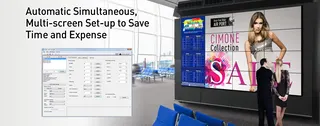
Panasonic Video Wall Manager is a Windows control application for Panasonic commercial displays. From one computer it manages multiple screens individually or all at once, without moving cables between them. It handles display settings, data control and colour calibration with supported sensors, and supports up to 100 units. Suited to control rooms, broadcast studios and corporate command centres in Qatar that run large video walls.

What Video Wall Manager does on a multi-screen wall

Video Wall Manager is Windows software for managing several Panasonic displays from a single computer. An operator can address each screen on its own or send settings to the whole group at once, so a wall of panels can be adjusted without moving cables between them. The current release is version 1.15.1.

The application covers two main jobs: control of display settings and data, and calibration and adjustment. Those are the functions facilities teams rely on once a wall is live, because brightness, colour and input settings must match across every panel.

Compatibility: check each model before you order

Compatibility comes first. Version 1.15.1 was revised to support the SQ2H series, and its list also covers many SQ1, EQ, EF, SF, LF, AF, VF and LFV models. Some models have limits: a few cannot use sensor-based colour adjustment, and some cannot use the Automatic Display Adjustment Upgrade Kit (TY-VUK10). RS232C control is not supported on the SQ1H, SQ2H, EQ2 and EF2 series, and LAN control is not supported on the LFV9, LFV8, LFV50 and LFV5. A mixed wall therefore needs a model-by-model check.

Hardware and operating system requirements

The software needs a Windows PC that meets the stated specification: a CPU at 1 GHz or higher, 2 GB of memory on a 32-bit system or 4 GB on a 64-bit system, and at least 16 GB of free disk space, with more needed for saved display information. The computer also needs a display at 1024 x 768 pixels or higher in High Color (16-bit), a wired LAN port or an RS232C serial port, and a USB 2.0 port or higher for calibration work.

Sign in with a Standard User or Administrator account, because the software will not operate properly under a Guest account. The manufacturer does not guarantee operation on home-built computers or in other system environments.

Where it fits in Qatar

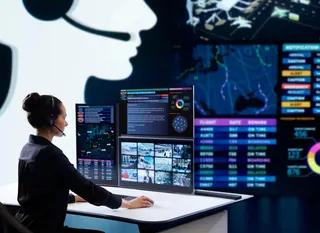
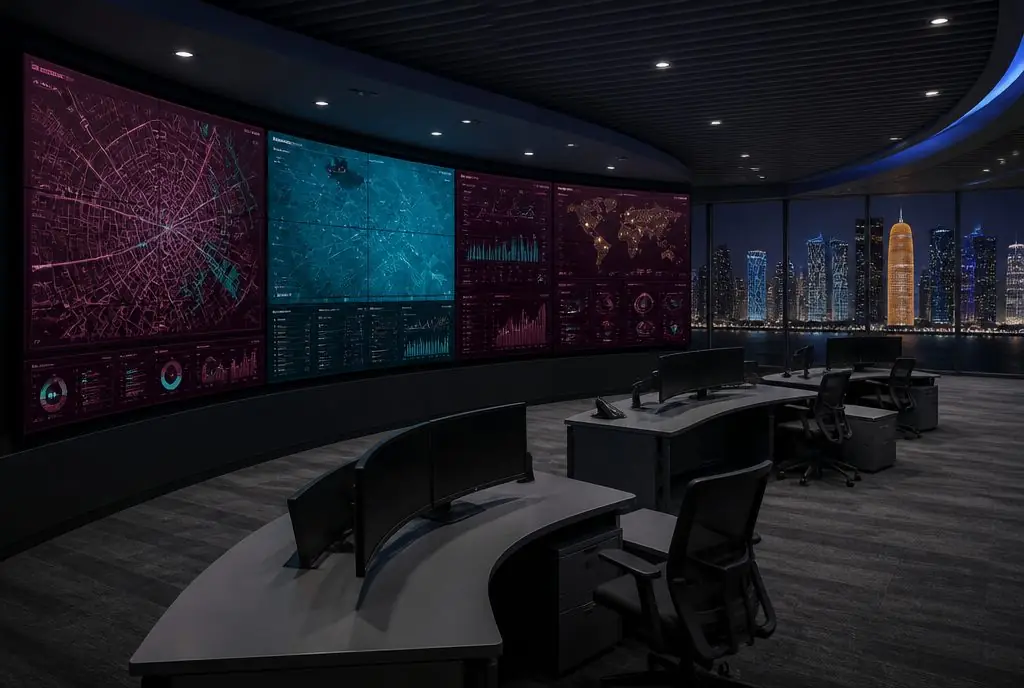
  • Government control rooms in Doha: an operations team watches several feeds from one workstation and applies settings across a full wall of compatible panels.
  • Corporate command centres in West Bay or Lusail: one operator manages brightness and input settings for a boardroom or monitoring wall without visiting each panel.
  • Universities and training centres in Education City: consistent colour across panels in a media lab or lecture hall, using a calibration sensor where the model supports it.

Planning the installation and your quotation

Before ordering, list every display by model number, its connection route and the total quantity. Plan a dedicated control computer, check cable runs, and create user accounts before installation day. A free site survey from SmartRooms Qatar can confirm the wall layout, network points and the best place for the control PC. In Qatar, summer temperatures above 45°C make an air-conditioned room the sensible home for that computer.

Request a quote from SmartRooms Qatar with your display list and quantities. Quotations are usually returned within one working day, and we deliver to all eight municipalities of Qatar with payment by bank transfer, cheque or purchase order.

Highlights

  • Controls multiple displays individually or simultaneously from one computer
  • Supports up to 100 units, or 25 with LFV50 or LFV5 series
  • Version 1.15.1 is compatible with the SQ2H series
  • Calibration with Konica Minolta and Datacolor colour sensors
  • Runs on Windows 10 and Windows 11, in 32-bit and 64-bit options
  • Requires a Standard User or Administrator account

Estimated timeline

Quotation within 1 working day · delivery timing depends on stock availability, and we confirm it with your quotation.
Specifications

Source: manufacturer · checked Oct 2026
The full specification and datasheet for this model are available on request; we send them with your quotation.

Downloads

1 file from the manufacturer

Questions about Video Wall Manager

Who is Panasonic Video Wall Manager for, for example a logistics operations room in Mesaieed?
It suits teams that run several Panasonic displays as one wall, such as a logistics operations room in Mesaieed tracking shipments and yard movements. One operator on one Windows computer can change settings for a single panel or the whole group, which suits a small operations team rather than a technician for each screen.
Which Panasonic displays does version 1.15.1 support?
Version 1.15.1 lists the SQ2H series, including TH-98SQ2H, TH-86SQ2H, TH-75SQ2H, TH-65SQ2H, TH-55SQ2H, TH-50SQ2H and TH-43SQ2H, along with many SQ1, EQ, EF, SF, LF, AF, VF and LFV models. Some models carry footnoted limits, so check the full list against your order before purchase. SmartRooms Qatar can confirm your model numbers when preparing your quotation.
Which models cannot be controlled over RS232C or LAN?
RS232C control is not supported on the SQ1H, SQ2H, EQ2 and EF2 series. LAN control is not supported on the LFV9, LFV8, LFV50 and LFV5 models. If your wall mixes these series, plan the control route for each display before ordering. This matters most for a facilities team that wants to run the whole wall from one PC on the network.
How many displays can one computer manage?
Video Wall Manager can manage up to 100 units from one computer. When the LFV50 or LFV5 series is used, the limit drops to 25 displays. A large control room should therefore size both the number of panels and the number of computers carefully, counting LFV50 and LFV5 units separately.
Which colour sensors does the calibration feature support?
On Windows 11 the software lists the Konica Minolta CA-410 and the Datacolor SpyderX. On Windows 10 it adds the Konica Minolta CA-210 and CA-310, Datacolor Spyder4 and Spyder5, and the X-Rite i1Pro2. Some display models cannot use sensor-based colour adjustment, so confirm your model before buying a sensor.
Which Windows versions and languages does it support?
The listed systems are Windows 11, Windows 11 Pro (64-bit), Windows 10 (32-bit or 64-bit) and Windows 10 Pro (32-bit or 64-bit). It works with English, Japanese or Chinese language versions of these systems. Operation is not guaranteed on other system environments or home-built computers, so specify a standard business PC for control.
What computer specification do we need for the control PC?
The minimum is a CPU at 1 GHz or higher, 2 GB of memory on a 32-bit OS or 4 GB on a 64-bit OS, and 16 GB of free disk space plus room for display information. The PC also needs a display at 1024 x 768 pixels or higher in High Color, a wired LAN port or RS232C serial port, and a USB 2.0 port or higher for calibration work.
How is the software installed?
Download the video_w.zip package (16.9 MB) from the manufacturer's download page and accept the Software Licensing Agreement. Extract the files, then run setup.exe in the video_w folder. A desktop shortcut appears when installation finishes. Sign in with a Standard User or Administrator account, because a Guest account will not run the software properly.
A government control room in Doha wants a mixed wall. How should we start?
List every display by model number and connection type, then check each one against the compatibility list and footnoted limits for version 1.15.1. Next, specify a control PC that meets the stated requirements and set up user accounts in advance. Send that list with quantities when you request a quote, and SmartRooms Qatar will usually respond within one working day.
Can a university media lab in Education City run a 75-inch SQ2H wall with it?
The TH-75SQ2H is listed as compatible with version 1.15.1, but check the footnotes on colour sensor and Automatic Display Adjustment Upgrade Kit limits. Confirm the connection route as well, because RS232C is not supported on the SQ2H series. A free site survey can confirm the room layout and network points before installation.
Does summer heat in Qatar affect the software or the control computer?
Yes, mainly the control computer. Qatar summers regularly exceed 45°C, so keep the PC in an air-conditioned room, such as a hotel back office in West Bay, rather than an unventilated lobby cabinet. Confirm the placement with SmartRooms Qatar during the site survey.
Can a ministry order this through a purchase order or a government tender?
Yes. SmartRooms Qatar accepts purchase orders (LPOs) and government tenders, including those published on Monaqasat. For a ministry request, include the display model list, quantities and installation needs so the quotation matches the tender specification. Payment is by bank transfer, cheque or purchase order.

Similar models

Panasonic TY-CF55VW1 Panasonic TY-CF55VW1 Cover Frame Kit for Video Walls
Software & accessories
Panasonic TY-CF55VW50 Panasonic TY-CF55VW50 Video Wall Cover Frame Kit
Software & accessories
Panasonic TY-VUK10 Panasonic TY-VUK10 Video Wall Auto Display Adjustment Upgrade Kit
Software & accessories
Barco Barco CTRL Barco CTRL Control Room Software Platform
Software & accessories
Email Call