Display Wall Calibrator
Sharp Display Wall Calibrator Software for Video Wall Colour and Brightness
Sharp Display Wall Calibrator is software that runs on a host calibration PC and adjusts colour and brightness on each Sharp display, so a video wall reads as one surface. It uses three internal 10-bit lookup tables per display, calibrates greyscale across all steps, and connects over RS232, LAN or both. It suits government offices, schools, universities and companies running multi-panel walls in Qatar, along with rental firms that move walls between venues.
What the calibration software does for a video wall
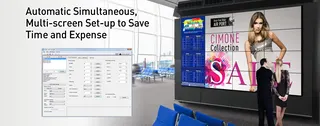
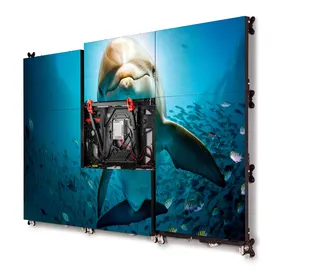
A video wall only looks like one surface when every panel shows the same colour and brightness. Panels age at different rates and carry their own component tolerances, so two displays set up identically can still look different side by side. The Display Wall Calibrator runs on a host calibration PC, communicates directly with each display and adjusts its settings so the whole wall reads as one continuous image.
The software works with or without a sensor. When a colorimeter is used, each display is measured and corrected against those readings, so adjustments rest on measurement rather than visual judgement.
Precise tuning through internal lookup tables
Each display in the supported Sharp range carries three internal 10-bit lookup tables (LUTs). The software writes corrections into these tables, which lets it reshape the tone response curve instead of only changing overall brightness. Adjustments cover luminance and white point, and greyscale can be calibrated step by step, so accuracy holds at every level of grey and not only at 100% white.
The tone response can be set from a simple gamma value or from a custom curve, which helps teams that need a specific look for control-room graphics or presentation content.
- Luminance and white point: adjusted per display to match the rest of the wall.
- Greyscale steps: corrected across the range, not only at peak white.
- Tone curves: from a simple gamma value to custom curves.
Connecting the host PC to every display
Displays can be linked to the calibration PC over RS232, LAN, or a mix of both, so the cabling can follow the layout of the room. Where the host PC is wireless-equipped and the displays sit on the LAN, calibration can run without physical connections to the host PC. The displays can also generate internal test patterns, so the process does not require stepping through patterns by hand.
Saving projects for re-calibration and rental use
Every display configuration, measurement and calibration dataset is stored in a project file. That file supports re-calibration after panels are moved, serviced or replaced, and it allows earlier settings to be restored without starting from zero. Rental companies and heavy users benefit most, because the same wall may be installed at several venues during one season.
Where it fits in Qatar
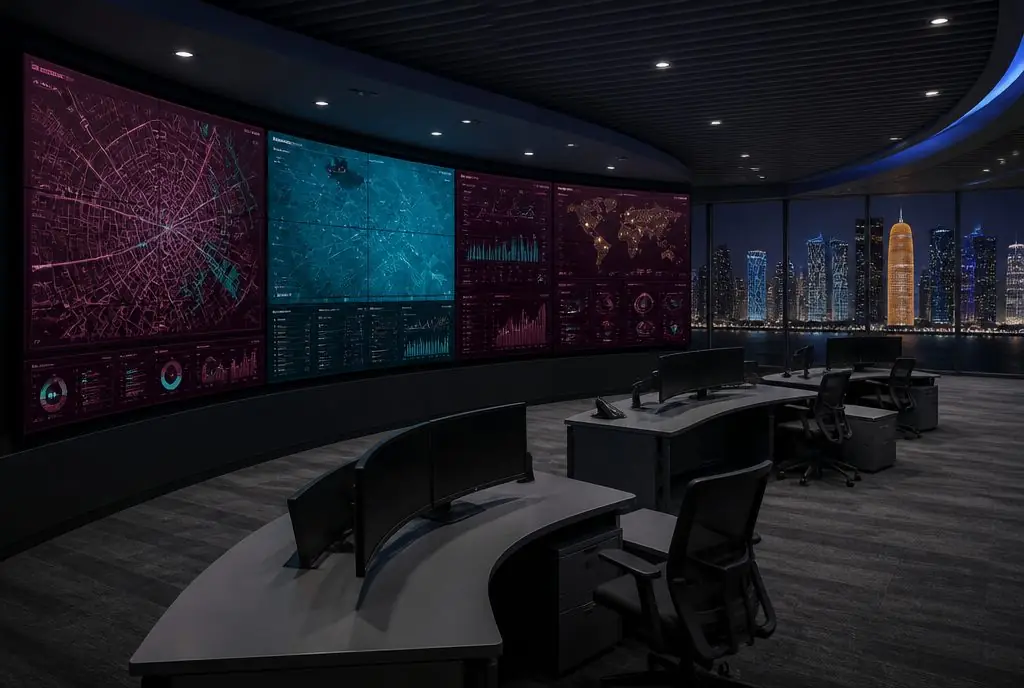
A ministry operations room in West Bay running a multi-panel wall for situation monitoring needs its panels to match when a shift changes, and a saved project file makes that repeatable. An events company in Lusail that moves a wall between a stadium, a hotel and a conference centre can re-calibrate at each site from stored settings. A university media centre in Education City that uses a display wall for lectures and open days can keep colour consistent after maintenance work.
What to plan before ordering
Confirm that every panel in the wall appears on the compatible list before ordering, because models outside it are not covered by this product data. Plan the host PC, the cable route to each display and the connection method in advance, since the method shapes the cabling. SmartRooms Qatar offers free site surveys, which are a good moment to check the network path and panel layout. Quotations usually follow within one working day.
Request a quote for the Display Wall Calibrator with your panel model list and wall layout, and the SmartRooms Qatar team will confirm the set-up for your wall.
Highlights
- Matches colour and brightness across every panel in a video wall
- Works with or without a colorimeter sensor
- Three internal 10-bit lookup tables per display
- Greyscale calibration across all steps, not only 100% white
- Connects over RS232, LAN or a combination of both
- Saves projects for re-calibration and restoring settings
- Compatible with 15 listed Sharp display models
Estimated timeline
Quotation within 1 working day · delivery timing depends on stock availability, and we confirm it with your quotation.