





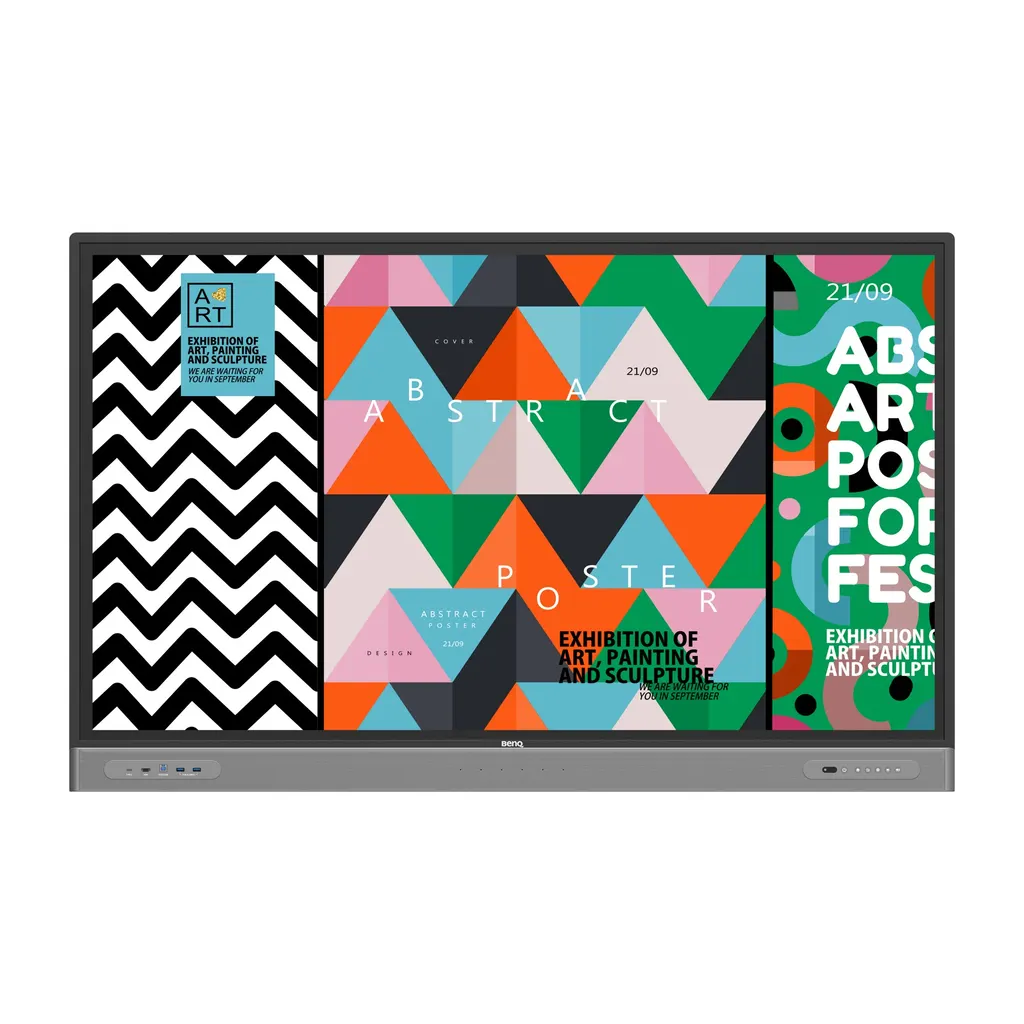
RM6503
BenQ Board Master RM6503 65-inch Interactive Display
- Screen size
- 65''
- Resolution
- UHD 3840 × 2160 pixels
- Touch
- Infrared touch
- System
- Android 9.0
The BenQ Board Master RM6503 is a 65-inch 4K interactive display with infrared touch supporting up to 40 touch points, a 10-bit IPS panel, built-in 2 x 16 W speakers, six microphones and an OPS slot for a Windows-ready slot-in PC. It suits huddle rooms, training rooms and executive offices in Doha, West Bay and Lusail where teams share content and join hybrid calls. Request a quote for delivery and installation across Qatar.
What the RM6503 is built for
The BenQ Board Master RM6503 is a 65-inch interactive display for teams that want to write, present and join calls from one panel. Its UHD 3840 × 2160 IPS screen offers 10-bit colour, 400 nits typical brightness and a 1200:1 typical contrast ratio, so shared documents and diagrams stay clear in rooms with ambient light. Touch is handled by an infrared layer that supports up to 40 points with a response time under 10 ms.
The panel runs Android 9.0 with 8GB memory and 32GB storage. It includes EZWrite 6.0 for whiteboarding, InstaShare 2 for wireless sharing and a Floating Tool for annotating over any open content, so it works as a discussion surface rather than a passive screen.
Connections, sharing and video calls
Laptops connect through HDMI, through the front USB-C port that provides 65 W power delivery, or through the DisplayPort input. Touchback lets the presenter control the notebook from the glass. InstaShare 2 lets up to nine screens share to the board wirelessly.
Calls use the built-in six-microphone array, which has an 8 m pickup range, together with two 16 W speakers. The OPS slot accepts a slot-in PC for Windows applications and conferencing software such as Zoom, Microsoft Teams or Google Meet. A slot-in PC is not in the standard accessory list, so include it in the quotation if your team needs Windows apps on the board.
Where it fits in Qatar
- Huddle rooms in West Bay or Lusail: a corporate team of a few people reviewing plans and capturing decisions with the Floating Tool.
- Classrooms in Al Wakrah or Education City: a school fitting out new rooms can present lesson slides from a laptop and annotate them live with EZWrite.
- Hybrid meetings linking Doha with overseas teams: a training room or boardroom in Msheireb can host calls with colleagues abroad through a slot-in PC running their preferred conferencing software.
Planning the installation
The panel weighs 41.5 kg without packaging and 57.5 kg in shipping packaging, so plan for at least two people to lift it. It mounts to a VESA 600 × 400 mm pattern with four M8 screws, and a wall mount is included. The product measures 1506.0 × 951.0 × 122.2 mm. A free site survey lets our team check wall structure, fixing points, cable routes and the outlet position before installation.
The operating range is 0°C to 40°C with 10% to 80% relative humidity, non-condensing. Outdoor summer heat in Qatar can exceed 45°C, so place the display in an air-conditioned room that stays within that range. The power input is listed as AC 100-240 V, 50/60 Hz, with typical consumption of 113.7 W and standby below 0.5 W. The glass uses a nano-ionic silver germ-resistant formula that the manufacturer states is TÜV-certified and 99.9% effective against common germs. Low blue light and flicker-free technology are also included.
Request a quote
Request a quote for the BenQ Board Master RM6503 and SmartRooms Qatar will confirm the configuration, accessories and delivery to any of Qatar's eight municipalities, with quotations usually issued within one working day. We supply against purchase orders and government tenders, including Monaqasat, and accept payment by bank transfer, cheque or purchase order. The product is covered by the manufacturer's warranty.
Highlights
- 65-inch UHD 3840 × 2160 IPS panel with 400 nits typical brightness
- Infrared touch supporting up to 40 touch points
- Two 16 W speakers and six microphones with 8 m pickup range
- OPS slot for a slot-in PC, with Android 9.0 built in
- Germ-resistant glass with nano-ionic silver formula
- Wall mount, two pens and remote control included
Classroom fit
At 65″ the farthest student should sit within about 4.9 m (6× the screen height).
Estimated timeline
Quotation within 1 working day · delivery timing depends on stock availability, and we confirm it with your quotation.
Specifications
Panel14
- Screen size
- 65''
- Panel type
- IPS
- Active area
- 1428.5 × 803.5 mm
- Aspect ratio
- 16:9
- Resolution
- UHD 3840 × 2160 pixels
- Response time
- 8 ms
- Color depth
- 10-bit
- Orientation
- Landscape
- Operation hours
- 18 hours / 7 days
- Panel brightness (typical)
- 400 nits
- Contrast ratio (typical)
- 1200:1
- Dynamic contrast ratio
- 30,000:1
- Color gamut
- 72% NTSC
- Backlight life (typical)
- 50,000 hrs
Glass3
- Germ-resistant technology
- Nano-ionic silver
- Anti-glare
- Yes | NA
- Hardness
- 9H tempered
Touch screen3
- Touch technology
- Infrared touch
- Touch points
- up to 40
- Touch response time
- < 10 ms
System4
- GPU
- G52 MC 2
- CPU
- A73 × 4
- Memory | Storage
- 8GB | 32GB
- OS
- Android 9.0
Connectivity13
- HDMI (in | out)
- 3 × HDMI 2.0 | 1 × HDMI 2.0
- DisplayPort
- 1 × 1.2 | No
- USB-A
- 2 × 2.0 + 5 × 3.0
- USB-C
- 1 × 3.0 (PD 65 W)
- USB-B (for touch)
- 3 × 3.0
- 3.5 mm Line in (1)
- PC Audio × 1
- VGA
- 1 | 0
- 3.5 mm Line out
- Earphone × 1
- OPS slot (for slot-in PC)
- 1
- S/PDIF out
- 0 | 1 (optical)
- Ethernet
- 10 / 100 Mbps (Android), 10 / 100 / 1000 Mbps (OPS) × 2
- 3.5 mm Line in (2)
- Mic × 1
- RS-232
- 1 | 0
Built-in peripherals2
- Microphone
- 6 (Max. pickup range 8m)
- Speaker
- 2 × 16 W
Power2
- Power
- AC 100-240V 50/60Hz
- Typical power consumption
- 113.7 W
Physical5
- Dimensions (W x H x D)
- 1506.0 × 951.0 × 122.2 mm (59.3 × 37.4 × 4.8 inch)
- Shipping dimensions (W x H x D)
- 1660 × 1045 × 220 mm (65.4 × 41.1 × 8.7 inch)
- Weight (product I shipping)
- 41.5 kg | 57.5 kg (91.49 lbs | 126.77 lbs)
- Mount (screws)
- VESA 600 × 400 mm (4 × M8 × 20L)
- Pen Tray
- 1
Environment4
- Operating temperature
- 0°C ~ 40°C | 32°F ~ 104°F
- Storage temperature
- -10°C ~ 60°C | 14°F ~ 140°F
- Storage humidity
- 10% ~ 80% RH non-condensing
- Operating humidity
- 10% ~ 80% RH non-condensing
Software8
- Whiteboarding
- EZWrite 6.0
- Wireless screen sharing
- InstaShare 2
- Device management
- DMS
- Account management
- AMS
- Flicker Free
- Yes
- Quick access tool
- Floating Tool
- Broadcast system
- X-Sign Broadcast
- Low Blue Light
- Yes
Accessories4
- Cables
- 1 × VGA (3 m | 9.8 ft), 1 × HDMI (3 m | 9.8 ft), 1 × USB-B for touch (3 m | 9.8 ft), 1 × USB-C (1.5 m | 4.9 ft)
- Wall mount
- 1
- Pen
- 2
- Remote control
- 1




