





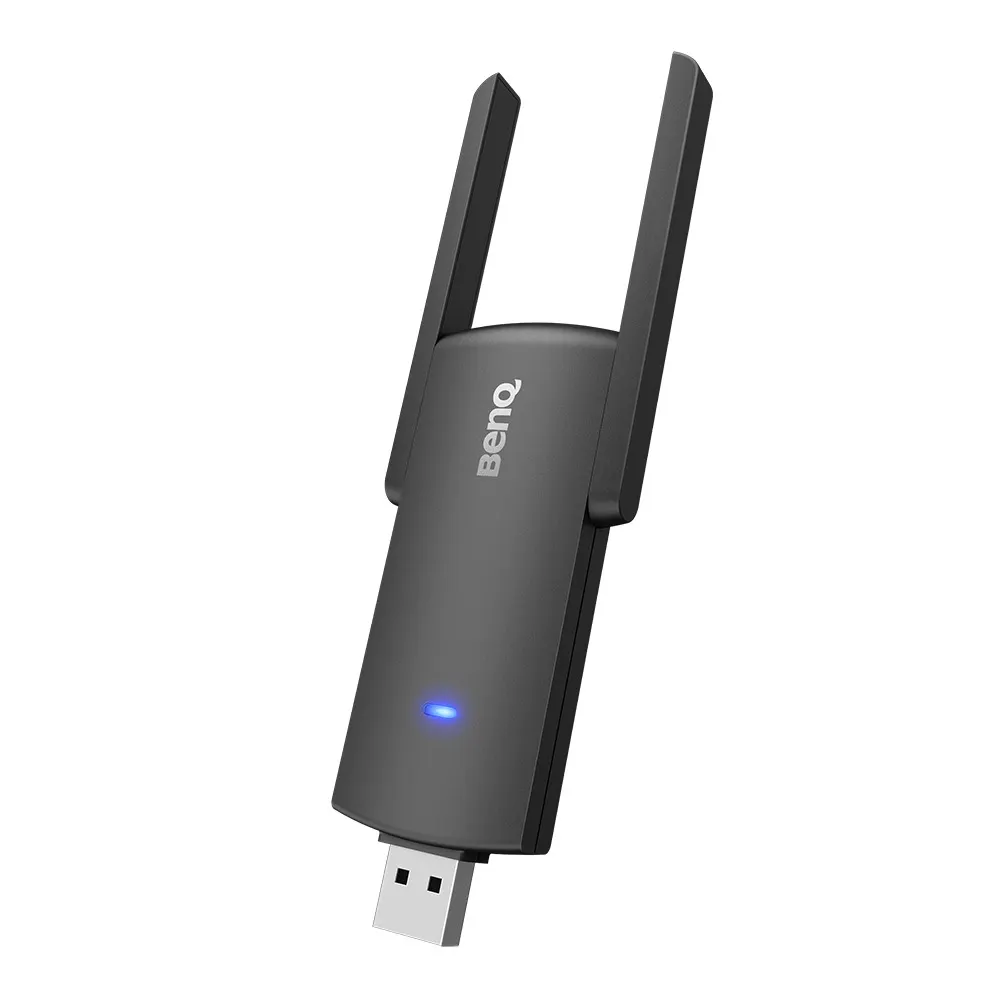
TDY31
BenQ TDY31 Wireless USB Adapter for Interactive Displays
The BenQ TDY31 is a compact, foldable USB adapter that gives compatible BenQ interactive displays and digital signage a Wi-Fi connection. It runs dual-band 2.4 GHz and 5 GHz Wi-Fi with two external antennas, and works with the InstaShare Button for screen sharing from Windows, MacBook and Chromebook devices. Schools and offices in Doha can use it where a cable run is impractical. Request a quote for your model.
What the TDY31 adds to a BenQ display
The BenQ TDY31 Wireless USB Adapter is an accessory for BenQ displays, including smart interactive boards and digital signage. Connect it to a compatible unit and the display gets a Wi-Fi internet connection, so teachers and presenters can open web pages and online materials without a network cable running to the panel. The adapter is a small black device measuring 137 × 41 × 12 mm and weighing 0.025 kg net.
Dual-band Wi-Fi with an adjustable antenna
The adapter supports 802.11 a/b/g/n/ac on both the 2.4 GHz and 5 GHz bands, with MU-MIMO and a USB 3.0 interface. The rated Wi-Fi performance is up to 400 Mbps on 2.4 GHz and up to 867 Mbps on 5 GHz. It has two external antennas, and the antenna opens to 180° so you can angle it toward the best reception. The stated maximum reach is 15 m between the dongle and the display, so plan the position around that figure and test the signal from the seats where people will sit.
Screen sharing and a hotspot from one adapter
With the InstaShare Button, Windows laptops, MacBooks and Chromebooks can share their screens onto the display. InstaShare 2 extends this to Microsoft, Apple and Google device screens. The same adapter can enable Wi-Fi on the display and also provide a hotspot for other devices at the same time, which suits rooms where several people need access during a session.
Compatible BenQ models
The manufacturer lists compatibility across these families:
- Interactive displays: RM, RP, RE and CP series, including RM6503, RM7503, RM8603, RP8602, RE9801 and CP8601K
- Digital signage: CS, SL, ST, IL and BH series, including CS8601, SL8502K, ST8602 and BH3801
- Accessory: VC01A
Several families appear in standard and K or S variants, so check your exact model number before ordering.
Where it fits in Qatar
A school in Al Wakrah converting a classroom where the board has no network point nearby can use the adapter to take the display online over Wi-Fi while keeping cable routes clear. A government meeting room in Msheireb, where staff join from Windows laptops and Chromebooks, can share screens with the InstaShare Button during Sunday to Thursday meetings. In West Bay, a BenQ signage unit in a shopping mall lobby can connect to the internet without a data cable crossing a public area.
Heat, humidity and power to check
The adapter is rated for operation from 0°C to 40°C (32°F to 104°F) and 5% to 90% relative humidity, non-condensing. Storage is rated from -40°C to 70°C. Summer temperatures in Doha often exceed 45°C, so keep the adapter in the air-conditioned room with its display and confirm the space temperature with the SmartRooms Qatar team before installation. The maximum rating is DC 5V, 0.9A, which your installer should verify against the display port used.
Planning before you order
- Match your display model to the compatibility list, including K and S suffixes.
- Measure the distance to the planned adapter position and keep it within 15 m.
- Allow room for the antenna to open to 180°.
- Ask for a free site survey to confirm signal strength before installation.
Send us your display model and room layout, and request a quote from SmartRooms Qatar. Quotations are usually issued within one working day. We deliver across all eight municipalities of Qatar, offer professional installation, and accept purchase orders (LPOs).
Highlights
- Wi-Fi 802.11 a/b/g/n/ac on 2.4 GHz and 5 GHz bands
- Up to 867 Mbps on 5 GHz and 400 Mbps on 2.4 GHz
- Compact foldable design, 137 × 41 × 12 mm
- Two external antennas; antenna opens to 180°
- InstaShare Button compatible for laptop screen sharing
- Reach up to 15 m between adapter and display
- Operating range 0°C to 40°C, 5% to 90% RH non-condensing
Estimated timeline
Quotation within 1 working day · delivery timing depends on stock availability, and we confirm it with your quotation.
Specifications
Physical1
- Dimensions (W x H x D)
- 137 × 41 × 12 mm (5.4 × 1.6 × 0.5 inch)
Environment4
- Operating temperature
- 0°C ~ 40°C | 32°F ~ 104°F
- Storage temperature
- -40℃ ~ 70℃ | -40°F ~ 158°F
- Storage humidity
- 10% ~ 90% RH Non-Condensing
- Operating humidity
- 5% ~ 90% RH non-condensing
BenQ Wireless USB Dongle17
- Color
- Black
- Wi-Fi Standard
- 802.11 a/b/g/n/ac
- Interface
- USB 3.0
- Wi-Fi band
- Dual Band 2.4GHz / 5GHz
- MU-MIMO
- Yes
- Wi-Fi Performance
- 2.4 GHz Band: up to 400 Mbps 5 GHz Band: up to 867 Mbps
- External Antenna
- 2
- Supported OS
- Android
- Wireless Coverage Reach
- Max. 15 m (Between Dongle and IFP)
- Security
- WPA-PSK/WPA2-PSK WPA/WPA2/WEP
- Power Supply
- DC 5V, 0.9A (Maximum)
- Dimension L*H*W
- 137 x 41 x 12 mm
- Net Weight
- 0.025 kg
- Gross Weight
- 0.076 kg
- Temperature range
- Operation : 0℃~40℃ Storage : -40℃~70℃
- Humidity range
- Operation: 10%~90% Storage: 5%~90%
- Compatibility
- Interactive Display: RM6503, RM7503, RM8603 RP6502, RP7502, RP8602 RE6501, RE7501, RE8601, RE9801 RM6502K, RM7502K, RM8602K RM6502S, RM7502S, RM8602S CP6501K, CP8601K Signage: CS6501, CS7501, CS8601 SL5502K, SL6502K, SL7502K, SL8502K ST4302, ST5502, ST6502, ST7502, ST8602 ST4302S, ST5502S, ST6502S, ST7502S, ST8602S IL4301, IL5501 BH2401, BH2401T, BH2801, BH2801N, BH3501, BH3501T, BH3801, BH3801D, BH3801N Accessory: VC01A




