





TZY31
BenQ TZY31 InstaShare Button Solution for BenQ Displays
The BenQ TZY31 InstaShare Button Solution lets a teacher, presenter or staff member share a laptop screen, media file or camera feed to a BenQ display over Wi-Fi with one click and no cables. The button plugs into a USB Type-C port, needs no batteries, and supports Windows laptops, MacBooks and Chromebooks. It suits classrooms and meeting rooms in Qatar where several people share content on one panel.
What the TZY31 button does on a BenQ display
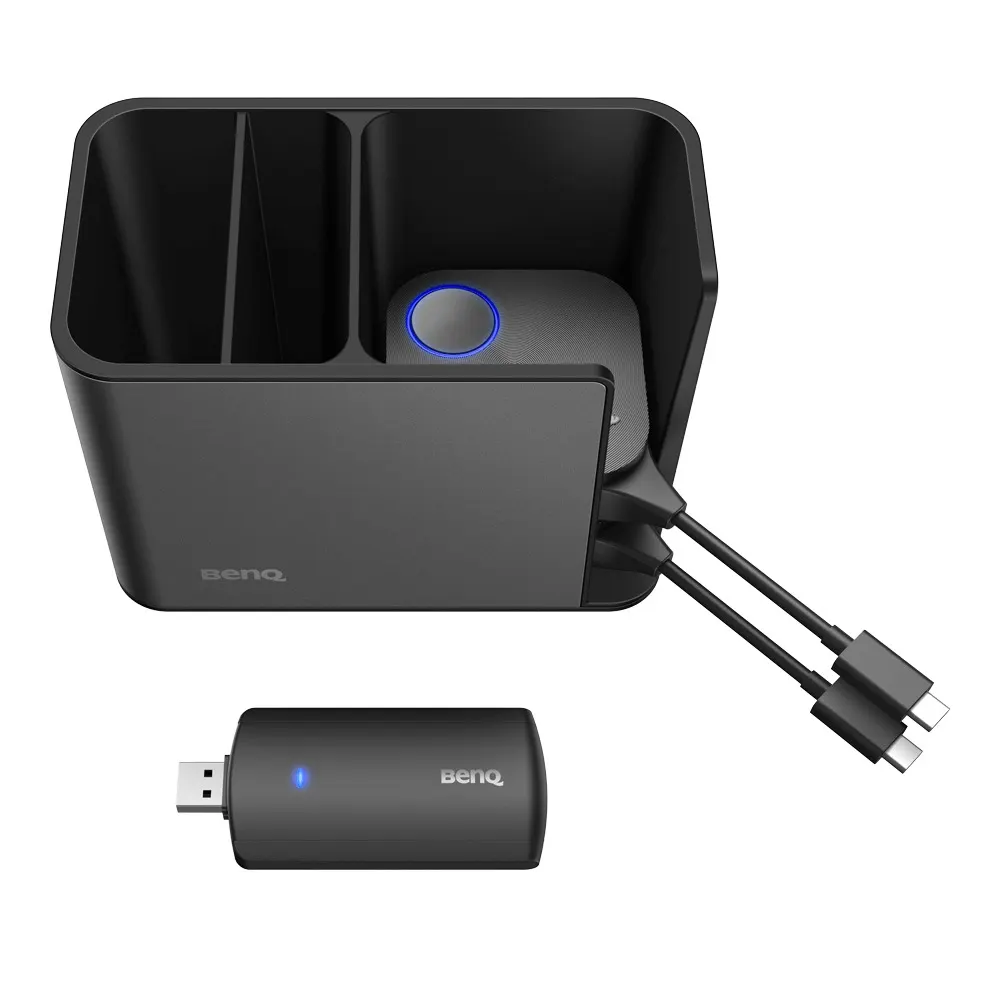
The BenQ TZY31 InstaShare Button Solution is a small wireless sharing unit built for BenQ large-format displays. The presenter connects the button to a laptop through one USB Type-C connector, presses it, and the laptop screen appears on the panel. No cable has to run to the display, and the button itself needs no charging or batteries.
Because the button is the starting point for sharing, a teacher or presenter can begin a session from the front of the room without walking to a cable box. The unit can send the entire screen, a media file or a video feed, which covers most lesson and meeting content in one workflow.
Specifications that matter for planning
- Wireless standard: IEEE 802.11ac on 5 GHz with 2T2R MIMO
- Video input: up to 4K30P from the transmitting device, with a wireless frame rate of up to 60 fps depending on the environment
- Audio: stereo, 16-bit, 48 kHz
- Range: up to 15 m between the button and the display
- Security: WPA2/WPA3 Personal and WPA2 Enterprise with AES-256 encryption
- Power: DC 5V ±10%, minimum 0.9 A, maximum 4.5 W at full load
- Size and colour: 67 x 67 x 23.2 mm, silver
- Operating environment: 0°C to +40°C, 10% to 80% relative humidity
Where it fits in Qatar
A private school in Al Wakrah fitting out classrooms with a BenQ panel could use the button so teachers and students share laptop screens, files or camera feeds without moving cables between lessons. The InstaShare 2 software, which the manufacturer data says works with this solution, lets a teacher select up to 9 devices from a class list and show their screens side by side on the display.
A company meeting room in West Bay or Lusail hosting colleagues who travel between offices can use the same method, with Windows, Mac or Chromebook laptops connecting to the panel without a cable. In a training room at Education City, a facilitator can use touchback to control a shared device directly from the display.
Compatibility and planning checks before ordering
Check the panel model against the compatibility list before ordering. The manufacturer data lists the RM03 series as compatible through USB Type-C. It also lists the RP02, RE01, RM02K, RM02S, CP01K, CS01 and SL02K series, plus VC01A, with a USB Type-C to USB Type-A adapter, which is required to pair RP02 and VC01A.
Measure the distance between the presenter position and the display, because the stated maximum wireless reach is 15 m. The button is rated for 0°C to +40°C, so it belongs in air-conditioned indoor rooms. Qatar summer temperatures can exceed 45°C, so do not leave the button in a parked car, an outdoor kiosk or an unventilated cabinet. The manufacturer data also lists a dock that holds four buttons, measuring 150 x 85 x 106 mm and weighing 420 g. Ask the SmartRooms Qatar team whether the dock is included in your quotation.
Ordering from SmartRooms Qatar
SmartRooms Qatar supplies the TZY31 across Qatar, delivers to all eight municipalities and can arrange professional installation. We offer a free site survey to confirm the display model, room layout and Wi-Fi conditions before you commit. Quotations are usually issued within one working day, and we accept purchase orders (LPOs) and government tenders, including Monaqasat. Request a quote with your display model and the number of rooms, and our team will confirm the configuration and estimated lead time in your quotation.
Highlights
- Single USB Type-C button with no batteries or charging needed
- Shares full screen, media files or camera feed to BenQ displays
- Up to 9 devices side by side with InstaShare 2 software
- 802.11ac 5 GHz Wi-Fi with AES-256 encryption options
- Up to 15 m wireless reach between button and display
- Supports Windows laptops, MacBooks and Chromebooks
Estimated timeline
Quotation within 1 working day · delivery timing depends on stock availability, and we confirm it with your quotation.
Specifications
InstaShare Button15
- Color
- Silver
- Wireless Transmission Frame Rate
- Up to 60 fps depending on environment (1080P60/4K30P)
- TX Button Input resolution
- Up to 4K30P
- Audio Rate
- Stereo, Radio quality 16bits 48KHz
- Wi-Fi Standard
- IEEE 802.11ac 5GHz, 2T2R MIMO
- Authentication protocol
- Wi-Fi Standard
- Wireless Security (Encryption)
- WPA2/3 Personal/WPA2 Enterprise Support AES-256
- Wireless Coverage Reach
- Max. 15 m (Between Button and IFP)
- Cable
- USB Type C
- Power Supply
- DC 5V±10%, Minimum 0.9A
- Power Consumption
- Max 4.5W Full Loading
- Dimension (WxHxD)
- 67mm x 67mm x23.2mm
- Temperature range
- Operating: 0°C to +40°C (+32°F to +104°F) Storage: -10°C to +60°C (+14°F to +140°F)
- Humidity range
- Operating: 10% to 80% relative humidity Storage: 5% to 90% relative humidity (non-condensing)
- Compatibility
- 1. RM03 series (with USB Type-C) 2. RP02, RE01, RM02K, RM02S, CP01K, CS01, SL02K series, and VC01A (with USB Type-C to USB Type-A adapter)
BenQ Wireless USB Dongle16
- Color
- Black
- Wi-Fi Standard
- 802.11 a/b/g/n/ac
- Interface
- USB 3.0
- Wi-Fi band
- Dual Band 2.4GHz / 5GHz
- MU-MIMO
- Yes
- Wi-Fi Performance
- 2.4 GHz Band: up to 400 Mbps 5 GHz Band: up to 867 Mbps
- External Antenna
- 2
- Supported OS
- Android
- Wireless Coverage Reach
- Max. 15 m (Between Dongle and IFP)
- Security
- WPA-PSK/WPA2-PSK WPA/WPA2/WEP
- Power Supply
- DC 5V, 0.9A (Maximum)
- Dimension L*H*W
- 137 x 41 x 12 mm
- Net Weight
- 0.055kg
- Temperature range
- Operation : 0℃~40℃ Storage : -40℃~70℃
- Humidity range
- Operation: 10%~90% Storage: 5%~90%
- Compatibility
- RM6503, RM7503, RM8603 RP6502, RP7502, RP8602 RE6501, RE7501, RE8601, RE9801 RM6502K, RM7502K, RM8602K RM6502S, RM7502S, RM8602S CP6501K, CP8601K CS6501, CS7501, CS8601 SL5502K, SL6502K, SL7502K, SL8502K ST4302, ST5502, ST6502, ST7502, ST8602 IL4301, IL5501 BH2401, BH2401T, BH2801, BH2801N, BH3501, BH3501T, BH3801, BH3801D, BH3801N VC01A
BenQ InstaShare Dock5
- Color
- Black
- Weight (Net)
- 420g
- Dimension L*H*W
- 150 x 85 x 106 mm
- InstaShare Button Loading quantity
- 4 pcs
- Product material
- PC+ABS & Aluminum alloy 6063 & Silica gel




