





Thursday, 22 October 2026 · 11 Jumada I 1448 AH Sun – Thu · 9:00 – 18:00
+971 56 914 9477 العربية
WhatsApp

WDR02U

BenQ WDR02U Dual-Band Wi-Fi and Bluetooth USB Adapter

WhatsApp
Priceon request
QuotationWithin 1 working day
DeliveryConfirmed with your quote, based on stock
Overview

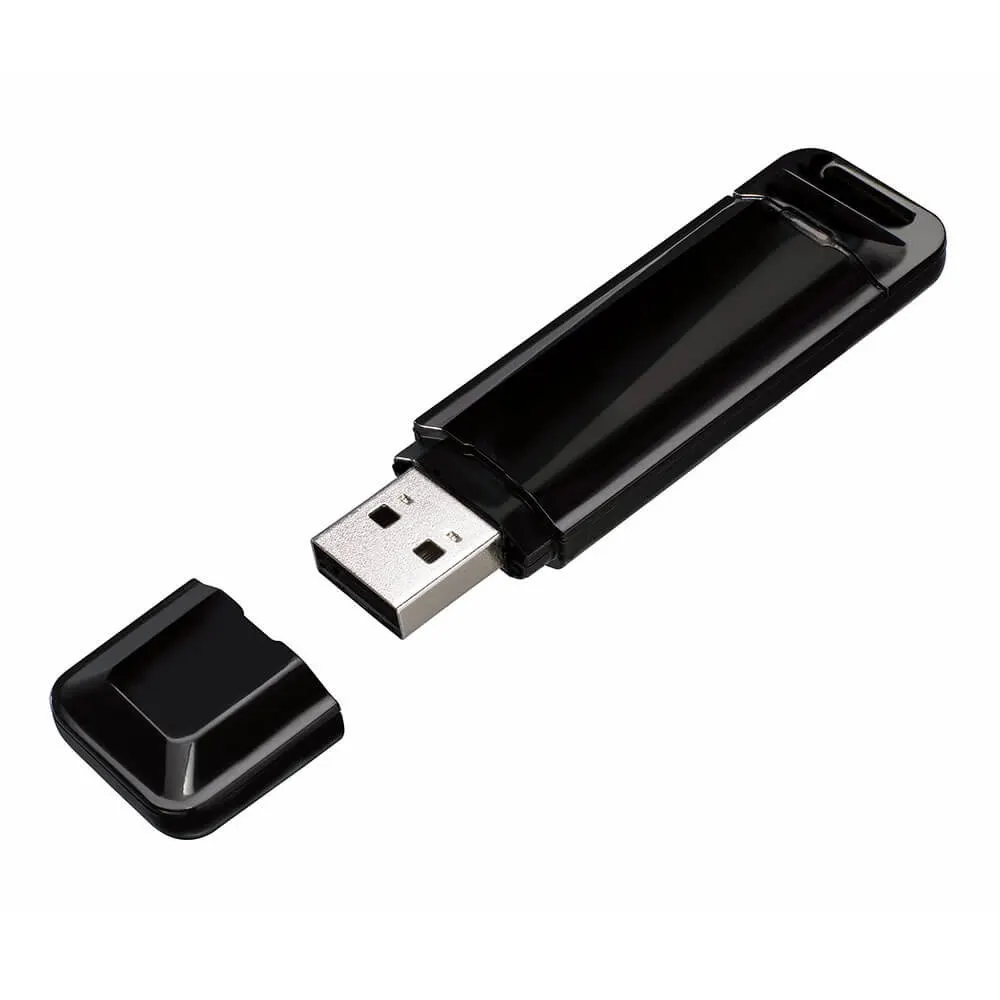
The BenQ WDR02U is a USB Wi-Fi and Bluetooth adapter that adds wireless internet access and Bluetooth connections for speakers, microphones and headphones to compatible BenQ displays. It supports dual-band Wi-Fi rated up to 867 Mbps on the 5 GHz band and can turn a LAN-connected display into a hotspot for multiple devices. It suits Doha schools, offices and meeting rooms that want fewer cables around the screen.

What the WDR02U adds to a BenQ display

The WDR02U is a compact USB adapter that gives a compatible BenQ interactive or non-touch display wireless internet access and Bluetooth connectivity. Instead of relying only on a fixed cable, the display can join a Wi-Fi network and pair with Bluetooth accessories. At 50.3 × 18.3 × 8.7 mm, it is small enough to leave permanently connected.

Dual-band Wi-Fi and low-power Bluetooth

The adapter follows the IEEE 802.11 a/b/g/n/ac standards and works on both the 2.4 GHz and 5 GHz bands. The rated maximum is 867 Mbps on 5 GHz and 300 Mbps on 2.4 GHz. Bluetooth 4.0 LE handles connections to speakers, microphones and headphones while keeping power consumption low.

  • Wireless pairing with speakers, microphones and headphones.
  • Dual-band support means connection to either 2.4 GHz or 5 GHz.

Hotspot sharing for wired displays

When a BenQ display is connected to the network by LAN cable, plugging in the WDR02U allows the display to act as a Wi-Fi hotspot for several devices at once. In a boardroom in West Bay, visiting colleagues can connect their laptops and phones to the wireless network and share content on the screen during a presentation. Because the adapter uses USB plug-and-play, connecting it is a plug-in step rather than a separate installation process.

Where it fits in Qatar

A private school in Al Wakrah equipping new classrooms with a BenQ interactive display can use the adapter where running a network cable to the wall is impractical, giving teachers Wi-Fi access and speaker pairing from the front of the room. A consultancy in Msheireb with a non-touch BenQ display in its meeting room can use it for wireless internet and Bluetooth microphones. A training centre in Education City can use the hotspot function during workshops where several devices must connect to the display at once.

Planning your order

Check your exact display model against the compatibility list in the product specifications. It includes interactive models such as RP7502 and CP8601K, and non-touch models such as CS6501 and BH3501. The manufacturer data does not give an operating temperature range for the adapter, so confirm the installation environment with the SmartRooms Qatar team before placing it near a window or in an area exposed to heat or dust. For most installations, the main planning steps are confirming the display model, the network and, if you want hotspot sharing, the LAN connection.

Products are delivered to all 8 municipalities of Qatar, and professional installation and free site surveys are available. Purchase orders and government tenders, including Monaqasat, are accepted, and payment can be made by bank transfer, cheque or purchase order. Request a quote from SmartRooms Qatar with your display model and quantity, and our team will respond with a quotation usually within one working day.

Highlights

  • Dual-band Wi-Fi on 2.4 GHz and 5 GHz bands
  • Rated up to 867 Mbps on the 5 GHz band
  • IEEE 802.11 a/b/g/n/ac Wi-Fi standard support
  • Bluetooth 4.0 LE with low power consumption
  • Turns a LAN-connected display into a Wi-Fi hotspot
  • USB plug-and-play, 50.3 × 18.3 × 8.7 mm

Estimated timeline

Quotation within 1 working day · delivery timing depends on stock availability, and we confirm it with your quotation.

Specifications

7 specifications · Source: manufacturer · checked Oct 2026
Wi-Fi3
Standard
IEEE 802.11 a/b/g/n/ac
Frequency band
2.4 GHz 5 GHz
Data rate
2.4 GHz: up to 300 Mbps 5 GHz: up to 867 Mbps
Bluetooth1
Version
Bluetooth 4.0 LE
Size1
Dimensions (W × H × D)
50.3 × 18.3 × 8.7 mm (1.98 x 0.72 x 0.34 in)
Compatibility2
Interactive displays
CP6501K, CP8601K, RP6502, RP7502, RP8602, RP6501K, RP7501K, RP8601K, RM5502K, RM6502K, RM7502K, RM8602K, RM5501K, RM6501K, RM7501K, RM8601K, RM6502S, RM7502S, RM8602S, RE6501, RE7501, RE8601, RE9801, BH2401T, BH3501T
Non-touch displays
CS6501, CS7501, CS8601, SL4302K, SL5502K, SL6502K, SL7502K, SL8502K, ST4302, ST5502, ST6502, ST7502, ST8602, ST4301K, ST5501K, ST6501K, ST7501K, ST8601K, BH2401, BH2801, BH3501, BH3801, BH2801N, BH3801N, BH3801D


Downloads

0 files from the manufacturer
No downloadable files are listed for this model yet. Ask us and we will send the datasheet.

Questions about WDR02U

What is the BenQ WDR02U used for?
The WDR02U is a USB Wi-Fi and Bluetooth adapter for compatible BenQ interactive and non-touch displays. It lets the display connect wirelessly to the internet and to devices such as speakers, microphones and headphones. It suits schools and offices that want to reduce the cabling around a display mounted in a classroom or meeting room.
Which BenQ displays is the WDR02U compatible with?
The product specifications list compatibility with interactive models including CP6501K, CP8601K, RP6502, RP7502, RP8602 and RE9801, and non-touch models including CS6501, ST6502 and BH3501. The list is long and model-specific, so check your exact display model before ordering. Include the model number in your quote request.
Which Wi-Fi standards does the WDR02U support?
The adapter supports IEEE 802.11 a/b/g/n/ac and connects to either the 2.4 GHz or 5 GHz band. The rated maximum is 867 Mbps on 5 GHz and up to 300 Mbps on 2.4 GHz. Actual throughput depends on your network and the building, so test the connection on site before relying on it for video sharing.
Which Bluetooth version does the adapter use?
The WDR02U uses Bluetooth 4.0 LE, the low-energy version of Bluetooth, which the manufacturer describes as low power consumption. It is suited to paired peripherals such as speakers, microphones and headphones. Before buying accessories for a meeting room or classroom, confirm that they support Bluetooth LE.
Can the display act as a Wi-Fi hotspot?
Yes. When the BenQ display is connected to the network by LAN cable, plugging in the WDR02U lets the display work as a Wi-Fi hotspot that supports multiple device connections. This is useful in a West Bay boardroom where visitors need to share content from their laptops and phones during a presentation.
How could a school in Al Wakrah use this adapter?
A private school in Al Wakrah fitting out new classrooms with BenQ interactive displays may not have a network point close to the screen. The adapter gives the teacher wireless internet access and Bluetooth speaker pairing without running a new cable to the wall. Ask for a quotation that lists the exact display model in each classroom.
Can a government office in Doha order this through an LPO or tender?
Yes. Government offices in Doha can order through a purchase order (LPO) or through government tenders, including Monaqasat, when supplying compatible BenQ displays and this adapter. Send the list of display models already in use, because compatibility is checked model by model rather than by product series.
Is it suitable for a lobby or a room near a window in summer?
The manufacturer data does not give an operating temperature range for the WDR02U, so its performance in hot or dusty conditions cannot be confirmed from the specifications. Summer temperatures in Qatar can exceed 45°C, so confirm the installation environment with the SmartRooms Qatar team before placing the adapter in a lobby or window-facing area.
Does the adapter need professional installation?
SmartRooms Qatar offers professional installation and free site surveys. Because the WDR02U is a small USB accessory, most planning focuses on confirming the display model, the Wi-Fi network and where a LAN connection is available if you plan to use hotspot sharing. A site survey helps confirm these points before the equipment is delivered.
How does the adapter compare with a wired LAN connection?
A LAN cable gives a fixed, wired link where a cable route exists. The WDR02U provides wireless Wi-Fi and Bluetooth where running cable is impractical, such as a classroom with no network point near the panel. It does not remove the need for a network, because Wi-Fi access or a LAN connection is still required for internet use or hotspot sharing.
How is the WDR02U connected to a BenQ display?
The adapter is USB plug-and-play, so it connects to a USB port on the display and is ready to use without a separate installation process. Confirm that your display model appears in the compatibility list first. Your network details, such as the Wi-Fi network name and password, are needed to complete the connection.

Similar models

Clevertouch CleverCam Clevertouch CleverCam 4K ePTZ Camera for Video Conferencing
Main Stream: 3840×2160 @30fps
Clevertouch CleverInk Clevertouch CleverInk Writing Technology for Interactive Displays
Accessories
Clevertouch Intelligent Sensor Module Clevertouch Intelligent Sensor Module for Interactive Flat Panels
Accessories
Clevertouch LUX Mini Clevertouch LUX Mini Android 13 OPS Upgrade Module
8GB 64GB
Email Call


