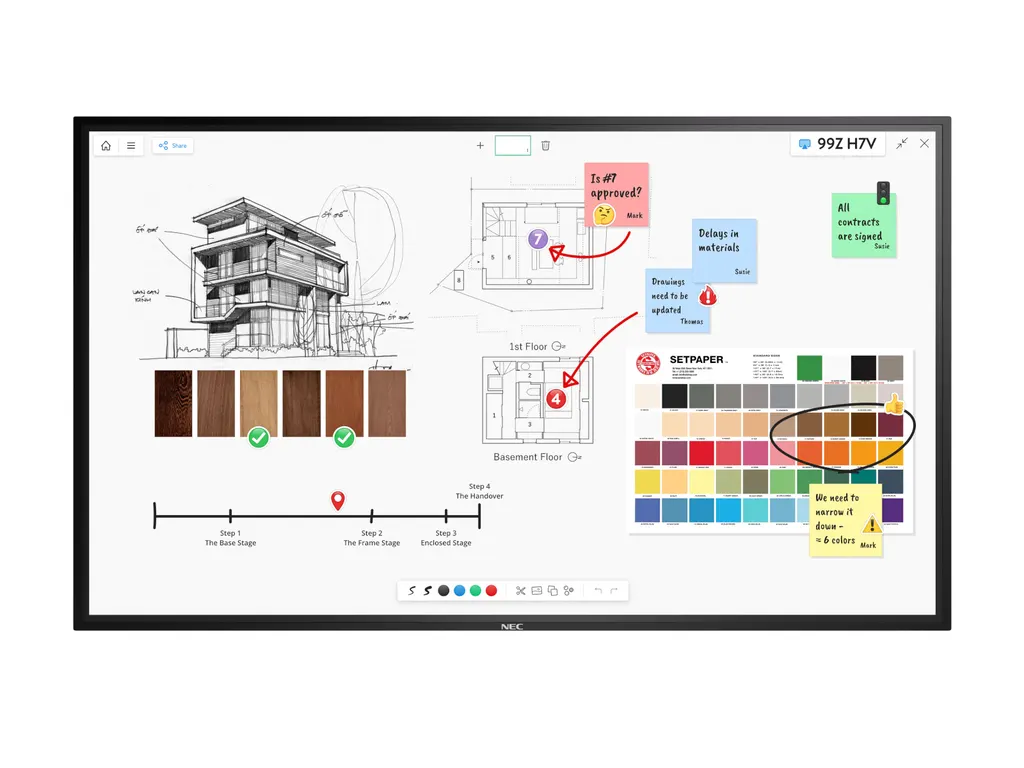
M551 IGB
NEC MultiSync M551 IGB 55-inch Interactive Touch Display
- Screen size
- 55 / 138.8
- Resolution
- 3840 x 2160
- Touch
- InGlass™
- Storage
- USB 2.0 / FAT16
The NEC M551 IGB is a 55-inch 4K UHD interactive display with InGlass touch, supporting up to 20 touches and a passive pen for natural writing. NEC has discontinued this model, so SmartRooms Qatar can quote a current equivalent or a compatible replacement. It suits meeting rooms, classrooms and training spaces across Qatar that need a touch screen with built-in speakers and a three-year warranty.
Discontinued model. NEC has discontinued the M551 IGB. This page is written for organisations that already run this display, buyers comparing it with newer panels, and anyone looking for a replacement. SmartRooms Qatar can quote a current equivalent or a compatible replacement for your room.
A 55-inch 4K touch display for shared rooms
The NEC M551 IGB is a 55-inch LCD interactive display built around a 3,840 x 2160 native resolution, a 16:9 IPS panel and edge LED backlighting. Its rated brightness of 500 cd/m² and contrast ratio above 8,000:1 help text and images stay readable in meeting rooms with daylight. The toughened front glass is 3 mm thick, rated 7H for hardness, and coated with an anti-glare layer that limits reflections on the touch surface.
Touch and pen performance in meetings
The InGlass touch layer supports real multi-touch up to 20 touches, with a response time of 15 ms or less and accuracy below 1 mm. It accepts finger, gloved hand and stylus input with a tip of at least 2 mm. Windows Ink and palm rejection are included, so a presenter can rest a hand on the glass while writing. Two styluses and two AAA batteries come in the box, and a free one-year licence of FlatFrog Board for Rooms is available as a download.
Connectivity, control and built-in media
The display is designed to slot into an existing AV setup:
- One DisplayPort and two HDMI inputs, both with HDCP
- LAN at 100 Mbit, RS232 and a 3.5 mm remote control wire input
- USB 2.0 MediaPlayer port for image and video files
- 3.5 mm audio output, HDMI ARC and a powered USB port rated 10 W
- Integrated 10 W + 10 W speakers
An Intel Smart Display Module slot accepts large and small modules up to 66 W, and a slot is provided for a Raspberry Pi Compute Module 4. Control options include Crestron Connected, AMX NetLinx, PJLink and SNMP. Barco ClickShare is listed as tested compatible.
Where it fits in Qatar and what to plan for
Three situations suit this size well. A meeting room for 10 to 12 people in West Bay, where presenters write on the screen and join calls from their laptops. A small classroom or group room at a school in Al Wakrah, where students use the touch surface and the built-in speakers carry voice in a small room. A training room in Education City or an office in Msheireb, where a trainer shows files from a USB drive without a PC.
Plan the environment first. Operation is rated from 0 to +35°C with 20 to 80% humidity, so the display belongs in an air-conditioned room, away from direct sunlight and window glare. The front is rated IP5x and the rear IP2x for ingress protection, which is a reason to keep it indoors and away from dust.
Plan the wall. The unit weighs 38.5 kg and measures 1,284.5 x 757.3 x 70.9 mm, with a 300 x 300 mm VESA pattern and M6 holes. A wall mount (L20PNWALL90EU) is listed as an option. The internal power supply accepts 100-240 V AC at 50/60 Hz, which covers Qatar's 240 V, 50 Hz mains. The display carries a three-year warranty that includes the backlight.
Request a quote from SmartRooms Qatar with your room sizes, quantities and current equipment. We offer a free site survey before installation and can supply against purchase orders (LPOs) and government tenders, including Monaqasat. Quotations are usually within one working day.
Highlights
- 55-inch 4K UHD panel with 3840 x 2160 native resolution
- InGlass touch supports up to 20 touches with under 1 mm accuracy
- Windows Ink and palm rejection with stylus support
- 500 cd/m² brightness with anti-glare coated 3 mm glass
- DisplayPort, two HDMI, LAN, RS232 and USB 2.0 MediaPlayer
- Three-year warranty including backlight; discontinued by NEC
Classroom fit
At 55″ the farthest student should sit within about 4.1 m (6× the screen height).
Estimated timeline
Quotation within 1 working day · delivery timing depends on stock availability, and we confirm it with your quotation.
Specifications
Product Information3
- Product Name
- NEC MultiSync® M551 IGB
- Product Group
- LCD 55" InGlass™Touch Display
- Order Code
- L50M551-IGB
Display11
- Panel Technology
- IPS with Edge LED backlights
- Screen Size [inch/cm]
- 55 / 138.8
- Aspect Ratio
- 16:9
- Brightness (without glass) [cd/m²]
- 500
- Contrast Ratio (default)
- > 8000:1
- Viewing Angle [°]
- 178 horizontal / 178 vertical (typ. at contrast ratio 10:1)
- Colour Depth [bn]
- 1,076 (10bit)
- Response Time (typ.) [ms]
- 8
- Panel Refresh Rate [Hz]
- 60
- Haze Level [%]
- Pro (28)
- Supported Orientation
- Face Up 1; Landscape; Portrait
Touch9
- Touch Technology
- InGlass™
- Number of Touches
- Real multi-touch up to 20 touches
- Response Time [ms]
- ≤ 15
- Touch Method
- Finger; Gloves; Stylus (≥ 2 mm)
- Supported Operating System
- Native Multi-Touch: Windows 7-11, Linux, Android; Default Mouse: Windows XP and Vista, Mac OS; Raspberry Pi
- Data Interface
- USB-HID
- Accuracy [mm]
- < 1
- Windows Ink
- Yes
- Palm Rejection
- Yes
Protective Glass3
- Type
- Premium toughened glass, anti-glare coating
- Thickness [mm]
- 3
- Hardness [H]
- 7
Resolution2
- Native Resolution
- 3840 x 2160
- Supported Resolutions
- 1024 x 768; 1280 x 1024; 1280 x 720; 1360 x 768; 1366 x 768; 1400 x 1050; 1440 x 900; 1600 x 1200; 1650 x 1050; 1900 x 1200; 1920 x 1080; 1920 x 2160; 2560 x 1440; 2560 x 1600; 3840 x 2160; 4096 x 2160
Synchronisation Rate2
- Horizontal Frequency [kHz]
- 26 - 91.1
- Vertical Frequency [Hz]
- 23 - 86
Connectivity7
- Input Video Digital
- 1 x DisplayPort (with HDCP); 2 x HDMI (with HDCP)
- Input Audio Digital
- 1 x DisplayPort; 2 x HDMI
- Input Control
- LAN 100Mbit; remote control wire (3,5mm jack); RS232
- Input Data
- 1 x USB 2.0 (MediaPlayer)
- Output Audio Analogue
- 1 x 3,5 mm jack
- Input Detect
- Custom; First; Last
- PiP/PbP
- Quad-Split; scalable picture size; Triple-Split
Open Modular Intelligence2
- Intel® SDM
- accepts Intel® Smart Display Modules Large and Small up to 66 W
- Compute Module Slot
- RPi Compute Module 4
Sensors1
- Temperature Sensor
- Integrated, 3 sensors, triggered actions programmable
Electrical4
- Power Consumption [W]
- 110 shipping
- Power Savings Mode [W]
- < 0.5; < 2 (Networked Standby)
- Power Management
- VESA DPMS
- Power Supply
- 100-240 V AC; 50/60 Hz; internal
Environmental Conditions4
- Operating Temperature [°C]
- +0 to +35
- Operating Humidity [%]
- 20 to 80
- Storage Humidity [%]
- 10 to 90
- Storage Temperature [°C]
- -20 to 60
Mechanical7
- Dimensions (W x H x D) [mm]
- 1,284.5 x 757.3 x 70.9
- Weight [kg]
- 38.5
- Bezel Width [mm]
- 18.4 (left/right); 18.4 (top/bottom)
- VESA Mounting [mm]
- 300 x 300 (FDMI); 4 holes; M6
- Ingress Protection
- IP5x (front); IP2x (back)
- Packaging Dimensions (W x H x D) [mm]
- Box 1: 1,430 x 920 x 250
- Packaging Weight [kg]
- Box 1: 47
MediaPlayer4
- Supported File Storage / File System
- USB 2.0 / FAT16, FAT32
- Supported Image Formats
- JPG (baseline, progressive, RGB, CMYK); max. resolution 15360 x 8640
- Supported Video Formats
- MPG (MPEG1/2/4, max res 1080p@30Hz); MP4 (MPEG2/4, H.263, H.264, HEVC/H.265, max res 3840x2160@60Hz); TS (MPEG2, H.264, HEVC/H.265, max res 3840x2160@60Hz); audio: LPCM, MP3, AAC; WMV (video H.264, Windows Media Video 9, max res 1080p@30Hz, audio WMA 9, WMA 10 Pro)
- Supported Audio Formats
- MP3 (MP3); max. bit-rate 320 kBit/s
Available Software1
- Free Software Included
- FlatFrog Board for Rooms (1 year) - free download
Available Options1
- Accessories
- Presence Sensor (KT-RC3); Soundbar (SP-ASCM-IQ2; SP-ASCM-2); Speaker (SP-RM3a); Wall mount (L20PNWALL90EU)
Regulatory2
- Safety and Ergonomics
- CE; EAC; RoHS
- Pixel Failure Class
- ISO 9241-307, Class 1
Green Features2
- Energy Efficiency
- Energy Consumption: 100 kWh/1000 h; LED Backlight
- Ecological Standards
- EnergyStar 8.0
3rd Party Certifications2
- Barco ClickShare
- Tested compatible for Barco ClickShare (Conference)
- Crestron
- Certified for Crestron Connected
Additional Features8
- Special Characteristics
- DICOM Simulation; HDMI ARC; NaViSet Administrator 2 - free download; Powered USB Port (10 W)
- Audio
- Integrated Speakers (10 W + 10 W)
- Shipping Content
- 2 x Stylus; 2x AAA batteries; Display; HDMI Cable; Power Cable; Remote Control; Setup Manual; USB cable
- Warranty
- 3 years warranty incl. backlight; additional services available
- Operating Hours
- 24/7
- External Control
- AMX NetLinx Support; ASCII Control Commands; Crestron Connected; HDMI CEC; HTTP Browser; PJLink; Scheduled Timer; SNMP
- Remote Management
- Automated Email Alerts; NaViSet Administrator 2
- Security
- Disable HW Buttons; Disable IR Functionality; Emergency Notification