





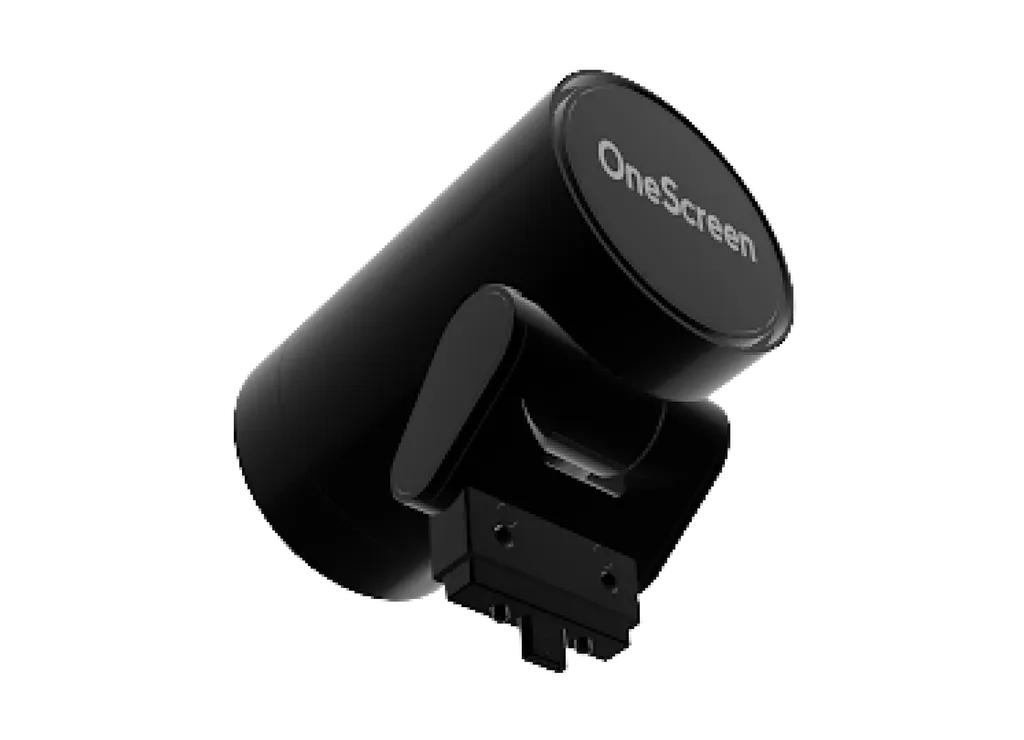
SnapCam 2
OneScreen SnapCam 2 4K Auto-Framing Camera
- Resolution
- 3840 x 1920 @30Hz
The OneScreen SnapCam 2 is a 4K USB camera for interactive display setups, with automatic framing, a built-in mechanical privacy cover and 5x digital zoom. It connects over USB Type-C, follows the UVC 1.0 standard and supports Windows, Mac and Android. It suits meeting rooms, classrooms and boardrooms across Qatar that run hybrid calls. Request a quote from SmartRooms Qatar.
A 4K camera built for shared rooms
The OneScreen SnapCam 2 is a USB camera designed to pair with an interactive display and handle video calls from a single unit. It captures 4K video at 30 fps, uses automatic framing to keep participants in shot, and offers 5x digital zoom when you need a closer view of a speaker or a board. A built-in mechanical privacy cover blocks the lens when the camera is not in use, which matters in rooms where sensitive discussions take place.
The specifications that matter for a video call
- Resolution: 4K (3840 x 2160) effective pixels at 30 fps, with MJPG, H.264, H.265, YUY and NV12 output formats.
- Field of view: 118.8° diagonal, 109.9° horizontal and 74.6° vertical, giving a wide angle for rooms with several seats in view.
- Low light: minimum illumination of 0.1 lux, with auto white balance, auto exposure and automatic gain control.
- Movement: up to 16° downward and 58° upward tilt, with a remote listed in the specification.
- Connection: USB Type-C, UVC 1.0 compliant, powered by a 5V 0.9A USB supply.
- Size and weight: 80 x 75 x 53 mm and 170 g net.
Where it fits in Qatar
In a boardroom in West Bay, a camera placed at the head of a long table can frame several participants joining from Doha and from teams abroad, while the privacy cover stays closed between meetings. In a seminar room at Education City, the zoom lets a remote audience follow a presenter at the board without a second operator. A training centre in Lusail running hybrid courses can use the same camera for instructors and group sessions, with auto exposure adjusting as the light changes.
What to plan before ordering
Check the operating environment first. The specification table lists an operating range of 0°C to 40°C, while the features list gives 0°C to 50°C. Because Qatar summers can exceed 45°C, keep the camera indoors in air-conditioned rooms, away from direct sunlight and heat sources, and ask the SmartRooms Qatar team to confirm the rating for your space. Storage range is -20°C to 60°C and humidity tolerance is 10% to 90% RH.
Plan the mounting point around the focus distance. The specification lists a focus distance greater than 0.5 m, so keep participants farther than that from the lens. Confirm the USB Type-C cable route and the USB power source, and check that your display or conferencing platform runs on Windows, Mac or Android as required. A free site survey from SmartRooms Qatar helps with cable routing and mount height before installation. The camera carries FCC certification and is covered by the manufacturer's warranty.
Request a quote
Send us your room layout, the display model and the number of rooms you are equipping. The SmartRooms Qatar team will return a quotation, usually within one working day. Request a quote for the OneScreen SnapCam 2 today.
Highlights
- 4K (3840 x 2160) effective resolution at 30 fps
- Automatic framing with 5x digital zoom
- Built-in mechanical privacy cover
- USB Type-C connection, UVC 1.0 compliant
- Diagonal field of view of 118.8°
- Supports Windows, Mac and Android systems
Estimated timeline
Quotation within 1 working day · delivery timing depends on stock availability, and we confirm it with your quotation.
Specifications
Specifications19
- Camera CMOS / Pixels
- 1/2.8 inch , 8.46M
- USB video class
- UVC1.0
- Maximum resolution
- 3840 x 1920 @30Hz
- Output format
- MJPG, H.264, H.265, YUY, NV12
- Tilt adjustment
- Downward tilt of up to 16 degrees Upward tilt of up to 58 degrees
- FOV
- DFOV=118.8° HFOV=109.9° VFOV=74.6°
- Focus distance
- >0.5m
- Aperture
- F2.5
- Zooming
- 5x digital zoom
- Minimum Illumination
- 0.1 Lux
- Autoframing
- Yes
- Auto white balance
- Yes
- Auto exposure
- Yes
- AGC (Auto Gain Control)
- Yes
- Privacy cover
- Yes
- Remote
- Yes
- System support
- Windows, Mac, Android
- Interface
- USB Type-C
- Power
- 5V0.9A
Features7
- Effective pixels
- 3840×2160/30fps
- Privacy cover
- Built-in mechanical privacy cover
- AI function
- Autoframing
- Interface type
- Type-C male plug-in
- Power supply voltage
- USB 5V power supply 4.40-5.25V@900mA
- UVC protocol
- UVC1.0 protocol
- Working temperature
- 0-50°C / 32-122F
Dimensions and Weights6
- Product dimensions
- 80x75x53mm
- Single box L x H x D
- 62x124x90mm
- Multiple box L x H x D
- 20pcs 480x370x290mm
- Net Weight
- 170g
- Gross weight-single
- 350g
- Gross weight-multiple
- 11.4kg
Temperature and Humidity4
- Operation temperature
- 0°C~40°C
- Operation humidity
- 10%~90%RH
- Storage temperature
- -20°C~60°C
- Storage humidity
- 10%~90%
Certifications1
- Certificate
- FCC




