





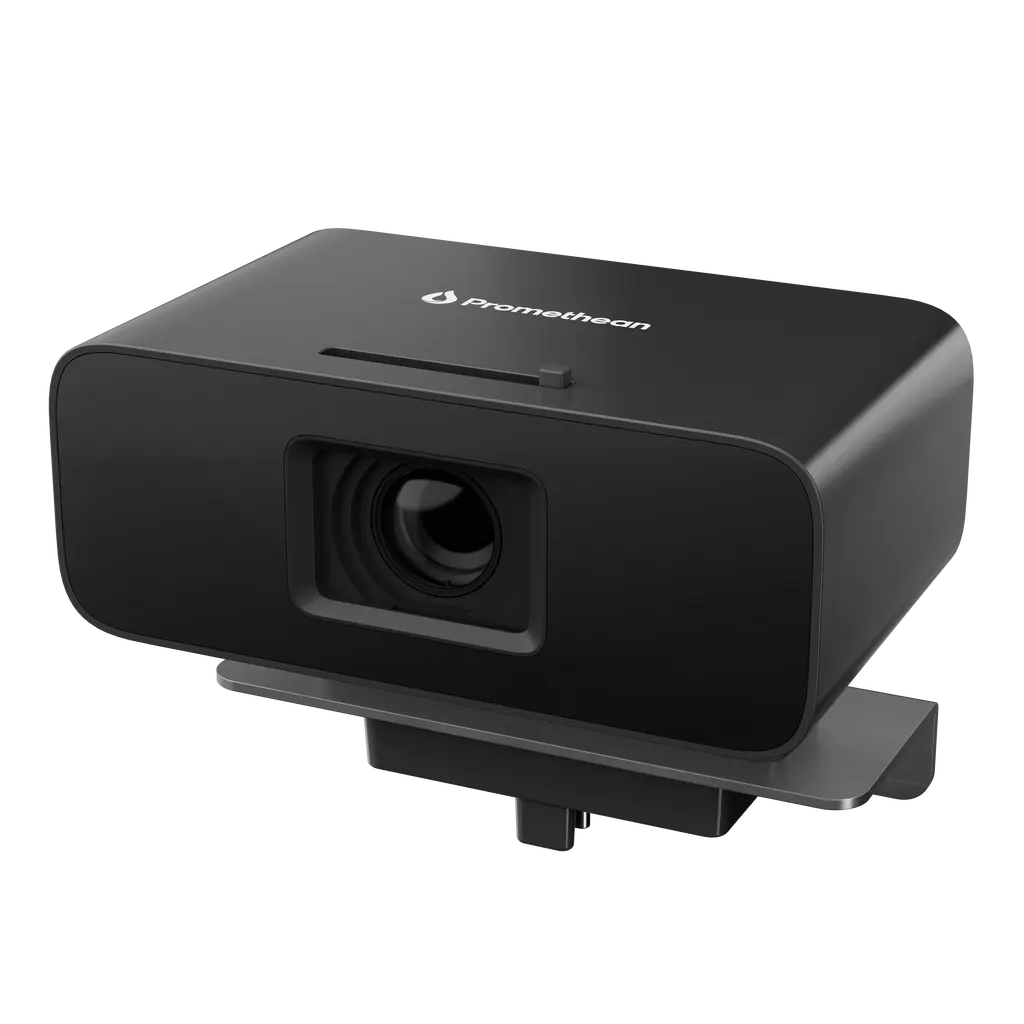
4K ePTZ Camera
Promethean 4K ePTZ Camera for ActivPanel 10 Premium
- Screen size
- 117°
- Resolution
- 4K @ 30 Hz (1080p & 720p)
- System
- Windows ® 8 and higher
The Promethean 4K ePTZ Camera is a cord-free, electronic pan, tilt and zoom camera built for the ActivPanel 10 Premium. It has an 8.3 megapixel sensor, outputs 4K at 30 Hz, and uses USB-C 3.0 with Microsoft Teams, Zoom and Google Meet support. It suits boardrooms and lecture rooms in Qatar that run hybrid meetings with remote teams.
What this ePTZ camera adds to an ActivPanel 10 Premium
The Promethean 4K ePTZ Camera is a custom-built camera designed to work with the ActivPanel 10 Premium in a meeting room. Instead of a fixed lens that someone must turn by hand, the camera changes its framing electronically, so participants stay in shot as they move around the table or stand in front of the screen. The manufacturer describes it as cord-free, and it connects through a vertical USB-C port.
Resolution, framing and automatic tracking
The imaging core is a 1/2.8 CMOS sensor with an 8.3 megapixel count. It delivers 4K output at 30 Hz, with 1080p and 720p modes for calls where bandwidth is limited. The lens has a focal length of 2.03 mm, a horizontal field of view of 109°, and a diagonal field of view of 117°. Automatic tracking uses both audio and movement to decide where the frame goes, so the picture follows whoever is speaking or moving. The listed shutter range runs from 1/30s to 1/10000s.
- Compression options: H.264, MJPEG and YUY2
- 5x digital zoom alongside electronic pan, tilt and zoom
- Listed tilt range of 20° vertical down
Where it fits in Qatar
A boardroom in West Bay or The Pearl is a natural fit. The panel serves as the main display, and the camera keeps the far end of the table in frame during calls with a head office abroad. Seating positions matter here, so the layout should be checked before ordering.
In Education City, a training centre running hybrid seminars can use the camera to keep the presenter in shot while remote students join through Microsoft Teams, Zoom or Google Meet. In Al Wakrah, a private school fitting out a room for staff meetings or parent interviews will value the manual privacy shutter, which covers the lens when the camera is not in use.
Planning the connection and platform
Confirm the conferencing platform and operating system before ordering. The camera is listed for Microsoft Teams, Zoom and Google Meet, and for Windows 8 and higher, macOS 10.5 and higher, Android 11 and higher and Linux 2.4.6 and higher. Because the connection is vertical USB-C 3.0, plan the cable route and the position of the host device with the SmartRooms Qatar team during the site survey.
Mounting and site planning
The camera measures 65.3 x 40.1 x 103.1 mm, or 65.3 x 80.8 x 103.1 mm including its mount, so allow for the mount depth when you plan clearance above or beside the panel. Confirm that your panel is an ActivPanel 10 Premium, since it is the only panel listed for this camera. Because the seating plan decides whether the field of view covers everyone, SmartRooms Qatar offers free site surveys before installation. The source data does not give an operating temperature range, so confirm room conditions with the team before installing near windows or in lobbies.
Request a quote from SmartRooms Qatar with your panel model, room layout and conferencing platform. We will confirm compatibility, configuration and availability in your quotation.
Highlights
- Electronic pan, tilt and zoom with 5x digital zoom
- 1/2.8 CMOS sensor with 8.3 megapixel count
- 4K at 30 Hz, with 1080p and 720p modes
- 109° horizontal and 117° diagonal field of view
- Vertical USB-C 3.0 connection for ActivPanel 10 Premium
- Listed for Microsoft Teams, Zoom and Google Meet
Estimated timeline
Quotation within 1 working day · delivery timing depends on stock availability, and we confirm it with your quotation.
Specifications
Camera Specification14
- Sensor Size
- 1/2.8 CMOS
- Sensor Resolution
- 8.3 Megapixel
- Resolution
- 4K @ 30 Hz (1080p & 720p)
- Auto Framing
- Electronic Pan, Tilt, Zoom
- Auto Tracking
- Audio and Movement Framing
- Shutter
- 1/30s ~ 1/10000s
- Focus
- F=2.03mm
- Horizontal Field of View
- 109°
- Diagonal Field of View
- 117°
- Tilt
- 20° Vertical down
- Compression
- H.264 / MJPEG / YUY2
- USB Connectivity
- USB-C 3.0
- Digital Zoom
- 5x
- Conference Platform compatibility
- Microsoft Teams, Zoom, Google Meet
Operating System Compatibility1
- Operating Systems ePTZ 4K Camera SS 08/25 v1.1 EN-INTL
- Windows ® 8 and higher MacOS ® 10.5 and higher Android ™ 11 and higher Linux ® 2.4.6 and higher
Physical Specification5
- Camera Dimensions
- 65.3 x 40.1 x 103.1 mm (2.57 x 1.58 x 4.06 in)
- Camera Dimensions Including Mount
- 65.3 x 80.8 x 103.1 mm (2.57 x 3.18 x 4.06 in)
- & Connector Privacy Shutter
- Yes, manual
- Connection
- Vertical USB-C
- Panel Compatibility
- ActivPanel 10 Premium
Compliance & Certification1
- Certification
- CE, CB, FCC, ICES Page 1




