





Thursday, 22 October 2026 · 11 Jumada I 1448 AH Sun – Thu · 9:00 – 18:00
+971 56 914 9477 العربية
WhatsApp

VB-CAM-002

ViewSonic VB-CAM-002 Full HD 1080p All-round Web Camera

Resolution
1080P@30fps/25fps
WhatsApp
Priceon request
QuotationWithin 1 working day
DeliveryConfirmed with your quote, based on stock
PDFDownload datasheet (VB-CAM-002_Datasheet.pdf)
Overview

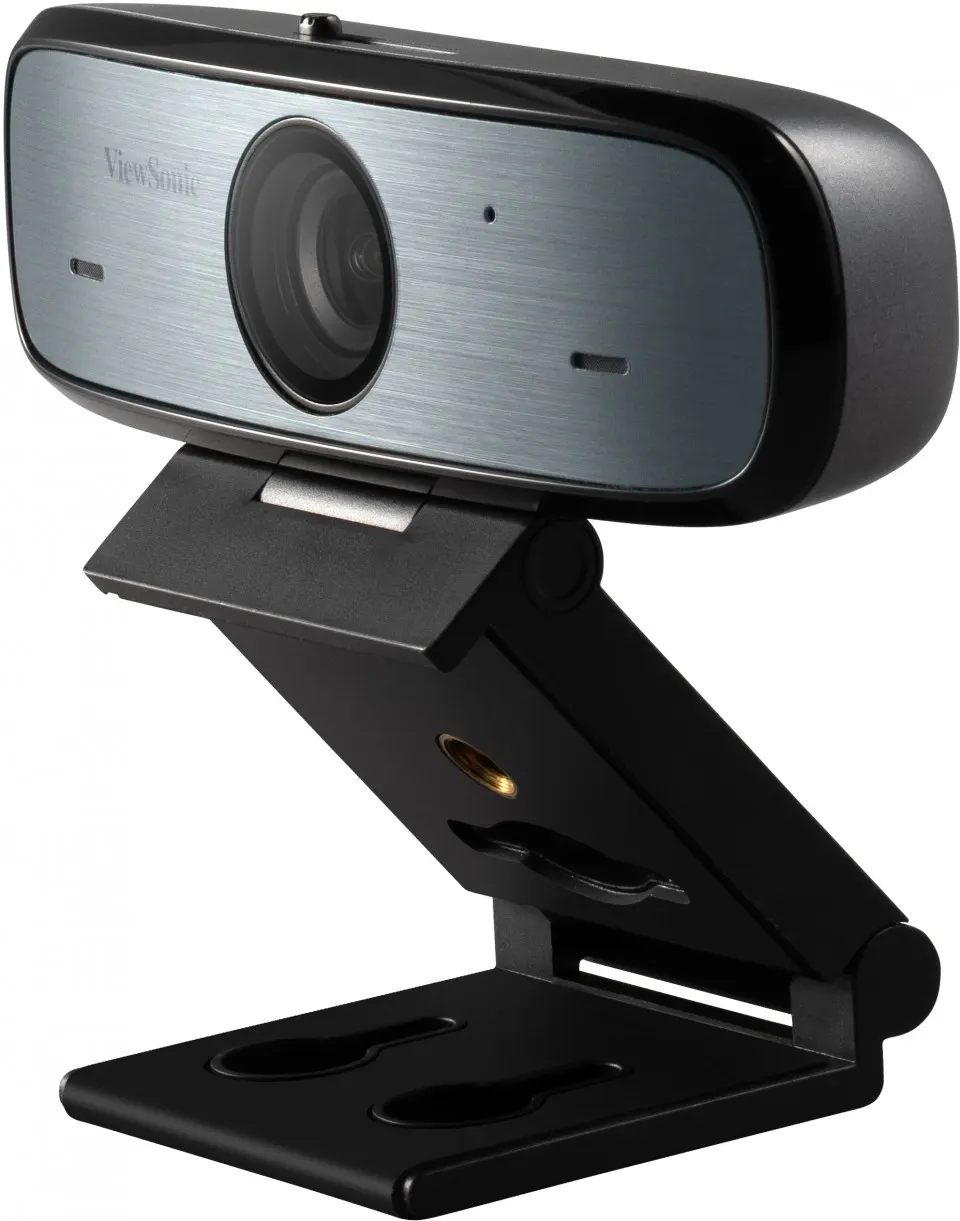
The ViewSonic VB-CAM-002 is a Full HD 1080p web camera built for hybrid classes, huddle rooms and remote meetings. It captures 1080p at 30 or 25 fps over USB 2.0 Type-A, offers a 90° field of view and includes a sliding privacy cover. A stereo microphone with automatic noise reduction and compatibility with Windows, macOS, Linux, Android and Chrome OS make it a practical fit for schools and offices across Qatar.

What the VB-CAM-002 delivers in a Qatari meeting room

The ViewSonic VB-CAM-002 is a Full HD web camera designed for hybrid classes, huddle rooms and remote business meetings. It sends 1080P video at 30 or 25 frames per second to the computer over USB 2.0 Type-A, so colleagues or students connected from elsewhere see a clear image, whether the room is in Doha or West Bay. The 1/2.8-inch CMOS sensor with 2.07 megapixels and a 90° field of view covers a group seated around a table without moving the camera.

Image and sound: the facts that matter

Resolution is only part of the picture. The camera supports backlight compensation and applies 2D and 3D digital noise reduction, which helps keep faces readable as light levels change through the day. Lower output options (720P, 960x540P and 640x360P at 30 or 25 fps) let you match video quality to the bandwidth available, which matters in offices sharing one internet line. Supported video formats are MJPEG, YUY2 and H.264.

The built-in stereo microphone has automatic noise reduction, a listed sensitivity of -30±2dB and a signal-to-noise ratio of 70dB. That is enough for a small table, while a large hall still needs a dedicated conference microphone.

Where it fits in Qatar

  • Hybrid classrooms in Al Wakrah or Al Rayyan: a teacher places the camera at the front of the room, and students at home follow the board and the lesson.
  • Boardrooms in West Bay or Lusail: executives join calls with colleagues abroad, and the privacy cover closes the lens between meetings.
  • Training rooms in Education City: the camera sends a view of trainees to overseas instructors, with a compact body that suits a shared desk.

What to plan before installation

The camera measures 109 x 56 x 125 mm, weighs 0.19 kg and comes with an all-round stand, so you can set it on a desk or shelf and adjust the angle. The package contains the camera, a quick start guide and a USB 2.0 Type-A to Micro-B cable. Keep a free USB port on the host computer and check cable routing before installation day. The built-in sliding privacy cover suits executive offices and classrooms where the camera must not stay live between sessions.

Before buying several units, confirm your operating systems. The model is listed for Windows 7, Windows 8.1, Windows 10 or later, macOS X, Linux, Android and Chrome OS. If the room sits near a window or glazed façade, plan the camera position during a free site survey, because the source data gives no operating temperature range and Qatar summer temperatures exceed 45°C.

Ordering from SmartRooms Qatar

Request a quote for the VB-CAM-002 and tell us how many rooms you need to equip. SmartRooms Qatar delivers to all eight municipalities of Qatar, accepts purchase orders (LPOs) and government tenders including Monaqasat, and accepts payment by bank transfer, cheque or purchase order. The camera is covered by the manufacturer's warranty. Send your room list and operating system details, and we will return a quotation, usually within one working day.

Highlights

  • Full HD 1080P video at 30 or 25 fps
  • 90° field of view with backlight compensation
  • Built-in sliding privacy cover over the lens
  • Built-in stereo microphone with automatic noise reduction
  • USB 2.0 Type-A connection with Micro-B cable included
  • Compatible with Windows, macOS, Linux, Android and Chrome OS

Estimated timeline

Quotation within 1 working day · delivery timing depends on stock availability, and we confirm it with your quotation.

Specifications

15 specifications · Source: manufacturer · checked Oct 2026
OPERATING SYSTEM1
Value
Windows® 7, Windows 8.1, Windows 10 or above, macOS™ X, Linux, Android
CAMERA4
Sensor
1/2.8'', CMOS, 2.07M Pixels
Field of View (FOV)
90°
Digital Noise Reduction
2D, 3D digital noise reduction
Backlight Compensation
Support
AUDIO1
Microphone
Sensitivity -30±2dB, S/N Ration 70dB
SUPPORTED VIDEO FORMAT2
Color System Compression
MJPEG / YUY2 / H.264
Max. Resolution Video
1080P@30fps/25fps, 720P@30fps/25fps, 960x540P@30fps/25fps, 640x360P@30fps/25fps
CONNECTIVITY1
USB
2.0
DIMENSIONS2
Physical (W xH xD)
109 x 56 x 125 mm (4.3 x 2.2 x 4.9 inches)
Packaging (W xH x D)
480 x 255 x 580 mm (18.8 x 10 x 22.8 inches)
WEIGHT2
Physical (Net)
0.19 kg / 0.4 lbs
Packaging (Gross)
0.27 kg / 0.6 lbs
REGULATIONS1
Compliance Certification
CE, FCC, LVD
PACKAGE CONTENTS1
Value
1. VB-CAM-002 2. Quick start guide 3. USB 2.0 Type-A to Micro-B Cable

Downloads

4 files from the manufacturer

Questions about VB-CAM-002

What is the VB-CAM-002 designed for and who suits it?
The VB-CAM-002 is a Full HD web camera for video calls, hybrid lessons and remote meetings in small and medium rooms. A boardroom in West Bay connecting with colleagues abroad, or a teacher running a class for students at home, gets a 1080P picture from a 90° field of view. It suits any team that needs a clear camera without installing a full room conferencing system.
Which resolutions and frame rates does the camera output?
The camera outputs 1080P at 30 or 25 fps, with 720P, 960x540P and 640x360P at the same frame rates. Supported formats are MJPEG, YUY2 and H.264. Its sensor is a 1/2.8-inch CMOS with 2.07 megapixels. Choose 1080P when your network and conferencing application can carry it, and drop to a lower resolution when bandwidth is limited, such as a shared connection during a busy school day.
Which operating systems is it compatible with?
The camera is listed for Windows 7, Windows 8.1, Windows 10 or later, macOS X, Linux, Android and Chrome OS. A mixed fleet of Windows laptops and Chromebooks in an office or school can share one model. Confirm your exact operating system versions with the SmartRooms Qatar team before ordering several units, so every room works from the first day.
How does it connect to a computer and what is in the box?
It connects to the computer through a USB 2.0 Type-A port, using the USB 2.0 Type-A to Micro-B cable supplied in the box. The package also contains the camera and a quick start guide. Keep a free USB port on the host PC, or use a USB hub if the room computer has few ports. The camera measures 109 x 56 x 125 mm and weighs 0.19 kg.
Does the privacy cover work, and when should it be used?
Yes. The camera has a built-in privacy cover that you slide over the lens when the camera is not in use. This is useful in staff rooms, executive offices and classrooms where the camera should not be live between sessions. Because the cover is part of the body, there is no separate cap to lose.
How good is the built-in microphone for a meeting room?
The built-in stereo microphone includes automatic noise reduction. Its listed sensitivity is -30±2dB and its signal-to-noise ratio is 70dB. For a small classroom or a meeting table, it picks up speech from nearby seats. In a large lecture hall, a dedicated conference microphone will do a better job than a webcam microphone.
Will a bright window behind the speaker affect the picture in a Doha room?
It can, but the camera supports backlight compensation and 2D and 3D digital noise reduction, which help when a bright window sits behind the speaker. A participant seated with their back to a window will still appear dark. In a Doha room with afternoon sun, check the window direction during a free site survey and position the camera so light falls on faces.
Where should I place it in a hybrid classroom in Al Wakrah?
Place it at the front of the table or teacher's desk, at eye level, with the whole group inside the 90° field of view. A private school in Al Wakrah might set it on the teacher's desk facing the seating area, while a training room in Education City could place it centrally so overseas trainers see every trainee. Use the all-round stand to set the angle before the first session.
Can it be used in Qatar's summer heat near windows?
Keep it indoors and away from direct sun. The source data does not give an operating temperature range, so SmartRooms Qatar cannot confirm a figure from the data. Summer temperatures in Qatar exceed 45°C, so avoid window ledges and glazed façades. Ask the SmartRooms Qatar team to confirm the environment for your room before you order.
Which compliance certifications does the camera carry?
The VB-CAM-002 is listed with CE, FCC and LVD compliance certifications. These marks matter when a procurement team needs evidence that electronic equipment meets the relevant standards before purchase. The product is covered by the manufacturer's warranty, and the warranty terms can be confirmed with the SmartRooms Qatar team when you request a quote.
Can schools and government bodies order several units through LPOs or tenders?
Yes. Schools, ministries, hospitals and other public bodies in Qatar can request a quote for several VB-CAM-002 units, for example one camera per classroom or meeting room. SmartRooms Qatar supplies and delivers to all eight municipalities and accepts purchase orders (LPOs), government tenders including Monaqasat, and payment by bank transfer, cheque or purchase order. Quotations are usually issued within one working day.

Similar models

Clevertouch CleverCam Clevertouch CleverCam 4K ePTZ Camera for Video Conferencing
Main Stream: 3840×2160 @30fps
Clevertouch CleverInk Clevertouch CleverInk Writing Technology for Interactive Displays
Accessories
Clevertouch Intelligent Sensor Module Clevertouch Intelligent Sensor Module for Interactive Flat Panels
Accessories
Clevertouch LUX Mini Clevertouch LUX Mini Android 13 OPS Upgrade Module
8GB 64GB
Email Call



