





VB-PEN-007
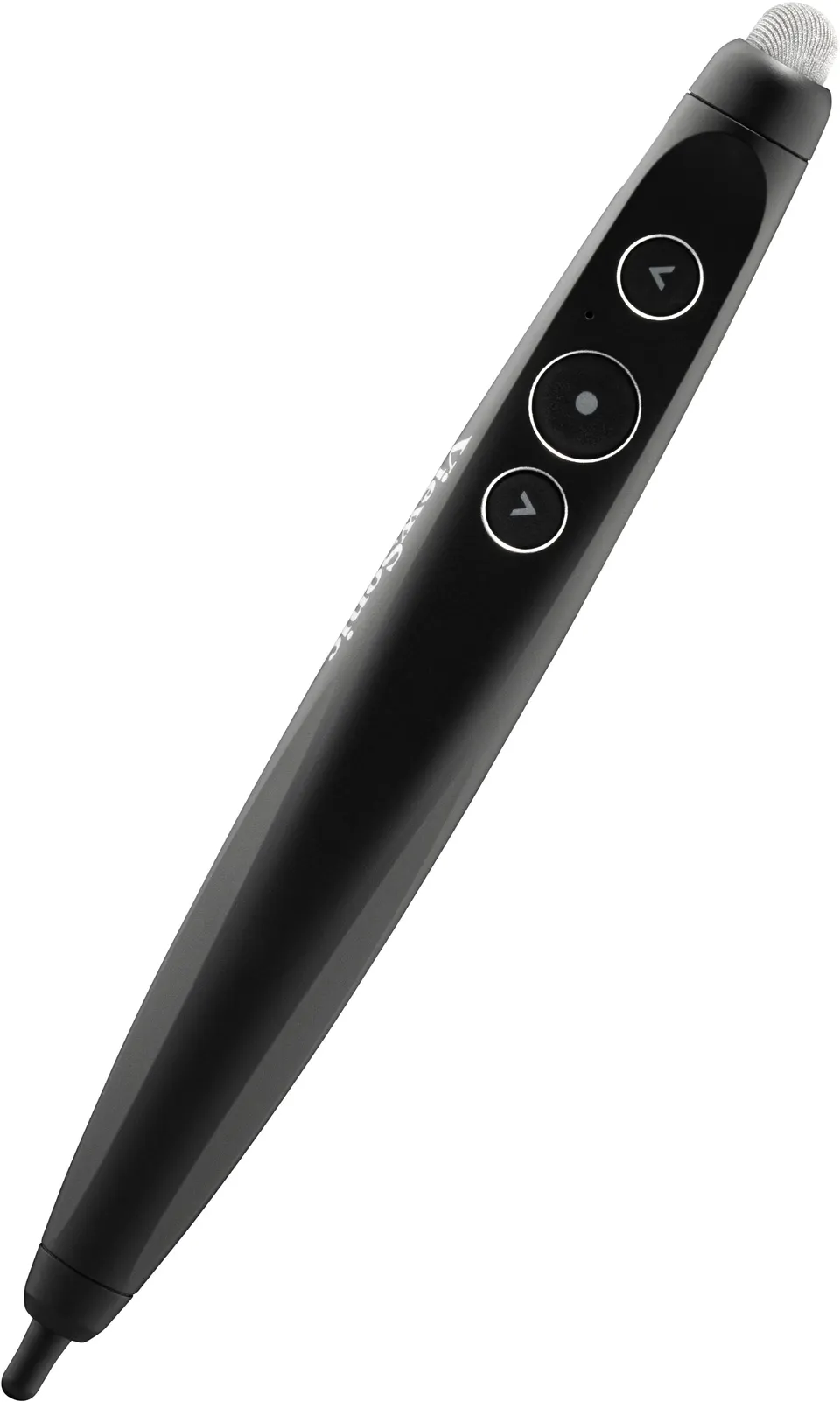
ViewSonic VB-PEN-007 AirPen Presenter Pen with Air Mouse
The ViewSonic VB-PEN-007 AirPen is a plug-and-present presenter pen for ViewBoard and compatible touch displays. A small USB 2.4GHz receiver connects it quickly, and it adds air mouse control and a curved body for right- and left-handed presenters. With 4 hours of use on a full charge, it suits teachers and meeting hosts in Doha and across Qatar. Request a quote.
What the AirPen does during a presentation
The ViewSonic VB-PEN-007 AirPen is a handheld presenter pen that combines several jobs in one device. It writes and annotates directly on a ViewBoard or other compatible touch display, it works as an air mouse so the presenter can move through content from across the room, and on select ViewBoard models it adds a digital laser pointer and spotlight. Dedicated previous-page and next-page buttons, an air mouse button and volume control are built into the pen, so a presenter rarely needs to walk back to the computer.
Setup follows a plug-and-present approach. The pen connects through a USB 2.4GHz receiver, and it is intended for ViewBoard displays and other compatible touch devices.
Specifications that matter for a buying decision
Facilities and IT managers usually compare a presenter pen on four points: battery life, operating environment, weight and compatibility. The figures below come from the manufacturer's data.
- Compatible operating systems: Windows, Android, Linux and macOS.
- Pen dimensions: 153.5 x 18.7 x 18.3 mm, weighing 21 g.
- USB receiver: 21.1 x 12.1 x 4.7 mm, weighing 1.5 g.
- Usage time: 4 hours on a full charge, with sleep mode after 20 minutes of inactivity.
- Power draw: 43 mA when on and 100 uA when off.
- Operating temperature: 0 °C to +40 °C.
- Compliance: FCC, IC, CE, NCC and BSMI.
The operating range of 0 °C to +40 °C is the figure to check against your room. Summer temperatures in Doha and across Qatar can exceed 45 °C, so the pen should not be left on a sunlit windowsill, in a parked vehicle or in an unconditioned storeroom. The storage rating of -20 °C to +70 °C covers transport and storage only, and it does not extend the operating range.
Where it fits in Qatar
In a private school in Al Wakrah fitting out a primary classroom, a teacher can stand beside the ViewBoard, annotate a lesson and move to the next page without returning to the keyboard. The 4-hour usage time gives comfortable margin for back-to-back lessons, and sleep mode after 20 minutes of inactivity helps the pen rest during pauses.
In a government meeting room in West Bay, a presenter may speak to colleagues in the room while a team joins from abroad. The air mouse lets the presenter advance slides from their position, and the curved body suits both right- and left-handed speakers when the presenter changes at the table.
At a training centre in Education City, a facilitator running workshops on a shared display can use the laser pointer and spotlight to draw attention to a detail, provided the ViewBoard is one of the select models that supports those functions.
Planning your order
- Confirm that your ViewBoard model supports the laser pointer and spotlight before ordering a batch.
- Check the host operating system in each room, as the pen lists Windows, Android, Linux and macOS.
- Plan one pen per presenting station. The box includes a thin and a thick pen nib, so presenters can choose the feel they prefer.
- Include the receiver, USB cable and quick start guide in your count, as all are supplied in the box.
Government bodies and schools can order on a purchase order or LPO, or through a tender. SmartRooms Qatar delivers to all eight municipalities of Qatar, and quotations are usually issued within one working day. Request a quote with your ViewBoard model and the number of pens you need, and the team will confirm the details before you commit.
Highlights
- Plug-and-present pen with a USB 2.4GHz receiver
- Air mouse and stylus functions; laser pointer on select ViewBoard models
- Curved body designed for right- and left-handed users
- Up to 4 hours of use on a full charge
- Compatible with Windows, Android, Linux and macOS
- Operating temperature range 0 °C to +40 °C
Estimated timeline
Quotation within 1 working day · delivery timing depends on stock availability, and we confirm it with your quotation.
Specifications
COMPITABLE OS1
- Value
- Windows/Android/Linux/MacOS
Power1
- Consumption
- 43 mA (on) / 100 uA (off)
USAGE TIME1
- Value
- 4 hours with full charge / Enter sleep mode after 20 min of inactivity
Dimension2
- Physical
- Presenter Pen : 153.5 x 18.7 x 18.3 mm / 6.04 x 0.74 x 0.72 in. USB Receiver : 21.1 x 12.1 x 4.7 mm / 0.83 x 0.48 x 0.19 in
- Packaging
- 214 x 67 x 24.5 mm / 8.43 x 2.64 x 0.96 in
WEIGHT1
- Net
- Presenter Pen:21 g / 0.046 lbs ; USB Receiver:1.5 g / 0.003 lbs
OPERATING CONDITION1
- Temperature
- 0 °C to +40 °C
STORAGE / SHIPPING CONDITION1
- Temperature
- -20 °C to +70 °C
COMPLIANCE1
- Value
- FCC, IC, CE, NCC, BSMI
PACKAGE CONTENTS1
- Value
- 1. Presenter Pen 2. USB Receiver 3. Thin pen nib x1, Thick pen nib x1 4. USB Cable 5. QSG




