55CT5WN-Z
LG One:Quick Works 55CT5WN-Z 55-inch All-in-One Video Conferencing Display
- Video
- 3840x2160 (UHD) * In line with…
- Field of view
- 120°
- Zoom
- 4x Zoom
- Pickup range
- 6m
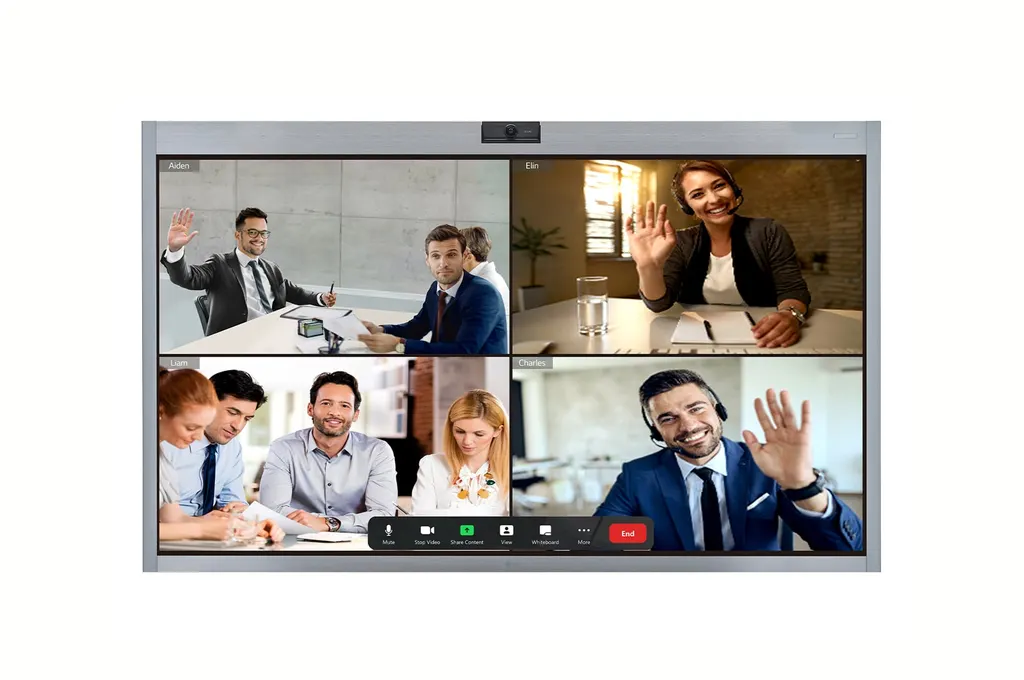
The LG 55CT5WN-Z is a 55-inch 4K UHD all-in-one video conferencing display from the One:Quick Works series, and LG has discontinued it. It combines a 10-point touch panel, a built-in Windows 10 IoT Enterprise PC with Zoom Rooms preloaded, a 120-degree camera with Auto Framing and a ten-microphone array. Organisations that already run it in Doha or Education City, or are comparing it with newer models, can request a quote for a current equivalent or compatible replacement.
What the LG 55CT5WN-Z is
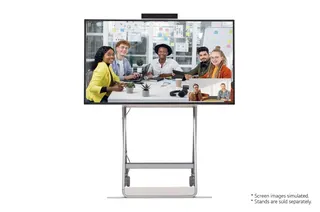
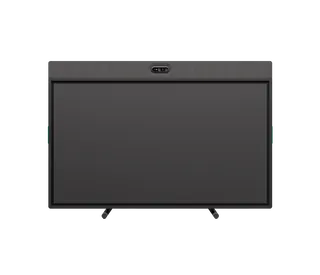
The LG 55CT5WN-Z is a 55-inch all-in-one display for video meetings, part of the One:Quick Works series. It combines a 4K UHD touch panel, a camera, a microphone array, speakers and a Windows PC in one unit, so a meeting room can run video calls without a separate display, computer and codec. LG has discontinued this model. This page is written for organisations that already own one, buyers comparing it with newer options, and anyone looking for a replacement.
Panel, touch and camera
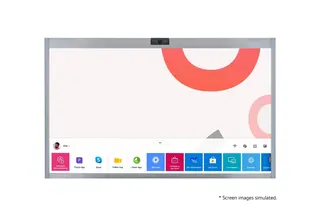
The screen is a 55-inch U-IPS panel at 3840x2160 with 450 nit brightness, a 1000:1 contrast ratio and 10-bit colour depth, which gives 1.07 billion colours. Touch is 10-point multi-touch, and one touch pen is supplied, so attendees can annotate and sketch ideas together on the Zoom Whiteboard tool. The camera has a 120-degree field of view, 4x ePTZ zoom and video framing, and its Auto Framing function follows people in the room. The manufacturer notes that camera output matches the HD 720p specification of the Zoom Rooms app, so set expectations for remote participants accordingly.
Computing, connectivity and audio
- Processor and storage: AMD Ryzen Embedded V1605B with AMD Radeon Vega graphics, 8GB RAM and a 128GB SSD.
- Software: Windows 10 IoT Enterprise with Zoom Rooms preloaded.
- Wireless: Wi-Fi 802.11ac 2x2 and Bluetooth 5.0.
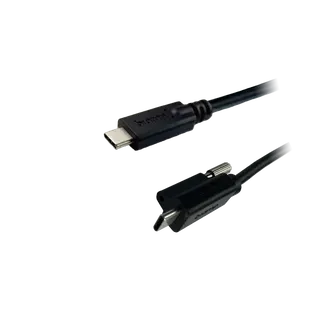
- Inputs: two HDMI, one DisplayPort over USB Type-C, RJ45 LAN, two USB 3.1 Type-A and one USB Type-C.
- Output: DisplayPort out through USB Type-C (DP Alt Mode).
- Audio: ten-microphone array with beamforming, a 6m pickup range and two 10W speakers.
Where it fits in Qatar
A 55-inch screen suits small and medium rooms rather than lecture halls. Three typical settings are:
- A department meeting room at a university training centre in Education City, where a small team joins colleagues in Doha and abroad through Zoom Rooms.
- A project office in Lusail or The Pearl, where a shared huddle space needs a whiteboard and camera in one unit.
- A government office in Msheireb or a district office in Al Khor, where staff work in Arabic and English side by side and need a dedicated meeting display.
Heat is the main environmental limit. The operating range is 0°C to 40°C with 10% to 80% humidity. Summer temperatures in Qatar can exceed 45°C, so install the unit in an air-conditioned room, away from windows that take direct sun, and avoid entrances where doors open onto hot air.
What to plan before you order
Decide on mounting first. The panel can sit on a wall using a 300x300 VESA interface, or on a desk with the optional 2-pole stand ST-653TW, which is sold separately. The head weighs 26 kg and measures 1265 x 769.5 x 61.8 mm, so wall fixings should be checked on site before drilling. With the stand fitted, the overall size is 1265 x 815 x 290 mm. Typical power draw is 127W and maximum is 245W, with a rating of 72 BTU, which helps when sizing the room's cooling.
SmartRooms Qatar offers free site surveys, so we can check wall type, cable routes, power points and room cooling before installation. Quotations are usually issued within one working day. Schools, ministries and companies buying several units can order through a purchase order (LPO), and government tenders, including Monaqasat, are supported. Because this model is discontinued, request a quote for a current equivalent or compatible replacement and tell us the room size and number of units you need.
Highlights
- 55-inch 4K UHD U-IPS touch display with 10-point multi-touch
- Built-in Windows 10 IoT Enterprise PC with Zoom Rooms preloaded
- 120-degree camera with 4x ePTZ zoom and Auto Framing
- Ten-microphone array with beamforming and 6m pickup range
- Wall mount through 300x300 VESA or desk use with optional ST-653TW stand
- Discontinued by LG; request a quote for a current equivalent
Room fit
Tell us the room size and platform (Teams, Zoom or BYOD) and we confirm the right combination with your quotation.
Estimated timeline
Quotation within 1 working day · delivery timing depends on stock availability, and we confirm it with your quotation.
Specifications
PANEL12
- Screen Size
- 55"
- Panel Technology
- U-IPS
- Native Resolution
- 3840x2160 (UHD)
- Brightness
- 450nit
- Contrast Ratio
- 1000:1
- Color Gamut
- NTSC 72%
- Viewing Angle(H x V)
- 178x178
- Color Depth
- 10-bit(D),1.07 Billion colors
- Response Time
- 9ms
- Surface Treatment(Haze)
- Haze 12% (Enhanced in-TOUCH Pol.)
- Operation Hours (Hours/Day)
- 24/7
- Portrait / Landscape
- No / Yes
CONNECTIVITY2
- Input
- HDMI (2), DP (USB Type C), RJ45(LAN), USB (USB3.1 Type A(2), USB Type C)
- Output
- DP Out (1, USB Type C (DP ALT MODE))
MECHANICAL SPECIFICATION6
- Bezel Color
- Silver
- Bezel Width
- 57.2 / 26.2 / 26.2 / 28.9mm
- Weight(Head)
- 26kg
- Monitor Dimension(W x H x D)
- 1265 x 769.5 x 61.8mm
- Monitor Dimensions with Stand(W x H x D)
- 1265 x 815 x 290mm
- VESA™ Standard Mount Interface
- 300x300
KEY FEATURE2
- HW
- CPU (AMD Ryzen Embedded V1605B), Graphics (AMD Radeon Vega), Internal Memory (SSD 128GB, RAM 8GB), Wi-Fi (802.11ac 2x2), Bluetooth 5.0, Temperature Sensor, Auto Brightness sensor, Local Key Operation (Jog Key)
- SW
- OS (Windows 10 IOT Enterprise (Value)), Built-in Apps (Zoom Rooms (Preloaded))
ENVIRONMENT CONDITIONS2
- Operation Temperature
- 0 °C to 40 °C
- Operation Humidity
- 10 % to 80 %
POWER2
- Power Supply
- AC 100-240V~, 50/60Hz
- Power Type
- Built-In Power
POWER CONSUMPTION3
- Typ.
- 127W
- Max.
- 245W
- BTU (British Thermal Unit)
- 72
SOUND1
- Speaker
- Yes (10W x 2)
CERTIFICATION3
- Safety
- CB / NRTL
- EMC
- FCC Class "B" / CE
- ErP
- Yes
Language1
- OSD
- English, French, German, Spanish, Italian, Korean , Chinese(Simplified), Chinese(Original), Portugues(Brazil), Swedish, Finnish, Norwegian, Danish, Russian, Japanese, Portugues(Europe), Dutch, Czech, Greek, Arabic, Turkish, Polski
ACCESSORY2
- Basic
- Remote Controller(include battery 2ea), Power Cord, Touch Pen, Pen tip, Manual, Regulation Book, Warranty Card, IG
- Optional
- 2 pole Stand(ST-653TW)
SPECIAL FEATURE6
- Touch - Available object size for touch
- Ø8 mm
- Touch - Reponse Time(PC Win10)
- 35mm ↓
- Touch - Accuracy
- 3.5mm ↓
- Touch - Interface
- USB1.1
- Touch - Operating System Support
- Windows 10 or higher
- Touch - Multi touch point
- Max 10 Points
Camera4
- Resolution
- 3840x2160 (UHD) * In line with the Zoom Rooms app specifications (HD, 720p)
- Field of View (FoV)
- 120°
- Zoom (ePTZ)
- 4x Zoom
- Video Framing
- Yes
MIC3
- Array
- 10EA
- Beamforming
- Yes
- Pickup Range
- 6m