





EZWrite 5
BenQ EZWrite 5 Interactive Whiteboard Software
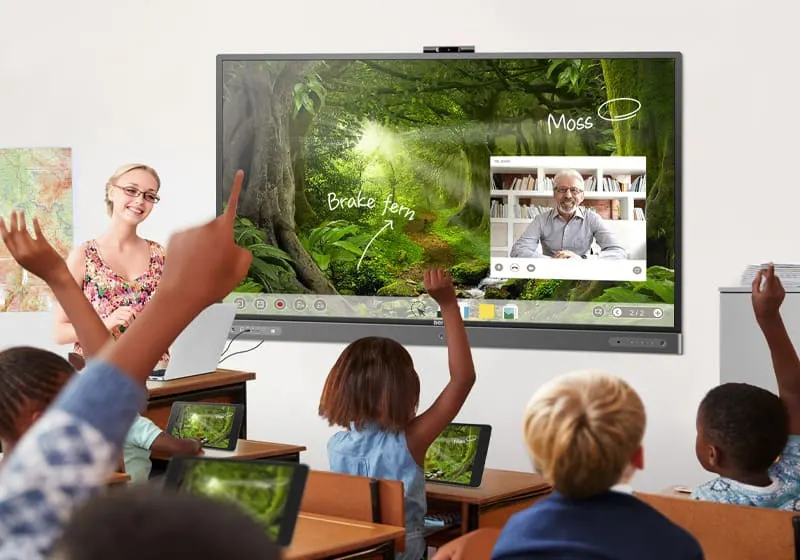
EZWrite 5 is BenQ's interactive whiteboard software, built into BenQ interactive flat panels used in classrooms. It lets teachers save and open files in cloud storage such as Google Drive and Dropbox, write on top of any app or video with the Floating Tool, and use dual pens in two colors at once. EZWrite Live adds web-based lessons with video conferencing. It suits schools and training centers in Qatar.
What EZWrite 5 does on a BenQ interactive panel
EZWrite 5 is BenQ's whiteboard and annotation software, built into its interactive flat panels (IFPs). It turns the panel into a shared writing surface where teachers and students can mark up lessons, collect notes and keep them in one place. Because it is software rather than a display, its use depends on the panel it runs on, so a quotation from SmartRooms Qatar should confirm the panel model alongside the software.
Cloud files that follow the teacher between rooms
Teachers can download files from cloud services such as Google Drive and Dropbox, open them directly in EZWrite 5, edit them and upload them again. This only works after the teacher's personal cloud storage is connected to the BenQ Account Management System (AMS). Once connected, the same material can be reopened in another room with the software, which suits a teacher who moves between classrooms during one school day.
Writing tools for shared and creative lessons
The Floating Tool lets a teacher write over an open app, a website, a document, an image or a video on Windows, Mac or Chrome. Screen captures can be taken of any area and imported into a new EZWrite page for annotation. Dual pens allow two users to write in different colors at once, so a student can highlight while the teacher explains. Brush modes include digital pens and calligraphy brushes, and handwriting recognition turns writing, numbers, forms and drawings into clear digital text without switching modes. An NFC tap on a compatible panel opens EZWrite 5 in one step.
Where it fits in Qatar
A private school in Al Wakrah fitting out new classrooms can use the Floating Tool to mark up slides and worksheets shown on the panel, so the lesson stays on one screen. A university lecturer in Education City teaching students who join from home can use EZWrite Live, which combines web-based whiteboarding with video conferencing and works from laptops, tablets and smartphones. A training centre in Mesaieed running hands-on courses can use the Calculator, Timer and Stopwatch tools to manage time during team activities.
What to plan before you order
- Confirm which BenQ interactive flat panel will run EZWrite 5, and the room where it will be installed.
- Check that every teacher's cloud storage can be connected to BenQ AMS before rollout.
- List the devices that will use the Floating Tool, whether Windows, Mac or Chrome.
- Ask for a free site survey so the mounting position and sight lines are confirmed.
Request a quote for your classrooms
Send the SmartRooms Qatar team the number of rooms, the panel models and the teaching scenarios you have in mind. A quotation usually follows within one working day. Orders can be placed by purchase order or LPO, and government tenders, including Monaqasat, are accepted. Request a quote today and plan your rollout around the lead time confirmed in the quotation.
Highlights
- Cloud file access for services such as Google Drive and Dropbox
- Floating Tool annotation over apps, videos and documents
- Dual pens for two users writing in different colors
- Handwriting recognition for text, numbers, forms and drawings
- EZWrite Live web whiteboarding with integrated video conferencing
- NFC tap opens EZWrite 5 on compatible BenQ panels
Estimated timeline
Quotation within 1 working day · delivery timing depends on stock availability, and we confirm it with your quotation.




