CleverLive Suite
Clevertouch CleverLive Suite Digital Signage Software
CleverLive Suite is Clevertouch's digital signage software for designing content, scheduling it to the right screens and managing a network from one place. Its editor combines text, images, video, RSS feeds and clocks, and zones let one display run several areas at once. Remote power scheduling and monitoring keep screens running without a site visit. It suits IT, facilities and communications teams in Qatar who manage screens across several buildings or sites. Request a quote.
What CleverLive Suite covers
CleverLive Suite is digital signage software from Clevertouch. It handles four jobs: designing the content, connecting it to business information, controlling the screens that show it, and scheduling messages so the right material appears at the right time. Because the software manages content and screens rather than the hardware itself, it is the layer your team uses to run the displays you already own or plan to buy.
Design tools, layouts and zones
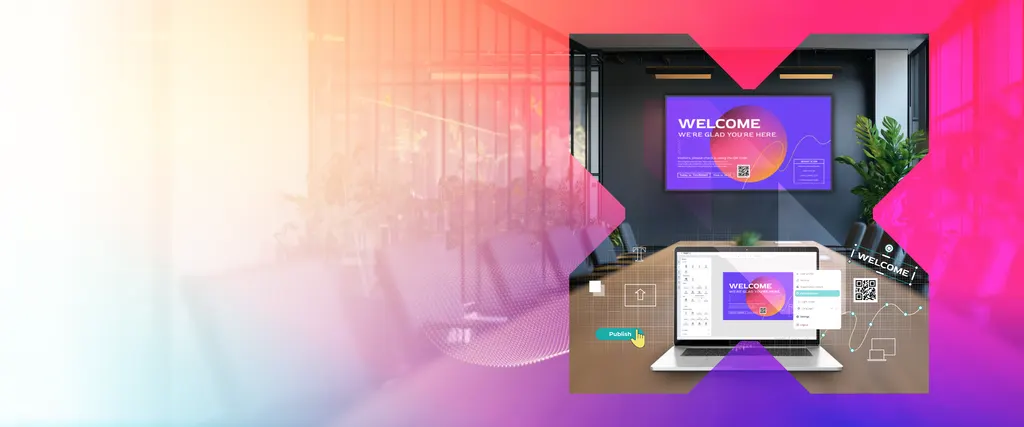
The design editor lets your team build layouts from text, images, video, RSS feeds and clocks. Snap-to-grid helps align items precisely, rotation and corner pinning shape content to fit the screen, and brightness, contrast, colour adjustments and filters can be applied to individual elements. Playlists combine PDFs, videos, images, feeds and clocks inside a layout, so one template can be reused across many screens. Zones take this further by running different material in separate areas of the same display at the same time, which suits a reception screen that shows a welcome message beside a weather widget.
Connecting, scheduling and controlling screens
Screens can be added to the network and grouped by location, site, campaign or any other criteria you define. Content is published to individual screens or to groups, and different content can be set for different times and places. Power schedules turn displays on and off remotely, and you can view and control screens without being on site. For a facilities team responsible for several buildings, this means one set of schedules and permissions instead of visiting each screen.
Where it fits in Qatar
- Government service centres in Msheireb can show queue information in one zone while ministry announcements play in another, with screens grouped by floor.
- University campuses in Education City can schedule notices for teaching days and exam periods separately for each building.
- Hotels in West Bay can apply their own branding to lobby, restaurant and conference screens and change the content by time of day.
What to plan before you order
- Confirm with the SmartRooms Qatar team which display models and devices the software will run with.
- Confirm the operating environment for each display, especially in lobbies and areas exposed to heat or dust.
- Decide who creates content, who approves it and who manages user permissions.
- Prepare a content calendar and schedule for each site before publishing begins.
Government ministries and other public bodies can order against a purchase order (LPO) or a Monaqasat tender. Pricing is provided by quotation only. Request a quote from SmartRooms Qatar and tell us how many sites and screens you plan to manage, and we will confirm what the quotation covers before you commit.
Highlights
- Design editor with text, images, video, RSS feeds and clocks
- Zones run different content in separate areas of one display
- Schedule content by time, location and screen group
- Remote screen power scheduling and remote monitoring
- Centralised management with user and permission controls
- Integrations to connect business data and everyday tools
Estimated timeline
Quotation within 1 working day · delivery timing depends on stock availability, and we confirm it with your quotation.