





InstaShare
BenQ InstaShare Wireless Screen Sharing Software
InstaShare is BenQ's wireless collaboration software for interactive flat panels. It lets participants mirror their phones, tablets and laptops onto the panel without video cables, shows four attendee screens at once in split view, and offers two-way touch control and annotation on Windows and macOS. It works with Windows, Chrome OS, macOS, iOS and Android, which suits mixed-device meeting rooms in Doha, Lusail and Education City.
What InstaShare adds to a BenQ interactive display
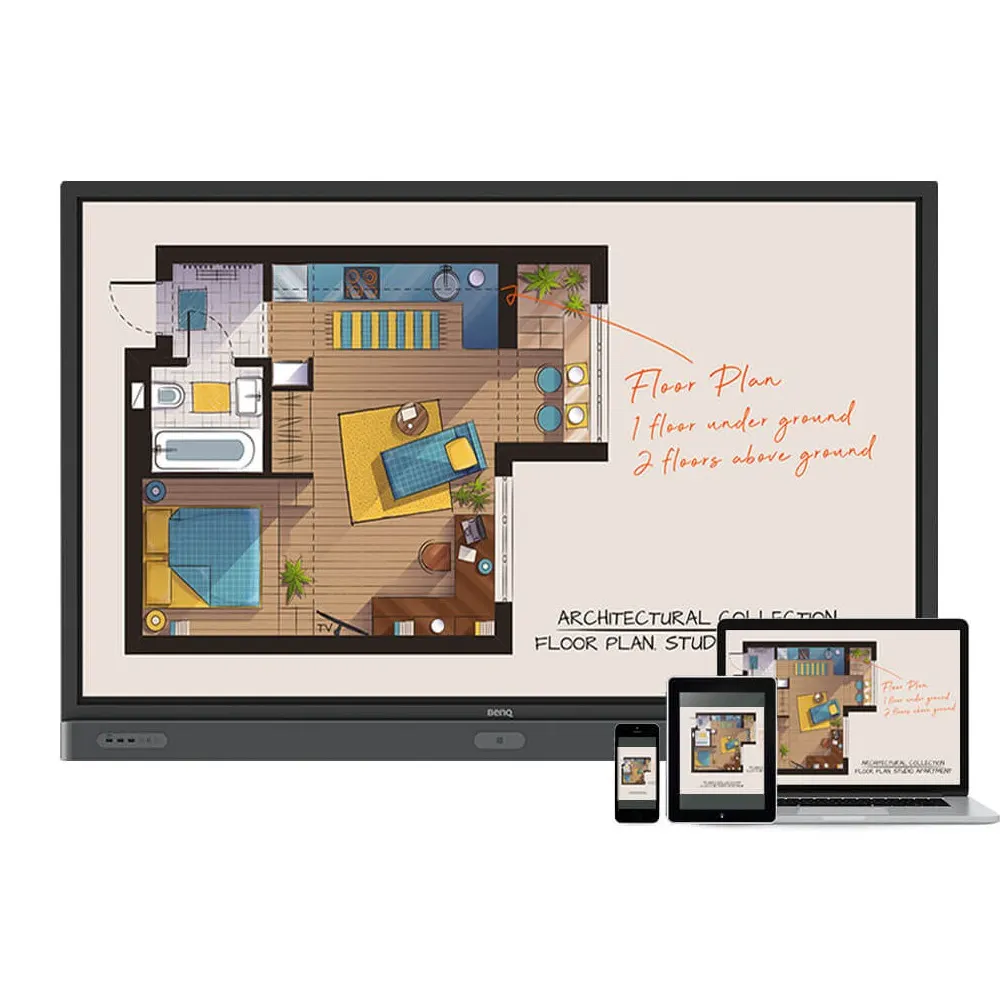
InstaShare is software for BenQ interactive flat panels (IFPs) that lets people share and control content wirelessly. Instead of running a cable from a laptop, a presenter joins the session from a phone, tablet or computer and sends their screen to the panel. The software also mirrors and controls content across BenQ IFPs, PCs, tablets and smartphones, so one session can bring together several types of device.
It also streams audio files and Full HD video. Presenters can play multimedia material directly from their own devices during a session rather than moving files onto the room computer first.
Two-way mirroring and touch control
Two-way mirroring runs between the panel and mobile devices, including smartphones, tablets and laptops, without video cables. It works for people in the same room and for participants joining from a remote location. The panel always keeps control of its own screen, so a connected device does not take over the display in the room.
On Windows and macOS, two-way touch control lets both the panel and the connected device control or interact with the mirrored content. When the panel runs two-way touch control, annotation becomes available, which suits teams reviewing drawings, financial models or lesson material together.
Split-screen meetings with central control
InstaShare accommodates four attendee screens at once, with synchronised discussion on one display. A central control function regulates attendees and mirrored content, so the person running the meeting can keep the session organised as contributors join and leave. The result is one room display that shows material from several presenters without swapping cables between presentations.
Where it fits in Qatar
- Ministry and government meeting rooms in West Bay or Msheireb, where officials from different teams show documents from their own laptops and tablets on one board.
- Universities and training centres in Education City, where lecturers and students present from personal devices during seminars and workshops.
- Companies in the Industrial Area, Lusail or The Pearl that hold hybrid meetings with colleagues abroad, where remote participants need to mirror their own screens into the session.
What to plan for
InstaShare is software, so planning focuses on the BenQ panel in each room and the devices that will connect to it. List the operating systems your staff use, because two-way touch control is listed for Windows and macOS, while sharing covers Windows, Chrome OS, macOS, iOS and Android. Identify the rooms where split-screen sessions or annotation will be common. A free site survey from SmartRooms Qatar can confirm room layout and display position before a quotation is confirmed.
To check whether InstaShare suits your meeting rooms, request a quote from SmartRooms Qatar. Quotations are usually issued within one working day, and we accept purchase orders (LPOs) and support government tenders, including those on Monaqasat.
Highlights
- Wireless mirroring from phones, tablets and laptops, without video cables
- Two-way mirroring between the BenQ IFP and mobile devices
- Two-way touch control and annotation on Windows and macOS
- Four attendee screens at once in split-screen mode
- Central control of attendees and mirrored content
- Works with Windows, Chrome OS, macOS, iOS and Android
Estimated timeline
Quotation within 1 working day · delivery timing depends on stock availability, and we confirm it with your quotation.




