





Thursday, 22 October 2026 · 11 Jumada I 1448 AH Sun – Thu · 9:00 – 18:00
+971 56 914 9477 العربية
WhatsApp

LYNX Screen Recorder

Clevertouch LYNX Screen Recorder Lesson Capture Software

WhatsApp
Priceon request
QuotationWithin 1 working day
DeliveryConfirmed with your quote, based on stock
Overview

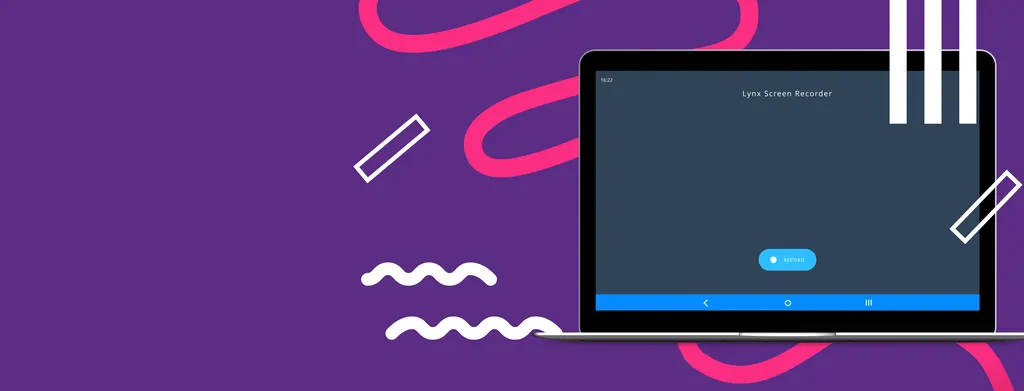
The Clevertouch LYNX Screen Recorder is software that captures lessons on a PC or Android device for replay, sharing with colleagues or delivery to students. Recordings can be synced or stored online in your own cloud, or emailed. When used with a panel with a built-in array mic, such as the IMPACT Plus, classroom audio is captured as well. It suits schools in Qatar running remote lessons.

What the Clevertouch LYNX Screen Recorder does

The Clevertouch LYNX Screen Recorder is software for capturing lessons as they happen. A teacher starts a recording on a supported PC or Android device, and the lesson is saved as a file that can be played back later, shared with colleagues or sent to students. It is built for remote-based learning, where teaching continues when pupils or staff cannot be in the same room.

Key capabilities and why they matter

Recordings can be synced or stored online in your own cloud, which keeps lesson files in a location your school already manages. Teachers can also email a recording directly to students. For schools that want pupils to revisit explanations, a single lesson becomes material that can be reviewed in the evening or before an assessment.

Audio is a key part of a useful recording. The manufacturer links audio capture to the Clevertouch IMPACT Plus, which has a built-in array mic. When a recording runs on that panel, the teacher's voice and classroom discussion are captured alongside the on-screen content, so the file makes sense even without the teacher present.

Where it fits in Qatar

  • Private schools in Al Wakrah: pupils who miss lessons through illness or travel can catch up from a recording shared by email or cloud storage.
  • Universities and training centres in Education City: lecturers can share a session with students who cannot attend in person.
  • Corporate training teams in Doha: staff can record an internal session and share it with colleagues in other offices or countries.

What to plan before you roll it out

Confirm which devices your teachers use. The source data lists PC and Android, so check that your existing hardware matches before you commit. Ask your IT team to review where recordings will be stored and who can access them, particularly if recordings include student information. Because the app is available from the Cleverstore, decide how staff will download and install it.

If you plan to use audio capture with the IMPACT Plus, request a site survey of the room. The room layout, the panel position and background noise, such as air conditioning, all affect what the array mic picks up. SmartRooms Qatar offers free site surveys, so we can check the set-up before installation.

Request a quote from SmartRooms Qatar and tell us which panels, devices and storage arrangements you plan to use. Quotations are usually issued within one working day, so your team can compare options and decide with confidence.

Highlights

  • Records lessons on PC and Android devices
  • Save recordings to your own cloud or email them
  • Classroom audio captured with IMPACT Plus built-in array mic
  • Designed for remote-based learning
  • App available to download from Cleverstore for PC users

Estimated timeline

Quotation within 1 working day · delivery timing depends on stock availability, and we confirm it with your quotation.


Specifications

Source: manufacturer · checked Oct 2026
The full specification and datasheet for this model are available on request; we send them with your quotation.

Downloads

0 files from the manufacturer
No downloadable files are listed for this model yet. Ask us and we will send the datasheet.

Questions about LYNX Screen Recorder

Which devices does the LYNX Screen Recorder support?
The LYNX Screen Recorder is available for PC and Android. The manufacturer's data does not list other platforms, so if your teachers use iPads, Macs or other devices, ask the SmartRooms Qatar team to confirm compatibility before you plan a rollout. Share your device list when you request a quote so we can check it against the version you need.
What is the LYNX Screen Recorder used for?
It records a lesson so it can be played back later, shared with colleagues or sent to students. Recordings help pupils who missed a session, support revision before exams and let staff review how a lesson went. It is designed for remote-based learning, where teaching carries on when pupils cannot be in the same room.
Can recordings be stored online?
Yes. Recordings can be synced or stored online through your own cloud, so the school decides where lesson files are kept. Teachers can also email a recording to students. The source data does not name a specific cloud service or file size limits, so confirm storage requirements with the SmartRooms Qatar team before you choose a workflow.
Does the recorder capture the teacher's voice and classroom audio?
It can, when used with a panel that has a built-in array mic. The manufacturer links this to the Clevertouch IMPACT Plus, whose array mic records classroom audio so the teacher's voice and the discussion are heard alongside the on-screen lesson. Confirm the audio set-up for your panel model before you order.
Where can staff get the app?
The manufacturer's data states that the app can be downloaded from the Cleverstore and is available for PC users. Your IT team should confirm the download route and install rights on school or company devices before rollout. SmartRooms Qatar can confirm the current download arrangements when you request a quote.
How could a private school in Al Wakrah use recorded lessons?
Teachers can record a lesson on a PC or Android device and share the file by email or through cloud storage. Pupils who miss class because of illness or travel can catch up at home, and the lesson stays available for later revision. Check with your IT team that the school's storage meets its data policy.
Can a lecturer in Education City share a session with students who cannot attend?
Yes. A lecturer can record a session on a supported PC or Android device, then send the file to students who are travelling or unable to attend in person. The recording keeps the on-screen content and, where audio is captured, the spoken explanation. Confirm how your course materials will be shared before recording.
How do recorded lessons help pupils before exams in Lusail?
Pupils in an international school in Lusail can replay a recorded explanation of a difficult topic as often as they need. Teachers can send the file by email ahead of a test, so revision is based on the same explanation used in class. The recordings do not replace teaching, but they give students a second chance to review.
Can the recorder support lessons that switch between Arabic and English?
The source data does not describe language settings or bilingual features for the recorder. What is captured depends on the audio pickup in the room and the panel used. An Arabic-curriculum or bilingual school in Al Rayyan should ask the SmartRooms Qatar team to confirm how mixed-language audio will be recorded before ordering.
Does the recorder need extra hardware or a special room set-up?
The source data lists PC and Android devices and the IMPACT Plus array mic. It does not list other hardware requirements. Because audio pickup depends on the room, SmartRooms Qatar offers free site surveys to check panel position and background noise, especially where air conditioning or nearby corridors may affect recordings.
Is the product covered by a warranty?
Products supplied by SmartRooms Qatar are covered by the manufacturer's warranty. The source data for the LYNX Screen Recorder does not state warranty terms, so ask the SmartRooms Qatar team to confirm the coverage that applies to the software and to any panel supplied with it.
How does a school or company order this software in Qatar?
Request a quote with the devices and panels you plan to use. Quotations are usually issued within one working day. Schools and government bodies can pay by purchase order or LPO, and other customers can pay by bank transfer or cheque. SmartRooms Qatar delivers to all eight municipalities of Qatar.

Similar models

Clevertouch CleverLive Suite Clevertouch CleverLive Suite Digital Signage Software
Software
Clevertouch CleverMDM Clevertouch CleverMDM Mobile Device Management Software
Yes
Clevertouch Clevershare Clevertouch Clevershare Screen Sharing Software for Interactive Displays
Software
Clevertouch CleverStore Clevertouch CleverStore Educational App Store Software
Software
Email Call


