





DeepHub Class
Dahua DeepHub Class Classroom Teaching Software
DeepHub Class is Dahua's teaching software for interactive flat panel classrooms. Teachers can prepare lessons from a library of activity templates, insert images and videos during a lesson, run in-class quizzes to follow student progress, and keep material in secure cloud storage for review after class. It lists English and Spanish among supported languages. It suits schools and training centres in Qatar wanting one toolset for planning and teaching.
What DeepHub Class does in the classroom
DeepHub Class is Dahua's teaching software for classrooms that run lessons on interactive flat panels. Teachers can assemble custom courseware from a broad set of teaching tools and activity templates, then adjust it in the middle of a lesson. For a school or training centre in Qatar, the value is one environment for preparing material, delivering it and reviewing it afterwards.
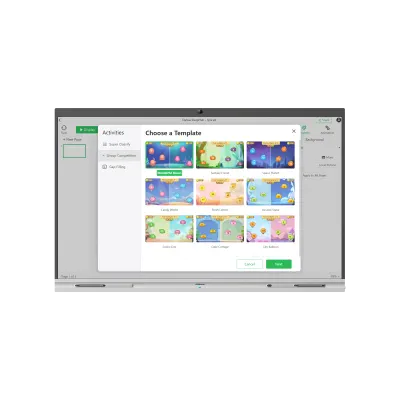
Building courseware from templates
The template library lets teachers start from a structure rather than an empty screen. Activities can be shaped to the subject, the year group and the length of the period. This helps in Qatari schools that teach the Arabic and international curricula side by side, where each class needs different content but the teaching approach should stay consistent.
- Teaching tools for custom courseware creation
- Diverse activity templates to start from
- Images and videos inserted in real time during lessons
- Cloud file synchronisation for lesson files
Checking understanding with in-class quizzes
In-class quizzes give the teacher a quick read on which students have grasped a topic before the lesson ends. Results support the monitoring of each learner's progress, so a teacher in a Doha secondary school can decide whether to revisit a topic or move on. Because quizzes run inside the same software used for the rest of the lesson, the class does not switch between tools.
Cloud storage for review after class
Secure cloud storage keeps lesson material available after the bell, which suits students revising before assessments or catching up after an absence. For IT managers, material held in the cloud rather than on individual USB drives is easier to control and easier to find when a teacher needs it again.
Planning before you order
Confirm which languages your staff and students need before ordering. The source material lists English and Spanish among the supported languages, with others available. If an Arabic interface is required, check this with the SmartRooms Qatar team first. Ask for the licence details with your quotation and state how many classrooms and teachers will use the software.
Consider a private school in Al Wakrah fitting out several classrooms with the same panels, which can give every teacher one shared template library. A university training centre in Education City could use the quiz function to check progress across short professional courses. A language centre in Doha may value the multi-language listing when teaching English and Spanish classes side by side.
SmartRooms Qatar supplies and delivers to all eight municipalities of Qatar, arranges professional installation, and usually issues quotations within one working day. Products are covered by the manufacturer's warranty. Request a quote from SmartRooms Qatar and tell us which classrooms will use the software.
Highlights
- Teaching tools and activity templates for custom courseware
- Images and videos inserted in real time during lessons
- In-class quizzes to monitor each student's progress
- Secure cloud storage for after-class review
- Lists English and Spanish among supported languages
Estimated timeline
Quotation within 1 working day · delivery timing depends on stock availability, and we confirm it with your quotation.




